1. Sissejuhatus
This manual provides essential information for the proper setup, operation, and maintenance of your MESWAO 15.6-inch Android 14 Tablet (Model MES-B3). Please read this manual thoroughly before using the device to ensure optimal performance and longevity. Keep this manual for future reference.
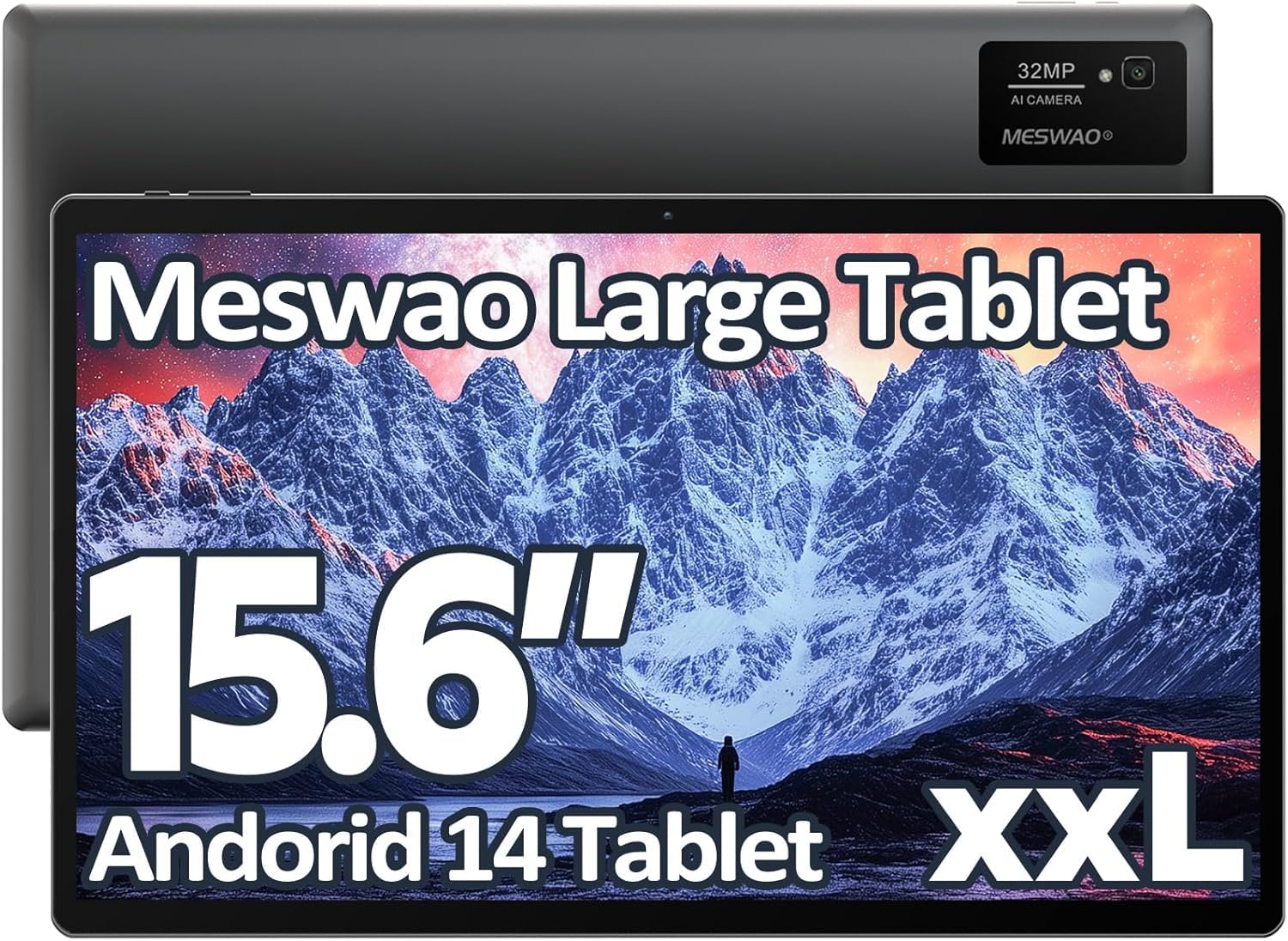
Image: The MESWAO 15.6-inch Android 14 Tablet, showcasintänu oma suurele ekraanile ja elegantsele disainile.
2. Seadistamine
2.1 Karbist väljavõtmine ja esmane kontroll
Eemaldage ettevaatlikult kõik komponendid pakendist. Veenduge, et kõik pakendis loetletud esemed on olemas ja kahjustamata. Kui mõni ese on puudu või kahjustatud, võtke viivitamatult ühendust klienditoega.
2.2 Tahvelarvuti laadimine
Before first use, fully charge the tablet. Connect the provided USB-C cable to the tablet's charging port and the other end to the power adapter. Plug the power adapter into a wall outlet. The charging indicator will illuminate. A full charge typically takes approximately 3 hours with the 30W fast charging capability.
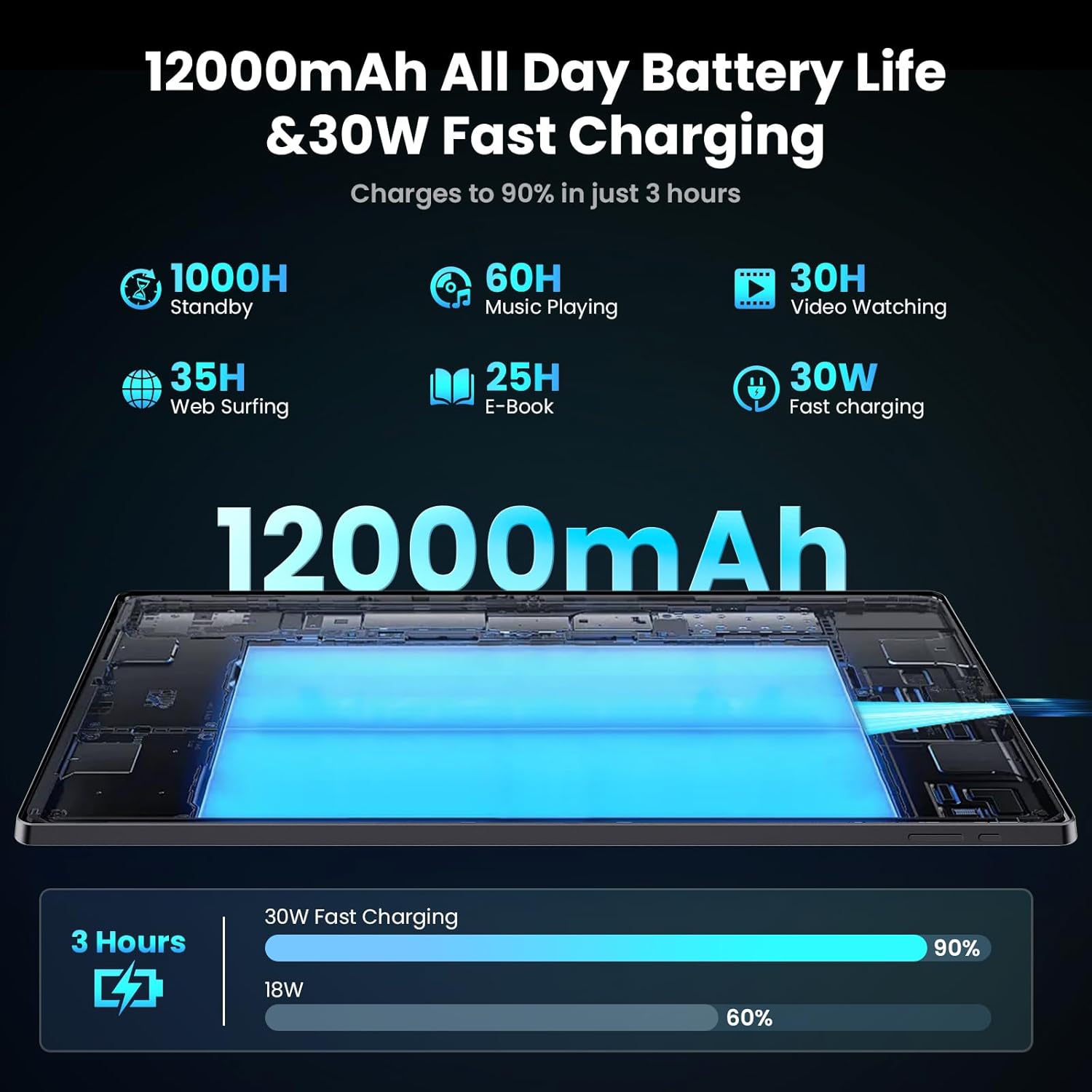
Image: Diagram illustrating the 12000mAh battery capacity and 30W fast charging feature, showing a charge to 90% in 3 hours.
2.3 Sisselülitamine ja algkonfiguratsioon
- Press and hold the Power button until the MESWAO logo appears.
- Keele ja piirkonna valimiseks ning WiFi-võrguga ühenduse loomiseks järgige ekraanil kuvatavaid juhiseid.
- Google Play poe ja muude teenuste kasutamiseks logige sisse oma Google'i kontoga või looge uus.
- Complete any remaining setup steps, such as setting up a screen lock (PIN, pattern, or password) and reviewprivaatsusseadete muutmine.
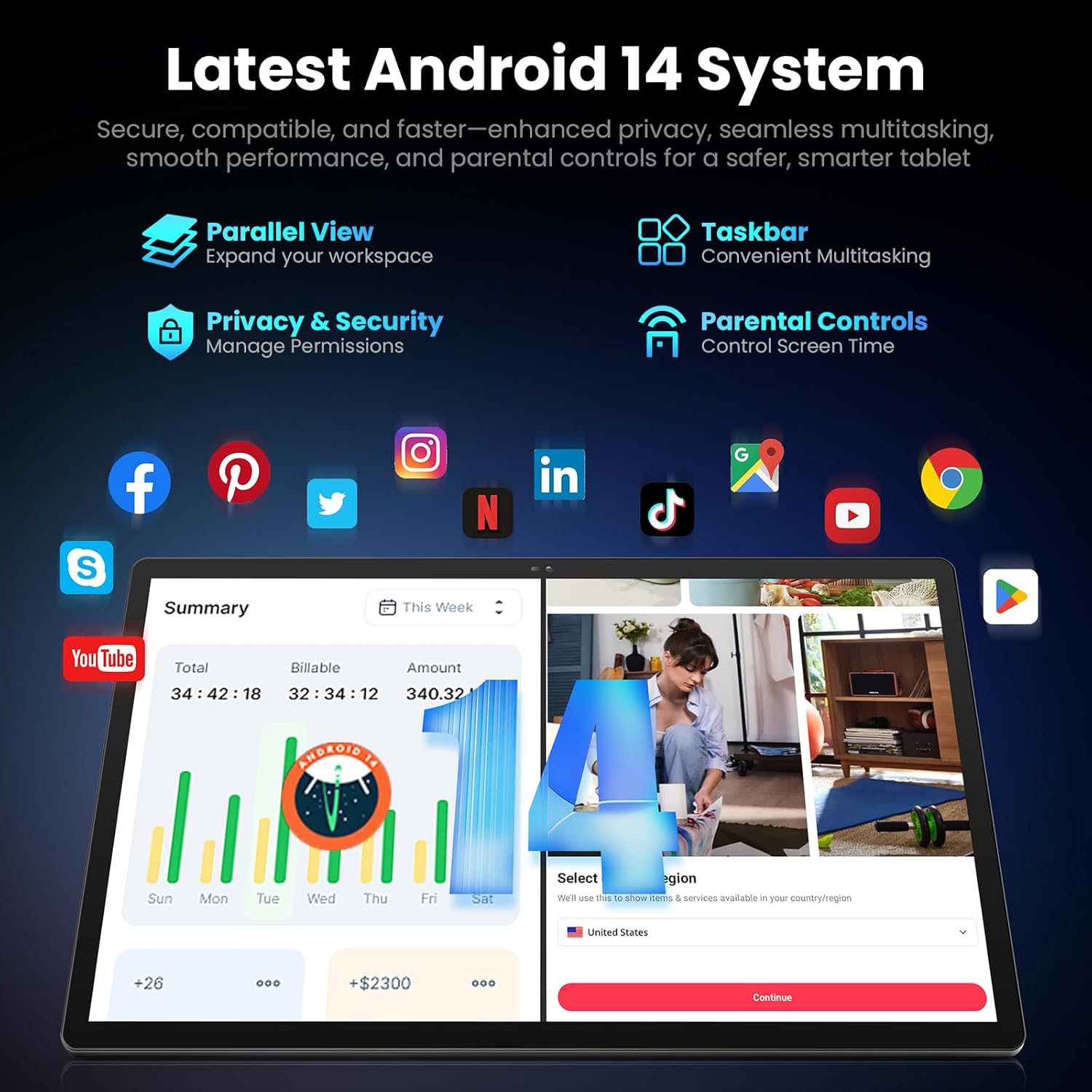
Image: Screenshot of the Android 14 system interface on the MESWAO tablet, highlighting features like Parallel View, Taskbar, Privacy & Security, and Parental Controls.
3. Kasutusjuhised
3.1 Lihtne navigeerimine
- Puutežestid: Valimiseks puuduta, kerimiseks libista, suumimiseks näpista.
- Avakuva: Juurdepääs rakendustele, vidinatele ja teavitustele.
- Teavituspaneel: Pühkige ekraani ülaosast alla kuni view teatised ja kiirseaded.
- Rakenduse sahtel: Kõigi installitud rakenduste avamiseks libistage ekraani alt üles.
3.2 Ekraan ja visuaalne kogemus
The 15.6-inch Full HD (1920x1080) IPS display offers vivid colors and wide viewing angles. Adjust brightness and display settings in the Settings menu under "Display" for optimal viewing comfort. The large screen is ideal for multitasking and immersive media consumption.

Image: The MESWAO tablet displaying a high-definition image, emphasizing the 1920x1080P Full HD IPS display with eye protection features.
3.3 Jõudlus ja salvestusruum
Equipped with an Octa-Core Helio G99 processor and Android 14, the tablet provides smooth performance for various applications. It includes 8GB RAM and 256GB internal storage, expandable up to 1TB via a TF (microSD) card. To insert a TF card, locate the card slot on the side of the tablet, open the tray, and carefully place the card into the designated slot before reinserting the tray.
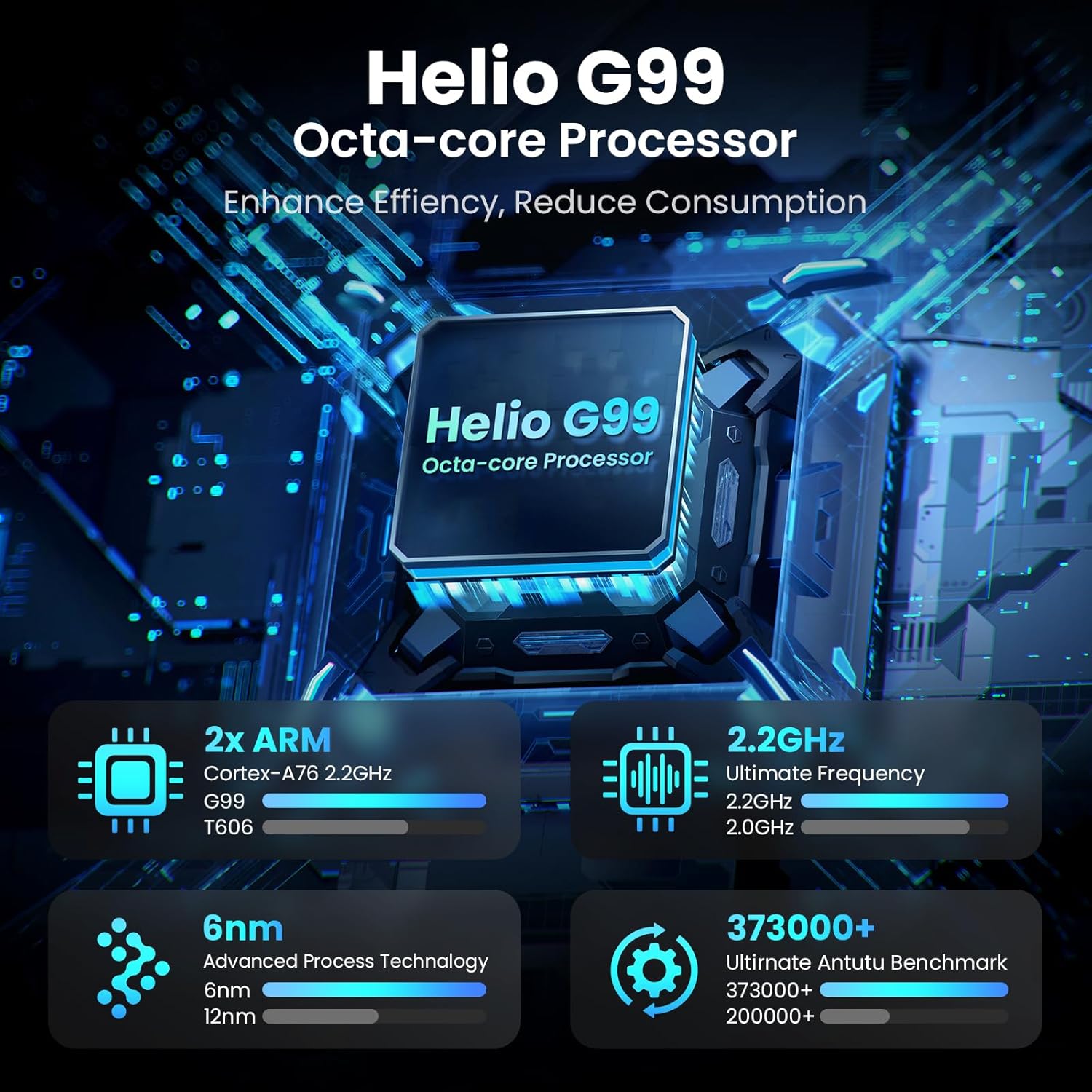
Image: Visual representation of the Helio G99 Octa-core Processor, detailing its architecture and performance metrics like 2.2GHz frequency and 6nm process technology.

Image: The MESWAO tablet screen showing multiple open applications and storage capacity details: 8GB RAM, 256GB ROM, and support for up to 1TB external storage.
3.4 Kaamera kasutamine
The tablet features a 32MP rear camera with flash and a 5MP front camera. Open the Camera application to capture photos, record videos, or engage in video calls. Ensure good lighting for best results.

Image: A visual demonstrating the MESWAO tablet's 5MP front camera and 32MP rear camera, showing a family photo being taken and a video call in progress.
3.5 Ühenduvus
The tablet supports dual-band Wi-Fi (2.4GHz & 5GHz) for stable internet connectivity. Bluetooth is also available for connecting wireless accessories. Access these settings via the Notification Panel or the main Settings app.
4. Hooldus
4.1 Tahvelarvuti puhastamine
Tahvelarvuti ekraani ja korpuse puhastamiseks kasutage pehmet, ebemevaba lappi. Kangekaelsete plekkide korral nühkige kergeltampen the cloth with water or a screen-safe cleaning solution. Avoid using harsh chemicals or abrasive materials.
4.2 Tarkvaravärskendused
Regularly check for and install system updates to ensure your tablet has the latest features, security patches, and performance improvements. Go to Seaded > Süsteem > Süsteemivärskendus värskenduste kontrollimiseks.
4.3 Aku hooldus
- Vältige äärmuslikke temperatuure, kuna need võivad aku tööiga lühendada.
- Ärge laske akul sageli täielikult tühjeneda.
- Kasutage ainult kaasasolevat laadijat või sertifitseeritud ühilduvat laadijat.
5. Veaotsing
5.1 Tahvelarvuti ei lülitu sisse
- Veenduge, et tahvelarvuti oleks piisavalt laetud. Ühendage see laadijaga vähemalt 30 minutiks, enne kui proovite uuesti sisse lülitada.
- Sunnitud taaskäivitamiseks vajutage ja hoidke toitenuppu 10–15 sekundit all.
5.2 WiFi-ühenduse probleemid
- Check if Wi-Fi is enabled in the Quick Settings or Settings menu.
- Taaskäivitage oma WiFi-ruuter ja tahvelarvuti.
- Unusta võrk WiFi-seadetes ja loo uuesti ühendus.
- Veenduge, et olete Wi-Fi signaali levialas.
5.3 Aeglane jõudlus
- Sulgege mittevajalikud taustarakendused.
- Tühjendage sageli kasutatavate rakenduste vahemälu andmed (Seaded > Rakendused > [Rakenduse nimi] > Salvestusruum ja vahemälu > Tühjenda vahemälu).
- Ensure sufficient free storage space. Delete unused files või rakendused.
- Taaskäivitage tahvelarvuti perioodiliselt.
5.4 Ekraan ei reageeri
- Tehke sunnitud taaskäivitus (hoidke toitenuppu 10–15 sekundit all).
- Veenduge, et ekraan on puhas ning niiskuse ja prahivaba.
6. Tehnilised andmed
| Funktsioon | Detail |
|---|---|
| Mudeli nimi | MES-B3 |
| Ekraani suurus | 15.6 tolli |
| Maksimaalne ekraani eraldusvõime | 1920 x 1080 pikslit (Full HD IPS) |
| Operatsioonisüsteem | Android 14 |
| Protsessor | Octa-Core Helio G99 (up to 2.2 GHz) |
| RAM | 8 GB |
| Sisemälu (ROM) | 256 GB |
| Laiendatav salvestusruum | Kuni 1 TB (TF-kaart) |
| Aku mahutavus | 12000 mAh |
| Laadimine | 30W kiirlaadimine |
| Tagumine kaamera | 32MP välklambiga |
| Esikaamera | 5 MP |
| Ühenduvus | Dual-band Wi-Fi (2.4GHz & 5GHz), Bluetooth |
| Mõõdud (PxLxK) | 14.53 x 8.78 x 0.43 tolli |
| Kauba kaal | 3.84 naela |
7. Garantii ja tugi
7.1 Garantii teave
MESWAO products are covered by a limited warranty. Please refer to the warranty card included in your product packaging for specific terms and conditions. Keep your proof of purchase for warranty claims.
7.2 Klienditugi
For technical assistance, troubleshooting, or warranty inquiries, please contact MESWAO customer support. Contact information can typically be found on the official MESWAO webveebilehel või garantiikaardil.
Online resources such as FAQs and support forums may also be available on the MESWAO websaidile.


