1. Sissejuhatus
The Strong 4G LTE N300 WiFi Router provides high-speed internet access using a 4G SIM card, offering reliable Cat4 LTE speeds up to 150 Mbps and stable N300 Mbps Wi-Fi coverage. This device is designed for easy setup and use, supporting up to 32 devices simultaneously, making it suitable for both home and small office environments where wired broadband may not be available.
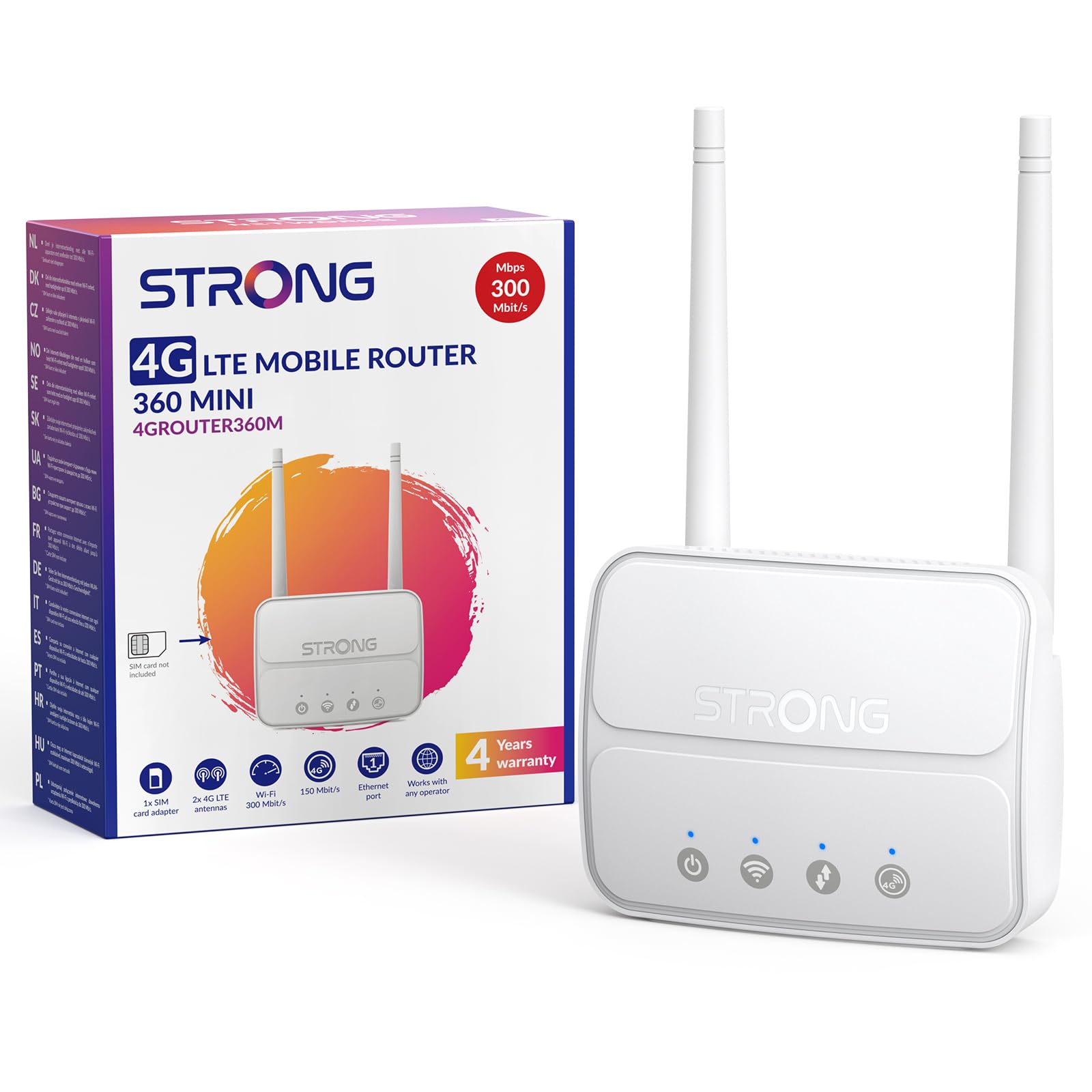
Image 1: The Strong 4G LTE N300 WiFi Router, a compact device with two external antennas for enhanced signal reception.
2. Mis on karbis
Palun kontrollige paki sisu hoolikalt. Kui mõni ese on puudu või kahjustatud, võtke ühendust klienditoega.
- Strong 4G LTE N300 WiFi Router
- External Antennas (2 units)
- RJ45 Etherneti kaabel
- Väline toiteallikas
- Nano to Micro SIM Card Adapter
- Kiirpaigaldusjuhend
- Ohutus- ja garantiikaart
3. Seadistusjuhend
Follow these steps for a quick and easy setup of your Strong 4G LTE N300 WiFi Router.
3.1. Prepare Your SIM Card
Before inserting your SIM card, ensure that any PIN protection is disabled. You can do this by inserting the SIM card into a smartphone and disabling the PIN request through the phone's settings.
3.2. Insert the SIM Card
- Leidke ruuteril SIM-kaardi pesa.
- If you have a Nano SIM, use the provided Nano to Micro SIM adapter to fit it into the standard SIM slot.
- Gently insert the prepared SIM card into the slot until it clicks into place.
3.3. Attach External Antennas
Screw the two external 4G antennas onto the designated connectors at the back of the router. Adjust their orientation for optimal signal reception.
3.4. Lülitage ruuter sisse
Connect the external power supply to the router's DC-in port and then plug it into a power outlet. The router will automatically power on and begin the startup sequence.
3.5. Connect to the Network (Plug & Play)
The router is designed for Plug & Play operation. Once powered on and with a valid SIM card, it will automatically connect to the 4G LTE network. You can then connect your devices via Wi-Fi or Ethernet.

Image 2: Visual guide for SIM card insertion and powering on the router for instant connection. The image also shows the SIM card slot supporting standard, micro, and nano SIMs with an adapter.
3.6. Juurdepääs Web Liides
Täpsemate sätete ja võrguhalduse jaoks avage ruuteri web liides tippides 192.168.188.1 sinu sisse web browser's address bar. Refer to the Quick Installation Guide for default login credentials.
4. Kasutusjuhised
This section details how to use your Strong 4G LTE N300 WiFi Router for optimal performance.
4.1. Seadmete ühendamine
The router supports connections for up to 32 devices simultaneously.
- Wi-Fi ühendus: Leidke ruuteri allosas oleval sildil olev WiFi-võrgu nimi (SSID) ja parool. Valige see võrk oma seadmes ja sisestage ühenduse loomiseks parool.
- Etherneti ühendus: Use an RJ45 Ethernet cable to connect devices such as PCs, game consoles, or Smart TVs to the router's 100 Mbps LAN port for a stable wired connection.
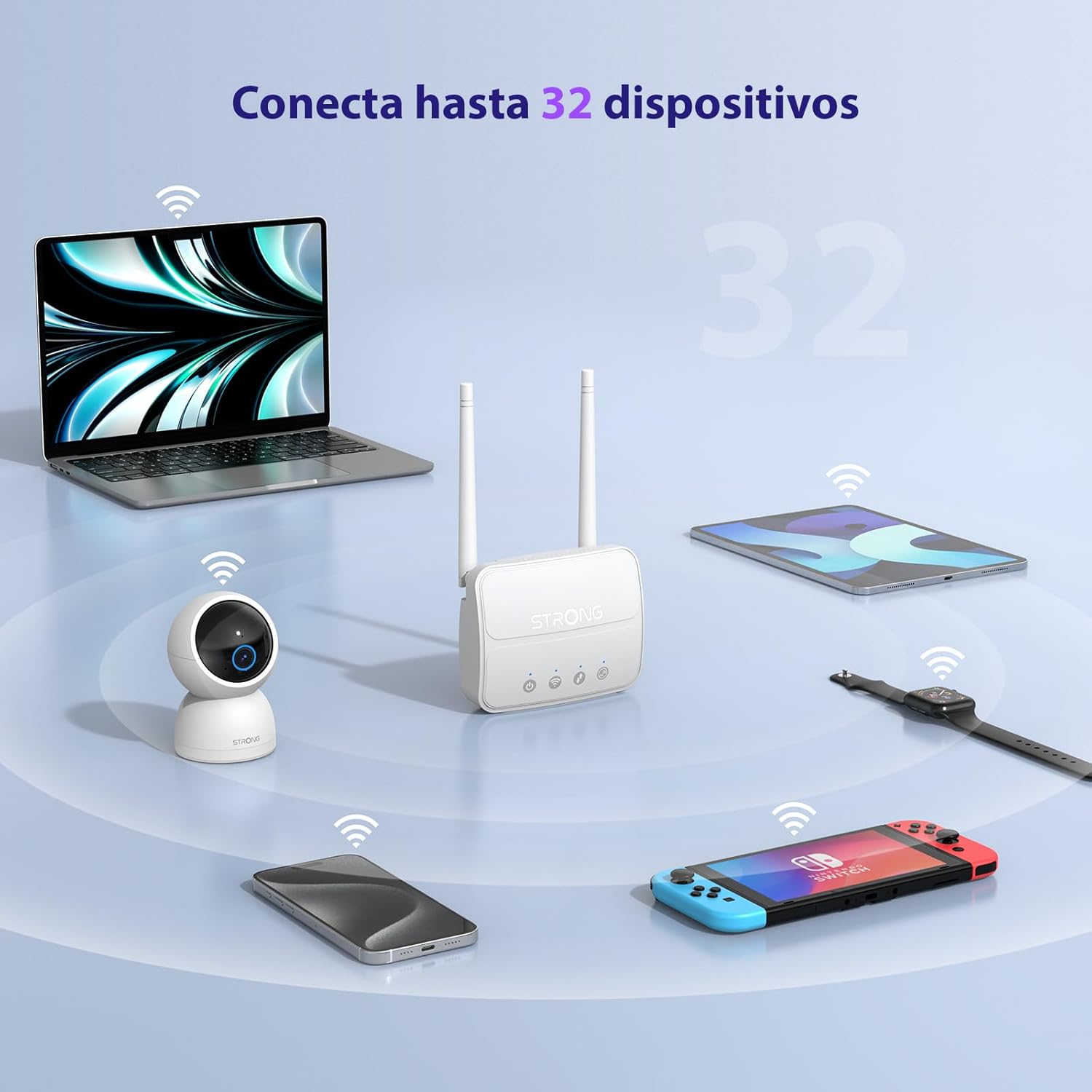
Image 3: The router connecting various devices including laptops, tablets, smartphones, and gaming consoles, demonstrating its capacity for up to 32 simultaneous connections.
4.2. Network Management and Security
Ruuter pakub teie võrgu kaitsmiseks tugevaid turvafunktsioone:
- WPA / WPA2 krüptimine: Tagab turvalise traadita side.
- PIN Control: Manage SIM card PIN settings.
- MAC-filtreerimine: Kontrollige, millised seadmed saavad teie võrguga ühenduse luua nende MAC-aadresside põhjal.
- Advanced Firewall Settings: Customize firewall rules for enhanced protection.
All these settings can be managed through the easy-to-use web liides (192.168.188.1).

Image 4: A user managing network settings on a laptop, illustrating the router's WPA/WPA2 encryption and PIN control features for secure network management.
5. Hooldus
Nõuetekohane hooldus tagab teie ruuteri pikaealisuse ja optimaalse jõudluse.
- Puhastamine: Ruuteri välispinna puhastamiseks kasutage pehmet ja kuiva lappi. Ärge kasutage vedelaid puhastusvahendeid ega aerosoole.
- Paigutus: Asetage ruuter hästi ventileeritavasse kohta, eemale otsesest päikesevalgusest, soojusallikatest ja tugevatest elektromagnetväljadest.
- Püsivara värskendused: The router features a USB port specifically for firmware updates. Regularly check the Strong official website for the latest firmware versions to ensure improved performance and security. Follow the instructions provided with the firmware update package carefully.
6. Veaotsing
Kui teil tekib ruuteriga probleeme, vaadake järgmisi levinud tõrkeotsingu samme.
- Interneti-ühendus puudub:
- Veenduge, et SIM-kaart on õigesti sisestatud ja sellel on aktiivne andmesidepakett.
- Verify that the SIM card's PIN protection is disabled.
- Check the signal strength indicators on the router. If the signal is weak, try adjusting the external antennas or relocating the router.
- Taaskäivitage ruuter, eemaldades toiteadapteri vooluvõrgust ja ühendades selle uuesti.
- Wi-Fi Not Visible or Connecting:
- Ensure the Wi-Fi function is enabled (check the router's LED indicators).
- Veenduge, et sisestate õige Wi-Fi parooli (SSID ja parool on ruuteri sildil).
- Try connecting a device via Ethernet to confirm the router has internet access.
- Aeglased kiirused:
- Check the 4G signal strength. Weak signal can lead to slower speeds.
- Veenduge, et ükski teine rakendus ega seade ei tarbiks liiga palju ribalaiust.
- Consider the number of connected devices; the router supports up to 32, but performance may vary with heavy usage.
- Juurdepääs puudub Web Liides:
- Ensure your device is connected to the router's network (Wi-Fi or Ethernet).
- Confirm you are typing the correct IP address: 192.168.188.1.
- Proovi teistsugust web brauser.
If these steps do not resolve the issue, please contact Strong customer support.
7. Tehnilised andmed
Detailed technical specifications for the Strong 4G LTE N300 WiFi Router (Model 4GROUTER360M).
| Funktsioon | Spetsifikatsioon |
|---|---|
| Kaubamärk | Tugev |
| Mudeli nimi | 4GROUTER360M |
| Ühenduvustehnoloogia | 4G, Ethernet, LTE, Wi-Fi |
| Traadita ühenduse standard | 802.11n (N300 Mbps) |
| 4G LTE kiirus | Up to 150 Mbps (Cat4) |
| Etherneti pordid | 1 x 100 Mbps LAN Port |
| SIM-kaardi pesa | Standard (2FF), includes Nano to Micro adapter |
| Antenni tüüp | 2 x External, Detachable 4G Antennas; 2 x Internal Wi-Fi Antennas |
| Maksimaalne ühendatud seadmete arv | Kuni 32 |
| Turvafunktsioonid | WPA/WPA2 Encryption, PIN Control, MAC Filtering, Firewall |
| Operatsioonisüsteem | StrongOS |
| Mõõdud (pakett) | 18.1 x 15.6 x 7.3 cm |
| Toote kaal | 204 g |
| Toiteallikas | Väline toiteadapter |
| Eriomadused | Secure Network Management, Plug & Play, Connect up to 32 devices, USB port for firmware updates |
8. Garantii ja tugi
Strong is committed to providing reliable products and excellent customer service.
8.1. Garantii teave
Your Strong 4G LTE N300 WiFi Router comes with a 4-year protection plan, ensuring long-term peace of mind. Please refer to the included Safety and Warranty Card for detailed terms and conditions.
8.2. Klienditugi
For any technical assistance, troubleshooting, or warranty inquiries, please contact our expert support team:
- E-post: support_at@strong-eu.com
Our support team offers solid service and extended coverage to assist you.

Image 5: Visual representation of Strong's reliable support, highlighting the 4-year protection and contact email for assistance.


