1. Sissejuhatus
Thank you for choosing the Vieta Pro Party 220 Portable Bluetooth Speaker. This powerful and versatile speaker is designed to deliver high-quality audio for various occasions, including parties, events, and karaoke sessions. This manual provides essential information for setting up, operating, and maintaining your speaker to ensure optimal performance and longevity.
2. Toote lõppview
The Vieta Pro Party 220 is a self-amplified portable speaker featuring advanced audio technology. It boasts 500W of powerful sound, Bluetooth 5.3 connectivity, Auracast technology, and a long-lasting 10-hour battery. Designed for portability, it includes an integrated handle and trolley-style wheels. Key features include:
- 500 W RMS heliväljund: Delivers robust and clear stereo sound with 2" tweeters and 8" woofers.
- Bluetooth 5.3 with Auracast: Ensures stable and fast wireless connections, allowing multiple Auracast-compatible speakers to connect simultaneously.
- Karaoke Compatibility: Includes a wireless microphone and supports additional microphones. Features LED lights that synchronize with music.
- 10-tunnine aku tööiga: Enjoy extended music playback with the rechargeable battery.
- Mitmed ühenduvusvõimalused: Mini Jack 3.5mm, AUX, Micro USB, USB MP3 player, and SD card slot.
- True Wireless Stereo (TWS): Connect two Party 220 speakers for an immersive stereo experience.
- Kaasaskantav disain: Integreeritud käepide ja rattad hõlpsaks transportimiseks.
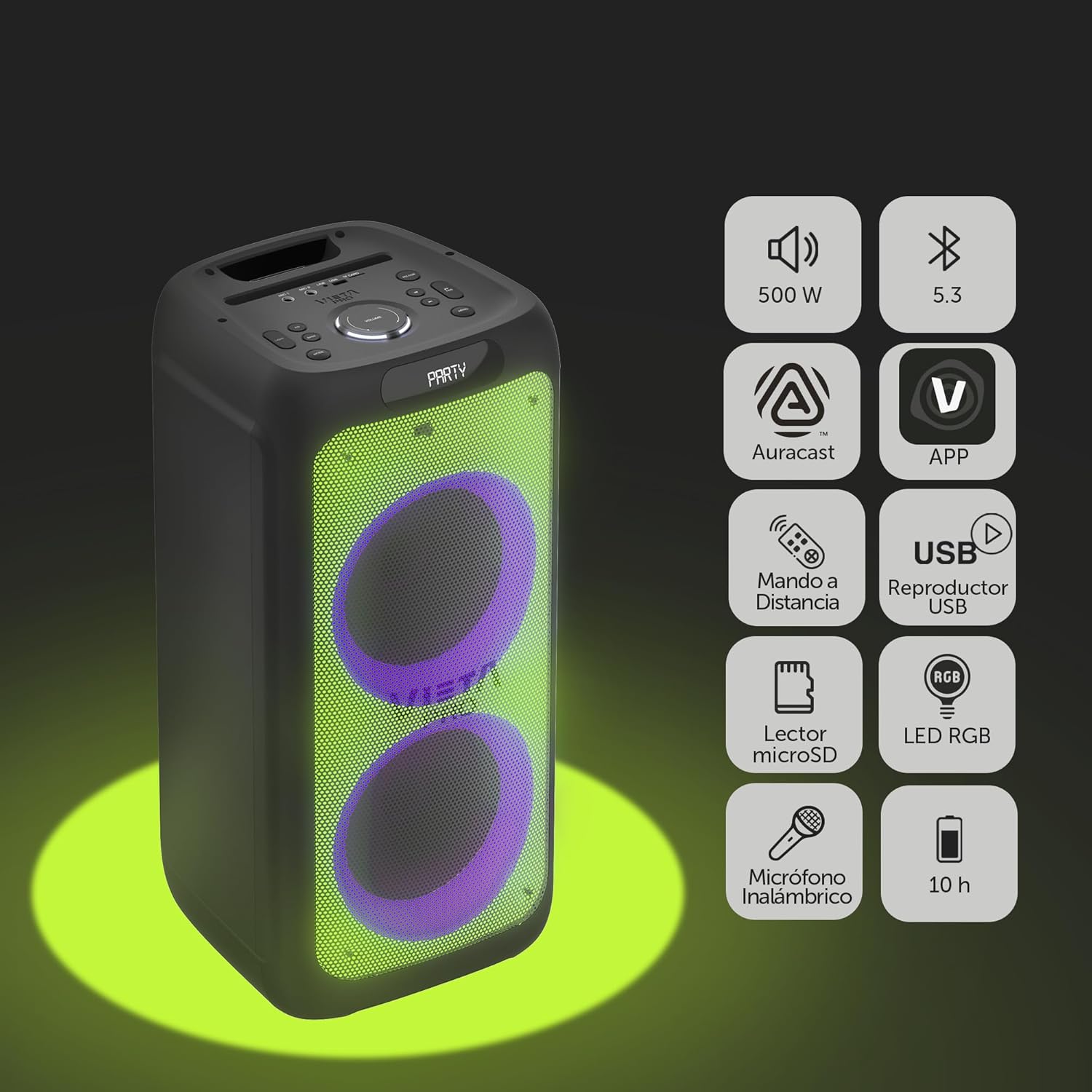
Image 2.1: The Vieta Pro Party 220 speaker highlighting its main features such as 500W power, Bluetooth 5.3, Auracast, app control, remote control, USB player, RGB LED lights, MicroSD reader, wireless microphone, and 10-hour battery life.
3. Mis on karbis
Lahtipakkimisel veenduge, et kõik esemed on olemas ja heas seisukorras:
- Vieta Pro Party 220 Portable Bluetooth Speaker
- Toitekaabel
- Juhtmeta mikrofon
- Kaugjuhtimispult
- Kasutusjuhend (see dokument)
4. Seadistamine
4.1. Kõlari laadimine
Before first use, fully charge the speaker. Connect the provided power cable to the speaker's power input and then to a suitable power outlet. The charging indicator will illuminate. Once fully charged, the indicator may change color or turn off, depending on the model.
Täislaadimine tagab kuni 10 tundi pidevat taasesitust.

Image 4.1: The Vieta Pro Party 220 speaker in a home environment, illustrating its long battery life of up to 10 hours.
4.2. Toite sisse / välja lülitamine
Locate the Power button on the speaker's control panel. Press and hold the Power button for a few seconds to turn the speaker ON or OFF.
5. Kasutusjuhised
5.1. Bluetoothi sidumine
- Turn on the Vieta Pro Party 220 speaker. It will automatically enter Bluetooth pairing mode, indicated by a flashing LED light (usually blue).
- Enable Bluetooth on your audio device (smartphone, tablet, computer).
- Otsi "Vieta Pro Party 220" in the list of available Bluetooth devices.
- Select the speaker to pair. Once connected, the LED indicator will stop flashing and remain solid.
5.2. Auracast Technology
The Party 220 supports Auracast, allowing you to connect multiple compatible speakers (including other Party 220 units or different brands supporting Auracast) for a synchronized audio experience. Refer to the specific instructions for Auracast pairing, usually initiated via a dedicated button or through the Vieta Pro app (if available).
5.3. Tõeliselt traadita stereo (TWS) sidumine
To achieve a true stereo sound experience, you can pair two Vieta Pro Party 220 speakers:
- Ensure both Party 220 speakers are turned on and not connected to any Bluetooth device.
- On one speaker (this will be the primary speaker), press and hold the TWS button (if available) or follow the TWS pairing instructions in the speaker's specific controls.
- The primary speaker will search for the secondary speaker. Once connected, you will hear an audible confirmation, and the LED indicators will reflect the TWS connection status.
- Now, connect your audio device to the primary speaker via Bluetooth as described in section 5.1. Audio will play in stereo across both speakers.
5.4. Wired Connections (AUX, USB, MicroSD)
- AUX sisend: Connect an external audio device using a 3.5mm audio cable to the AUX input port. The speaker will automatically switch to AUX mode or require manual selection via the Mode button.
- USB taasesitus: Sisestage MP3-helifailidega USB-mälupulk files into the USB port. The speaker will automatically detect and play the files. Use the control panel or remote to navigate tracks.
- MicroSD-kaardi taasesitus: Insert a MicroSD card with MP3 audio files into the MicroSD slot. The speaker will automatically detect and play the files.
5.5. Karaoke Function and Wireless Microphone
The Party 220 comes with a wireless microphone for karaoke. Simply turn on the microphone, and it should automatically connect to the speaker. Adjust microphone volume using the dedicated controls on the speaker or remote control. The speaker also has inputs for additional wired microphones.

Pilt 5.5: Lähivõte view of the wireless microphone included with the Vieta Pro Party 220 speaker, ready for karaoke use.
5.6. LED RGB Lights
The speaker features dynamic RGB LED lights that can enhance your audio experience. Use the dedicated button on the control panel or the remote control to cycle through different light modes, synchronize them with the music, or turn them off.

Image 5.6: The Vieta Pro Party 220 speaker showcasing its vibrant RGB LED lighting feature.
5.7. Kaugjuhtimispult
The included remote control allows for convenient operation of the speaker from a distance. Functions typically include power, volume, track navigation, mode selection, EQ settings, and LED light control.
6. Hooldus
- Puhastamine: Kõlari välispinna puhastamiseks kasutage pehmet ja kuiva lappi. Ärge kasutage abrasiivseid puhastusvahendeid, vaha ega lahusteid.
- Hoiustamine: Hoidke kõlarit jahedas ja kuivas kohas, eemal otsesest päikesevalgusest ja äärmuslikest temperatuuridest.
- Aku hooldus: Aku tööea pikendamiseks vältige aku sagedast täielikku tühjendamist. Laadige kõlarit regulaarselt, isegi kui seda pikka aega ei kasutata.
- Kokkupuude veega: While the speaker may have some resistance, avoid direct exposure to water or excessive moisture unless explicitly stated as waterproof.
7. Veaotsing
| Probleem | Võimalik põhjus | Lahendus |
|---|---|---|
| Pole jõudu | Aku on tühi; toitekaabel pole korralikult ühendatud. | Laadige kõlarit; veenduge, et toitejuhe on kindlalt ühendatud. |
| Ei mingit heli | Helitugevus on liiga vaikne; vale sisestusrežiim; seade pole seotud. | Suurendage kõlari ja allikseadme helitugevust; valige õige sisendrežiim (Bluetooth, AUX, USB); siduge Bluetooth-seade uuesti. |
| Bluetoothiga sidumine ebaõnnestub | Kõlar ei ole sidumisrežiimis; seade on liiga kaugel; häire. | Ensure speaker is in pairing mode; Move device closer; Turn off other Bluetooth devices. |
| Mikrofon ei tööta | Microphone off; Battery low in microphone; Volume too low. | Turn on microphone; Replace microphone batteries; Increase microphone volume. |
| TWS -i sidumine ebaõnnestub | Speakers not in TWS pairing mode; Too far apart. | Ensure both speakers are in TWS pairing mode; Place speakers closer together. |
8. Tehnilised andmed
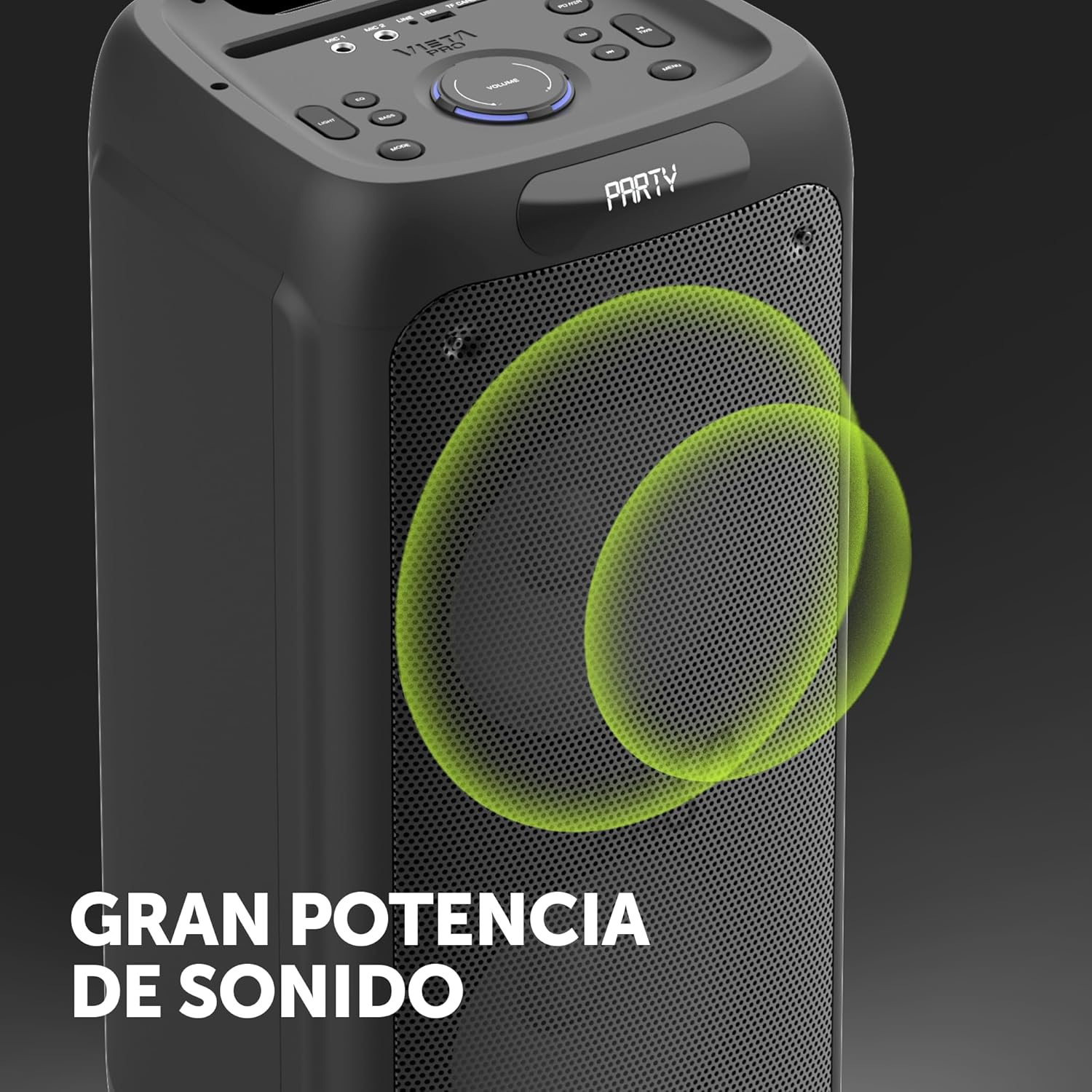
Image 8.1: The Vieta Pro Party 220 speaker, highlighting its powerful sound output.
| Funktsioon | Detail |
|---|---|
| Mudeli nimi | Pidu 220 |
| Mudeli number | VM-HW455BK |
| Kaubamärk | Vieta Pro |
| Kõlari tüüp | Outdoor, Portable, Self-ampliified |
| Ühenduvustehnoloogia | Bluetooth 5.3, AUX, USB, MicroSD |
| Traadita side | Bluetooth |
| Kõlari maksimaalne väljundvõimsus | 500 vatti (RMS) |
| Heliväljundi režiim | Stereo (TWS-iga) |
| Sagedusvastus | 20 MHz |
| Toiteallikas | Akutoitel |
| Aku tööiga | Kuni 10 tundi |
| Kontrollimeetod | Kaugjuhtimispult, seadmel olevad nupud |
| Eriomadused | Anti-shock, USB Port, Shock resistant, Wireless speakers, Auracast, Karaoke, LED RGB lights |
| Ühilduvad seadmed | MP3 Player, Mobile, PC, DJ Mixer, Tablet, Television |
| Toote mõõtmed | 33.7 S x 30 L x 70.5 K cm |
| Kauba kaal | 5 kilogrammi |
| Materjal | Plastikust |
| Värv | Must |
9. Garantii ja tugi
The Vieta Pro Party 220 speaker comes with a limited warranty. Please refer to the warranty card included in your packaging for detailed terms and conditions. For technical support, troubleshooting assistance beyond this manual, or warranty claims, please contact Vieta Pro customer service through their official websaidil või toote dokumentatsioonis olevatel kontaktandmetel.
Palun hoidke oma ostutõend garantiinõuete täitmiseks alles.