Toode läbiview
The DIERYA DK68 is a 60% compact mechanical keyboard designed for versatility and performance. It features triple-mode connectivity, allowing seamless switching between Bluetooth 5.0, 2.4GHz wireless, and USB-C wired connections. Equipped with clicky blue mechanical switches and vibrant RGB backlighting, it offers a responsive and customizable typing experience for both gaming and office use.

Figure 1: DIERYA DK68 Wireless Mechanical Keyboard showcasing its compact design and RGB lighting.
Pakendi sisu
Veenduge, et pakendis on kõik esemed olemas:
- DIERYA DK68 Wireless Mechanical Keyboard
- USB-C-USB-A kaabel
- Klaviatuuri tõmbur
- 2.4GHz USB Receiver (stored in the keyboard's back compartment)
- Kasutusjuhend (see dokument)
Seadistamine ja ühenduvus
The DK68 keyboard supports three connection modes: USB-C wired, 2.4GHz wireless, and Bluetooth 5.0. Choose the mode that best suits your needs.
1. USB-C juhtmega režiim
- Ühendage kaasasolev USB-C-kaabel klaviatuuri USB-C-porti.
- Ühendage kaabli USB-A-ots arvuti vaba USB-porti.
- Klaviatuur tuvastatakse automaatselt ja see on kasutusvalmis.
2. 2.4 GHz traadita režiim
- Locate the 2.4GHz USB receiver in the compartment on the back of the keyboard.
- Eemaldage vastuvõtja ja ühendage see arvuti vabasse USB-porti.
- Turn on the keyboard using the switch located on the back.
- Klaviatuur peaks automaatselt vastuvõtjaga ühenduse looma. Kui mitte, vajutage Fn + G (labeled '2.4G' on the key) to activate 2.4GHz pairing mode.

Figure 2: Triple-mode connectivity options including 2.4GHz wireless.
3. Bluetooth 5.0 režiim
Klaviatuuri saab ühendada kuni kolme Bluetooth-seadmega.
- Turn on the keyboard using the switch on the back.
- Vajutage ja hoidke all Fn+Z (labeled 'BT1'), Fn + X (labeled 'BT2'), or Fn + C (labeled 'BT3') for 3-5 seconds until the corresponding key's backlight flashes rapidly. This indicates pairing mode.
- On your device (PC, laptop, tablet, phone), enable Bluetooth and search for "DIERYA DK68".
- Select the keyboard to pair. The key's backlight will stop flashing once connected.
- Paaristatud Bluetooth-seadmete vahel vahetamiseks vajutage lihtsalt Fn + Z/X/C.

Figure 3: Bluetooth connectivity for multiple devices.
Kasutusjuhised
RGB taustvalgustuse juhtimine
The DK68 features 20 built-in RGB lighting effects and 16.8 million customizable colors. Use the following key combinations to control the lighting:
- Fn + Backspace: Turn backlighting On/Off.
- Fn + tõstuklahv: Switch light colors.
- Fn + Enter: Switch light modes (20 dynamic RGB modes).
- Fn + ülesnool: suurendage heledust.
- Fn + allanool: Decrease brightness.
- Fn + vasaknool: Vähenda valguse kiirust.
- Fn + paremnool: Suurenda valguse kiirust.

Figure 4: RGB lighting control key combinations for the DK68 keyboard.
Võtmete kohandamine ja makrod
The DIERYA DK68 supports full key anti-ghosting and N-Key Rollover (NKRO) for accurate input. For advanced customization, including key remapping, macro programming, and additional lighting effects, dedicated software is available. Please refer to the official DIERYA webtarkvara allalaadimise ja juhiste sait.

Figure 5: Full N-Key Rollover and software customization capabilities.
Mehaanilised sinised lülitid
The keyboard is equipped with clicky blue mechanical switches, providing a distinct tactile bump and an audible click with each keystroke. These switches are ideal for users who prefer clear feedback and a satisfying typing experience. They feature a medium 60gf actuation force (±15gf) and 2.3mm travel (±0.6mm), with a lifespan of 50 million clicks.

Joonis 6: üksikasjalik view of mechanical blue switches and their specifications.
Hooldus
Akuhaldus
The keyboard is powered by a 3000mAh lithium battery. To charge, connect the keyboard via the USB-C cable to a power source. The keyboard can be used while charging.
- Usage Time (Backlighting On): Kuni 12 tundi.
- Usage Time (Backlighting Off): Kuni 333 tundi.
- Automaatne puhkerežiim: The keyboard enters auto-sleep mode after 3 minutes of inactivity to conserve power.
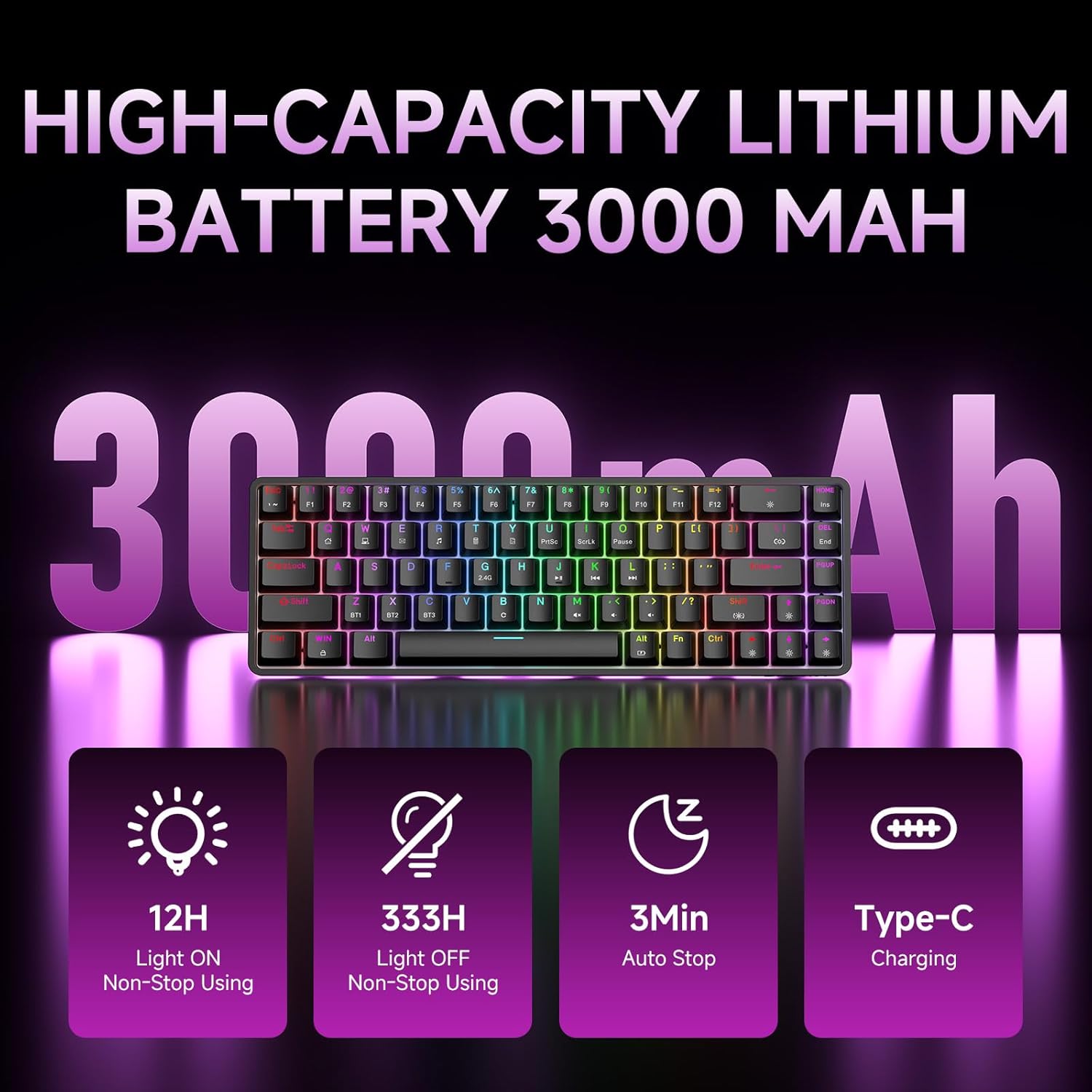
Figure 7: Battery capacity and power-saving features of the DK68.
Puhastamine ja hooldus
- Use the provided keycap puller to carefully remove keycaps for cleaning.
- Puhastage klaviatuuri pinda pehme lapigaamp lapiga. Vältida liigset niiskust.
- Ärge kasutage tugevaid kemikaale ega abrasiivseid puhastusvahendeid.
- Enne puhastamist veenduge, et klaviatuur on välja lülitatud.
Veaotsing
- Klaviatuur ei reageeri:
- Check the power switch on the back of the keyboard.
- Ensure the correct connection mode (wired, 2.4GHz, or Bluetooth) is selected.
- 2.4 GHz puhul veenduge, et USB-vastuvõtja on kindlalt ühendatud.
- Bluetoothi puhul veenduge, et klaviatuur on teie seadmes seotud ja valitud. Vajadusel proovige uuesti siduda.
- If using wired mode, try a different USB port or cable.
- Taustvalgustus ei tööta:
- Vajutage Fn + Backspace to toggle the backlighting.
- Check battery level; low battery may disable backlighting.
- Võtmed ei registreeru:
- Ensure the keyboard is properly connected and powered on.
- If specific keys are not working, try removing and re-seating their keycaps.
Tehnilised andmed
| Funktsioon | Detail |
|---|---|
| Mudeli number | DK68 |
| Ühenduvustehnoloogia | 2.4 GHz juhtmevaba, Bluetooth 5.0, juhtmega USB-C |
| Lüliti tüüp | Clicky Blue mehaanilised lülitid |
| Klahvi paigutus | 68 klahvi (60% paigutus) |
| Taustvalgustus | RGB (16.8 Million Colors, 20 Effects) |
| Aku mahutavus | 3000 mAh liitiumpolümeer |
| Ühilduvad seadmed | Mängukonsool, sülearvuti, arvuti, tahvelarvuti |
| Anti-ghosting | Full Key Anti-Ghosting & NKRO |
| Materjal | Plastikust |
| Kauba kaal | 1.76 naela (umbes 800 g) |
| Pakendi mõõtmed | 14.33 x 4.37 x 1.73 tolli |

Figure 8: Keyboard dimensions and compact 68-key layout.
Garantii ja tugi
For warranty information and technical support, please refer to the documentation included with your product or visit the official DIERYA website. Amazon's return policy for this product is 30 days from the date of receipt.


