1. Sissejuhatus
Thank you for choosing the SOVMIKU 4K NVR 5MP PoE Camera System. This system provides advanced surveillance capabilities with 4K NVR recording, 5MP PoE cameras featuring human detection, 300° pan and 90° tilt functionality, auto-tracking, and two-way audio. Designed for home and business security, this manual will guide you through the installation, operation, and maintenance of your new security system.
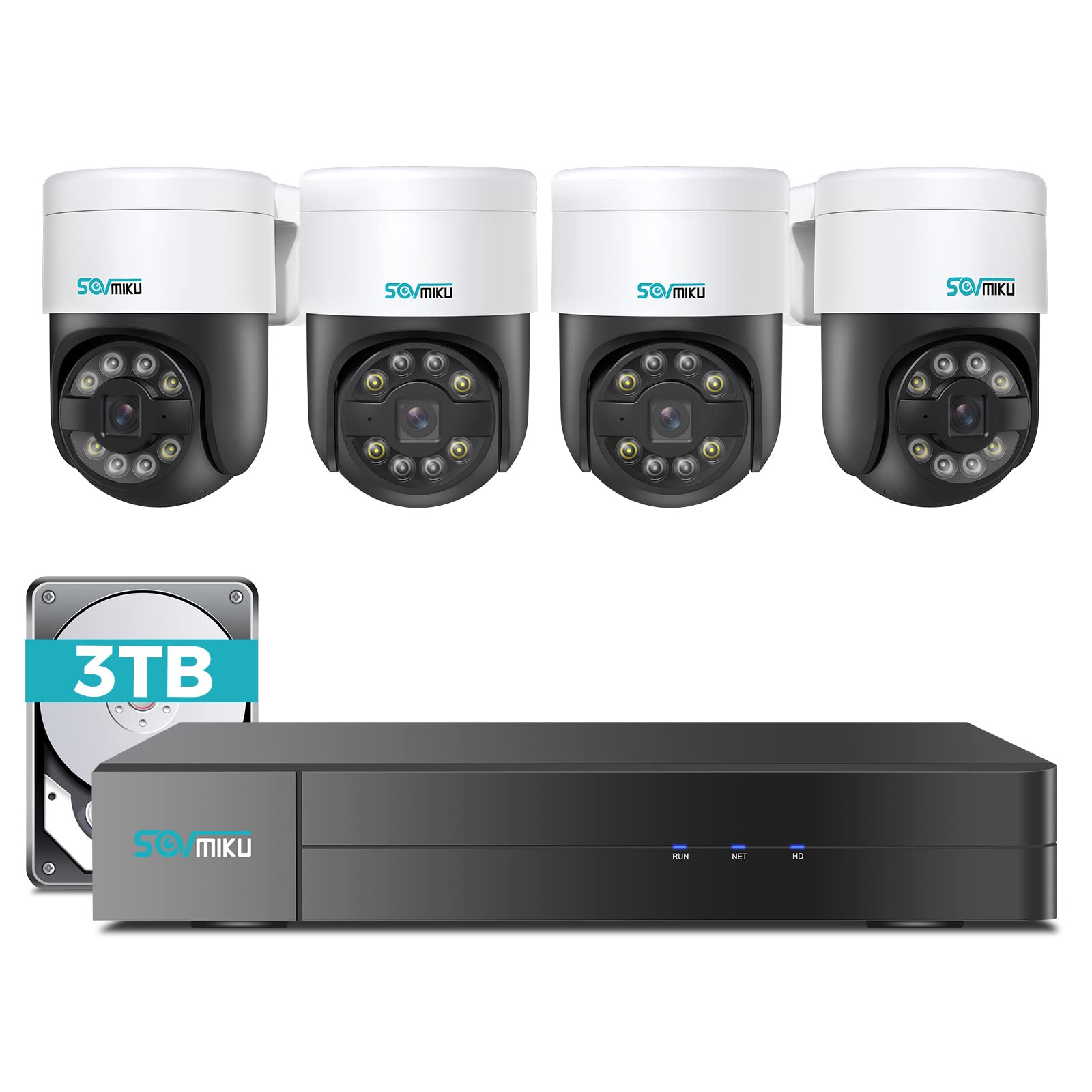
Pilt 1.1: läbiview of the SOVMIKU 4K NVR 5MP PoE Camera System components.
2. Pakendi sisu
Please check the package contents carefully upon opening. If any items are missing or damaged, contact SOVMIKU customer support.
- 1x 4K Network Video Recorder (NVR) with 3TB HDD
- 4x 5MP PoE Outdoor Security Cameras (PTZ, IP66 rated)
- 1x NVR-i toiteadapter
- 1x USB hiir
- 1x HDMI kaabel
- 4x Ethernet Cables (for cameras)
- 4x kinnituskruvide komplektid
- 1x kiirjuhend
- 1x Warning Sticker Set

Image 2.1: Illustration of typical package contents for the SOVMIKU PoE Camera System.
3. Seadistamine
3.1 NVR-i algseadistus
- Monitori ühendamine: Ühendage NVR monitori või teleriga kaasasoleva HDMI-kaabli abil.
- Ühenda hiir: Ühendage USB-hiir NVR-i USB-porti.
- Ühendage võrk: Connect the NVR to your router using an Ethernet cable for internet access and remote viewing.
- Ühendage toide: Plug the NVR power adapter into the NVR and then into a power outlet. The NVR will power on automatically.
- Initial Wizard: Follow the on-screen setup wizard to configure language, date/time, password, and network settings.

Image 3.1: Diagram showing NVR connections to monitor, mouse, network, and power.
3.2 Kaamera paigaldamine
- Paigalduskoht: Choose a suitable location for each camera, ensuring good coverage and a stable mounting surface. Consider the camera's IP66 rating for outdoor use.
- Puurida augud: Use the provided mounting template to mark and drill holes for the camera base. Insert wall anchors if necessary.
- Turvaline kaamera: Attach the camera base to the mounting surface using the provided screws.
- Connect PoE Cable: Connect one end of an Ethernet cable to the camera's PoE port and the other end to an available PoE port on the NVR. The camera will power on and connect automatically.
- Reguleerige nurka: Loosen the adjustment screws on the camera to set the desired pan, tilt, and rotation angle. Tighten the screws once positioned.

Image 3.2: Step-by-step guide for mounting a PoE camera.
3.3 Mobiilirakenduse seadistamine
- Laadige rakendus alla: Otsi the official SOVMIKU security app in your device's app store (iOS or Android).
- Registreeri konto: Avage rakendus ja registreerige uus kasutajakonto.
- Lisa seade: Follow the in-app instructions to add your NVR system. This typically involves scanning a QR code on the NVR or manually entering its device ID.
- Otse View: Kui olete selle lisanud, saate view live feeds from your cameras, access playback, and control PTZ functions remotely.
4. Süsteemi kasutamine
4.1 Otseülekanne View ja taasesitus
- Otse View: On the NVR monitor or mobile app, select the 'Live View' option to see real-time footage kõigist ühendatud kaameratest.
- Taasesitus: Access the 'Playback' menu to review salvestatud footage. You can search by date, time, and event type (e.g., motion detection, human detection).

Pilt 4.1: Näideample of the mobile app's live view liides.
4.2 PTZ Control and Two-Way Audio
- PTZ juhtimine: For PTZ cameras, use the on-screen controls (NVR interface or mobile app) to pan (300°), tilt (90°), and zoom the camera lens.
- Kahesuunaline heli: Select a camera with two-way audio support in live view. Use the microphone icon to speak through the camera and the speaker icon to listen to audio from the camera's location.
4.3 Inimeste tuvastamine ja automaatne jälgimine
- Inimese tuvastamine: The system is configured to detect human shapes, reducing false alarms from pets or inanimate objects. Configure alert settings in the NVR or app.
- Automaatne jälgimine: When human detection is triggered, the PTZ camera can automatically track the detected person's movement within its field of viewLuba see funktsioon kaamera seadetes.
5. Hooldus
- Kaamera puhastamine: Puhastage kaamera objektiive regulaarselt pehme lapigaamp lapiga selge pildikvaliteedi tagamiseks. Ärge kasutage tugevaid kemikaale.
- Püsivara värskendused: Check the SOVMIKU official website or the mobile app for available firmware updates for your NVR and cameras. Keeping firmware updated ensures optimal performance and security.
- Kõvaketta haldus: The 3TB HDD will automatically overwrite the oldest footage when full. You can configure recording schedules and retention policies in the NVR settings. Regularly back up important footage.
6. Veaotsing
| Probleem | Võimalik põhjus | Lahendus |
|---|---|---|
| Monitoril ei kuvata videot | Loose HDMI cable, NVR not powered on, incorrect monitor input. | Check HDMI connection, ensure NVR power, select correct monitor input. |
| Kaamera ei näita videot | Loose Ethernet cable, camera not powered, faulty cable. | Check PoE Ethernet connection, try a different NVR PoE port or cable. |
| Rakenduse kaudu kaugjuurdepääsu pole | NVR not connected to internet, incorrect network settings, app not configured. | Ensure NVR is connected to router, verify network settings, re-add device in app. |
| PTZ control not working | Camera not a PTZ model, PTZ function disabled, network issue. | Confirm camera model, enable PTZ in settings, check network stability. |
7. Tehnilised andmed
- NVR Channels: 8-channel (supports up to 8 cameras)
- Video eraldusvõime: Up to 4K (NVR), 5MP (Cameras)
- Hoiustamine: 3TB HDD (pre-installed)
- Kaamera tüüp: PoE PTZ (Pan 300°, Tilt 90°)
- Kaamera omadused: Human Detection, Auto Tracking, 2-Way Audio
- Ilmastikukindel hinnang: IP66 (kaamerad)
- Ühenduvus: Ethernet (PoE), HDMI, USB
- Pakendi mõõtmed: 16.5 x 14.5 x 12.5 tolli
- Kauba kaal: 18.96 naela
8. Garantii ja tugi
SOVMIKU products typically come with a standard manufacturer's warranty. Please refer to the warranty card included in your package or visit the official SOVMIKU webTäpsemad garantiitingimused leiate veebisaidilt.
For technical support, troubleshooting assistance, or warranty claims, please contact SOVMIKU customer service through their official websaidil või toote dokumentatsioonis oleva kontaktteabe kaudu.
Websait: www.sovmiku.com (Example URL, please refer to actual product documentation)
E-post: support@sovmiku.com (Example Email, please refer to actual product documentation)