Sissejuhatus
This manual provides detailed instructions for the installation, operation, and maintenance of your Reobiux 2K Outdoor WiFi Surveillance Camera, Model K6Q-1P. Please read this manual thoroughly before using the product to ensure proper functionality and safety.
Pakendi sisu
Veenduge, et kõik allpool loetletud esemed on teie pakendis. Kui mõni ese on puudu või kahjustatud, võtke ühendust klienditoega.
- 1 x Surveillance Camera
- 1 x toiteadapter
- 1 x kinnituskruvide komplekt
- 1 x Waterproof Cover Kit
- 1 x kasutusjuhend
Toode läbiview
The Reobiux 2K Outdoor WiFi Surveillance Camera (Model K6Q-1P) is an advanced security solution featuring a dual-lens design for comprehensive monitoring. It offers 2K resolution, color night vision, motion detection, two-way audio, and compatibility with Amazon Alexa.
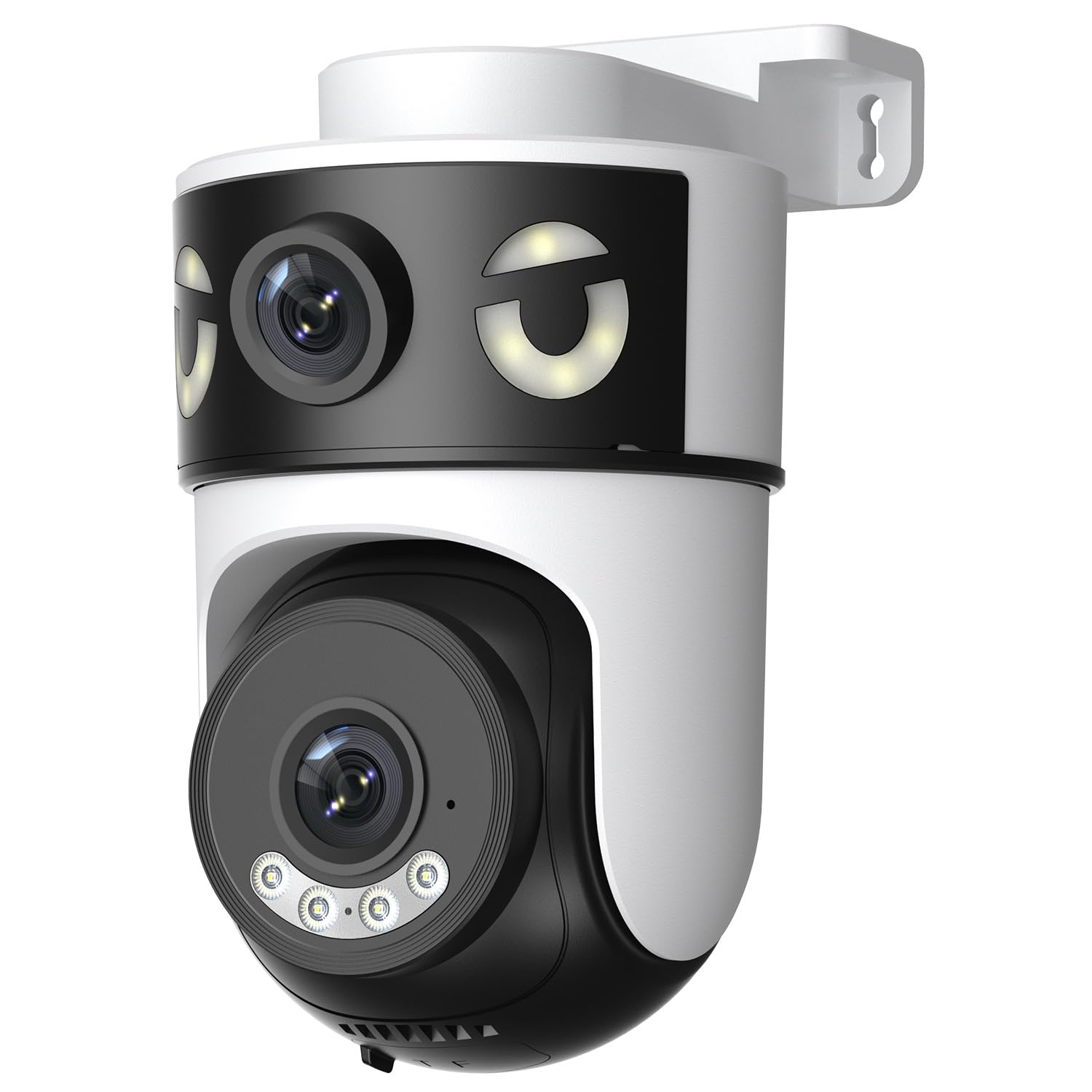
Image: Reobiux 2K Outdoor WiFi Surveillance Camera, Model K6Q-1P. This image shows the camera unit with its dual lenses, two external antennas, and a wall-mount bracket.
Põhifunktsioonid
- Dual Lens & 355° View: Unique 2-in-1 design supporting fixed area surveillance and mobile full-view monitoring. Features two high-resolution lenses; one fixed and one rotatable for wide panoramic views.
- 2K Resolution & Color Night Vision: Delivers clear and detailed images and videos. Offers three night vision modes: Infrared, Color, and Smart Night Vision for reliable 24-hour surveillance.
- Motion Detection & Alarm Siren: Advanced motion detection sends real-time alarm notifications to your mobile device upon detecting movement.
- Two-Way Audio & Multi-User Access: Built-in microphone and speaker allow for remote communication. Supports sharing camera access with multiple users.
- SD Card/Cloud Storage & Alexa Compatibility: Supports 24-hour continuous recording to a Micro SD card (max 128GB) or cloud server. Compatible with Amazon Alexa for voice control.
Seadistusjuhend
1. Kaamera paigaldamine
The camera is designed for wall mounting. Choose a suitable location that provides the desired surveillance coverage and is within range of your Wi-Fi network and a power outlet.
- Märkige kaamera aluse mallina abil seinale puurimiskohad.
- Vajadusel puurige augud ja sisestage seinatüüblid.
- Secure the camera to the wall using the provided mounting screws.
- Ensure the camera is firmly attached and the waterproof cover kit is properly installed to protect connections.
2. Sisselülitamine
Connect the provided power adapter to the camera's power input and then plug it into a standard electrical outlet. The camera will power on and initiate its startup sequence.
3. Võrguühendus (Wi-Fi)
The camera connects via 2.4GHz Wi-Fi. Follow these steps to connect your camera to your home network:
- Laadige alla O-kam Pro application from the App Store (iOS) or Google Play Store (Android) on your smartphone or tablet.
- Registreeru uue konto saamiseks või logi sisse, kui sul on see juba olemas.
- Uue kaamera lisamiseks järgige rakenduses kuvatavaid juhiseid. Tavaliselt hõlmab see kaamera QR-koodi skannimist või ID käsitsi sisestamist.
- Select your 2.4GHz Wi-Fi network and enter the password when prompted.
- Wait for the camera to connect to the network. A voice prompt or indicator light will confirm a successful connection.

Image: Reobiux camera with a smartphone displaying the O-kam Pro app interface, demonstrating remote control and live view võimeid.
Kasutusjuhised
Otse View ja pan/kallutamise kontroll
Once connected, open the O-kam Pro app to access the live feed from your camera. The dual-lens system provides both a fixed wide view and a movable PTZ (Pan-Tilt-Zoom) view.
- Tap on the camera in the app to view otseülekanne.
- Use the on-screen controls to pan (horizontal rotation up to 355°) and tilt (vertical movement) the movable lens to adjust the viewnurk.
- Switch between the fixed and movable lens views within the app interface.
Öise nägemise režiimid
Kaameral on kolm öönägemisrežiimi:
- Infrapunase öö visioon: Provides black and white images in low-light conditions using infrared LEDs.
- Värviline öönägemine: Utilizes built-in spotlights to provide full-color images at night.
- Nutikas öönägemine: Automatically switches between infrared and color night vision based on detected motion or light conditions.
- You can select your preferred night vision mode in the O-kam Pro app settings.
Liikumistuvastus ja hoiatused
Configure motion detection settings and receive alerts on your mobile device:
- Navigate to the camera settings in the O-kam Pro app.
- Luba liikumistuvastus ja reguleeri tundlikkuse taset vastavalt vajadusele.
- Set up alert notifications to be sent to your smartphone.
- You can also enable the alarm siren to deter intruders.
Kahesuunaline heli
Use the two-way audio feature to communicate through the camera:
- Otses view interface of the O-kam Pro app, tap the microphone icon to speak. Your voice will be transmitted through the camera's speaker.
- Kaamera ümbrusest kostva heli kuulamiseks puudutage kõlariikooni.
Video salvestamine ja salvestamine
The camera supports continuous 24-hour recording. You have two storage options:
- Micro SD kaart: Insert a Micro SD card (up to 128GB, not included) into the designated slot on the camera. The camera will automatically begin recording to the card.
- Pilvesalvestus: Subscribe to a cloud storage plan through the O-kam Pro app for secure off-site video storage.
- Juurdepääs salvestatud foo-letage via the O-kam Pro app.
Amazon Alexa integratsioon
Integrate your Reobiux camera with Amazon Alexa for voice control:
- Avage oma mobiilseadmes Amazon Alexa rakendus.
- Go to "Skills & Games" and search for the "O-kam Pro" skill.
- Enable the skill and link your O-kam Pro account.
- Discover devices. You can now use voice commands like "Alexa, show me the front door camera" to view otseülekanne ühilduvates Alexa seadmetes.
Hooldus
- Puhastamine: Pühkige kaamera objektiivi ja korpust regulaarselt pehme lapigaamp lapiga tolmu ja mustuse eemaldamiseks. Ärge kasutage tugevaid kemikaale ega abrasiivseid puhastusvahendeid.
- Ilmastikukaitse: The camera is waterproof, but ensure all connections are sealed properly, especially the power cable and any SD card slots, to maintain its weather resistance.
- Püsivara värskendused: Check the O-kam Pro app periodically for firmware updates to ensure optimal performance and security.
Veaotsing
- Kaamera ei lülitu sisse:
- Ensure the power adapter is securely connected to both the camera and a working electrical outlet. Verify the outlet has power.
- WiFi-ga ei saa ühendust luua:
- Ensure your Wi-Fi network is 2.4GHz. Check your Wi-Fi password for accuracy. Move the camera closer to your Wi-Fi router to improve signal strength. Restart your router and the camera.
- Ei otse view or recording:
- Check your internet connection. Ensure the camera is connected to Wi-Fi. Verify that the Micro SD card is inserted correctly and not full, or that your cloud storage subscription is active.
- Motion detection alerts not received:
- Check app notification settings on your phone and within the O-kam Pro app. Ensure motion detection is enabled and sensitivity is set appropriately. Verify your phone has an active internet connection.
- Kahesuunaline heli ei tööta:
- Ensure your phone's microphone and speaker are enabled for the O-kam Pro app. Check the volume settings on your phone and within the app. Ensure there are no obstructions blocking the camera's microphone or speaker.
Tehnilised andmed
| Funktsioon | Spetsifikatsioon |
|---|---|
| Kaubamärk | Reobiux |
| Mudeli nimi | K6Q-1P |
| Mudeli number | REO-K6Q-1P |
| Paigaldustüüp | Seinakinnitus |
| Videosalvestuse eraldusvõime | 2K |
| Artiklite arv | 1 |
| Traadita side tehnoloogia | WiFi (2.4 GHz) |
| Viewing | 355 kraadi (panoram) |
| Installi tüüp | Sissekeeramine |
| Materjal | Plastikust |
| Voltage | 5 volti (DC) |
| Võimsus | 5 vatti |
| Veekindluse tase | Veekindel |
| Eriomadused | Two-Way Audio, Local Recording, HD Resolution, PTZ Technology |
| Soovitatav kasutamine | Välisturvalisus |
| Ühilduvad seadmed | Sülearvuti, nutitelefon, tahvelarvuti, televiisor |
| Toiteallikas | Elektrikaabel |
| Ühenduvusprotokoll | RTSP |
| Kontrolleri tüüp | O-kam Pro App |
Garantii ja tugi
For warranty information and technical support, please refer to the official Reobiux website or contact Reobiux customer service directly. Keep your purchase receipt as proof of purchase for warranty claims.
Manufacturer: Reobiux


