1. Sissejuhatus
The Marstek Venus E GEN 3.0 is a powerful and flexible AC energy storage system designed for residential and small commercial applications. This manual provides essential information for the safe and efficient operation of your device. Please read it thoroughly before installation and use.
Key features include a compact design, integrated Plug & Play technology for quick setup, dedicated LAN port for stable communication, and expandability up to 7.5 kW power and 15.36 kWh storage capacity. It also offers an integrated backup power output of up to 2,500 W during outages and is 100% compatible with existing PV installations.

Joonis 1: Läbiview of Marstek Venus E GEN 3.0 key features, including new design, PV system compatibility, stable LAN connection, expandability, MARSTEK Intelligence, 2500W on-grid input/output, 6000+ life cycles, 10-year warranty, grid feed-in with smart meter, and potential annual savings.
2. Ohutusjuhised
Vigastuste, seadme kahjustamise või varalise kahju vältimiseks järgige alati järgmisi ohutusjuhiseid:
- Enne seadme kasutamist lugege läbi kõik juhised.
- Do not attempt to disassemble, repair, or modify the unit. Refer all servicing to qualified personnel.
- Tagage seadme ümber piisav ventilatsioon. Ärge blokeerige ühtegi ventilatsiooniava.
- Hoidke seadet vee, niiskuse ja tuleohtlike materjalide eest kaitstult.
- Kasutage ainult kaasasolevaid või heakskiidetud tarvikuid.
- Do not operate the device if it has been damaged in any way.
- Ensure the unit is installed on a stable, level surface.
- This device contains a LiFePO4 battery. Handle with care and dispose of according to local regulations.
3. Pakendi sisu
Veenduge, et pakendis on kõik esemed olemas:
- Marstek Venus-E GEN 3.0 Unit
- Vahelduvvoolu kaabel
- WiFi-antenn
- Paigaldustarvikud
- Kasutusjuhend (see dokument)
4. Seadistamine
4.1 Lahtipakkimine ja paigutamine
Carefully remove the Venus E GEN 3.0 from its packaging. Place the unit on a flat, stable surface in a well-ventilated area, away from direct sunlight, heat sources, and moisture. Ensure sufficient clearance for air circulation around the unit.
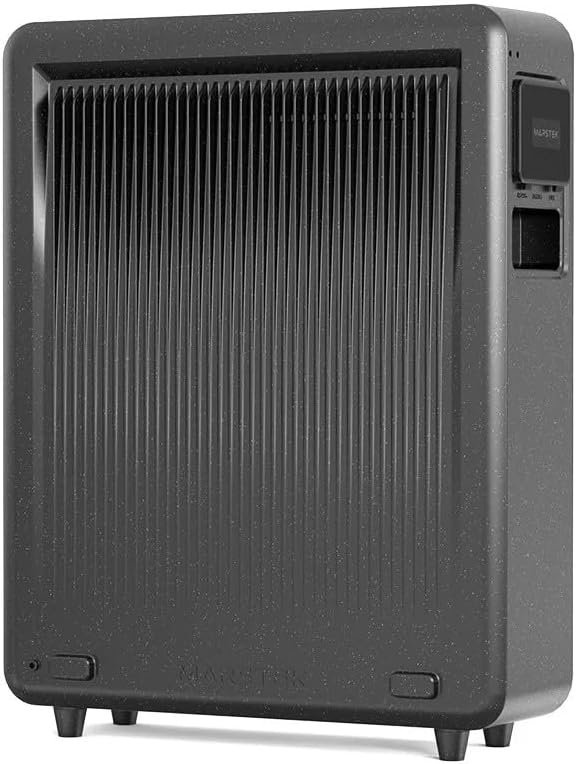
Joonis 2: Tagumine view of the Marstek Venus E GEN 3.0, highlighting the ventilation fins for optimal heat dissipation.
4.2 Toiteallikaga ühendamine
- Connect the provided AC power cable to the AC input port on the Venus E GEN 3.0.
- Plug the other end of the AC power cable into a grounded wall outlet.
- The unit will automatically begin charging or enter standby mode.

Joonis 3: Side panel of the Marstek Venus E GEN 3.0, showing the protective cover open to reveal the AC input and output ports for connecting to the grid and appliances.
4.3 Network Connection (LAN/Wi-Fi)
For optimal performance and smart features, connect the device to your home network.
- LAN-ühendus: For a stable and faster connection, use an Ethernet cable to connect the dedicated LAN port on the Venus E GEN 3.0 to your router.
- Wi-Fi ühendus: Attach the provided Wi-Fi antenna to the designated port. Follow the instructions in the MARSTEK app to configure the Wi-Fi connection.
4.4 Esmane sisselülitamine
Press and hold the power button on the unit for a few seconds until the indicators light up. The unit will perform a self-check. Refer to the display indicators for status.
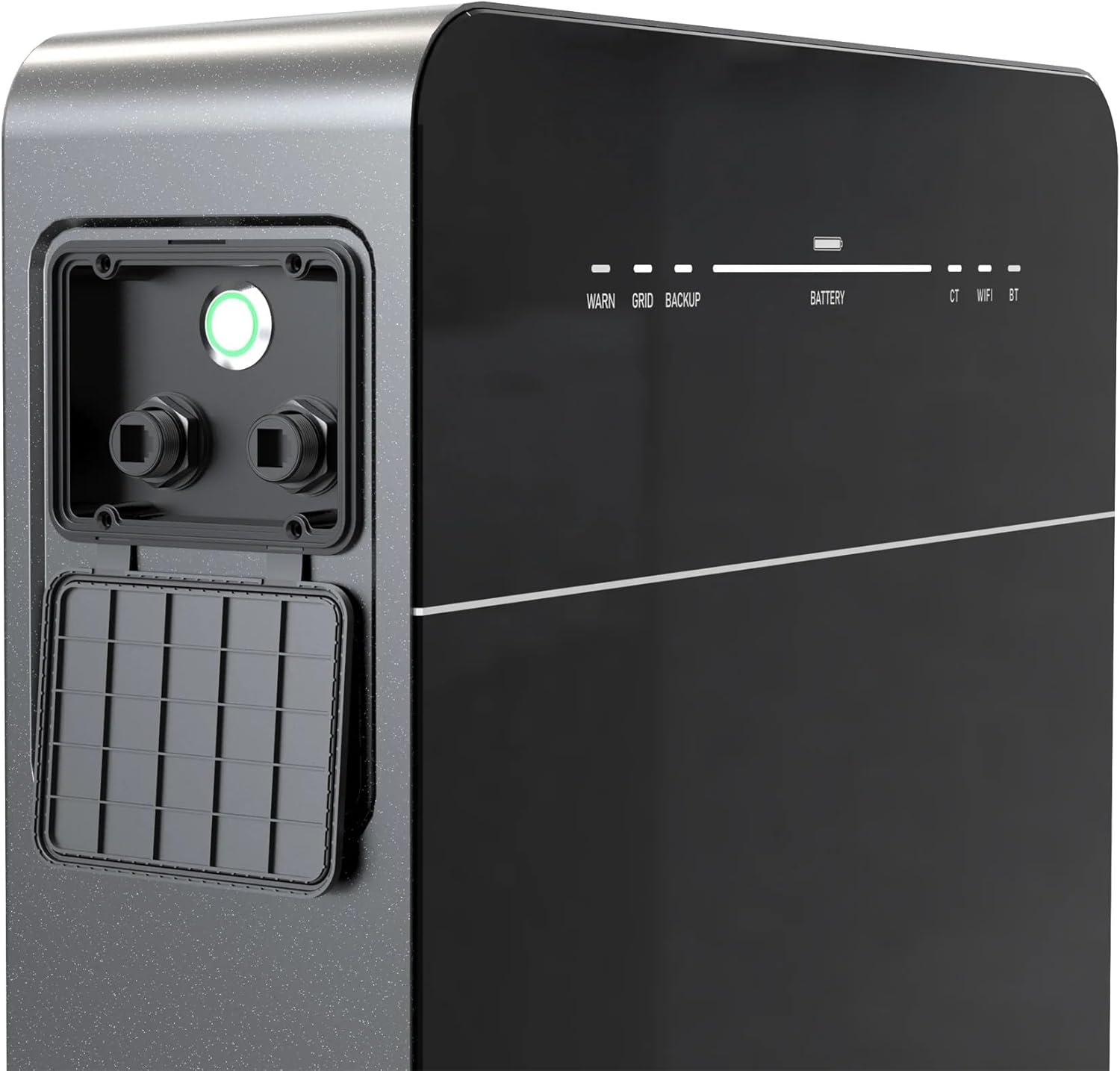
Joonis 4: Front panel of the Marstek Venus E GEN 3.0, displaying LED indicators for WARN, GRID, BACKUP, BATTERY level, CT, WIFI, and BT status.
5. Kasutusjuhised
5.1 MARSTEK App Control
The Venus E GEN 3.0 is primarily controlled via the MARSTEK mobile application. Download the app from your device's app store.
- Install the MARSTEK app on your smartphone.
- Registreeri konto ja logi sisse.
- Follow the in-app instructions to add your Venus E GEN 3.0 device.
- Through the app, you can monitor energy flow, battery status, and select operating modes.
5.2 töörežiimid
The MARSTEK app offers various operating modes to optimize energy usage:
- Self-Consumption Mode: Prioritizes using stored energy from the battery or solar panels before drawing from the grid.
- Käsitsi juhtimise režiim: Allows direct control over charging and discharging times.
- AI Optimized Mode: Utilizes dynamic electricity tariffs, consumption habits, and weather forecasts to automatically optimize charge/discharge cycles for maximum savings.
5.3 Varutoite funktsioon
Võimu ou korraltage, the integrated backup output provides up to 2,500 W of power to essential appliances. For full home backup (single-phase or three-phase), additional equipment may be required.
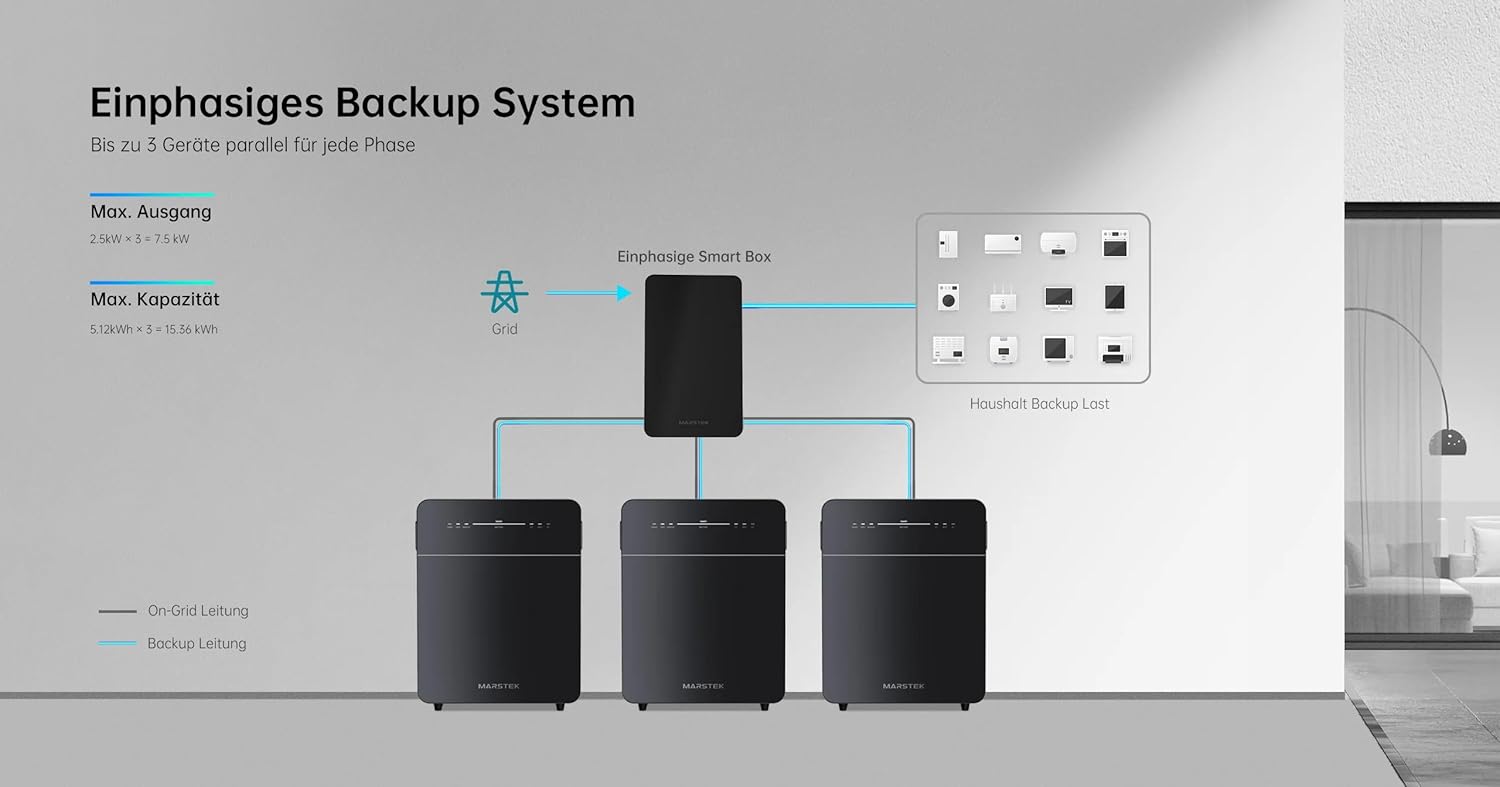
Joonis 5: Schematic illustrating a single-phase backup system configuration, showing how multiple Marstek Venus E GEN 3.0 units can be integrated with a Smart Box and the grid to provide backup power to household loads.

Joonis 6: Schematic illustrating a three-phase backup system configuration, detailing the connection of multiple Marstek Venus E GEN 3.0 units, a Smart Box, PV inverters, and micro-inverters to the grid and household backup loads.
6. Hooldus
Regular maintenance ensures the longevity and optimal performance of your Venus E GEN 3.0.
- Puhastamine: Seadme välispinna puhastamiseks kasutage pehmet ja kuiva lappi. Ärge kasutage vedelaid puhastusvahendeid ega lahusteid.
- Ventilatsioon: Kontrollige perioodiliselt, et ventilatsiooniavad oleksid tolmust ja prahist vabad.
- Püsivara värskendused: Ensure the MARSTEK app and device firmware are kept up-to-date for new features and performance improvements.
- Aku seisund: The LiFePO4 battery is designed for over 6,000 charge cycles. Monitor its health via the MARSTEK app.
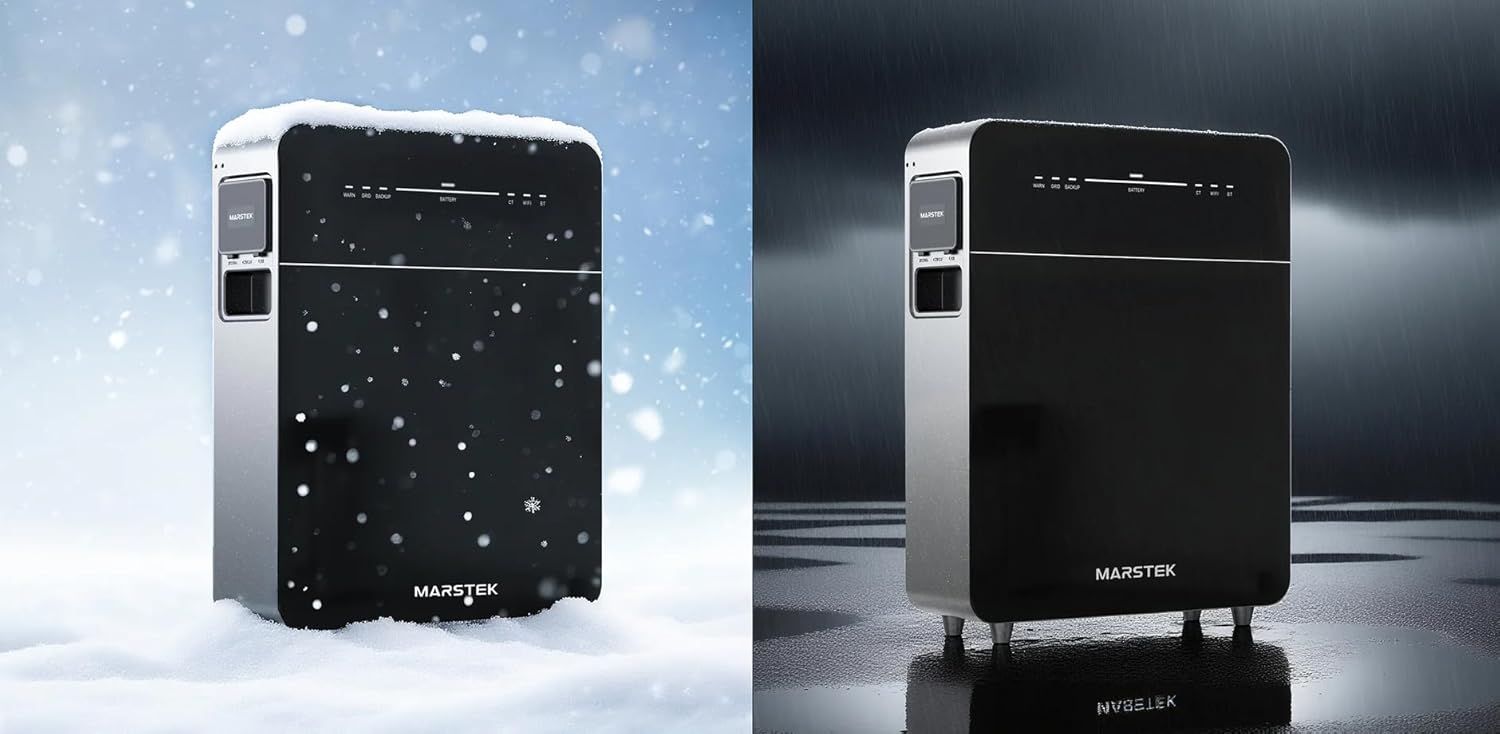
Joonis 7: The Marstek Venus E GEN 3.0 demonstrating its robust design and IP65 protection, suitable for operation in various environmental conditions, including snow and rain.
7. Veaotsing
Probleemide korral vaadake järgmisi levinud probleeme ja lahendusi.
| Probleem | Võimalik põhjus | Lahendus |
|---|---|---|
| Seade ei lülitu sisse. | No power from AC outlet; power cable not connected; unit fault. | Check AC power connection; ensure outlet is functional; contact support if problem persists. |
| Võrguühendus puudub. | Wi-Fi antenna not attached; incorrect Wi-Fi password; LAN cable disconnected; router issue. | Ensure Wi-Fi antenna is attached; re-enter Wi-Fi password in app; check LAN cable connection; restart router. |
| Aku ei lae. | AC input issue; charging mode not active; temperature outside operating range. | Verify AC input; check app for charging mode; ensure ambient temperature is within -20°C to 50°C. |
| Backup power not activating. | Backup function not enabled; battery low; overload. | Ensure backup mode is enabled in app; check battery level; reduce load on backup output. |
For issues not listed here, please contact Marstek customer support.
8. Tehnilised andmed
| Funktsioon | Detail |
|---|---|
| Mudel | MVE3 |
| Mõõdud (P x L x K) | 62.4 x 48 x 15.3 cm |
| Aku tüüp | LiFePO4 |
| Mahutavus | 5120 Wh (extensible up to 15.36 kWh) |
| Vahelduvvoolu sisend-/väljundvõimsus | Up to 2500 W (800 W default) |
| Backup Power Output | Kuni 2500 W |
| Ühenduvus | LAN (RJ45), Wi-Fi |
| Töötemperatuur | Up to -20 °C |
| Müra tase | Alla 30 dB |
| Kaitse reiting | IP65 |
| PV System Compatibility | 100% ühilduv |
9. Garantii ja tugi
9.1 Garantii teave
The Marstek Venus E GEN 3.0 comes with a 10-aastane garantii on the integrated LiFePO4 battery, ensuring long-term reliability with over 6,000 charge cycles while maintaining 80% capacity. Please retain your proof of purchase for warranty claims.
9.2 Klienditugi
For technical assistance, warranty claims, or further inquiries, please contact Marstek customer support through their official website or the MARSTEK app. Ensure you have your model number (MVE3) and purchase details ready.
Ametlik Websait: www.marstek.com (Märkus: See on kohatäide URL, please refer to your product documentation for the actual support websaidile.)


