1. Sissejuhatus
This manual provides essential information for the NIMO 15.6" Gaming Laptop (Model N159). It covers product features, setup procedures, operating instructions, maintenance guidelines, troubleshooting tips, and detailed specifications. Please read this manual thoroughly before using your new laptop to ensure optimal performance and longevity.

Image: The NIMO 15.6" Gaming Laptop, showcasing its display and key features like fingerprint unlock, Type-C PD charger, and backlit keyboard.
2. Mis on karbis
Veenduge, et pakendis on kõik esemed olemas:
- 1 x NIMO N159 Laptop
- 1 x Type-C 100W PD Fast Charger
- 1 x Kasutusjuhend (käesolev dokument)
- Windows 11 Home Operating System (pre-installed)
- Warranty Information (2 Years Warranty, 90 Days Return)
3. Toote lõppview
3.1 Põhifunktsioonid
- Protsessor: AMD Ryzen 7 7735HS (8 Cores, 16 Threads, up to 4.75GHz)
- Graafika: Integrated AMD Radeon 680M GPU
- Kuva: 15.6" Full HD (1920x1080) IPS Anti-Glare Display
- Mälu: 16GB DDR5 RAM (upgradeable)
- Hoiustamine: 1TB PCIe 4.0 SSD (upgradeable)
- Laadimine: 100W Type-C PD Fast Charger
- Turvalisus: Fingerprint Reader for secure unlock
- Klaviatuur: Taustvalgustusega klaviatuur numbriklahvistikuga
- Heli: Dual 2W stereo speakers, dual beamforming microphones
- Webnukk: 2MP with physical camera shutter
- Operatsioonisüsteem: Windows 11 Home

Image: An illustration detailing the AMD Ryzen 7 7735HS processor, highlighting its 8 cores, 16 threads, and integrated Radeon 680M graphics for balanced performance.
3.2 Portid ja konnektorid
Familiarize yourself with the available ports on your NIMO laptop:

Image: A detailed diagram illustrating the location and type of ports on the NIMO laptop, including USB 2.0, USB 3.2 Gen1, Type-C Gen2 (multifunction), HDMI 2.0, Audio Jack, Micro SD Reader, and Kensington Lock.
- USB 2.0 port: Vanemate USB-seadmete ühendamiseks.
- USB 3.2 Gen1 pordid (x4): Kiireks andmeedastuseks ühilduvate USB-seadmetega.
- Type-C Gen2 Ports (x2, Multifunction): Supports data transfer, video output, and power delivery (100W PD fast charging).
- HDMI 2.0 port: Väliste kuvarite või telerite ühendamiseks.
- Helipistik: Kõrvaklappide või väliste kõlarite ühendamiseks.
- Micro SD Reader: Micro SD mälukaartide lugemiseks.
- Kensingtoni luku pesa: Sülearvuti kaitsmiseks ühilduva lukuga.
4. Seadistamine
4.1 Esmane sisselülitamine
- Pakkige sülearvuti ja kõik lisatarvikud karbist välja.
- Connect the 100W Type-C PD Fast Charger to one of the Type-C ports on the laptop and then to a power outlet.
- Ava sülearvuti kaas. Sülearvuti võib automaatselt sisse lülituda või peate võib-olla vajutama toitenuppu.
- Windows 11 Home'i seadistamise lõpuleviimiseks, sh keele valimiseks, võrguühenduse loomiseks ja kasutajakonto loomiseks, järgige ekraanil kuvatavaid juhiseid.
4.2 Aku laadimine
Before first use, it is recommended to fully charge the laptop battery. The 100W Type-C PD Fast Charger can provide approximately 5 hours of usage time with just 1 hour of charging.

Image: A visual representation of the 100W Type-C lightning-fast charger connected to the NIMO laptop, demonstrating its ability to charge quickly and efficiently.
5. Kasutusjuhised
5.1 Toide sisse/välja ja puhkeolek
- Toide sisse: Vajutage klaviatuuril asuvat toitenuppu.
- Toide välja: Klõpsake Windowsis nuppu Start ja seejärel valige Toide > Sule arvuti.
- Puhkerežiim: Klõpsake nuppu Start ja seejärel valige Toide > Unerežiim või sulgege sülearvuti kaas.
5.2 Using the Fingerprint Unlock
The fingerprint reader is integrated into the touchpad for quick and secure access.
- During Windows setup or later in Windows Settings, configure your fingerprint for login.
- To unlock, simply place your registered finger on the fingerprint reader on the touchpad.
5.3 Adjusting the Backlit Keyboard
The keyboard backlight can be adjusted for comfortable typing in various lighting conditions.

Image: A visual guide demonstrating the fingerprint unlock feature on the touchpad and the functionality of the backlit keyboard, including how to cycle through brightness settings using the F9 key.
- Vajutage nuppu F9 key to cycle through backlight settings:
- 1 Tap: Light (Temporary)
- 2 Taps: Light (Temporary)
- 3 Taps: Light (Constant)
- 4 Taps: Off
5.4 Kasutades Webcam Shutter
For privacy, the laptop includes a physical camera shutter.
- Slide the shutter to the left to open the camera.
- Slide the shutter to the right to close and cover the camera lens.

Image: A visual guide demonstrating the physical camera shutter, showing both the 'Camera Open' and 'Camera Close' statuses for enhanced privacy.
6. Hooldus
6.1 Sülearvuti puhastamine
- Always power off the laptop and disconnect the charger before cleaning.
- Kasutage kergelt pehmet ebemevaba lappi dampveega või ekraanipuhastusvahendiga.
- Klaviatuuri ja korpuse puhastamiseks kasutage pehmet ja kuiva lappi. Vältige karme kemikaale või abrasiivseid materjale.
- Kasutage ventilatsiooniavade tolmust perioodiliselt puhastamiseks suruõhku.
6.2 Aku hooldus
- Vältige aku sagedast täielikku tühjenemist.
- Hoidke sülearvutit jahedas ja kuivas kohas, kui seda pikka aega ei kasutata.
- Ärge jätke sülearvutit äärmuslike temperatuuride kätte.
6.3 Tarkvaravärskendused
Optimaalse jõudluse ja turvalisuse tagamiseks kontrollige ja installige regulaarselt operatsioonisüsteemi ja draiverite värskendusi.
7. Veaotsing
| Probleem | Võimalik põhjus | Lahendus |
|---|---|---|
| Sülearvuti ei lülitu sisse. | Tühja aku või toiteadapteri probleem. | Connect the charger and wait a few minutes before attempting to power on. Ensure the charger is properly connected to both the laptop and the power outlet. |
| Ekraan on tühi või must. | Sülearvuti on unerežiimis, kuvasätete probleem või riistvaraprobleem. | Press any key or the power button to wake from sleep. Try connecting an external monitor to check if the display output works. Restart the laptop. |
| Klaviatuuri taustvalgus ei tööta. | Backlight turned off or at lowest setting. | Vajutage nuppu F9 key repeatedly to cycle through brightness levels and turn on the backlight. |
| Fingerprint unlock not working. | Finger not properly placed, or sensor issue. | Ensure your finger is clean and dry and covers the sensor completely. Re-register your fingerprint in Windows Settings if the issue persists. |
| Aeglane jõudlus. | Too many applications running, insufficient storage, or outdated drivers. | Close unnecessary applications. Check available storage space. Update Windows and device drivers. |
If you encounter issues not listed here or require further assistance, please contact NIMO customer support.
8. Tehnilised andmed
| Kaubamärk | NIMO |
| Mudeli nimi | NIMO N159B |
| Ekraani suurus | 15.6 tolli |
| Ekraani eraldusvõime | 1920 x 1080 pikslit (FHD IPS) |
| Protsessor | AMD Ryzen 7 7735HS (8 Cores, 4.75 GHz Max Turbo) |
| RAM | 16 GB DDR5 (4800 MHz) |
| Kõvaketas | 1024 GB SSD (PCIe 4.0) |
| Graafika kaasprotsessor | AMD Radeon 680M (integreeritud) |
| Operatsioonisüsteem | Windows 11 Home |
| Traadita tüüp | 802.11a/b/g/n/ac |
| USB 2.0 pordid | 1 |
| USB 3.0 pordid | 4 |
| Keskmine aku tööiga | 5 Hours (54Wh, 11.4V/4700mAh) |
| Kauba kaal | 3.8 naela |
| Toote mõõtmed | 14.07 x 8.98 x 0.76 tolli |
| Värv | Sinine |
| Tagumine Webkaamera eraldusvõime | 2 MP |
| Eriomadused | Backlit Keyboard, Fingerprint Reader, HD Audio, Numeric Keypad |
9. Garantii ja tugi
9.1 Tootja garantii
Your NIMO N159 laptop is covered by a comprehensive 2-aastane tootjagarantii from Nimo Direct Inc. This warranty covers defects in materials and workmanship under normal use. For warranty claims, please contact customer support.

Image: A technician working on a laptop's internal components, representing the 2-year support provided for Nimo products.
9.2 Tagastamispoliitika
Nimo Direct Inc. offers a 90-Day Hassle-Free Return Policy. You may return any Nimo product for any reason within 90 days of purchase. Please refer to your purchase documentation for specific return procedures.
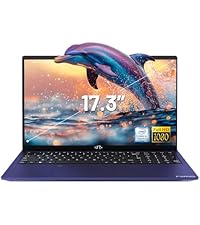
Image: A delivery person handing a package to a customer, illustrating the 90-day return policy for Nimo products.
9.3 Klienditugi
For any product-related questions, technical assistance, or warranty claims, please contact our professional after-sales service team. Our dedicated support team is available to resolve issues or facilitate replacements.
- E-post: service@nimopc.com
- Internetis: Visit the official NIMO website or product page for contact options.

Image: Customer service representatives wearing headsets, indicating professional customer assistance available via phone and live chat.


