1. Sissejuhatus
This manual provides essential information for the safe and effective operation of your ACMER S1-3.5W Laser Engraver. This device is designed for high-precision engraving and cutting on a variety of materials, including wood, bamboo, leather, plastic, PCB, aluminum oxide, ceramics, and glass. Please read these instructions thoroughly before use to ensure optimal performance and safety.
2. Ohutusalane teave
The ACMER S1-3.5W Laser Engraver is a Class 4 laser product. Adherence to safety precautions is critical to prevent injury.
- Silmade kaitse: Always wear the provided safety glasses when operating the laser engraver. Direct exposure to the laser beam can cause severe eye damage.
- Ventilatsioon: Operate the device in a well-ventilated area to dissipate fumes and smoke produced during engraving and cutting.
- Materjali ohutus: Ensure materials are suitable for laser processing. Some materials may produce toxic fumes or catch fire.
- Järelevalve: Ärge kunagi jätke masinat töötamise ajal järelevalveta.
- Lapsed ja lemmikloomad: Hoidke lapsed ja lemmikloomad tööpiirkonnast eemal.
- Hädapeatus: Tutvuge avariipeatusnupu asukoha ja funktsiooniga.
3. Pakendi sisu
Veenduge, et pakis on kõik esemed olemas:
- ACMER S1-3.5W Laser Engraver Unit
- Toiteadapter
- USB kaabel
- Kaitseprillid
- Kasutusjuhend (see dokument)
- SampMaterjalid (nt puidutükid)
- Reguleerimistööriistad
4. Seadistamine
Esialgseks seadistamiseks järgige neid samme.
- Lahtipakkimine: Eemaldage ettevaatlikult kõik komponendid pakendist.
- Laserpea paigaldamine: The device arrives 99% preassembled. Install the laser head by following the quick guide. This typically takes less than one minute.
- Toiteühendus: Ühendage toiteadapter graveerijaga ja sobiva pistikupesaga.
- USB ühendus: Connect the engraver to your computer using the provided USB cable.
- Tarkvara installimine: Install the recommended engraving software. The engraver is optimized for AcmerTool, a free, self-developed software. It also supports LightBurn and LaserGRBL. Refer to the software-specific instructions for installation on macOS, Windows, or Linux.
- Fookuse reguleerimine: Adjust the laser height using the provided screws to achieve optimal focus for your material.
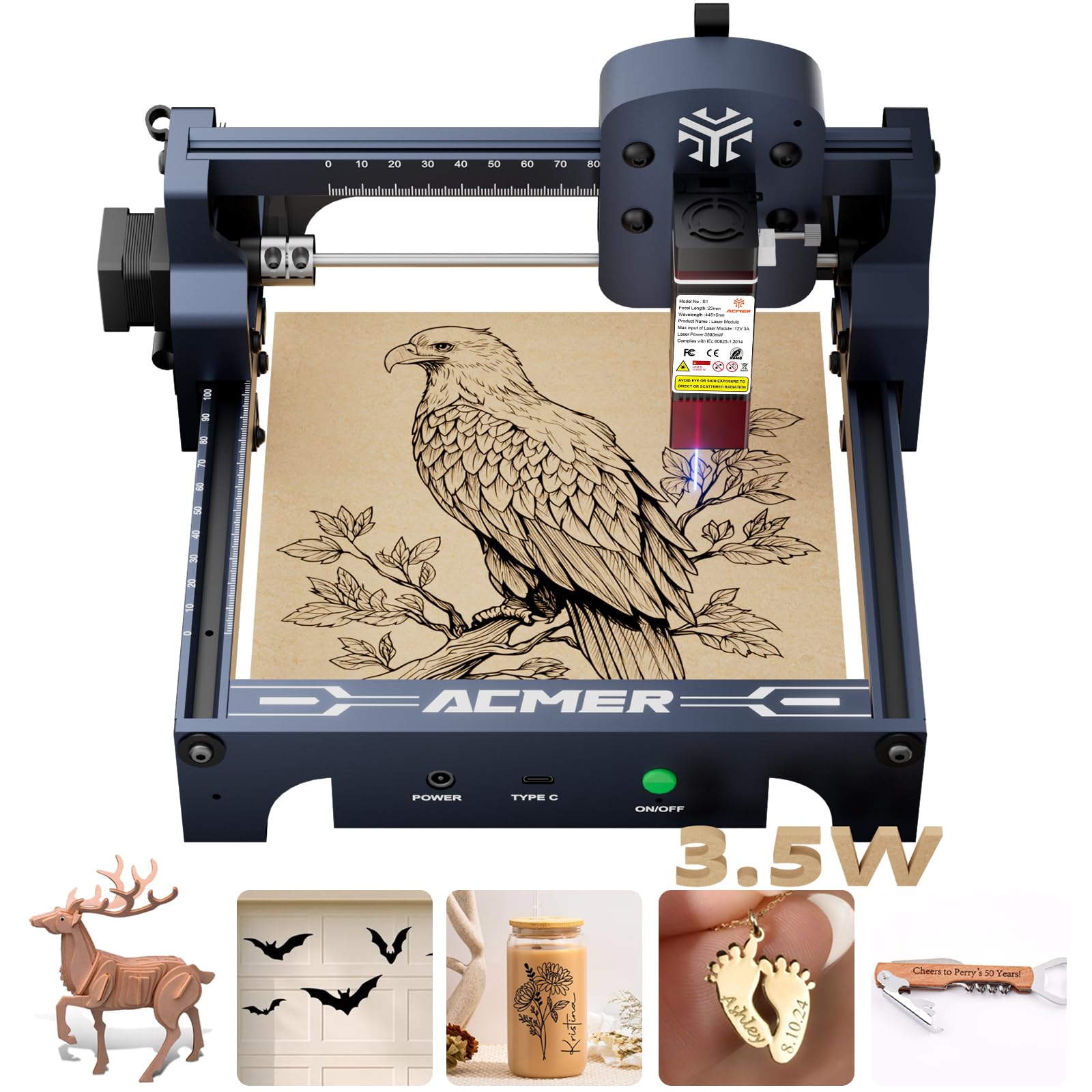
Figure 4.1: The ACMER S1-3.5W Laser Engraver unit.

Figure 4.2: Wide compatibility with various operating systems and software.
5. Töötamine
This section outlines the general operating procedure for your laser engraver.
- Valmistage materjal: Place the material to be engraved or cut within the 130x130mm working area. Ensure it is flat and securely positioned.
- Tarkvara liides: Open your chosen engraving software (AcmerTool, LightBurn, or LaserGRBL).
- Koormuse disain: Importige oma disain file (NC, DXF, BMP, JPG, PNG formats are supported).
- Määra parameetrid: Adjust engraving or cutting parameters such as speed (up to 10,000mm/min for engraving) and power according to the material and desired effect. The device offers 0.01mm repeatable positioning accuracy for detailed work.
- Preview ja positsioon: Kasutage tarkvara eelvalikutview function to confirm the design's position on the material.
- Alusta operatsiooni: Initiate the engraving or cutting process from the software. Always wear safety glasses during operation.
- Jälgige edenemist: Observe the process to ensure proper function and material response.
Video 5.1: Demonstration of making skull earrings with the ACMER Laser Engraver. This video illustrates the cutting capabilities of the machine on wood.
Video 5.2: Endineample of laser-cut items created with the ACMER engraver, showcasing precision.
Video 5.3: Tutorial on how to make a magic card box using the ACMER Laser Engraver, demonstrating intricate cutting.

Figure 5.1: Illustration of 0.01mm precision engraving.

Figure 5.2: Speed comparison highlighting the 10,000mm/min engraving speed.
6. Hooldus
Regular maintenance ensures the longevity and performance of your engraver.
- Puhas laserlääts: After each use, clean the laser lens to maintain optimal beam quality and prevent residue buildup.
- Üldpuhastus: Periodically clean the machine's frame and rails to remove dust and debris.
- Hoiustamine: Store the engraver in a dry, dust-free environment when not in use.
7. Veaotsing
Levinud probleemide lahenduste leidmiseks vaadake seda jaotist.
| Probleem | Võimalik põhjus | Lahendus |
|---|---|---|
| Machine not connecting to software | Incorrect USB connection, driver issues, software settings. | Check USB cable, reinstall drivers, verify software port settings. |
| Halb graveeringu kvaliteet | Incorrect focus, wrong power/speed settings, dirty lens, unsuitable material. | Adjust laser focus, optimize power/speed, clean lens, use recommended materials. |
| Laser ei lase | Power issue, software command error, laser module malfunction. | Check power connections, restart software, contact customer support if persistent. |
8. Tehnilised andmed
Key technical specifications for the ACMER S1-3.5W Laser Engraver:
- Mudel: S1-3.5W
- Laseri võimsus: 3500mW Diode Laser
- Machine Output: 36W
- Lainepikkus: 455 ± 5 nm
- Fookuskaugus: 2 mm
- Graveerimise kiirus: Kuni 10,000 mm/min
- Repeatable Positioning Accuracy: 0.01 mm
- Tööpiirkond: 130x130mm
- Toote mõõtmed: 9.84 x 9.84 x 6.38 tolli
- Kauba kaal: 4.11 naela
- Ühilduvus: macOS, Windows, Linux
- Toetatud File Vormingud: NC, DXF, BMP, JPG, PNG
- Laseri klass: 4. klass
- Vastavus: IEC 60825-1
- Tootja: ACMER

Figure 8.1: One-pass laser cutting depth capabilities.
9. Garantii ja tugi
ACMER provides comprehensive support for your laser engraver.
- Garantii: The ACMER S1-3.5W Laser Engraver comes with a 12-month warranty from the date of purchase. Please retain your proof of purchase for warranty claims.
- Klienditugi: 24/7 customer support is available for any technical assistance or inquiries.
- Kontakt: For support, please visit the official ACMER webveebisaidilt või vaadake tootepakendil olevat kontaktteavet.


