1. Toote lõppview
The ATTACK SHARK X8SE is a high-performance wireless gaming mouse designed for precision and versatility. It features tri-mode connectivity, an advanced optical sensor, and a lightweight ergonomic design for extended use.
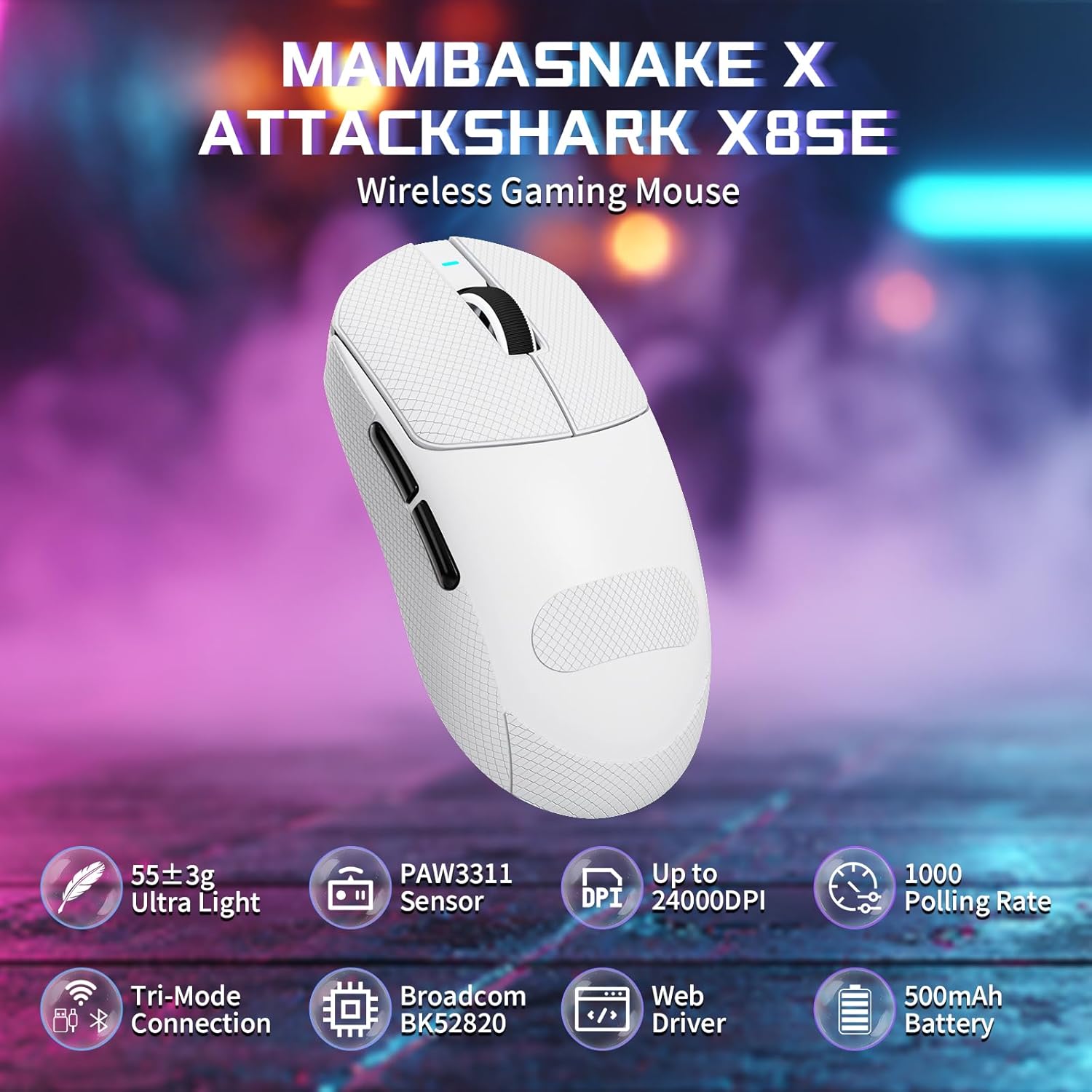
Figure 1: ATTACK SHARK X8SE Wireless Gaming Mouse highlighting ultra-light design, PAW3311 sensor, adjustable DPI, 1000Hz polling rate, tri-mode connection, Broadcom BK52820 chip, web driver, and 500mAh battery.
2. Pakendi sisu
- ATTACK SHARK X8SE Wireless Gaming Mouse
- USB-C laadimis-/andmesidekaabel
- 2.4G USB vastuvõtja
- Griptape (pre-applied or included separately)
- Kasutusjuhend
3. Seadistamine
3.1 Esmane laadimine
Before first use, connect the mouse to a USB-A port on your computer using the provided USB-C cable to ensure it is fully charged. The mouse can be used in wired mode while charging.
3.2 Ühenduvusrežiimid
The X8SE mouse supports three connection modes: 2.4GHz Wireless, Bluetooth, and USB-C Wired. A switch on the bottom of the mouse allows you to select the desired mode.
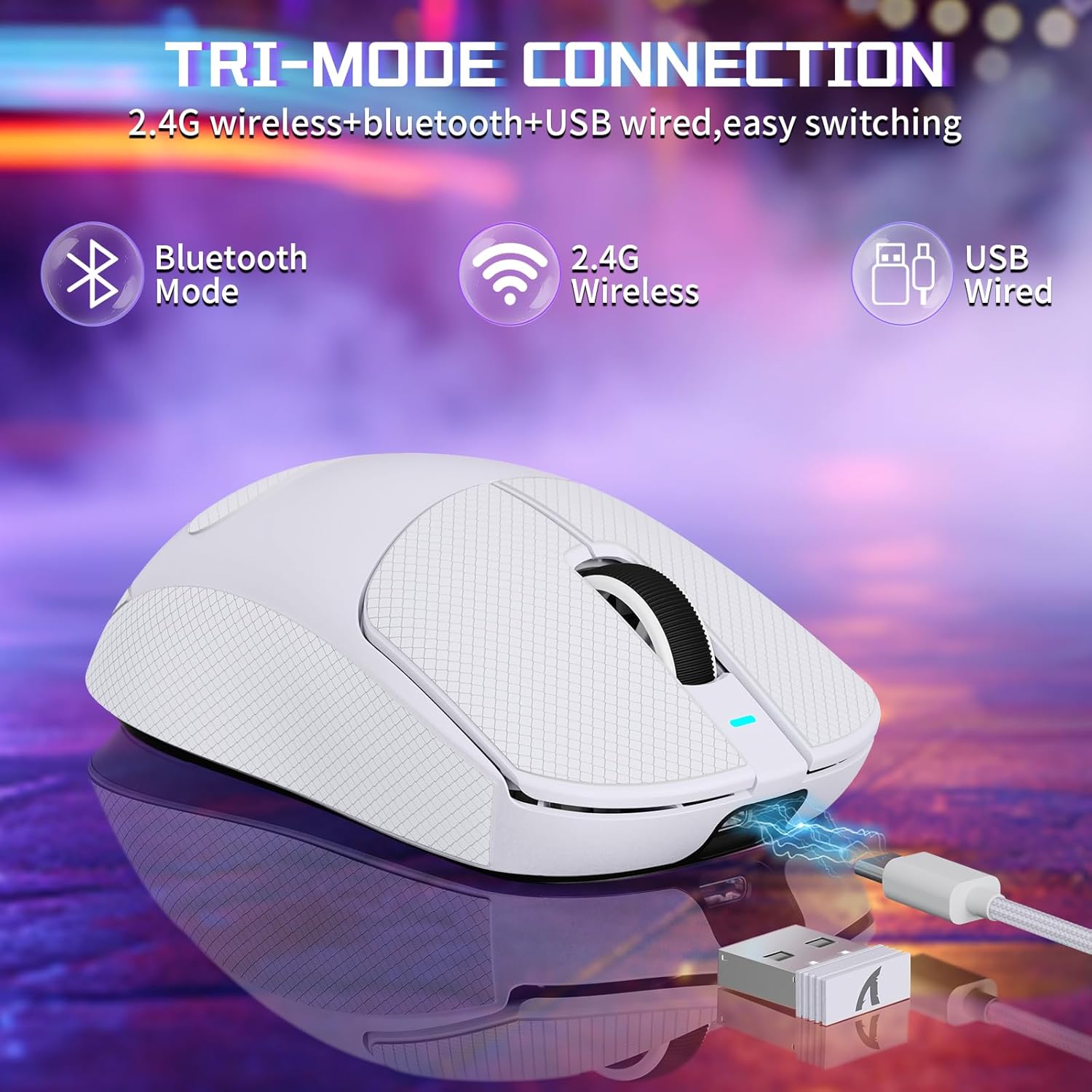
Figure 2: Tri-mode connection options including Bluetooth, 2.4G Wireless, and USB Wired.
3.2.1 2.4 GHz traadita režiim
- Locate the 2.4G USB receiver stored in the compartment on the bottom of the mouse.
- Ühendage USB-vastuvõtja arvuti vabasse USB-A-porti.
- Switch the mode selector on the bottom of the mouse to the '2.4G' position.
- Hiir peaks automaatselt arvutiga ühenduse looma.
3.2.2 Bluetooth-režiim
- Switch the mode selector on the bottom of the mouse to the 'BT' position.
- Ava oma arvutis või seadmes Bluetoothi sätted ja luba Bluetooth.
- Otsi new devices and select 'ATTACK SHARK X8SE' to pair.
3.2.3 USB-C juhtmega režiim
- Connect one end of the provided USB-C cable to the mouse and the other end to a USB-A port on your computer.
- Hiir lülitub automaatselt juhtmega režiimi ja hakkab laadima.
3.3 Draiveri installimine
The ATTACK SHARK X8SE utilizes an intelligent cloud-based driver for customization. This driver typically auto-detects your system. For advanced settings and customization, visit the official ATTACK SHARK website to download the latest software if not automatically prompted.
4. Kasutusjuhised
4.1 Nuppude funktsioonid
The X8SE mouse features 5 programmable buttons and a DPI switch.
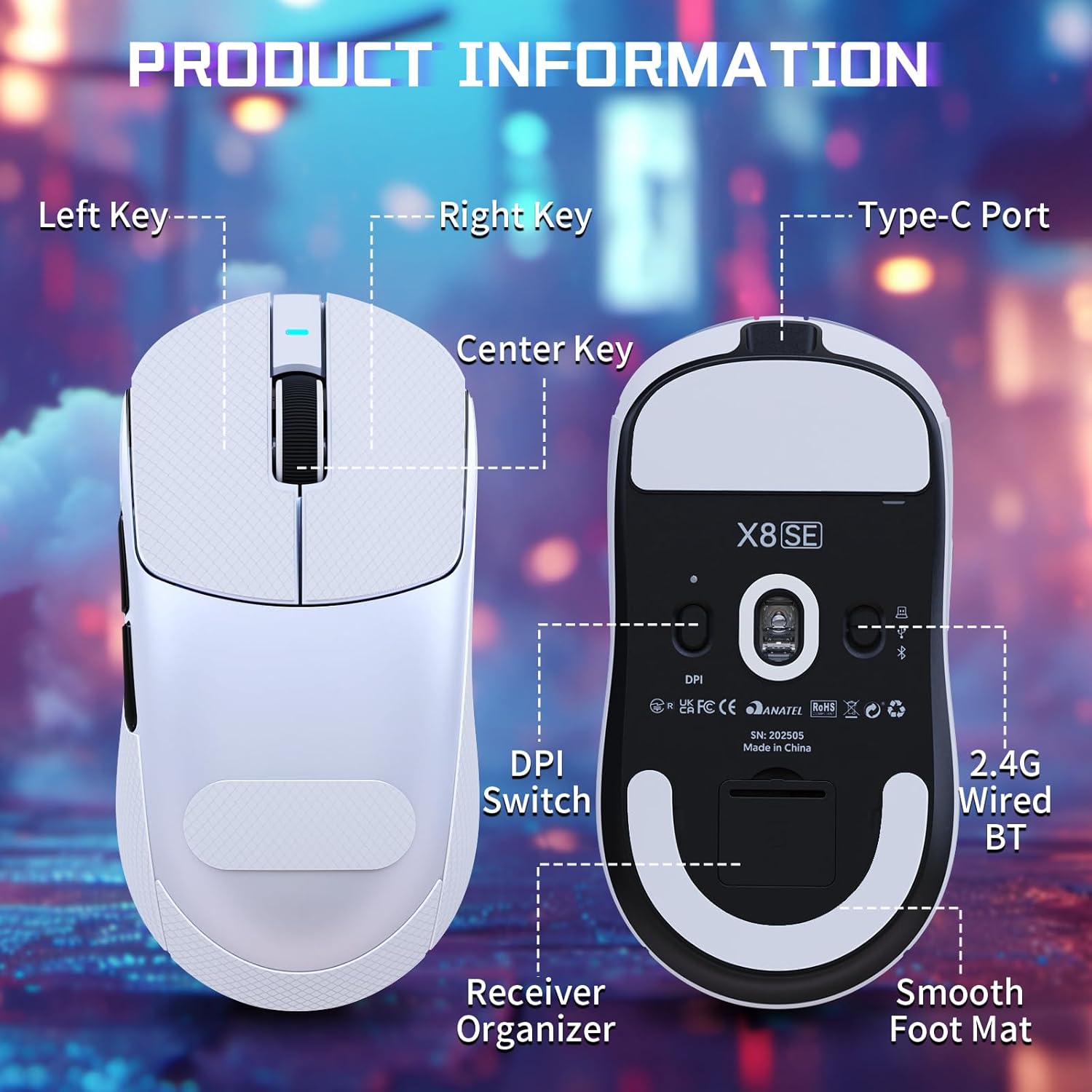
Figure 3: Product information diagram showing Left Key, Right Key, Center Key (scroll wheel), Type-C Port, Front Side Key, Back Side Key, DPI Switch, Receiver Organizer, and Smooth Foot Mat.
- Vasak klahv: Peamine klõpsamise funktsioon.
- Parem võti: Sekundaarne klõpsamise funktsioon.
- Center Key (Scroll Wheel): Kerige üles/alla, klõpsake keskmise hiireklahviga.
- Esikülje võti: Default function (programmable).
- Back Side Key: Default function (programmable).
- DPI Switch (bottom): Liigub DPI sätete vahel.
4.2 DPI reguleerimine
The mouse is equipped with a PixArt PAW3311 optical sensor, offering up to 25,000 DPI. You can adjust the DPI sensitivity using the dedicated DPI switch on the bottom of the mouse. There are 6 adjustable DPI levels:
- 800 XNUMX DPI
- 1600 XNUMX DPI
- 2400 XNUMX DPI
- 3200 XNUMX DPI
- 8000 XNUMX DPI
- 25000 XNUMX DPI

Figure 4: Visual representation of adjustable DPI levels (800-25000) and polling rates (125Hz-1000Hz) with corresponding indicator lights.
4.3 Küsitlussageduse korrigeerimine
The 2.4G wireless mode supports a 1000Hz polling rate for esports-level responsiveness. Polling rates can be adjusted via the cloud driver software to 125Hz, 250Hz, 500Hz, or 1000Hz.
MITTE KUNAGI kohandamist
Utilize the intelligent cloud driver software to fully customize your mouse settings. This includes:
- Remapping button functions.
- Adjusting DPI levels and sensitivity.
- Setting polling rates.
- Recording and assigning macros.

Figure 5: The cloud driver interface for customizing mouse settings, including button assignments, DPI, and polling rate.
4.5 Aku tööiga
The built-in 500mAh battery provides up to 65 hours of continuous use. Battery status can typically be monitored via the driver software or system indicators.

Figure 6: The 500mAh large capacity battery ensures extended usage.
4.6 Ergonoomiline disain
Weighing approximately 55g, the X8SE features an optimized symmetrical shape suitable for medium to large hands, promoting comfort and control during long sessions.

Figure 7: Dimensions of the X8SE mouse (125mm length, 63mm width, 39.7mm height) and its ergonomic design for larger hands and symmetrical waist-tapered shape.
5. Hooldus
5.1 Puhastamine
Hiire puhastamiseks kasutage pehmet ja kuiva lappi. Kangekaelse mustuse korral kergelt kuiva lappi.amp Võib kasutada õrnatoimelist lappi ja seepi, veendudes, et vedelik ei satuks hiire sisse. Vältige karme kemikaale või abrasiivseid materjale.
5.2 Aku hooldus
Aku tööea pikendamiseks vältige hiire sagedast täielikku tühjendamist. Laadige hiirt, kui aku indikaator on tühi. Hoidke hiirt jahedas ja kuivas kohas, kui seda pikka aega ei kasutata.
5.3 Griptape Application
If your mouse came with separate griptape, ensure the mouse surface is clean and dry before applying. Carefully peel the backing from the griptape and align it with the designated areas on the mouse for improved grip. Press firmly to secure.
6. Veaotsing
6.1 Hiir ei reageeri
- Kontrollige ühenduvust: Ensure the mouse is in the correct mode (2.4G, BT, or Wired) and properly connected. For 2.4G, ensure the receiver is securely plugged in. For Bluetooth, verify pairing in your device's settings.
- Aku tase: Charge the mouse using the USB-C cable.
- Taaskäivita: Turn the mouse off and then on again using the switch on the bottom.
- Draiveri tarkvara: If using the cloud driver, ensure it is running correctly. Sometimes restarting the driver software or running it as an administrator can resolve issues.
- USB-port: Proovige oma arvutis teist USB-porti.
6.2 DPI or Polling Rate Not Changing
- DPI lüliti: Ensure you are pressing the DPI switch on the bottom of the mouse firmly to cycle through settings.
- Tarkvara sätted: Verify DPI and polling rate settings within the cloud driver software. Apply any changes made in the software.
6.3 Bluetoothi sidumise probleemid
- Hiirerežiim: Confirm the mouse is set to 'BT' mode.
- Seadme Bluetooth: Ensure Bluetooth is enabled and discoverable on your computer or device.
- Unusta seade: If previously paired, try 'forgetting' the mouse in your device's Bluetooth settings and re-pairing.
7. Tehnilised andmed
| Funktsioon | Spetsifikatsioon |
|---|---|
| Mudel | X8SE |
| Ühenduvus | 2.4 GHz juhtmevaba, Bluetooth, USB-C juhtmega |
| Andur | PixArt PAW3311 Optical |
| DPI | Reguleeritav kuni 25,000 DPI |
| IPS | 400 IPS |
| Kiirendus | 40G |
| Küsitluse määr | 125 Hz, 250 Hz, 500 Hz, 1000 Hz |
| Lülitid | Huano Micro Switches (80 Million Clicks) |
| Kodeerija | TTC kodeerija |
| Aku | 500 mAh (kasutusaeg kuni 65 tundi) |
| Kaal | Approx. 55g (±3g) |
| Mõõtmed | 125 mm x 63 mm x 39.7 mm (ligikaudne) |
| Eriomadused | Ergonomic Design, Lightweight, Programmable Buttons, Rechargeable |
8. Tootevideo
Video: ametlik tootevideo esitlusasing the ATTACK SHARK X8 SE 55g Superlight Wireless Gaming Mouse, demonstrating its design and features.
9. Garantii ja tugi
For warranty information and technical support, please refer to the documentation included with your product or visit the official ATTACK SHARK webveebisait. Hoidke ostutõendit garantiinõuete esitamiseks.


