Sissejuhatus
This manual provides detailed instructions for the installation, operation, and maintenance of your Veise VE012W Built-in WiFi Fingerprint Smart Lock. This smart lock offers multiple keyless entry options, remote control via a mobile app, and compatibility with voice assistants for enhanced security and convenience.
Põhifunktsioonid
- 6-ühes võtmeta sisenemine: Unlock using the app, fingerprint (stores 20), unlimited one-time codes, 100 custom PINs, 2 physical keys, or voice commands. All methods are remotely programmable via the app.
- Sisseehitatud WiFi: Control your lock remotely from anywhere using the app. No additional hub is required. Remotely lock/unlock, check status, and manage access.
- Fast, Secure AI Fingerprint: AI self-learning chip recognizes fingerprints in 0.2 seconds with 99.99% accuracy, improving over time.
- Seamless Voice Control: Käed-vabad kasutamiseks ühildub Amazon Alexa ja Google Assistantiga.
- Multiple Password Types & Anti-Peeping: Manage permanent, recurring, time-limited, or one-time codes. Anti-peeping feature allows random numbers before/after the correct password to prevent leakage.
- Automaatne lukustus ja ühe puutega lukustus: Enable auto-lock (10-180 seconds) via the app or use one-touch lock on the keypad. Features a vacation away mode.
- Real-Time Alerts and Monitoring: Receive instant app notifications for lock/unlock events and view detailed access logs.
- Security & Durability: BHMA/ANSI Grade 3 certified, solid zinc alloy, IP55 waterproof. 8-battery design for stronger signal stability and longer battery life. AES-128 encryption for local data storage.
- Lihtne isetegemise paigaldus: All hardware included, requires only a screwdriver. Fits most standard U.S. doors (1-3/8" to 2" thick) and works for both left- and right-handed doors.

Figure 1: Versatile Access Options for the Veise VE012W Smart Lock.
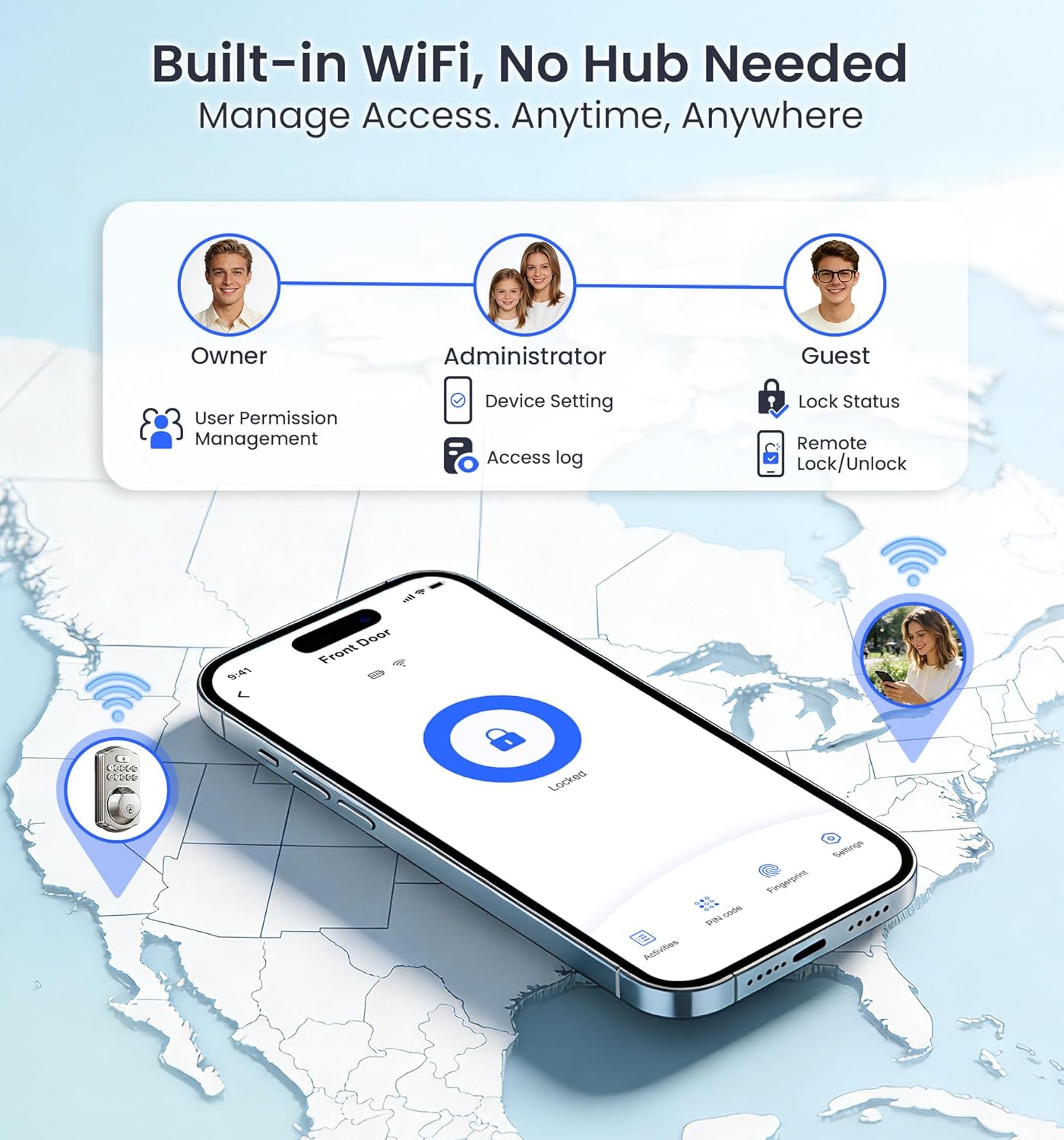
Figure 2: Built-in WiFi for remote access and management.
Paigaldusjuhend
The Veise VE012W Smart Lock is designed for easy DIY installation, requiring only a screwdriver. Please follow these steps carefully. For a visual guide, refer to the installation video below.
Paigalduseelsed kontrollid
- Ensure your door thickness is between 1-3/8" to 2" (35mm to 50mm).
- Verify the hole diameter is 1-1/2" to 2-1/8" (38mm to 54mm).
- Check the backset: 2-3/8" or 2-3/4" (60mm or 70mm).
- Confirm the bore diameter is 1" (25mm).
- Ensure the door frame is properly aligned and free of obstructions. The hole in the door frame should be a minimum depth of 1" (25mm).

Figure 3: Door Measurement Requirements.

Figure 4: Included Hardware Components.
Samm-sammuline paigaldamine
- Paigaldage riiv ja löök: Insert the latch into the door edge. Ensure the "up" marking is facing upwards. Adjust the backset if necessary (60mm or 70mm). Secure the strike plate on the door frame. Test the latch bolt for smooth extension and retraction. Keep the latch bolt fully retracted (unlocked position) during installation.
- Paigaldage väliskonstruktsioon: Route the cable below the latch and insert the torque blade through the latch slot. If the hole diameter is 1-1/2" (38mm), remove the spacer from the exterior assembly.
- Paigaldage paigaldusplaat: Attach the mounting plate to the door, ensuring the torque blade passes through the center hole. Secure it with the provided mounting plate screws.
- Paigaldage sisekomplekt: Ensure the latch is retracted. Remove the battery cover. Connect the cable connectors, ensuring correct orientation. Keep the thumb turn vertical and the torque blade horizontal. Attach the interior assembly to the mounting plate and tighten the three screws. Use the correct screws to avoid short-circuiting.
- Install Batteries and Distinguish Door Direction: First, seat the ribbon in the groove, then place the battery over it. Insert 8 AA alkaline batteries (non-rechargeable). Attach the battery cover. The lock will automatically identify the door direction. If the lock was powered on before installation, reset it manually after installation.
Paigaldusvideo
Video 1: Detailed installation guide for the Veise VE012W Smart Lock.
Kasutusjuhised
Your Veise VE012W Smart Lock offers multiple convenient ways to secure and access your home.
Unlocking and Locking Methods
- Sõrmejälg: Place your registered finger on the fingerprint sensor. The lock will unlock in 0.2 seconds.
- PIN-kood: Enter your custom PIN code on the digital keypad. Use the anti-peeping feature by entering random numbers before and after your actual code.
- Mobiilirakendus: Use the dedicated mobile app (KK Home App or similar) to remotely lock or unlock your door from anywhere with a Wi-Fi connection.
- Füüsiline võti: Use one of the two provided mechanical keys for traditional unlocking.
- Häälkäsklused: Integrate with Amazon Alexa or Google Assistant to lock or unlock your door using voice commands.
- Automaatne lukustus: Enable the auto-lock feature in the app to automatically lock the door after a set period (10-180 seconds) once closed.
- Ühe puutega lukustus: Press the lock button on the keypad to instantly lock the door when leaving.

Figure 5: Fast Fingerprint Recognition.

Figure 6: Voice Control with Alexa and Google Assistant.
Rakenduste haldamine
- Kasutajate haldamine: Add or remove users, assign different access permissions (owner, administrator, guest).
- Juurdepääsu logid: View detailed records of who entered/exited, their method (fingerprint/code/key), and the exact time.
- Reaalajas teatised: Receive instant alerts on your smartphone when the door is locked or unlocked, or if there are improper unlock attempts.
- Password Customization: Create permanent, recurring, time-limited, or one-time codes for various users (family, cleaners, guests, deliveries).
- Vacation Away Mode: Activate this mode for enhanced security when you are away for extended periods.

Figure 7: Personalized Codes and App Management.
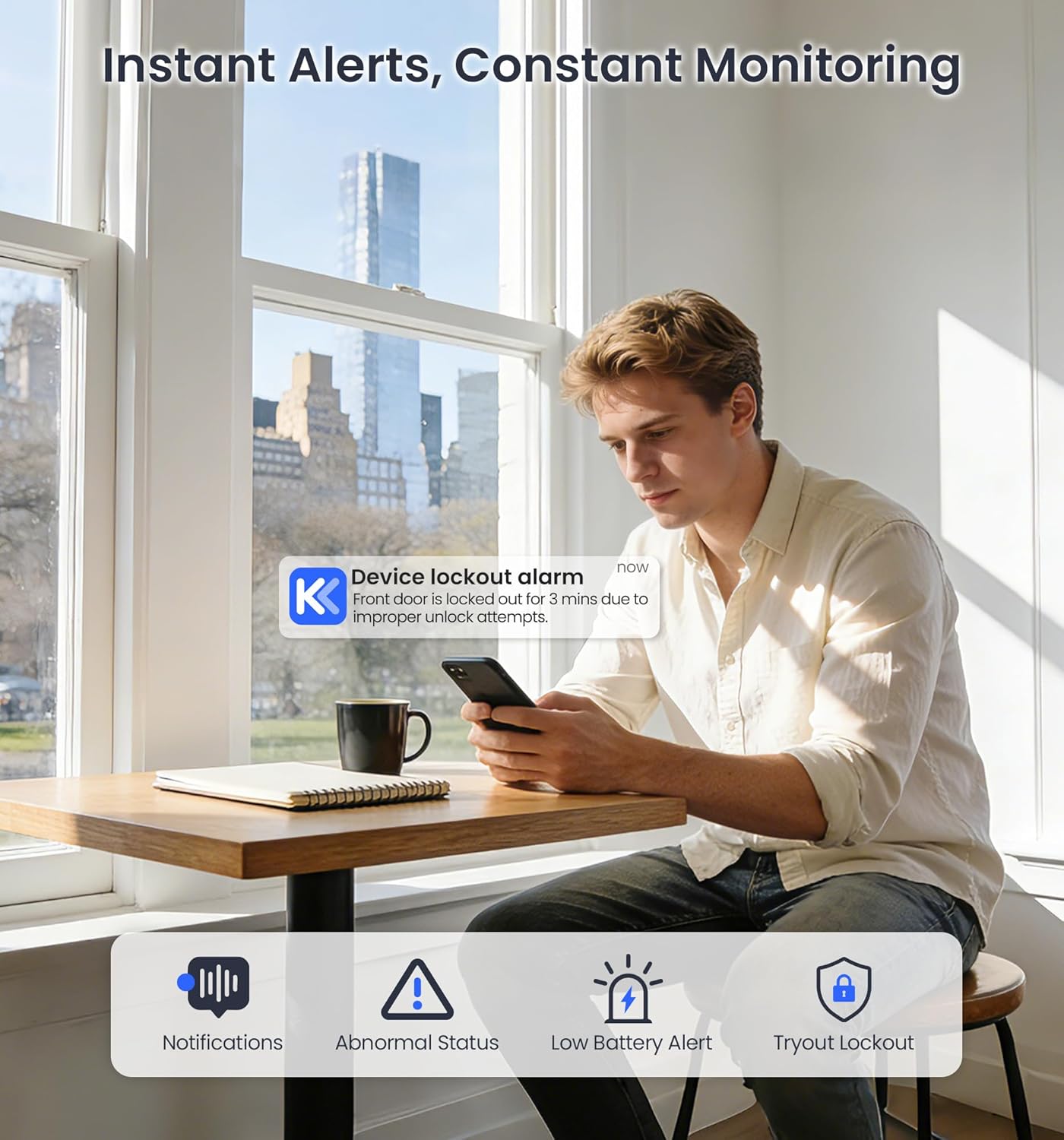
Figure 8: Instant Alerts and Monitoring.
Hooldus
Nõuetekohane hooldus tagab teie nutiluku pikaealisuse ja optimaalse jõudluse.
Patarei vahetus
- The lock uses 8 AA alkaline batteries (not included). Please use only new, non-rechargeable alkaline batteries.
- You will receive low-battery alerts via the app and the keypad backlight. Replace batteries promptly when alerted.
- To replace, remove the battery cover on the interior assembly, replace all 8 batteries, ensuring correct polarity, and then reattach the cover.

Figure 9: Battery Compartment and Battery Life.

Figure 10: Low Battery Alarm Notification.
Vastupidavus ja hooldus
- The lock is built with solid zinc alloy and is IP55 waterproof, ensuring reliable performance in humid conditions and various weather.
- It operates effectively in temperatures from -4°F to 129°F.
- Regularly check for any loose screws or components and tighten them as needed.
- Clean the keypad and fingerprint sensor with a soft, dry cloth. Avoid abrasive cleaners.

Figure 11: Security and Durability Features.

Figure 12: Weather Resistance.
Veaotsing
If you encounter issues with your Veise VE012W Smart Lock, refer to the common solutions below or watch the troubleshooting video.
Levinud probleemid ja lahendused
- Lock cannot be locked or unlocked:
- Confirm correct installation: Ensure the thumb turn is vertical and the torque blade is horizontal. The latch should be fully retracted.
- Reset the lock: Use the reset tool to press and hold the Reset Button for 5 seconds. Continue holding until you hear a long beep and the latch bolt automatically extends.
- Aku tühi: Replace all 8 AA alkaline batteries immediately upon receiving a low battery alert.
- Sõrmejälge ei tuvastatud: Veendu, et su sõrm on puhas ja kuiv. Proovi oma sõrmejälg rakenduses uuesti registreerida.
- PIN-kood ei tööta: Double-check the PIN code. Ensure the anti-peeping feature is used correctly if enabled.
- Rakenduse ühenduvusprobleemid: Ensure your Wi-Fi network is stable and the lock is within range. Restart your router and the lock if necessary.
Video tõrkeotsing
Video 2: Troubleshooting guide for common issues with the Veise VE012W Smart Lock.
Tehnilised andmed
| Funktsioon | Detail |
|---|---|
| Kaubamärk | Veise |
| Mudeli nimi | VE012W |
| Luku tüüp | Deadbolt, Keypad, Biometric |
| Ühenduvus | Bluetooth, WiFi |
| Kontrollimeetod | Rakendus, nupp, pult, hääl |
| Nutika kodu ühilduvus | Amazon Alexa, Google Assistant, iOS, Android |
| Materjal | Aluminum, Metal, Zinc |
| Kauba mõõtmed (P x L x K) | 3 x 1.3 x 5.1 tolli |
| Kauba kaal | 1.68 naela |
| Toiteallikas | 8 AA patareid (ei kuulu komplekti) |
| Eriomadused | Auto-Lock, Fingerprint, One-Touch Lock, Alarm, Anti-Peeping Password, Back-Lit Keypad, Battery Indicator, Passcode Unlock, Weather Resistant |
| Veekindluse reiting | IP55 |
| Töötemperatuur | -4°F kuni 129°F |
| Sertifikaadid | BHMA/ANSI Grade 3 |
Garantii ja klienditugi
Veise is committed to providing excellent customer service and product reliability.
- Garantii: Comes with a 2-year full-unit warranty and lifetime maintenance for mechanical components.
- Telefonitugi: Reliable lifetime U.S.-based phone support available Monday–Friday, 9 AM–5 PM PST. Call +1 (855) 400-3853.
- Meiliteenus: 24/7 email service from the Veise professional team at support@iveise.com.

Figure 13: Veise Customer Support Information.


