Sissejuhatus
This manual provides essential information for setting up, operating, and maintaining your HP 327pf 27-inch Full HD LCD Monitor. Please read these instructions carefully before using your monitor to ensure optimal performance and safety.
The HP 327pf monitor offers a 27-inch Full HD display with IPS technology, providing wide viewing angles and consistent image accuracy. Key features include a 100 Hz refresh rate for smooth visuals, HP Eye Ease for reduced blue light emission without color shift, and multiple connectivity options.
Mis on karbis
Veenduge, et pakendis on kõik komponendid olemas:
- HP 327pf 27-inch Full HD Monitor
- DisplayPort-kaabel
- HDMI kaabel
- Vahelduvvoolu kaabel
- Monitori alus (alus ja kael)
- Kiire seadistamise plakat
- Garantiikaart
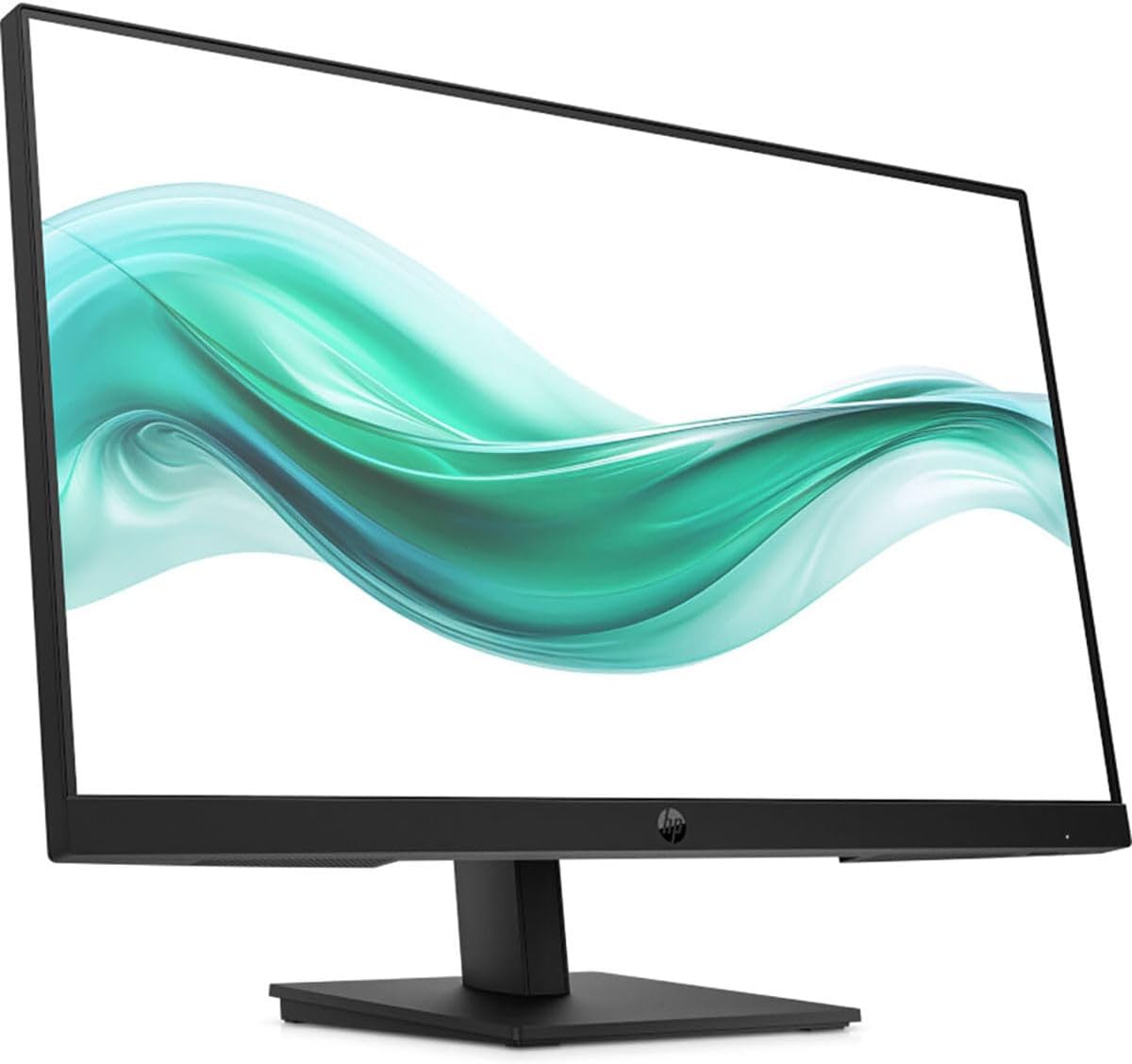
Pilt: Esikülg view of the HP 327pf monitor, showcasintänu õhukestele raamidele ja alusele.
Seadistusjuhised
1. Monitori aluse kokkupanek
- Eemaldage monitori ja aluse komponendid ettevaatlikult pakendist.
- Kinnitage statiivi kael monitoripaneeli külge. Veenduge, et see klõpsatab kindlalt oma kohale.
- Kinnitage statiivi alus statiivi kaela külge. Pingutage kõik kruvid (kui need on kaasas), tavaliselt käsitsi või mündiga.
- Asetage kokkupandud monitor stabiilsele ja tasasele pinnale.

Pilt: Külg view of the HP 327pf monitor, illustrating the slim profile and how the stand connects to the display panel.
2. Ühenduskaablid
The monitor supports HDMI, DisplayPort, and VGA connections.
- Toitekaabel: Ühendage vahelduvvoolu toitekaabel monitori toitesisendisse ja seejärel seinakontakti.
- Videokaabel:
- For optimal performance, use the provided HDMI or DisplayPort cable. Connect one end to the corresponding port on the monitor and the other end to your computer's video output port.
- Alternatively, connect a VGA cable from the monitor to your computer's VGA port.

Pilt: Tagumine view of the HP 327pf monitor, highlighting the various input ports including HDMI, DisplayPort, and VGA, along with the power input.
3. Sisselülitamine
Press the power button located on the monitor to turn it on. Ensure your computer is also powered on.
Monitori juhtimine
Ekraanikuva (OSD) menüü
The monitor features an intuitive joypad OSD button for navigating and adjusting settings. This button is typically located on the bottom or back of the monitor.
- Accessing the OSD: Press the joypad button to open the OSD menu.
- Navigeerimine: Use the joypad to move through menu options (up, down, left, right).
- Valik: Press the joypad button to select an option or confirm a setting.
- Väljumine: Navigate to the 'Exit' option or press the joypad button repeatedly to go back through menus and eventually exit.
Põhifunktsioonid
- IPS tehnoloogia: Provides wide 178-degree viewing angles, ensuring consistent image accuracy from almost any perspective.
- 100 Hz värskendussagedus: Delivers smoother motion and clearer detail, beneficial for general use and casual gaming.
- HP silmade mugavus: An always-on hardware low-blue light filter designed to reduce eye strain without affecting color accuracy. This feature is active by default and does not require manual adjustment.
- Reguleeritav kalle: The monitor stand allows for tilt adjustments to help you find a comfortable viewing angle. Gently tilt the monitor panel forward or backward to your desired position.
Hooldus ja hooldus
- Ekraani puhastamine:
- Lülitage monitor välja ja eemaldage toitejuhe.
- Pühkige ekraani õrnalt pehme ebemevaba lapiga.
- Kangekaelsete plekkide korral dörtsige kergeltampen the cloth with water or a non-abrasive screen cleaner. Do not spray liquid directly onto the screen.
- C puhastamineasing: Monitori puhastamiseks kasutage pehmet ja kuiva lappi.asing. Vältige karmide kemikaalide või abrasiivsete puhastusvahendite kasutamist.
- Ventilatsioon: Veenduge, et monitori ventilatsiooniavad poleks blokeeritud, et vältida ülekuumenemist.
- Hoiustamine: Kui monitori pikemat aega ei kasutata, hoidke seda jahedas ja kuivas kohas, ideaaljuhul originaalpakendis.
Veaotsing
| Probleem | Võimalik lahendus |
|---|---|
| Ekraanil pole pilti |
|
| Pilt on udune või moonutatud |
|
| Värvid tunduvad valed |
|
| Monitor virvendab |
|
Tehnilised andmed
| Mudeli nimi | HP 327pf |
| Mudeli number | B0CG3UT#ABA |
| Ekraani suurus | 27 tolli |
| Paneeli tehnoloogia | Tasasisene ümberlülitus (IPS) |
| Resolutsioon | 1920 x 1080 (täis-HD) |
| Kuvasuhe | 16:9 |
| Värskendussagedus | Kuni 100 Hz |
| Reageerimisaeg | 5 ms |
| Heledus | 250 Nit |
| Värvitugi | 16.7 miljonit värvi |
| Viewing | 178 ° horisontaalne, 178 ° vertikaalne |
| Ühenduvus | 1x HDMI 1.4, 1x VGA, 1x DisplayPort 1.2 |
| Ühildub VESA kinnitusega | Jah |
| Mõõdud (PxLxK) | 2.3 x 24.1 x 14.4 tolli (ilma aluseta) |
| Kaal | 9.77 naela |
| Värv | Must |
Garantii ja tugi
Your HP 327pf monitor comes with a standard limited warranty. Please refer to the included Warranty Card for detailed terms and conditions, including warranty period and coverage.
For technical support, service, or additional product information, please visit the official HP support website or contact HP customer service. You can typically find support resources by searching for "HP Support" online and entering your product model number (327pf or B0CG3UT).
Veebitugi: support.hp.com