Sissejuhatus
Thank you for choosing the NIMO 15.6" FHD IPS Student Laptop Computer. This manual provides essential information for setting up, operating, maintaining, and troubleshooting your new device. Please read this manual thoroughly to ensure optimal performance and longevity of your laptop.
Mis on karbis
Palun veenduge, et kõik allpool loetletud esemed on teie pakendis olemas:
- 1 x Nimo N157 Laptop
- 1 x Type-C 65W PD Fast Charger
- 1 x Kasutusjuhend (käesolev dokument)
- Windows 11 Home Operating System (pre-installed)
- Warranty Information (2 Years Warranty, 90 Days Return)
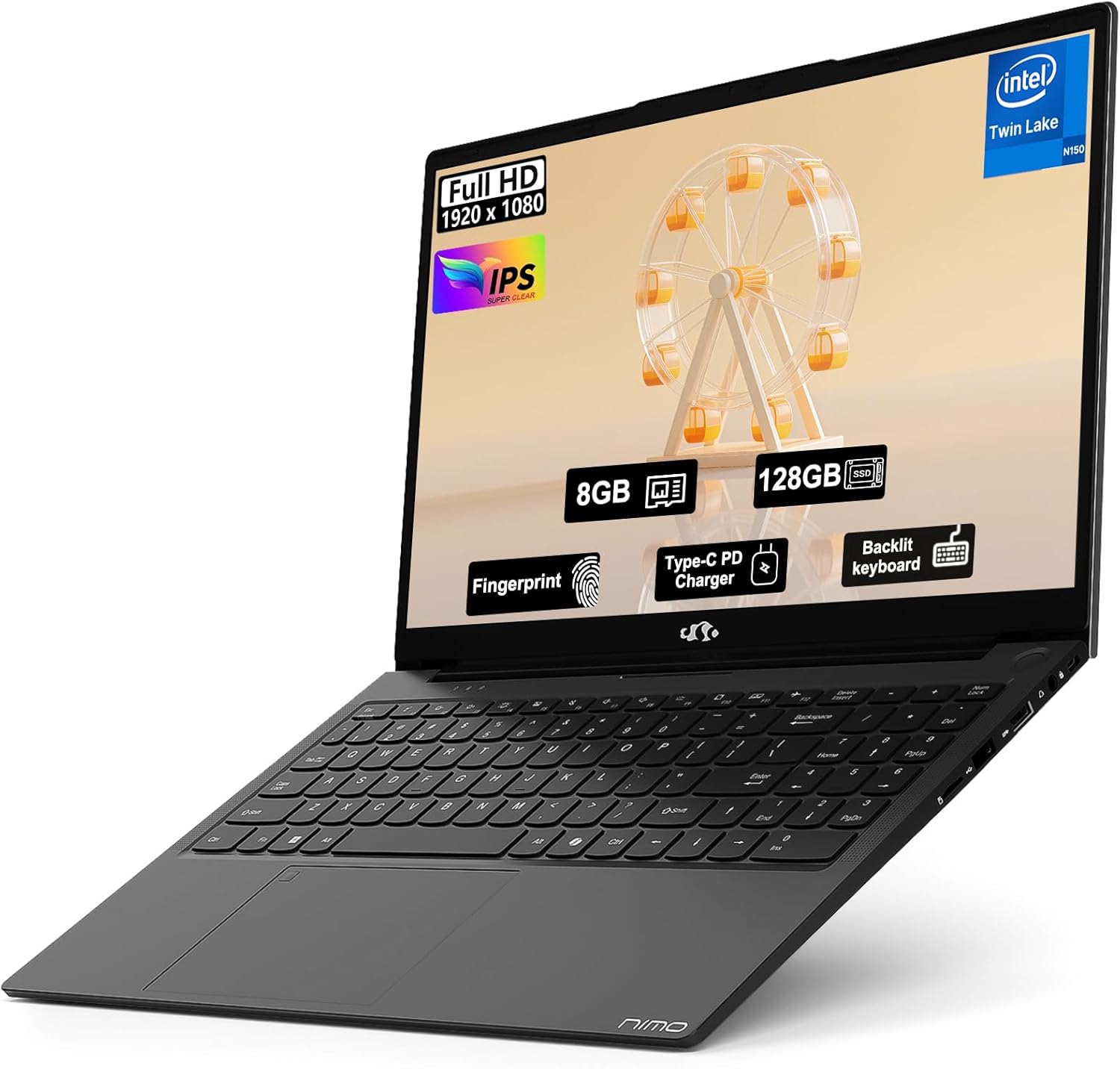
Image: The NIMO 15.6" FHD IPS Student Laptop Computer. The screen highlights key features such as Full HD 1920x1080 resolution, IPS display, 8GB RAM, 128GB SSD, Fingerprint reader, Type-C PD Charger, and Backlit keyboard. The laptop is shown in a sleek black finish.
Seadistusjuhend
1. Esmane sisselülitamine ja laadimine
Before first use, it is recommended to fully charge your NIMO laptop. Connect the included Type-C 65W PD Fast Charger to the laptop's Type-C port and a power outlet. The charging indicator light will illuminate. A 15-minute charge can provide approximately 2 hours of standby time.
2. Operatsioonisüsteemi häälestus
Your NIMO laptop comes with Windows 11 Home pre-installed. Upon first boot, follow the on-screen instructions to complete the initial Windows setup, including language selection, network connection, and user account creation.
3. Fingerprint Reader Setup
For enhanced security and convenient login, set up the fingerprint reader. Navigate to Seaded > Kontod > Sisselogimisvalikud > Sõrmejäljetuvastus (Windows Hello) and follow the prompts to register your fingerprints. The fingerprint sensor is integrated into the touchpad.
4. Backlit Keyboard Adjustment
The backlit keyboard allows for comfortable typing in low-light environments. Use the dedicated function keys (usually Fn + a specific F-key, refer to keyboard legends) to turn the backlight on/off and adjust its brightness levels.
Kasutusjuhised
1. Ekraani funktsioonid
Your laptop features a 15.6-inch Full HD (1920x1080) IPS Anti-Glare Display. This provides wide viewing angles, accurate colors, and reduces reflections for a comfortable viewing experience. The 85% screen-to-body ratio and 16:9 aspect ratio optimize screen real estate.
2. Puuteplaadi kasutamine
The integrated touchpad supports multi-touch gestures for intuitive navigation. Common gestures include:
- Puudutage ühe sõrmega: Vasakklõps
- Kahe sõrmega puudutus: Paremklõpsake
- Kahe sõrmega kerimine: Kerige üles/alla või vasakule/paremale
- Näpistamine suumimiseks: Suumi sisse/välja
3. Ühenduvus
The NIMO laptop supports various connectivity options:
- Wi-Fi 6: Kiire traadita internetiühenduse jaoks.
- Bluetooth 5.2: Traadita välisseadmete, näiteks kõrvaklappide, hiirte ja klaviatuuride ühendamiseks.
- USB-pordid: Includes 1 x USB 2.0 port and 3 x USB 3.0 ports for connecting external devices.
- C-tüüpi tüüp: Kasutatakse laadimiseks ja andmeedastuseks.
4. Akuhaldus
The laptop is equipped with a Lithium Polymer battery providing an average battery life of approximately 5 hours. To maximize battery life, adjust screen brightness, close unused applications, and utilize power-saving modes in Windows settings.
Hooldus
1. RAM and SSD Upgrade
The NIMO laptop supports user-detachable RAM and SSD, allowing for future upgrades. If you plan to upgrade, ensure you use compatible components (DDR4 RAM, PCIe SSD) and follow proper electrostatic discharge (ESD) precautions. Consult a professional if you are unsure.
2. Sülearvuti puhastamine
Sülearvuti välimuse ja funktsionaalsuse säilitamiseks:
- Ekraani ja välispinna puhastamiseks kasutage pehmet, ebemevaba lappi.
- Kangekaelsete plekkide korral kergelt dampLoputage lappi veega või ekraanipuhastuslahusega.
- Avoid using harsh chemicals, abrasive cleaners, or direct spraying of liquids onto the laptop.
- Puhastage klaviatuuri ja puuteplaati regulaarselt tolmu ja prahi eemaldamiseks.
Veaotsing
See jaotis pakub lahendusi levinud probleemidele, millega võite kokku puutuda.
| Probleem | Võimalik lahendus |
|---|---|
| Sülearvuti ei lülitu sisse. | Ensure the charger is properly connected and the power outlet is functional. Allow the battery to charge for at least 30 minutes before attempting to power on again. |
| Ekraan on tühi või virvendab. | Check display cable connections (if external monitor is used). Restart the laptop. Update graphics drivers. |
| WiFi-ühenduse probleemid. | Veendu, et WiFi on Windowsi seadetes lubatud. Taaskäivita ruuter/modem. Värskenda WiFi draivereid. |
| Klaviatuur või puuteplaat ei reageeri. | Restart the laptop. Check for driver updates. Ensure no external devices are interfering. |
If you encounter issues not covered here or require further assistance, please contact NIMO customer support.
Tehnilised andmed
Detailed technical specifications for your NIMO N157L laptop:
| Funktsioon | Detail |
|---|---|
| Mudeli nimi | Nimo N157L |
| Ekraani suurus | 15.6 tolli |
| Ekraani eraldusvõime | 1920 x 1080 pixels (FHD IPS Anti-Glare) |
| Protsessor | Intel 4 Core N150 (up to 3.6 GHz) |
| RAM | 8 GB DDR4 (3200 MHz, detachable) |
| Kõvaketas | 128 GB PCIe SSD (detachable) |
| Graafika kaasprotsessor | Integreeritud graafika |
| Operatsioonisüsteem | Windows 11 Home |
| Traadita tüüp | 802.11a/b/g/n/ac (Wi-Fi 6), Bluetooth 5.2 |
| USB-pordid | 1x USB 2.0, 3x USB 3.0 |
| Muud sadamad | Type-C (65W PD Fast Charging), Memory Card Slot |
| Eriomadused | Backlit Keyboard, Fingerprint Reader, HD Audio, Numeric Keypad |
| Aku tööiga | Approx. 5 Hours (Lithium Polymer) |
| Kauba kaal | 3.8 naela |
| Toote mõõtmed | 14.07 x 8.98 x 0.76 tolli |
| Värv | Must |
| Tagumine Webkaamera eraldusvõime | 2 MP |
Garantii ja tugi
NIMO Direct Inc. offers a comprehensive 2-aastane tootjagarantii for your laptop. This warranty covers defects in materials and workmanship under normal use. Additionally, a 90-Day Hassle-Free Return and Exchange Service is provided from the date of purchase.
For warranty claims, technical support, or any concerns regarding your NIMO laptop, please contact the manufacturer's dedicated support team. Refer to the contact information provided on the product packaging or the official NIMO websaidile.
Märkus. The laptop is partially assembled in the USA. Please retain your proof of purchase for warranty purposes.


