Sissejuhatus
This manual provides essential information for setting up, operating, maintaining, and troubleshooting your NIMO 15.6" IPS FHD Business Laptop. Please read this manual thoroughly before using your device to ensure optimal performance and longevity.
Mis on karbis
- 1 x Nimo N154 Laptop
- 1 x Type-C 65W PD Fast Charger
- 1 x Kasutusjuhend (käesolev dokument)
- Windows 11 Home (eelinstallitud)
- Warranty Information (2 Years Warranty, 90 Days Return)
Toode läbiview
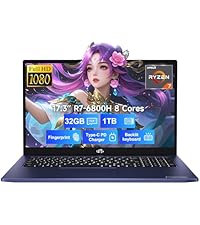
Familiarize yourself with the key components and features of your NIMO laptop.

Joonis 1: NIMO 15.6" Laptop Front View põhifunktsioonidega
This image displays the NIMO 15.6-inch laptop from the front, showcasing its full HD IPS display. Icons on the screen highlight key features including the Intel Core i3-1215U 6-core processor, 8GB RAM, 256GB SSD, fingerprint reader, Type-C PD charger, and backlit keyboard. An eagle graphic is prominently featured on the screen.
Portid ja pistikud

Joonis 2: Laptop Ports and Connectors
This image illustrates the various ports available on the NIMO laptop. On the left side, from left to right, are the Micro SD card slot, USB 2.0 port, USB 3.0 port, headphone combo jack, and Kensington lock slot. On the right side, from left to right, are a Type-C (charge only) port, USB 3.0 port, HDMI port, Type-C (multifunction) port, and a Charge LED indicator.
- Vasak pool: Micro SD Card Slot, USB 2.0, USB 3.0, Headphone Combo Jack, Kensington Lock
- Parem pool: Type-C (Charge Only), USB 3.0, HDMI, Type-C (Multifunction), Charge LED
Seadistusjuhend
1. Esialgne laadimine
Before first use, fully charge your laptop. Connect the provided 65W Type-C PD fast charger to the Type-C (Charge only) port on the right side of the laptop and to a power outlet. The Charge LED will indicate charging status.

Joonis 3: 65W Type-C PD Fast Charger
This image shows the compact NIMO 65W Type-C PD fast charger with its accompanying Type-C cable. It highlights the charger's versatility, indicating it can be used for laptops, tablets, and iPhones. Below, a comparison graphic contrasts the single, organized Type-C charger with a cluttered power strip filled with multiple, tangled chargers, emphasizing the convenience of the NIMO charger.
2. Sisselülitamine
Open the laptop lid. Press the power button, typically located on the top right of the keyboard, to turn on the device. The laptop will boot into Windows 11 Home.
3. Windowsi esialgne seadistamine
Follow the on-screen prompts to complete the Windows 11 Home setup. This includes selecting your region, language, connecting to a Wi-Fi network, creating a user account, and setting up security features like the fingerprint reader.
4. Fingerprint Reader Setup
During Windows setup or later via Windows Settings, configure the integrated fingerprint reader for secure and quick login. This feature is located on the touchpad area.

Joonis 4: Fingerprint Reader and Webcam Privacy Shield
This image highlights two security features of the NIMO laptop. The upper left section shows a close-up of the touchpad with a glowing fingerprint icon, indicating the integrated fingerprint scanner for seamless security integration. The lower right section displays the laptop's webcam with a physical privacy shield, emphasizing privacy-focused camera convenience.
Kasutusjuhised
Klaviatuur ja puuteplaat
Your NIMO laptop features a full-size keyboard with a numeric keypad and a backlit function for use in low-light conditions. The large trackpad supports multi-touch gestures.

Joonis 5: Klaviatuuri funktsioonid
This image displays the NIMO laptop's keyboard, highlighting its features for effortless typing in any environment. Icons above the keyboard represent the backlit keyboard, webcam shield, fingerprint reader, and numeric keypad. Insets show the backlit keyboard in use in a dimly lit setting.
Ekraan
The 15.6" Full HD (1920x1080) IPS display offers vibrant colors and wide viewing angles. Adjust brightness and display settings through Windows settings.

Joonis 6: Ere Full HD-ekraan
This image showcases the NIMO laptop's vivid Full HD display, featuring a vibrant image of a jellyfish on the screen. Icons above the display highlight its key attributes: FHD 1920x1080 resolution, IPS technology, Bright View, and Eye Protection. The screen-to-body ratio is indicated as 85%.
Ühenduvus
- Wi-Fi 6: Looge ühendus kiirete traadita võrkudega.
- Bluetooth: Pair with Bluetooth-enabled devices such as headphones or mice.
- USB-pordid: Utilize the USB 2.0 and USB 3.0 ports for connecting external devices.
- HDMI: Ühendage väliste monitoride või projektoritega.
Hooldus
Sülearvuti puhastamine
- Kasutage kergelt pehmet ebemevaba lappi dampekraani puhastamiseks veega või ekraanipuhastusvahendiga loputatud.
- Klaviatuuri ja korpuse puhastamiseks kasutage pehmet lappi. Vältige karme kemikaale.
- Puhastage ventilatsiooniavad regulaarselt tolmust suruõhuga, et tagada korralik jahutus.
Aku hooldus
- Vältige aku sagedast täielikku tühjenemist.
- Hoidke sülearvutit jahedas ja kuivas kohas, kui seda pikka aega ei kasutata.
- Use only the provided NIMO 65W Type-C PD charger.
Storage and Upgrades
The laptop comes with 8GB DDR4 RAM and a 256GB SSD. Both RAM and SSD are upgradeable, offering flexibility for future performance enhancements.

Joonis 7: RAM and SSD Configuration
This image shows the NIMO laptop screen displaying various applications, illustrating its multitasking capabilities. Below the laptop, three boxes highlight its memory and storage specifications: 8GB DDR4 RAM, 256GB PCIe 4.0 SSD, and the presence of Dual RAM Channels, indicating support for upgrades and expansion.
Veaotsing
This section addresses common issues you might encounter with your NIMO laptop.
Sülearvuti ei lülitu sisse
- Veenduge, et laadija oleks kindlalt ühendatud nii sülearvuti kui ka töötava pistikupesaga.
- Check if the Charge LED illuminates when connected to power.
- Proovige kõvaketta lähtestamiseks hoida toitenuppu 10–15 sekundit all.
Aku tühjeneb kiiresti
- Reguleerige ekraani heledust madalamale.
- Sulgege taustal töötavad mittevajalikud rakendused.
- Ensure Windows is updated, as updates often include power management improvements.
- Check power settings in Windows to optimize battery usage.
Applications Freeze or Laptop is Slow
- Close any applications that are not in use.
- Taaskäivitage sülearvuti.
- Kontrollige tegumihaldurit (Ctrl+Shift+Esc) protsesside osas, mis tarbivad palju protsessorit või muutmälu.
- Veenduge, et teie operatsioonisüsteem ja draiverid oleksid ajakohased.
- Consider upgrading RAM or SSD if performance issues persist, as the laptop supports upgrades.
WiFi-ühenduse probleemid
- Taaskäivitage oma WiFi-ruuter ja modem.
- Keelake sülearvuti WiFi ja lubage see uuesti.
- Veenduge, et WiFi-draiverid oleksid ajakohased.
- Unusta võrk ja ühenda uuesti.
Tehnilised andmed
Detailed technical specifications for your NIMO N154 laptop.
| Funktsioon | Spetsifikatsioon |
|---|---|
| Kaubamärk | NIMO |
| Mudeli nimi | Nimo N154 |
| Ekraani suurus | 15.6 tolli |
| Ekraani eraldusvõime | 1920 x 1080 pikslit (Full HD IPS) |
| Protsessor | Intel Core i3-1215U (6 südamikku, kuni 4.4 GHz) |
| RAM | 8 GB DDR4 (Upgradeable) |
| Mälu kiirus | 3200 MHz |
| Kõvaketas | 256 GB SSD (Upgradeable) |
| Graafika kaasprotsessor | Integreeritud Intel Graphics |
| Operatsioonisüsteem | Windows 11 Home |
| Traadita tüüp | Wi-Fi 6 (802.11a/b/g/n/ac), Bluetooth 5.2 |
| USB-pordid | 1x USB 2.0, 3x USB 3.0, 2x Type-C (1x Charge Only, 1x Multifunction) |
| Muud sadamad | HDMI, Headphone Combo Jack, Micro SD Card Slot, Kensington Lock |
| Eriomadused | Fingerprint Reader, HD Audio, Memory Card Slot, Numeric Keypad, Backlit Keyboard, Webcam Shield |
| Kauba kaal | 3.8 naela |
| Toote mõõtmed | 14.07 x 8.98 x 0.76 tolli |
| Keskmine aku tööiga | 5 Hours (54Wh Smart Battery) |
| Toiteallikas | Battery Powered, 65W Type-C PD Charger |
Garantii ja tugi
NIMO is committed to providing reliable products and excellent customer service.
- Garantii: Your NIMO laptop is covered by a 2-year warranty.
- Tagastab: You may return the product within 90 days of purchase.
- Klienditugi: Our 24/7 support team is available to provide assistance.
- Kontakt: For support inquiries, please visit the official NIMO websait või kontakt service@nimopc.com.

Joonis 8: Professional Customer Assistance
This image depicts a customer service representative wearing a headset, symbolizing the availability of professional customer assistance via phone and live chat.
Joonis 9: 2-aastane tugi
This image shows a technician working on a laptop's internal components with tools, representing the 2-year support coverage for Nimo products.

Joonis 10: 90-päevane tagastamispoliitika
This image illustrates a delivery person handing a package to a customer, signifying the 90-day return policy for Nimo products.


