Sissejuhatus
This manual provides essential information for setting up, operating, maintaining, and troubleshooting your HP 15-fd series laptop. Please read this guide thoroughly to ensure optimal performance and longevity of your device.
The HP 15-fd laptop is equipped with a 13th Gen Intel Core i3-1315U processor, 15.6-inch HD touchscreen display, 8GB DDR4 RAM, and a 512GB SSD, running on Windows 11 Pro. It is designed for productivity and includes various connectivity options and accessories.
1. Seadistamine
1.1 Lahtipakkimine ja esmane kontroll
Eemaldage pakendist ettevaatlikult kõik komponendid. Veenduge, et kõik pakkimisnimekirjas loetletud esemed on olemas ja kahjustamata. Kui mõni ese on puudu või kahjustatud, võtke viivitamatult ühendust edasimüüjaga.
1.2 Toiteallikaga ühendamine
- Ühendage vahelduvvooluadapter sülearvuti toitepistikuga.
- Ühendage vahelduvvooluadapter maandatud pistikupessa.
- Enne esmakordset kasutamist laske akul laadida vähemalt 30 minutit või kuni aku indikaator näitab täielikku laetust.
1.3 Esmane sisselülitamine ja Windows 11 Pro seadistamine
- Sülearvuti sisselülitamiseks vajutage klaviatuuril asuvat toitenuppu.
- Windows 11 Pro installiprotsessi lõpuleviimiseks järgige ekraanil kuvatavaid juhiseid. See hõlmab piirkonna ja keele valimist, WiFi-võrguga ühenduse loomist ja kasutajakonto loomist.
- Ensure you have an active internet connection for Windows updates and software activation.
1.4 Kaasasolevad tarvikud
Your laptop package includes the following accessories to enhance your experience:
- 5-ühes dokkimisjaam: Provides additional ports including HDMI video output, USB 3.0, USB Type-C/PD, and RJ45 Ethernet.
- HDMI kaabel: Väliste kuvaritega ühendamiseks.
- 128GB Portable SSD: For additional storage and data transfer.
- Lifetime Office: Pre-installed or provided with activation instructions for Microsoft Office suite.

Figure 1: Included accessories, including the 5-in-1 docking station, HDMI cable, 128GB portable SSD, Windows 11 Pro, and Lifetime Office.
2. Sülearvuti kasutamine
2.1 Toide sisse/välja ja puhkeolek
- Toide sisse: Vajutage toitenuppu.
- Lülita välja: Klõpsake nuppu Start ja seejärel Toide > Sule arvuti.
- Puhkerežiim: Sulgege kaas või klõpsake nuppu Start ja seejärel Toide > Unerežiim.
2.2 Puuteekraani kasutamine
Your HP 15-fd laptop features a responsive 15.6-inch multi-touch display. You can interact with the system using various touch gestures:
- Puudutage: Samaväärne hiireklõpsuga.
- Topeltpuudutage: Opens applications or selects items.
- Näpistamine suumimiseks: Suumimiseks või vähendamiseks kasutage kahte sõrme.
- Pühkige: Navigate through content or switch between applications.
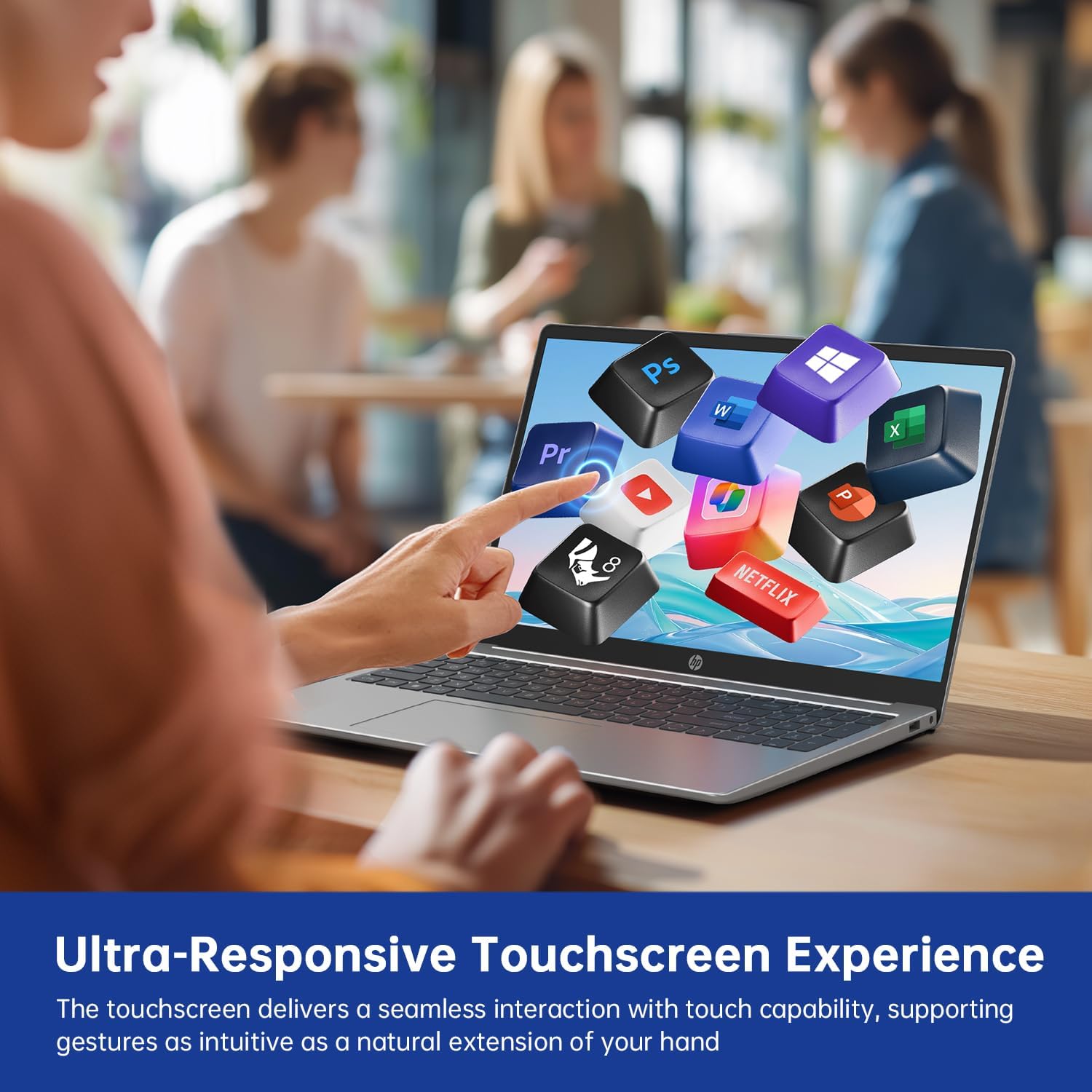
Figure 2: Demonstrating the ultra-responsive touchscreen experience with various application icons.
2.3 Keyboard and Numeric Keypad
The full-size keyboard includes a dedicated numeric keypad for efficient data entry. Function keys (F1-F12) provide quick access to system controls when pressed in combination with the Fn key.
2.4 Pordid ja ühenduvus
Sülearvuti pakub mitmesuguseid porte väliste seadmete ühendamiseks:
- USB-A 3.0 Ports (x2): USB-seadmete, näiteks hiirte, klaviatuuride või väliste draivide ühendamiseks.
- USB-C 3.0 Port (x1): Versatile port for data transfer, charging, or connecting compatible peripherals.
- HDMI-port (x1): Väliste monitoride või projektorite ühendamiseks.
- 3.5 mm audiopesa (x1): Kõrvaklappide või väliste kõlarite jaoks.
- DC-in Port (x1): For connecting the AC adapter to charge the laptop.
Wireless connectivity includes WiFi 6E for high-speed internet access and Bluetooth 5.0 for connecting wireless accessories.

Joonis 3: Üleview of multiple available ports on the HP 15-fd laptop.
2.5 Camera Privacy Switch
Your laptop features a 720p HD webcam with a built-in privacy switch. To ensure your privacy, slide the physical switch to cover the camera lens when not in use. Slide it back to uncover the lens when you need to use the camera for video calls or other applications.

Figure 4: The camera privacy switch provides control over webcam access.
2.6 AI Copilot Functionality
The integrated AI Copilot assists in automating tasks, generating insights, and streamlining workflows. It learns from your actions to provide smarter suggestions, enhancing productivity for tasks such as coding, writing, or data analysis.
3. Hooldus
3.1 Sülearvuti puhastamine
- Ekraan: Kasutage kergelt pehmet ebemevaba lappi dampveega või ekraanipuhastusvahendiga. Ärge pihustage vedelikku otse ekraanile.
- Klaviatuur ja korpus: Kasutage pehmet ja kuiva lappi. Kangekaelse mustuse korral kergelt kuiva lappi.amp Võib kasutada õrna seebilahusega niisutatud lappi, veendudes, et vedelik ei satuks avadesse.
- Pordid: Kasutage tolmu õrnalt portidest eemaldamiseks suruõhku.
3.2 Aku hooldus
- Vältige aku sagedast täielikku tühjenemist.
- Hoidke sülearvutit jahedas ja kuivas kohas, kui seda pikka aega ei kasutata.
- Ärge jätke sülearvutit äärmuslike temperatuuride kätte.
3.3 Tarkvaravärskendused
Regularly check for and install updates for Windows 11 Pro and HP drivers to ensure optimal performance, security, and compatibility. You can typically find these updates through Windows Update settings and the HP Support Assistant application.
4. Veaotsing
This section addresses common issues you might encounter with your HP 15-fd laptop.
4.1 Toiteprobleemid
- Sülearvuti ei lülitu sisse: Ensure the AC adapter is securely connected to both the laptop and a working power outlet. Check if the battery is charged. Try a different power outlet.
- Aku ei lae: Verify the AC adapter is functioning correctly. Check the power cable for damage.
4.2 Kuvamisprobleemid
- Screen is blank or dark: Ensure the laptop is powered on. Adjust screen brightness using function keys. Connect an external monitor via HDMI to check if the issue is with the laptop's display.
- Puuteekraan ei reageeri: Taaskäivitage sülearvuti. Veenduge, et kuvadraiverid on ajakohased.
4.3 Ühenduvusprobleemid
- WiFi-ühendust ei toimu: Check if Wi-Fi is enabled in Windows settings. Restart your router and laptop. Ensure correct Wi-Fi password is entered.
- Bluetooth-seade ei paaristu: Ensure Bluetooth is enabled on both devices. Place devices close to each other. Check device compatibility.
4.4 Üldised jõudlusprobleemid
- Aeglane jõudlus: Close unnecessary applications. Check for malware. Ensure sufficient free space on the SSD. Update drivers and Windows.
- System freezes or crashes: Perform a system restart. Check for recent software installations that might be causing conflicts.
If you are unable to resolve an issue using these steps, please refer to the Support section for further assistance.
5. Tehnilised andmed

Figure 5: Key display and physical dimensions of the HP 15-fd laptop.
| Funktsioon | Spetsifikatsioon |
|---|---|
| Mudeli nimi | 15-fd |
| Protsessor | 13. põlvkonna Intel Core i3-1315U (kuni 4.5 GHz) |
| Graafika | Intel UHD graafikakaart (integreeritud) |
| Ekraan | 15.6-tolline HD (1366 x 768) puuteekraan |
| RAM | 8 GB DDR4 |
| Säilitamine | 512 GB SSD |
| Operatsioonisüsteem | Windows 11 Pro |
| Traadita ühenduvus | WiFi 6E, Bluetooth 5.0 |
| Sadamad | 2x USB-A 3.0, 1x USB-C 3.0, 1x HDMI, 1x 3.5mm Audio Jack, 1x DC-in |
| Mõõdud (PxLxK) | 14.17 x 9.29 x 0.73 tolli |
| Kaal | Umbes 3.52 kg (1.6 naela) |
| Värv | Looduslik hõbe |
| Eriomadused | Numeric Keypad, Fingerprint Reader, HD Audio, Camera Privacy Switch |
6. Garantii teave
Your HP 15-fd laptop comes with a 12-kuuline garantii alates ostukuupäevast. See garantii katab tootmisdefektid ja riistvara talitlushäired normaalse kasutamise korral. Palun hoidke oma ostutõend garantiinõuete esitamiseks alles.
The warranty does not cover damage caused by misuse, accidents, unauthorized modifications, or external factors. For detailed warranty terms and conditions, please refer to the documentation included with your product or visit the official HP support websaidile.
7. Toetus
For technical assistance, troubleshooting beyond this manual, or warranty service, please contact HP Customer Support.
- Veebitugi: Külastage ametlikku HP tugilehte webDraiverite, kasutusjuhendite ja tõrkeotsingu juhendite sait.
- Telefonitugi: Refer to the contact information provided in your product packaging or on the HP Support webteie piirkonna sait.
When contacting support, please have your laptop's serial number and model number (15-fd) ready. This information can usually be found on a label on the bottom of your laptop.