1. Toote lõppview
The Cudy AC1200 Outdoor Wireless Access Point (AP1200 Outdoor) is designed to provide reliable and high-speed Wi-Fi connectivity in outdoor environments. It supports the latest 802.11ac Wave 2 technology, offering dual-band Wi-Fi speeds up to 867 Mbps on 5 GHz and 300 Mbps on 2.4 GHz. Key features include MU-MIMO, Beamforming, IP65 waterproof rating, 4KV lightning protection, and flexible Power over Ethernet (PoE) options.

Figure 1: Cudy AP1200 Outdoor Wireless Access Point Overview
2. Pakendi sisu
Veenduge, et teie pakend sisaldab kõiki allpool loetletud esemeid:
- AP1200 Outdoor Wireless Access Point
- Toiteadapter
- Detachable Antennas (2 units)
- Toitejuhe
- Paigalduskomplekt
- Etherneti kaabel
- Paigaldusjuhend (see juhend)
3. Riistvara lõppenudview
3.1 Füüsiline välimus
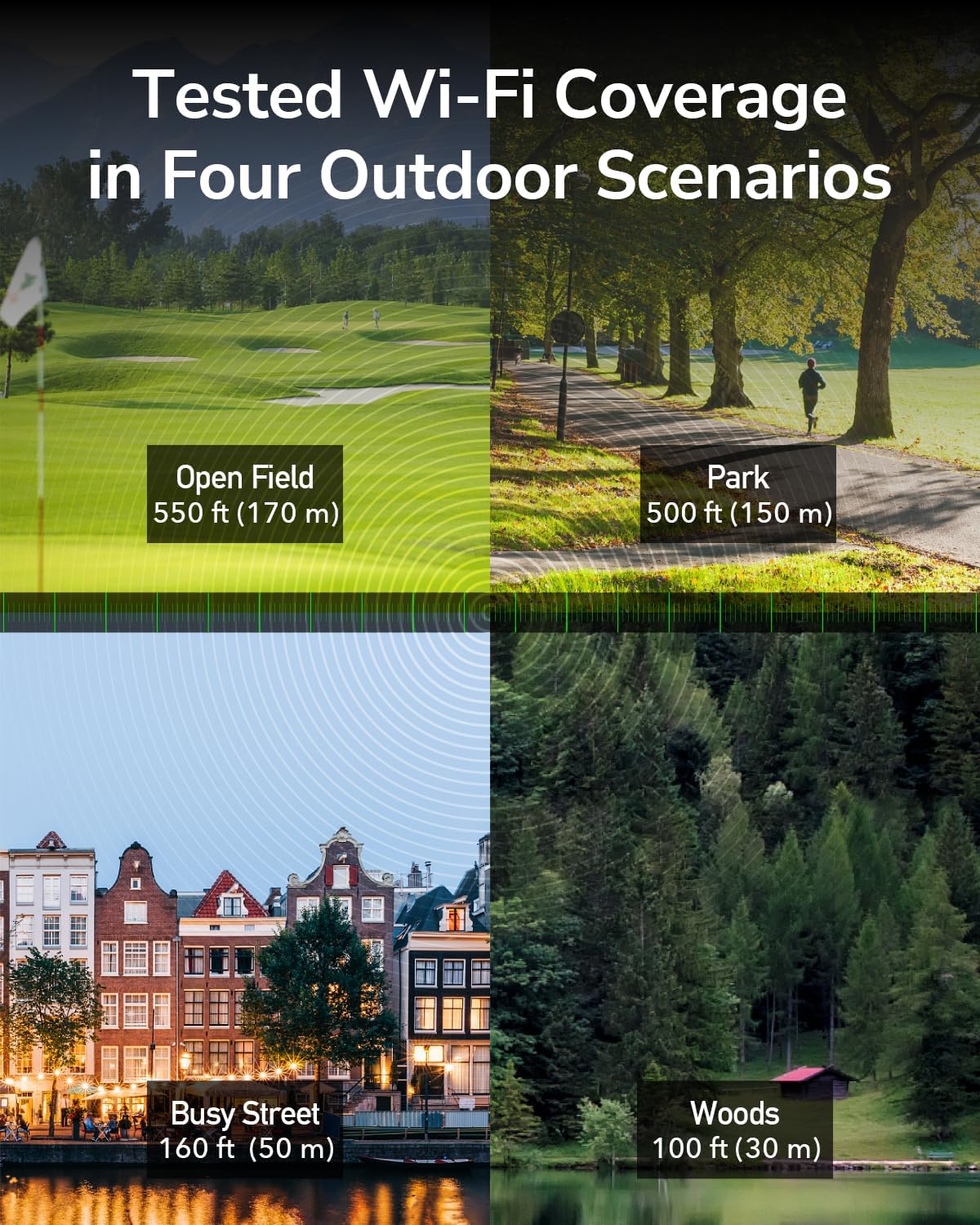
Figure 2: Cudy AP1200 Outdoor Access Point
3.2 LED indikaatorit
Seadmel on mitu LED-indikaatorit, mis näitavad selle olekut:
- Toite LED: Näitab toite olekut.
- LAN LED: Indicates Ethernet connection status.
- 2.4GHz Wi-Fi LED: Indicates 2.4GHz wireless activity.
- 5GHz Wi-Fi LED: Indicates 5GHz wireless activity.
3.3 Pordid ja nupud
The device includes the following ports and buttons:
- RJ45 Port (PoE-IN): Used for both data and power input via Power over Ethernet.
- Lähtestamisnupp: Kasutatakse tehaseseadete taastamiseks.
- Antenni pistikud: Two RP-SMA connectors for detachable antennas.

Figure 3: RJ45 Port with PoE-IN
4. Seadistamine ja installimine
4.1 Antennide kinnitamine
Carefully screw the two detachable 5dBi antennas onto the RP-SMA connectors on the device. Ensure they are securely fastened but do not overtighten.

Figure 4: Antennas Attached to AP1200 Outdoor
4.2 Etherneti kaudu toite (PoE) ühendus
The AP1200 Outdoor supports 802.3at/af PoE or 24~50V passive power supply. Use the included PoE adapter to power the device and connect it to your network.
- Connect one end of an Ethernet cable to the LAN port of your router or network switch.
- Connect the other end of this Ethernet cable to the 'LAN' port on the PoE adapter.
- Connect one end of the included Ethernet cable to the 'PoE' port on the PoE adapter.
- Open the protective cover on the AP1200 Outdoor and connect the other end of the Ethernet cable from the PoE adapter to the RJ45 (PoE-IN) port on the AP.
- Plug the PoE adapter into a power outlet. The device will power on, and the Power LED will illuminate.
4.3 Paigaldusvalikud
The AP1200 Outdoor can be mounted on a pole or a wall using the provided mounting kit. Choose a location that offers optimal Wi-Fi coverage and is protected from direct impact.
- Pooli kinnitamine: Use the straps and brackets to secure the device to a pole.
- Seinakinnitus: Use screws and anchors to attach the device to a wall.

Figure 5: Mounting Options (Wall and Pole)
5. Töörežiimid
The Cudy AP1200 Outdoor supports multiple operating modes to suit various network requirements:
- Pöörduspunkti (AP) režiim: Connects to a wired network and transforms it into a wireless network, allowing multiple Wi-Fi devices to connect.
- Laiendaja režiim: Laiendab olemasoleva traadita võrgu leviala.
- Ruuteri režiim: Toimib peamise ruuterina, pakkudes ühendatud seadmetele internetiühendust.
- WISP-režiim: Connects wirelessly to an Internet Service Provider (ISP) network and shares the connection with local devices.
- Mesh Router Mode: Creates a seamless mesh Wi-Fi network with other compatible devices.

Pöörduspunkti režiim

Ruuteri režiim

Repiiterirežiim

WISP-režiim
6. Konfiguratsioon
To configure the AP1200 Outdoor, connect a computer to the device via Ethernet or Wi-Fi. Access the web-põhine haldusliides, kasutades a web brauser.
- Ensure your computer is connected to the AP1200 Outdoor (either directly via Ethernet or to its default Wi-Fi network).
- Avage a web brauseris ja sisestage vaikimisi IP-aadress (tavaliselt
192.168.10.1or refer to the Quick Installation Guide) in the address bar. - Sisestage vaikimisi kasutajanimi ja parool (tavaliselt
adminmõlema puhul). - Follow the on-screen wizard to set up your desired operating mode, Wi-Fi name (SSID), and password.
- Salvestage oma sätted ja taaskäivitage seade, kui seda küsitakse.
7. Hooldus
7.1 Püsivara värskendused
Regularly check for and install firmware updates to ensure optimal performance, security, and access to new features. Visit the Cudy official website for the latest firmware for your AP1200 Outdoor model.
7.2 Puhastamine
As an outdoor device with an IP65 rating, the AP1200 Outdoor is protected against dust and water. However, periodic cleaning can help maintain its appearance and prevent excessive buildup. Use a soft, damp cloth to wipe the exterior. Do not use harsh chemicals or abrasive cleaners.
7.3 Keskkonnakaalutlused
The device is designed to operate in a wide range of outdoor temperatures (-40°C to 65°C). Ensure proper ventilation and avoid placing it in direct sunlight for prolonged periods if possible, to maximize lifespan.

Figure 6: Weather-Proof Design
8. Veaotsing
If you encounter issues with your AP1200 Outdoor, refer to the following common troubleshooting steps:
- Toide puudub: Ensure the PoE adapter is correctly plugged into a power outlet and the Ethernet cable is securely connected to the AP's PoE-IN port. Check the power LED.
- Interneti-ühendus puudub: Verify that your main router has internet access. Check the Ethernet cable connections between the router, PoE adapter, and AP. Ensure the AP is configured in the correct operating mode.
- Nõrk WiFi-signaal: Adjust the antenna orientation. Relocate the AP to a more central position or higher elevation. Check for physical obstructions.
- Juurdepääs puudub Web Haldusleht: Ensure your device is connected to the AP's network. Verify the IP address entered in the browser is correct. Try clearing your browser's cache or using a different browser.
- Tehaseseadete taastamine: If problems persist, you may need to perform a factory reset. With the device powered on, use a paperclip to press and hold the Reset button for approximately 5-10 seconds until the LEDs flash. The device will restart with factory default settings.
9. Tehnilised andmed
| Funktsioon | Kirjeldus |
|---|---|
| Mudeli nimi | AP1200 välistingimustes |
| Toote mõõtmed | 9.45 x 3.94 x 2.11 tolli |
| Kauba kaal | 14.6 untsi |
| Traadita ühenduse standard | 802.11ac Wave 2 |
| Sagedusriba klass | Kahe sagedusalaga (2.4 GHz ja 5 GHz) |
| WiFi kiirus (5 GHz) | Kuni 867 Mbps |
| WiFi kiirus (2.4 GHz) | Kuni 300 Mbps |
| Antennid | 2 external 5dBi detachable antennas |
| Sadamad | 1x RJ45 (PoE-IN) |
| Toiteallikas | 802.3at/af PoE or 24~50V Passive PoE (adapter included) |
| Ilmastikukaitse | IP65 rated waterproof housing, 4KV lightning protection |
| Töötemperatuur | -40°C kuni 65°C |
| Ühilduvad seadmed | Personaalarvuti, Turvakaamera, Nutitelevisioon, Nutitelefon, Tahvelarvuti |
10. Garantii teave
Cudy products are backed by a limited warranty. For detailed warranty terms and conditions, please refer to the warranty card included with your product or visit the official Cudy webveebisait. Hoidke ostutšekk ostutõendina garantiinõuete korral.
11. Tehniline tugi
If you require further assistance or have questions not covered in this manual, please contact Cudy Technical Support. You can find contact information, FAQs, and additional resources on the official Cudy websait:
- Websait: www.cudy.com
- E-post: Vaadake webtugiteenuste e-posti aadresside sait.


