1. Sissejuhatus
This manual provides instructions for the VETEK 4K 64MP Camcorder, model NPX108-2. This device is designed for high-quality video recording and photography, featuring 4K Ultra HD video resolution at 60 frames per second (FPS) and 64-megapixel image resolution. It includes an 18X digital zoom, a 4.0-inch 270-degree rotating touchscreen, and WiFi connectivity. The camcorder is equipped with an external microphone, a handheld stabilizer, and a 2.4G wireless remote control to enhance your recording experience.
Pakendi sisu:
- VETEK 4K 64MP Camcorder
- DV-108 Battery (4500mAh)
- 64 GB SD-kaart
- USB kaabel
- 2.4G traadita kaugjuhtimispult
- Käeshoitav stabilisaator
- Objektiivi varjuk
- Väline mikrofon
- LED täitetuli
- Kasutusjuhend
- Kaamera kott

2. Komponent üleview
Familiarize yourself with the various parts and controls of your camcorder.

Portid ja liidesed:

Juhtelemendid:

3. Algseadistus
3.1 Aku laadimine
Insert the provided DV-108 battery into the camcorder. Connect the camcorder to a power source using the USB cable. The battery takes approximately 4-5 hours to fully charge and provides about 3 hours of continuous use.

3.2 SD-kaardi sisestamine
Locate the SD card slot on the camcorder. Insert the provided 64GB SD card into the slot until it clicks into place. Ensure the card is inserted correctly to avoid damage.
3.3 Tarvikute kinnitamine
- Väline mikrofon: Attach the external microphone to the hot shoe mount on top of the camcorder and connect its cable to the MIC port.
- Handheld Stabilizer: Secure the handheld stabilizer to the bottom tripod mount of the camcorder for improved stability during recording.
- Objektiivi varjuk: Attach the lens hood to the front of the lens to protect it and reduce glare.
4. Kasutusjuhised
4.1 Toide sisse/välja
Press and hold the Power button to turn the camcorder on or off.
4.2 Video salvestamine ja pildistamine
Use the Mode button to switch between video recording and photo capture modes. Press the Quick Video button to start/stop video recording or the Quick Photo button to take a picture.


4.3 Digitaalne suum
The camcorder features an 18X digital zoom. Use the zoom controls (W/T buttons) on the camcorder or the handheld stabilizer to adjust the zoom level.

4.4 Puuteekraani kasutamine
The 4.0-inch 270-degree rotating touchscreen allows for easy navigation of menus, settings, and playback of recordings.
4.5 WiFi-ühenduvus
Connect the camcorder to your smartphone via WiFi using the XDV PRO app. This allows you to view recordings, control the camera remotely, and transfer files.


4.6 Webnuki funktsionaalsus
Connect the camcorder to a computer using the USB cable and select "PC CAM" mode to use it as a webkaamera videokõnede ja voogesituse jaoks.


4.7 2.4G kaugjuhtimispult
The included 2.4G wireless remote control allows you to operate the camcorder from up to 65 feet away in any direction.

4.8 Väline mikrofon
The external microphone utilizes X-Y Stereo Pickup Technology to effectively reduce background noise and improve audio quality. Adjust the sound sensitivity from -10dB to +20dB for optimal audio capture.

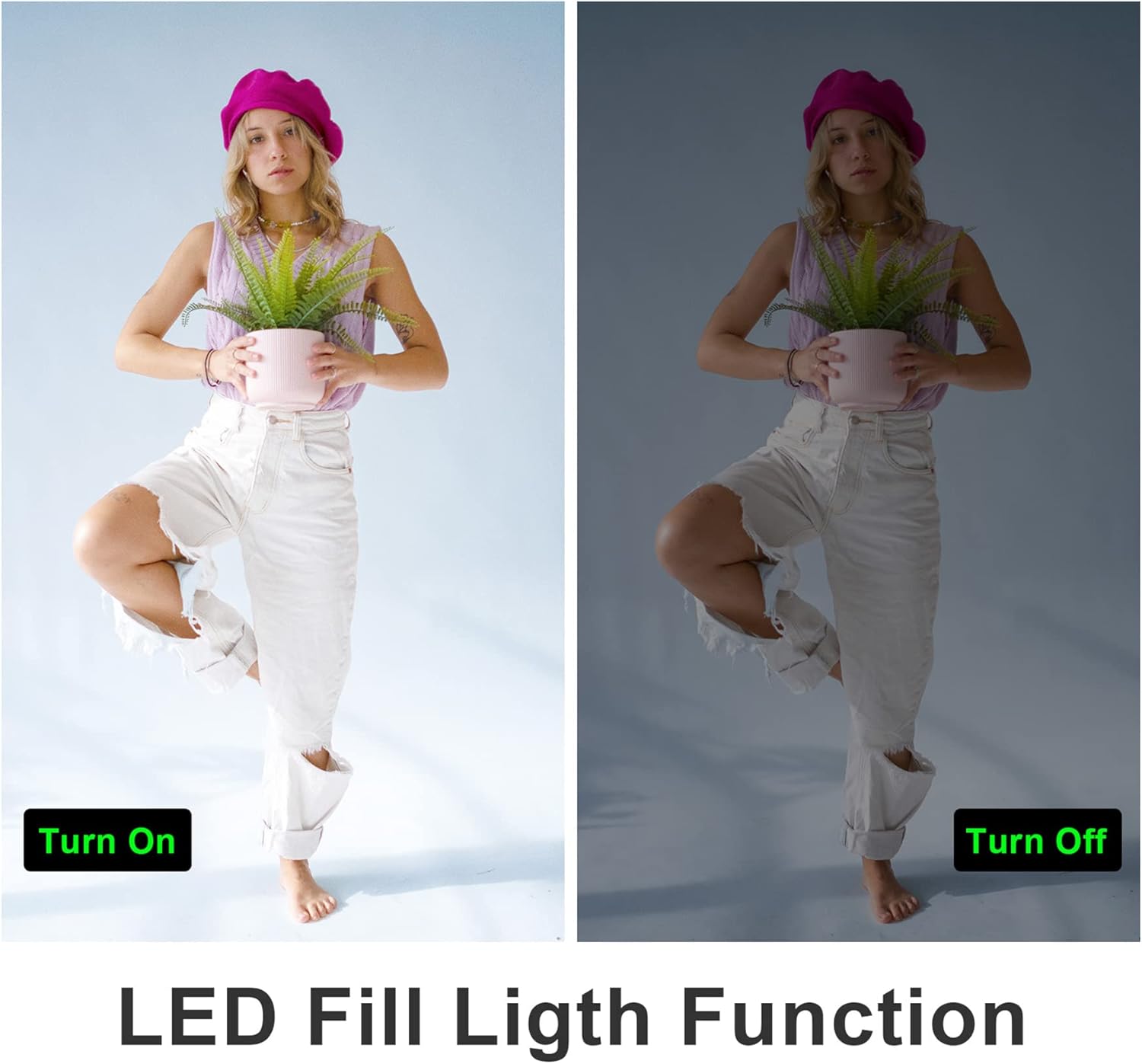
4.9 LED Fill Light
Activate the built-in LED fill light for improved illumination in low-light conditions.
4.10 Slow Motion and Time-Lapse
The camcorder supports slow-motion recording for capturing fast-moving objects and time-lapse recording for condensing long events into short videos.

4.11 HDMI väljund
Connect the camcorder to a TV or monitor using an HDMI cable (not included) to view your recordings on a larger screen.

5. Hooldus
5.1 Aku hooldus
- Laadige aku enne esimest kasutamist täielikult täis.
- Vältige aku kokkupuudet äärmuslike temperatuuridega.
- If not using the camcorder for an extended period, remove the battery.
5.2 Puhastamine
- Videokaamera korpuse puhastamiseks kasutage pehmet ja kuiva lappi.
- For the lens and touchscreen, use a specialized lens cleaning cloth and solution.
- Ärge kasutage abrasiivseid puhastusvahendeid ega lahusteid.
5.3 Säilitamine
Store the camcorder in a cool, dry place away from direct sunlight and dust. Use the provided camera bag for protection during transport.
6. Veaotsing
Refer to the following tips for common issues:
- Fikseeritud fookuskaugus: This camera has a fixed focal length and does not support optical zoom. Zooming is digital.
- Autofocus Delay: Autofocus may require a 2-3 second delay buffer time to adjust.
- Video kvaliteet: The quality of recorded video may not be as high as still photos, especially in challenging lighting conditions.
- Microphone Range: The built-in microphone has a pickup distance of approximately 6.5 feet. The external microphone can extend this range to about 16.4 feet.
- Kaamera ei lülitu sisse: Veenduge, et aku on täielikult laetud ja õigesti sisestatud.
- SD-kaardi viga: Ensure the SD card is inserted correctly and is not full or corrupted. Try reformatting the card (this will erase all data).
- WiFi-ühenduse probleemid: Ensure the XDV PRO app is installed and the camcorder's WiFi is enabled. Check your smartphone's WiFi settings.

7. Tehnilised andmed
| Funktsioon | Spetsifikatsioon |
|---|---|
| Mudeli number | NPX108-2 |
| Video eraldusvõime | 4K Ultra HD (3840x2160) @ 60FPS |
| Pildi eraldusvõime | 64 megapikslit |
| Digitaalne suum | 18X |
| Ekraani suurus | 4.0-inch Touch Screen (270-degree rotation) |
| Ühenduvus | WiFi, USB, HDMI |
| Aku mahutavus | 4500 mAh liitiumpolümeer |
| Aku tööiga | Approx. 3 hours recording |
| Säilitamine | SD-kaart (kuni 64 GB kaasas) |
| Eriomadused | Anti-shake, Face Detection, Night Vision, Webcam Mode, Slow Motion, Time-Lapse, External MIC Support, LED Fill Light |
| Mõõtmed | 6.8 x 3.2 x 3.8 tolli |
| Kaal | 3.61 naela |
8. Garantii teave
VETEK products typically come with a standard manufacturer's warranty. Please refer to the warranty card included in your package or contact customer support for specific details regarding warranty coverage and duration.
9. Klienditugi
For further assistance, technical support, or inquiries regarding your VETEK 4K 64MP Camcorder, please visit the official VETEK website or contact their customer service department. Contact information can usually be found on the product packaging or the brand's online store.


