1. Sissejuhatus
The Machenike G3V2 Bluetooth Controller is a versatile gaming peripheral designed for multi-platform compatibility, including Switch, iOS, Android, and Windows PC. It features Hall Effect joysticks and triggers, customizable buttons, RGB lighting, and a dedicated charging station for an enhanced gaming experience.
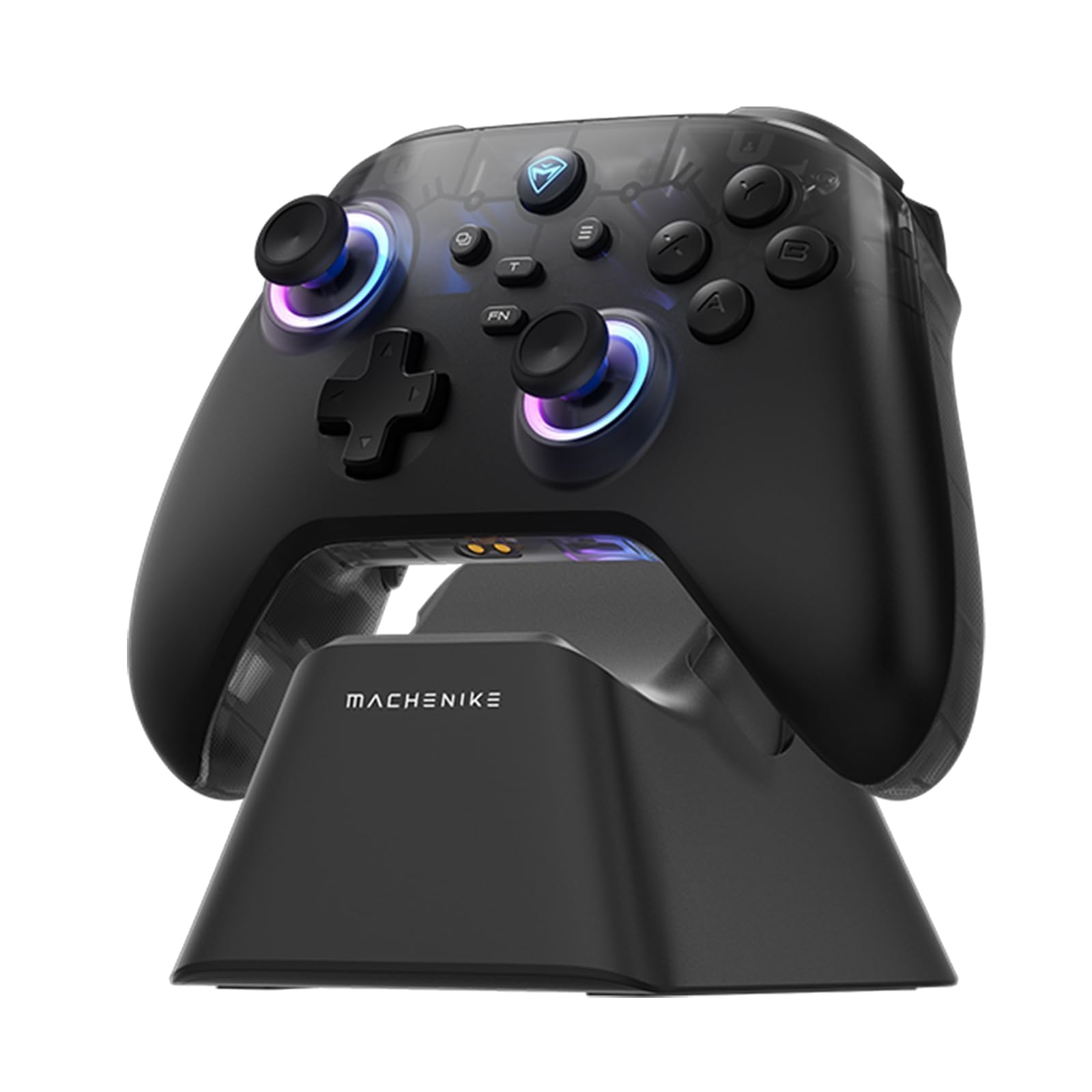
Image: The Machenike G3V2 Bluetooth Controller, showcasing its ergonomic design and vibrant RGB lighting around the joysticks.
2. Põhiomadused
- Lightning-Fast 1000Hz Responsiveness: Equipped with ultra-high gaming responsiveness for instant command capture and millisecond-level feedback.
- Convenient Charging Dock: Includes a dedicated charging dock for efficient and fast recharging via USB-C, protecting the controller and ensuring optimal performance.
- Dual Hall-Effect Joysticks and Triggers: Features newly upgraded Hall-Effect sensing joysticks and high-precision trigger buttons for superior control and durability, eliminating drift.
- Customizable Force Adjustable Stick Tension: Unique force adjustment feature allows customization of joystick feedback from lightweight to precise, adapting to various game needs.
- Fast Charging & Extended Playtime: Built-in 1000mAh high-capacity battery provides extended playtime with fast-charging technology.
- Mitme platvormi tugi: Compatible with Switch/Switch 2, iOS, Android, and Windows PC.
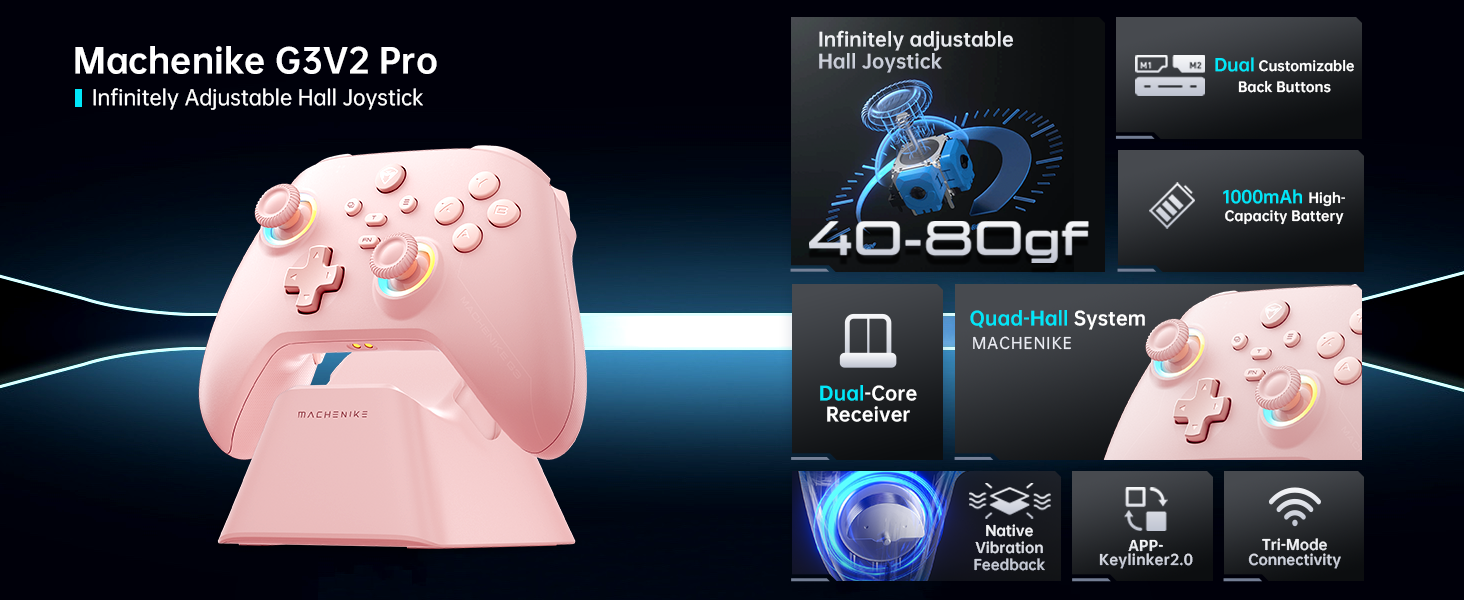
Pilt: Ülemineview of the Machenike G3V2 controller's key features, including its Hall Effect joysticks, customizable back buttons, and connectivity options.
3. Seadistamine ja ühendus
3.1 Connecting to Nintendo Switch (Bluetooth Mode)
- Ensure your controller is charged.
- Vajutage ja hoidke all kontrolleri nuppu Y + Avaleht nuppe samaaegselt, kuni märgutuli vilgub kiiresti, muutudes aeglasest vilkumisest kiireks. See lülitab kontrolleri lüliti sidumisrežiimi.
- On your Nintendo Switch, navigate to the HOME Menu.
- Select the 'Controllers' icon, then choose 'Change Grip/Order'.
- Oota, kuni kontroller automaatselt ühendub. Kui ühendus on loodud, hakkab kontroller vibreerima ja selle ikoon ilmub Switchi ekraanile.
- Vajutage nuppu A kinnitamiseks kontrolleri nuppu.
- To toggle between Switch and Xbox button layouts (A/B, X/Y swap), press FN + A.
Video: A tutorial demonstrating how to connect the Machenike G3V2 controller to a Nintendo Switch console via Bluetooth mode, including button presses and on-screen confirmation.
3.2 Connecting to PC/iOS/Android (Bluetooth/Wired/2.4G)
The Machenike G3V2 controller supports multiple connection modes for various platforms:
- Bluetooth: For iOS, Android, and some PC setups. Activate Bluetooth on your device and search for 'Machenike G3V2' to pair.
- 2.4G traadita side: Use the included USB dongle for PC and other compatible devices. Plug the dongle into your device, then power on the controller.
- Juhtmega: Connect the controller directly to your PC or compatible device using a USB-C cable.
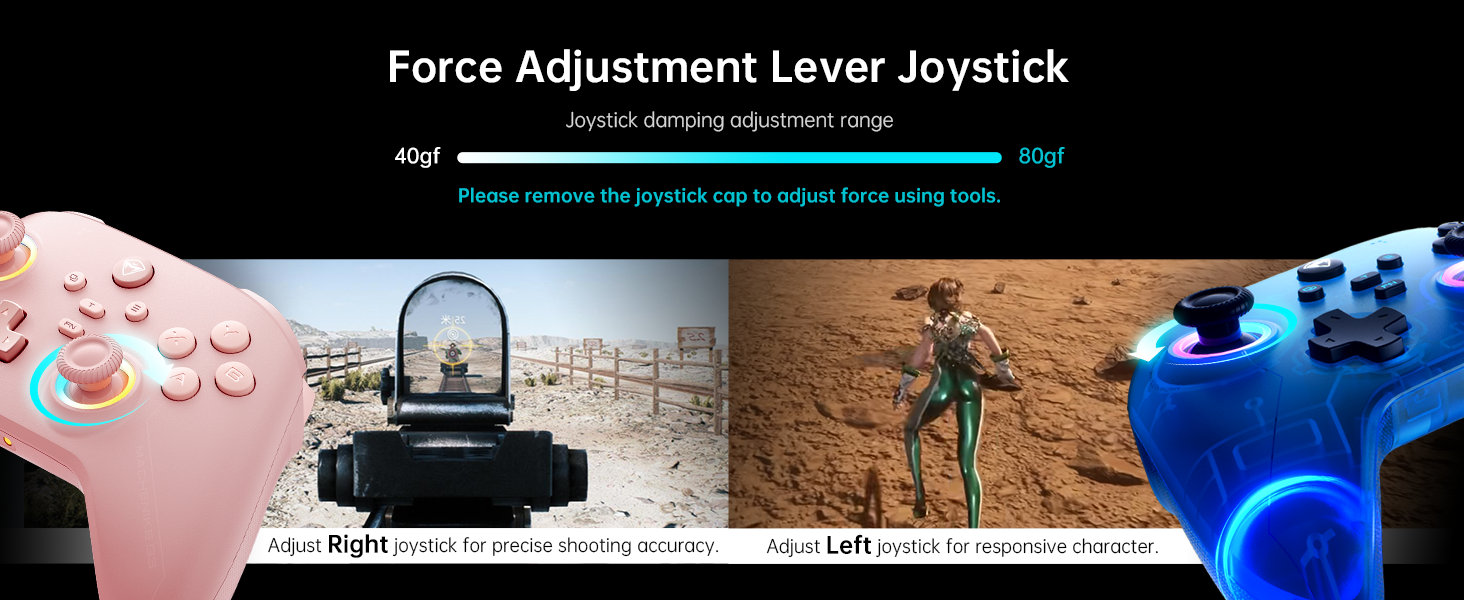
Image: The Machenike G3V2 controller highlighting its ergonomic design, anti-slip grip, and responsive triggers for comfortable and precise control.
4. Operation and Customization
4.1 Programmeeritavad tagasi-nupud (M1/M2)
The controller features two customizable back buttons (M1 and M2) that can be assigned to single keys or complex macros. This is particularly useful for games requiring quick actions or combos.
- To Assign a Single Key:
a. vajutage ja hoidke FN + M1 (or M2) simultaneously until the joystick light ring glows with a soft blue breathing effect, indicating recording mode.
b. Press the desired button you wish to assign (e.g., 'A' button).
c. Vajutage M1 (or M2) once to save the assignment. The light ring will flash three times, confirming successful saving. - To Clear an Assignment:
a. vajutage ja hoidke FN + M1 (or M2) simultaneously to enter recording mode.
b. Without pressing any other button, press M1 (or M2) again to save a blank input. The light ring will flash three times, clearing the previous assignment. - To Record a Macro (Multiple Keys):
a. vajutage ja hoidke FN + M1 (or M2) simultaneously to enter recording mode.
b. Press the sequence of keys you want to record (e.g., A, B, X, Y, RB, LB). The timing between key presses will be recorded.
c. Vajutage M1 (or M2) once to save the macro. The light ring will flash three times.
Video: A detailed guide on how to set up and record keystroke macros using the programmable back buttons (M1/M2) on the Machenike G3V2 controller.
4.2 Juhtkangi ja päästiku kalibreerimine
Calibration helps maintain accuracy and prevent drift in joysticks and triggers. This can be done whether the controller is off or connected.
- Juhtkangi kalibreerimine:
a. Vajutage ja hoidke all nuppu B + Tagasi + Kodu buttons simultaneously until the blue LED starts flashing.
b. Move both joysticks in full circles (about three rotations) slowly and steadily.
c. Vajutage nuppu Alusta Salvestamiseks vajutage nuppu. Kontroller lülitub välja, mis näitab kalibreerimise õnnestumist. - Päästiku kalibreerimine:
a. Vajutage ja hoidke all nuppu Y + Tagasi + Avaleht buttons simultaneously until the red LED starts flashing.
b. Press both triggers normally all the way down three times. Ensure gentle but full pressure.
c. Vajutage nuppu Alusta Salvestamiseks vajutage nuppu. Kontroller lülitub välja, mis näitab kalibreerimise õnnestumist.
After calibration, reconnect the controller to your device to test the new settings. Always use normal, gentle pressure during calibration for accurate results.
Video: A guide on how to calibrate the joysticks and triggers of the Machenike G3V2 controller to ensure optimal performance and accuracy.
4.3 RGB-valgustus
The controller features dynamic RGB lighting around the joysticks. Specific controls for changing lighting modes or colors can often be found in the Keylinker 2.0 mobile application or through dedicated button combinations (refer to the app for advanced customization).
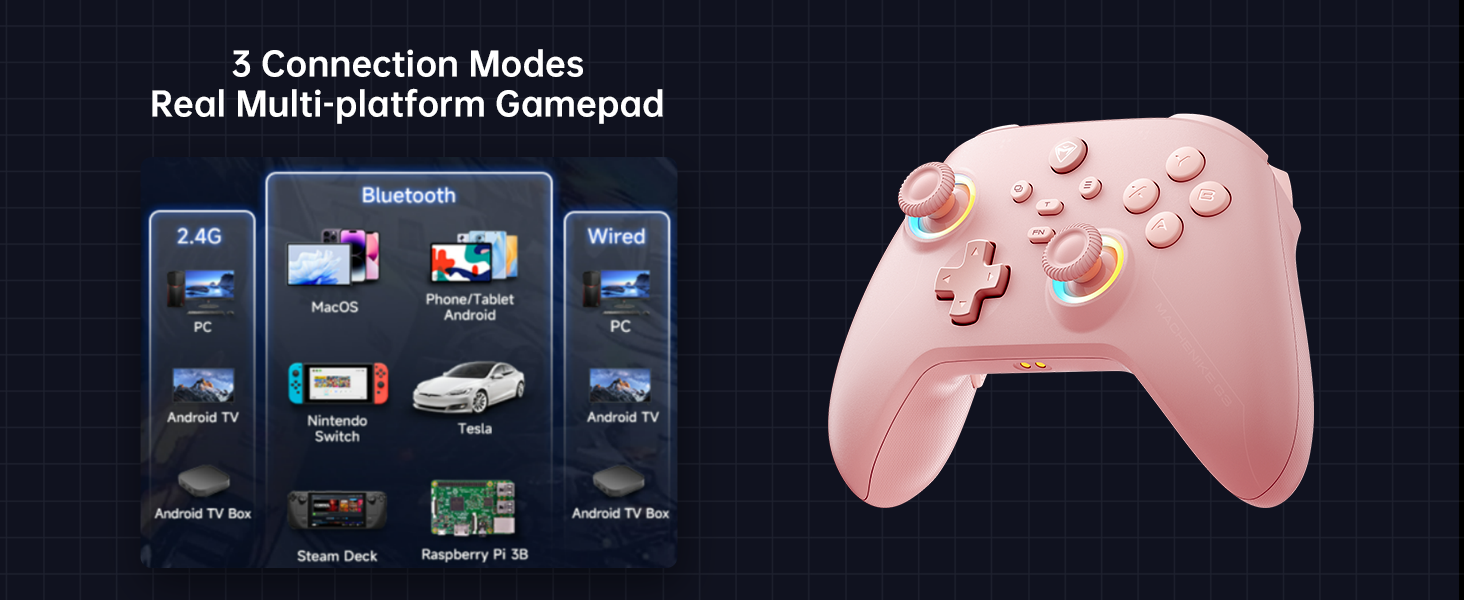
Image: The Machenike G3V2 controller illustrating its 4-level native vibration feedback, providing immersive experiences for various game genres.
5. Laadimine
The Machenike G3V2 controller comes with a 1000mAh high-capacity battery and a dedicated charging dock.
- Laadimisjaama kasutamine: Simply place the controller onto the dedicated charging dock. The built-in USB-C port on the dock facilitates quick recharging.
- Otsene USB-C laadimine: You can also charge the controller directly using a USB-C cable connected to a power source.
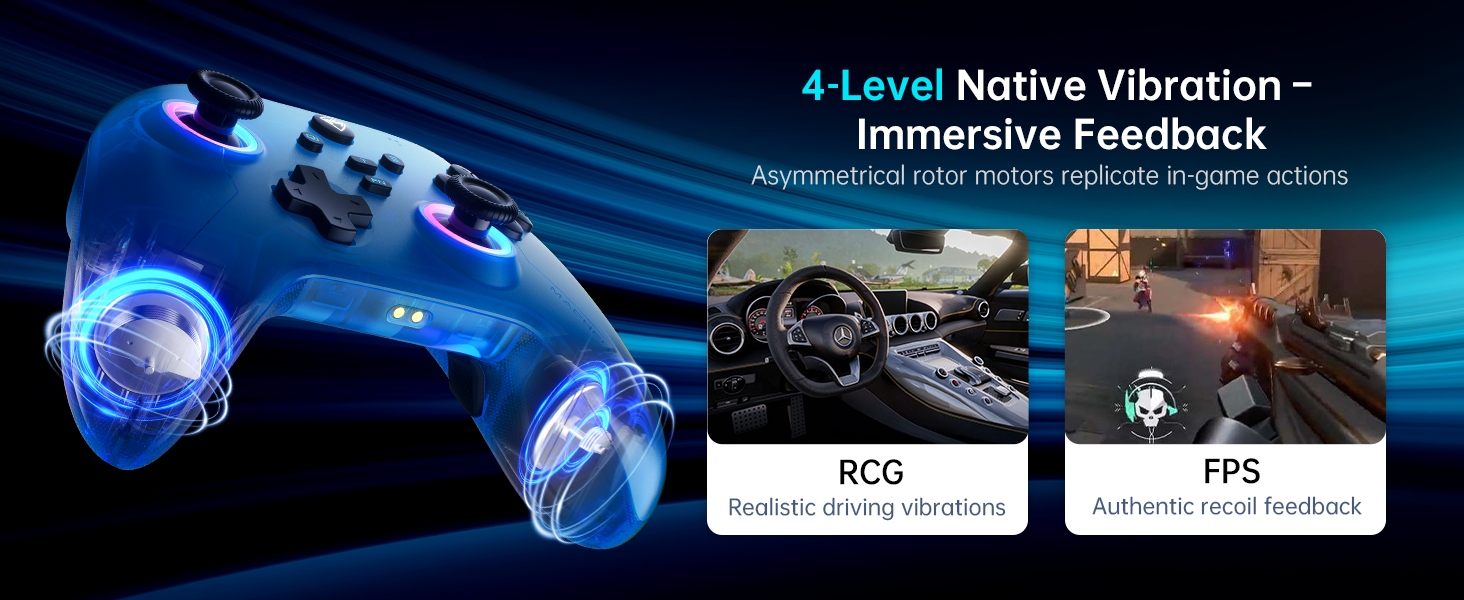
Image: The Machenike G3V2 controller resting on its dedicated charging dock, ready for an instant power boost.
6. Ühilduvus
- Toetatud platvormid: Nintendo Switch, Switch 2, iOS, Android, Windows PC.
- Ei ühildu: Xbox, PlayStation, or GeForce Now.
- For other game platforms not explicitly mentioned, please consult customer service before purchase.
7. Hooldus
- Puhastamine: Kontrolleri puhastamiseks kasutage pehmet ja kuiva lappi. Vältige tugevate kemikaalide või abrasiivsete materjalide kasutamist.
- Hoiustamine: Hoidke kontrollerit jahedas ja kuivas kohas, eemal otsesest päikesevalgusest ja äärmuslikest temperatuuridest.
- Aku hooldus: Aku tööea pikendamiseks vältige kontrolleri sagedast täielikku tühjendamist. Laadige seda regulaarselt, isegi kui seda pikka aega ei kasutata.
8. Veaotsing
- Kontroller ei ühendu:
- Ensure the controller is fully charged.
- Verify the correct pairing mode is activated for your device (e.g., Y+Home for Switch).
- On your device, try forgetting the controller from Bluetooth settings and re-pairing.
- For PC, try connecting via the 2.4G dongle or wired connection. - Joystick Drift or Inaccuracy:
- Perform joystick calibration as described in Section 4.2. - Trigger Issues:
- Perform trigger calibration as described in Section 4.2. - Nupud ei reageeri:
- Ensure the controller is properly connected.
- Check if any programmable back buttons (M1/M2) have unintended assignments (clear them if necessary).
- Reconnect the controller. - Laadimisprobleemid:
- Ensure the charging dock or USB-C cable is properly connected.
- Try a different USB-C cable or power adapter.
9. Tehnilised andmed
| Funktsioon | Detail |
|---|---|
| Mudeli number | PE-uuendus |
| ASIN | B0F93RPT5H |
| Tootja | Machenike |
| Kauba kaal | 0.529 untsi |
| Pakendi mõõtmed | 6.93 x 6.46 x 3.23 tolli |
| Patareid | 1 liitiumpolümeer aku (kaasas) |
| Ühenduvus | Bluetooth, 2.4G traadita, juhtmega (USB-C) |
| Küsitluse määr | 1000 Hz |
| Juhtkangid | Hall Effect, Adjustable Tension (40-80gf) |
| Päästikud | Hall Effect, 255 Levels, Millimeter Precision |
| Programmeeritavad nupud | 2 Back Buttons (M1, M2) |
| Vibratsioon | 4-tasemeline natiivne vibratsioonitagasiside |
10. Garantii ja tugi
Machenike products are designed for durability and performance. For warranty information, technical support, or service inquiries, please refer to the official Machenike webveebisaidilt või võtke otse ühendust nende klienditeenindusega. Hoidke ostutšekk garantiinõuete esitamiseks alles.
Veebiressursid ja KKK võivad olla saadaval ka aadressil Machenike pood Amazonis.


