1. Sissejuhatus
This manual provides essential information for setting up, operating, maintaining, and troubleshooting your Roku Smart TV 2025 – 24-Inch Select Series 720p HD TV. Please read these instructions carefully before using your television.
The Roku Select Series HD TV offers a streamlined entertainment experience. It features bright HD picture quality, auto speech clarity, and a night mode. Access free live television directly from the home screen and utilize the voice remote for content discovery across various applications. This television is suitable for various rooms including bedrooms, living rooms, kitchens, or children's rooms.
2. Mis on karbis
Veenduge, et pakendis on kõik komponendid olemas:
- Roku Select Series 24" HD TV
- Stands and screws
- Roku Voice Remote with batteries
- Kiirjuhend

Image: The Roku Select Series TV box contents, showing the television, remote, and stand components.
3. Seadistamine
3.1 Televiisori aluste kinnitamine
- Asetage teler kriimustuste vältimiseks ettevaatlikult ekraaniga allapoole pehmele ja puhtale pinnale.
- Joondage iga alus teleri põhjas olevate vastavate kruviaukudega.
- Kinnitage alused kaasasolevate kruvidega. Veenduge, et need on kindlalt kinni keeratud.
3.2 Välisseadmete ühendamine
Your Roku TV includes multiple ports for connecting external devices:
- HDMI pordid: Connect devices such as cable boxes, gaming consoles, or Blu-ray players. The HDMI 1 (ARC) port supports Audio Return Channel for simplified audio connections.
- USB-port: For media playback from a USB drive or powering compatible devices.
- Antenni/kaabli sisend: Ühendage antenn õhu kaudu leviedastuse või kaabeltelevisiooni ühenduse jaoks.
- Optiline heliväljund: Heliriba või audiovastuvõtjaga ühendamiseks.
- AV sisend: Vanemate seadmete ühendamiseks komposiitvideo ja stereoaudio kaablite abil.

Image: Close-up of the back of the Roku TV, highlighting the HDMI, USB, optical, and AV input ports.
3.3 Esmane sisselülitamine ja võrguühendus
- Ühendage toitekaabel teleriga ja seejärel seinakontakti.
- Insert the included AAA batteries into the voice remote.
- Teleri sisselülitamiseks vajutage puldil olevat toitenuppu.
- Keele valimiseks, WiFi-võrguga ühenduse loomiseks ja Roku konto aktiveerimiseks järgige ekraanil kuvatavaid juhiseid.
4. Operating Your Roku TV
4.1 Hääljuhtimispuldi kasutamine
The Roku Voice Remote simplifies navigation and content search. It features dedicated buttons for popular streaming services and voice control capabilities.
- Hääle nupp: Press and hold to speak commands for searching content, launching apps, or controlling playback.
- Navigeerimisalus: Use the directional arrows and OK button to move through menus and select items.
- Rakenduse otseteed: Dedicated buttons provide quick access to services like Netflix, Disney+, and Prime Video.
- Helitugevuse regulaatorid: Adjust TV volume directly from the remote.
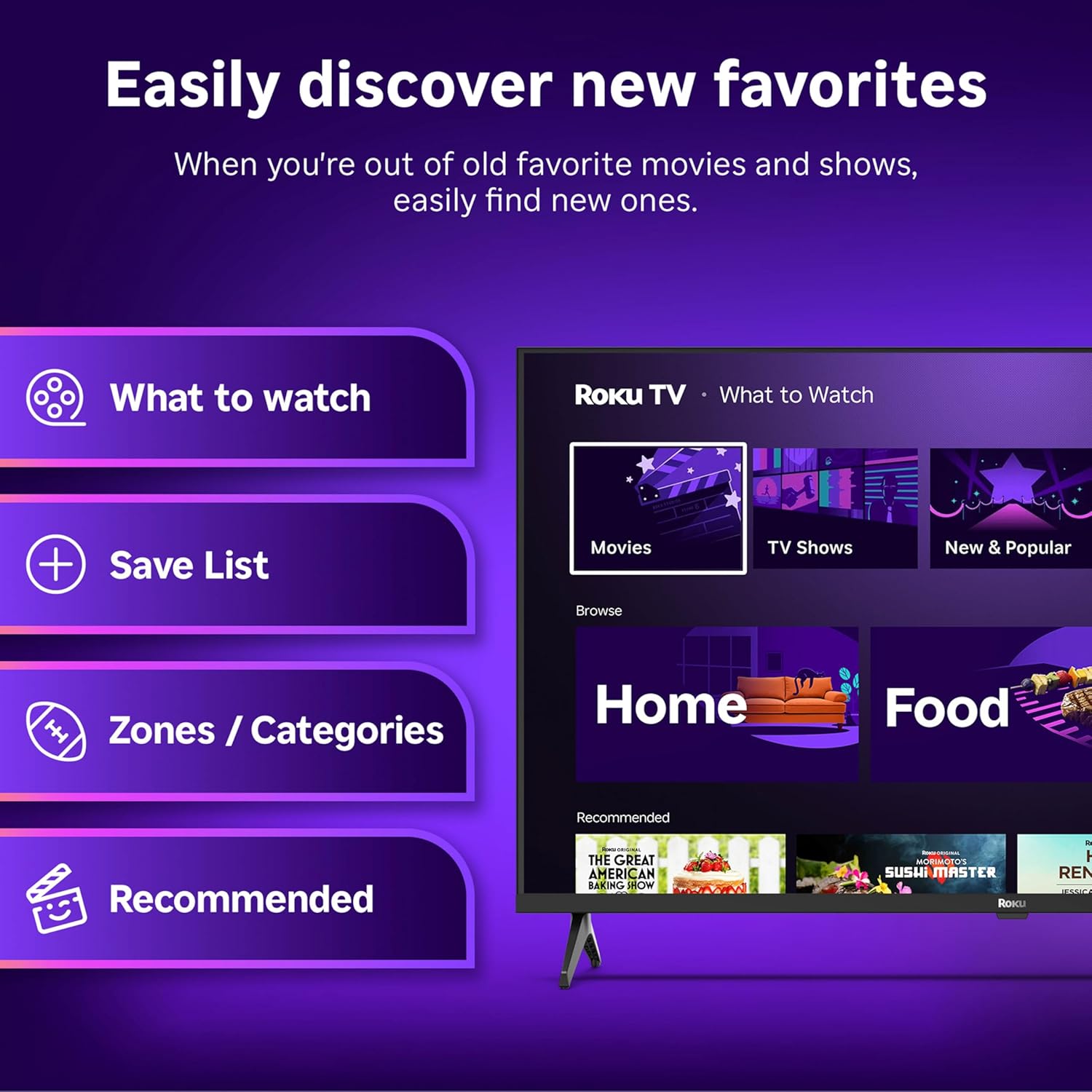
Image: The Roku Voice Remote, showing its layout and key functions.
4.2 Streaming and App Navigation
The Roku TV home screen provides quick access to all your streaming channels and inputs. You can customize the order of your apps for personalized access.
- Avakuva: Displays your installed apps, recommended content, and TV inputs.
- Voogedastuspood: Browse and add new streaming channels.
- Otsetelevisioon: Access free live television channels directly from the home screen.
- Otsi: Use the search function or voice remote to find movies, shows, actors, or directors across various services.

Image: The Roku TV user interface, showing the home screen with app tiles and menu options.
4.3 Pildi ja heli seaded
Your Roku TV features Smart Picture technology to optimize viewing and offers enhanced audio features.
- Smart Picture: Automatically adjusts picture settings based on the content being viewed (e.g., movie, sports, vivid, standard).
- Heli selgus: Designed for clear speech and louder sound.
- Bluetooth-kõrvaklappide režiim: Connect your wireless headphones for private listening.

Image: A vibrant nature scene displayed on the Roku TV, demonstrating the clear picture quality.
4.4 Nutika kodu integreerimine
The Roku TV integrates with various smart home ecosystems for convenient voice control and content sharing.
- Hääljuhtimine: Compatible with Roku Voice, Siri, Alexa, and Google Assistant for hands-free operation.
- Apple AirPlay: Effortlessly share videos, photos, and music from your Apple devices to your TV.

Image: A Roku TV screen with a smart speaker nearby, illustrating voice control integration with smart home systems.
5. Hooldus
5.1 Teleri puhastamine
- Enne puhastamist eemaldage teler alati vooluvõrgust.
- Pühkige ekraani ja korpust õrnalt pehme, ebemevaba lapiga.
- Kangekaelsete plekkide korral dörtsige kergeltampNiisutage lappi veega või õrnatoimelise mitteabrasiivse ekraanipuhastusvahendiga. Ärge kunagi pihustage puhastusvahendit otse ekraanile.
- Vältige karmide kemikaalide, abrasiivsete padjandite või lahustite kasutamist.
5.2 Tarkvaravärskendused
Your Roku TV receives automatic software updates to provide new features and improve performance. Ensure your TV is connected to the internet to receive these updates.
6. Veaotsing
If you encounter issues with your Roku TV, try the following basic troubleshooting steps:
- Toide puudub: Veenduge, et toitejuhe oleks kindlalt nii teleri kui ka töötava pistikupesaga ühendatud. Proovige teist pistikupesa.
- Pilti/heli pole: Veenduge, et valitud on õige sisendallikas. Kontrollige, et kõik kaabliühendused (HDMI, AV jne) oleksid kindlalt paigas.
- Kaugjuhtimispult ei reageeri: Vahetage puldi patareid välja. Veenduge, et puldi ja teleri vahel ei oleks takistusi.
- Võrguühenduse probleemid: Restart your Wi-Fi router. Go to the TV's network settings to reconnect to your Wi-Fi.
- Rakendus ei laadi: Try restarting the app. If the issue persists, remove the app and reinstall it from the Streaming Store.
- Tehaseseadete taastamine: As a last resort, a factory reset can resolve many software issues. This will erase all personal settings and installed apps. Access this option through the TV's Settings menu.
7. Tehnilised andmed
| Funktsioon | Spetsifikatsioon |
|---|---|
| Kaubamärk | Roku |
| Mudeli number | 24R2D5 |
| Ekraani suurus | 24 tolli |
| Kuvamistehnoloogia | LED |
| Resolutsioon | 720p |
| Värskendussagedus | 60 Hz |
| Kuvasuhe | 16:9 |
| Ühenduvustehnoloogia | Bluetooth, WiFi |
| Eriomadused | Bluetooth Headphone Mode, Dolby Audio, Voice Remote |
| Kauba kaal | 5.7 naela |
| Toote mõõtmed | 7 x 21.1 x 14.3 tolli |
| Nõutavad patareid | 2 AAA patareid (puldi jaoks) |
8. Garantii ja tugi
For warranty information and technical support, please refer to the documentation included with your product or visit the official Roku support websaidile. Hoidke ostutšekk alles garantiinõuete esitamiseks.
Roku offers various support resources, including online FAQs, troubleshooting guides, and customer service contact options.


