1. Toote lõppview
The Baseus EnerGeek 145W Power Bank is a high-capacity portable charging device designed to provide fast and efficient power to a wide range of electronic devices, including laptops, smartphones, and tablets. It features a 20000mAh battery, a maximum output of 145W, and an integrated 60cm retractable USB-C cable for convenience.

Image: The Baseus EnerGeek 145W Power Bank, showcasing its compact design and the integrated retractable USB-C cable. The digital display is visible, indicating battery status.
Peamised omadused:
- Maksimaalne väljundvõimsus 145 W: Supports Power Delivery for rapid charging of high-power devices.
- 20000mAh mahutavus: Provides multiple charges for smartphones and laptops.
- Integrated 60cm Retractable USB-C Cable: Durable and convenient for storage and use.
- Mitmepordiline laadimine: Two USB-C ports and two USB-A ports allow simultaneous charging of up to four devices.
- Intelligentne digitaalne ekraan: Real-time display of battery level, charging power, and remaining time.
- Täiustatud jahutussüsteem: Features conductive graphene, aerogel insulation, and an AI-powered chip for effective temperature regulation.
2. Pakendi sisu
Palun kontrollige pakendilt järgmisi esemeid:
- Baseus EnerGeek 145W Power Bank (EnerGeek GR11)
- Kasutusjuhend
- (Additional accessories may vary by region or package)
3. Seadistamine ja esmakordne kasutamine
3.1 Esmane laadimine
Before first use, it is recommended to fully charge the Baseus EnerGeek Power Bank. This ensures optimal battery performance and longevity.
- Connect the integrated USB-C cable or a separate USB-C cable to the power bank's input port (USB-C1 or USB-C2).
- Connect the other end of the cable to a compatible USB-C wall charger (100W charger recommended for fastest charging).
- Digitaalne ekraan näitab laadimise olekut ja aku protsentitage. Akupank on täielikult laetud, kui ekraanil kuvatakse 100%.

Image: The Baseus EnerGeek Power Bank connected to a wall charger via its integrated USB-C cable, illustrating the fast charging input capability.
4. Kasutusjuhised
4.1 Laadimisseadmed
The Baseus EnerGeek Power Bank can charge up to four devices simultaneously using its various output ports.
- Integreeritud USB-C-kaabli kasutamine: Pull out the 60cm retractable USB-C cable and connect it to your device's USB-C port.
- Using External Cables: Connect your device's charging cable to one of the available USB-C (C2, C3) or USB-A (A1) output ports on the power bank.
- The power bank will automatically detect the connected device and begin charging. The digital display will show the output power.
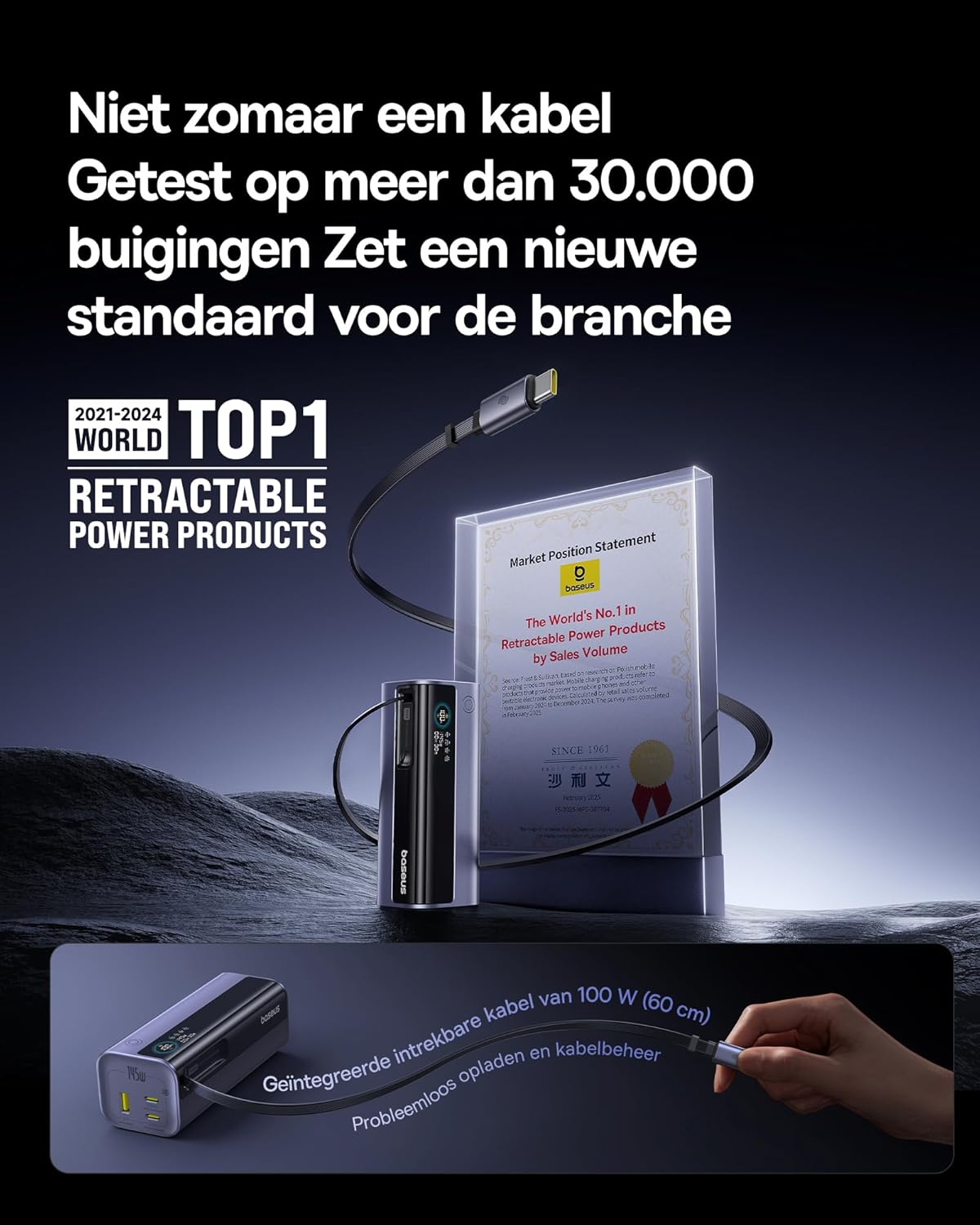
Image: The Baseus EnerGeek Power Bank connected to a laptop and an iPhone, demonstrating its ability to charge multiple devices simultaneously with high power output.
4.2 Digitaalse kuva mõistmine
The intelligent digital display provides real-time information:
- Aku tase: Näitab järelejäänud aku protsentitage.
- Charging Power (Input/Output): Displays the current wattage being drawn or delivered.
- Järelejäänud aeg: Estimates the time left for the power bank to fully charge or discharge.
- I/O olek: Indicates which ports are active for input or output.

Pilt: detailne view of the Baseus EnerGeek Power Bank's digital display, showing battery percentage, current wattage ja hinnanguline järelejäänud aeg.
4.3 Retracting the Cable
To retract the integrated USB-C cable, gently pull it out slightly further, then release it. The cable will automatically retract into the power bank's housing.
5. Hooldus ja hooldus
- Hoidke välist akupanka äärmuslike temperatuuride (kuuma või külma), otsese päikesevalguse ja niiske keskkonna eest.
- Ärge jätke toitepanka vee või muude vedelike kätte.
- Vältige elektripanga maha kukkumist või tugevate löökide allutamist.
- Clean the surface of the power bank with a soft, dry cloth. Do not use harsh chemicals or abrasive materials.
- Store the power bank in a cool, dry place when not in use for extended periods. It is recommended to charge it to about 50-70% before long-term storage.
6. Veaotsing
| Probleem | Võimalik põhjus | Lahendus |
|---|---|---|
| Toitepank ei lae | Low battery on power bank; faulty charging cable; incompatible wall adapter. | Ensure the power bank has some charge. Try a different USB-C cable and a compatible wall adapter (e.g., 100W PD charger). |
| Seade ei lae akupangast | Power bank battery is empty; faulty device cable; device not compatible with power bank output. | Recharge the power bank. Try a different charging cable for your device. Ensure your device supports the power bank's output specifications. |
| Aeglane laadimine | Cable or adapter not supporting fast charging; multiple devices connected reducing individual output. | Use a high-quality, fast-charging compatible cable and adapter. Disconnect other devices to maximize output to a single device. |
| Digiekraan ei tööta | Akupank on välja lülitatud; ajutine tarkvaratõrge. | Press the power button to activate the display. If the issue persists, try fully discharging and recharging the power bank. |
7. Tehnilised andmed
| Funktsioon | Detail |
|---|---|
| Mudeli number | EnerGeek GR11 |
| Aku mahutavus | 20000 mAh |
| Maksimaalne väljundvõimsus | 145 W (kokku) |
| USB-C1 kaabli väljund | 100W maks |
| USB-C2 väljund | 100W maks |
| USB-C3 väljund | 100W maks |
| USB-A1 väljund | 33W maks |
| Sisend (USB-C) | 100W maks |
| Mõõtmed | 13 x 5.2 x 4.9 cm |
| Kaal | 465 g |
| Aku tüüp | Liitium-ioon |
| Eriomadused | Digital display, Integrated cable, Fast charging |
8. Garantii ja tugi
Garantiiteabe ja klienditoe saamiseks vaadake Baseuse ametlikku veebilehte. webveebisaidilt või võtke ühendust jaemüüjaga, kellelt toote ostsite. Hoidke ostutõend garantiinõuete esitamiseks alles.
Tootja: Baseus
ASIN: B0F83VMZJT
Esimene saadaolev kuupäev: 9. mai 2025
Lisateabe saamiseks võite külastada Baseuse pood Amazonis.


