1. Sissejuhatus
Thank you for choosing the Eigsupia N18 Bluetooth Headset. This manual provides detailed instructions for setting up, operating, and maintaining your new wireless headset. Please read this manual thoroughly before use to ensure optimal performance and longevity of the product.

Figure 1: Eigsupia N18 Bluetooth Headset, USB Dongle, and Charging Case with included ear tips.
2. Mis on karbis
- Bluetooth Headset (x1)
- Laadimisjuhtum (x1)
- USB-C-tüüpi kaabel (x1)
- Kasutusjuhend (1x)
- Quick Guide (x1)
- Ear Tips (S/M/L, x5 pairs)

Figure 2: All items included in the Eigsupia N18 Bluetooth Headset package.
3. Toote lõppview
3.1 Komponendid
- peakomplekti: Features an adjustable ear hook and microphone boom.
- Laadimisümbris: Portable case with an LED digital display for battery status.
- USB dongle: For wireless connection to non-Bluetooth enabled devices like desktop computers.
3.2 Juhtnupud ja näidikud
The headset features intuitive controls for managing calls and audio playback.
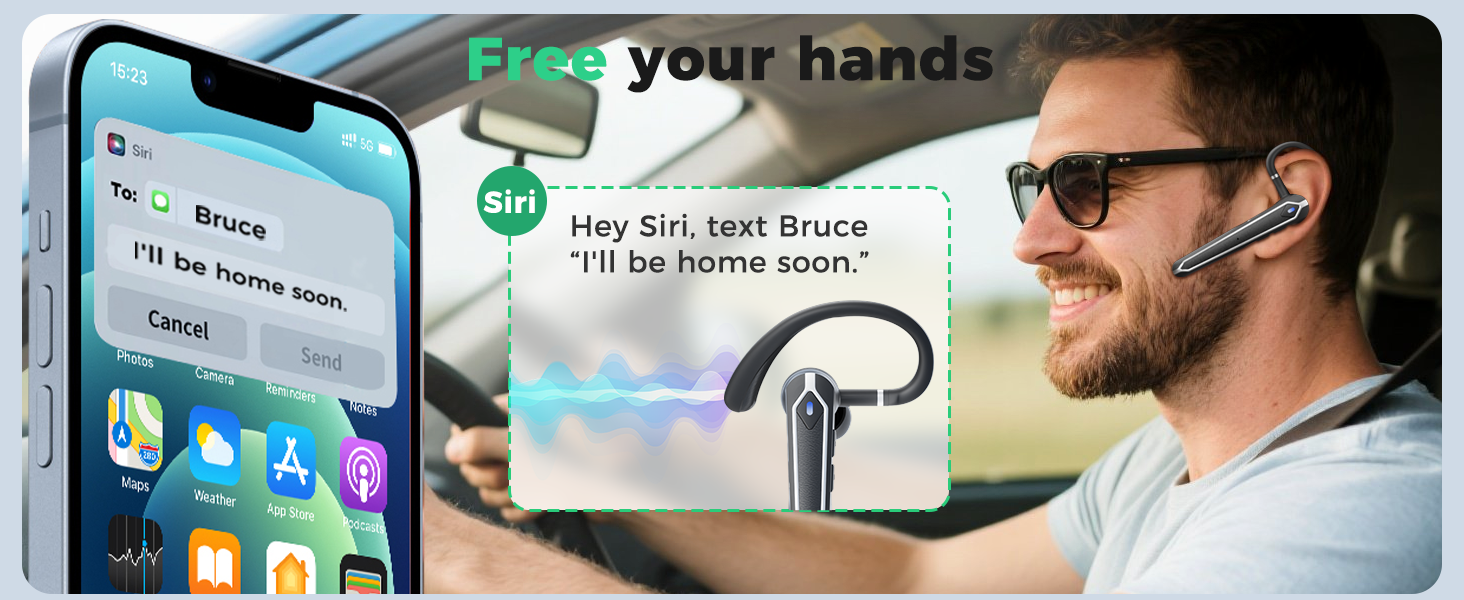
Figure 3: Multi-function button layout and controls.
- Multi-function Button (Side Button):
- Click x1: Answer Call
- Click x2: Pause/Play audio
- Click x3: Activate Voice Assistant (Siri, etc.)
- Press 2s: Mute/Unmute (during call), Hang up/Reject Call, Power On
- Press 5s: Power OFF
- Volume Up Button (Closest to ear):
- Click x1: Volume +
- Press 2s: Next Song
- Volume Down Button (Closest to mouthpiece):
- Click x1: Volume -
- Press 2s: Previous Song
- LED indikaator: Flashes red and blue when pairing, solid blue when connected.
4. Seadistamine
4.1 Charging the Headset and Case
Before first use, fully charge the headset and charging case. The charging case features an LED digital display that shows the battery percentage.
- Place the headset into the charging case. The headset will magnetically secure itself and begin charging.
- Ühenda C-tüüpi laadimiskaabel laadimisümbrise ja toiteallikaga.
- The LED display on the case will show the charging progress.

Figure 4: The 430mAh charging case with LED display, indicating battery level.
4.2 Pairing with a PC (using USB Dongle)
The N18 headset comes with a USB dongle for seamless connection to computers without built-in Bluetooth.
- Insert the USB dongle into an available USB-A port on your computer. The dongle will light up, indicating it's powered on.
- Take the headset out of its charging case. It will automatically power on and enter pairing mode (LED indicator flashes red and blue).
- The headset will automatically connect to the USB dongle. Once connected, the headset's LED indicator will stop flashing.

Figure 5: The USB dongle provides wireless functionality to non-Bluetooth devices.
4.3 Pairing with a Mobile Phone/Tablet
The N18 headset utilizes Bluetooth 5.4 for a stable and fast connection with your mobile devices.
- Take the headset out of its charging case. It will automatically power on and enter pairing mode (LED indicator flashes red and blue).
- On your mobile phone or tablet, go to Bluetooth settings and ensure Bluetooth is enabled.
- Otsi available devices. Select "N18" from the list.
- Once connected, the headset's LED indicator will stop flashing, and a voice prompt will confirm the connection.

Figure 6: Bluetooth 5.4 technology ensures a stable and wide-ranging connection.
4.4 Mitme seadme ühendus
The N18 headset can connect to two Bluetooth devices simultaneously, allowing for seamless switching between them.
- Connect the headset to the first device (e.g., your phone) as described in Section 4.3.
- Keela Bluetooth esimesel seadmel. Peakomplekt lülitub uuesti sidumisrežiimi.
- Connect the headset to the second device (e.g., your laptop via Bluetooth or dongle).
- Re-enable Bluetooth on the first device. The headset will automatically reconnect to both devices.

Figure 7: The headset can easily switch between two connected devices.
5. Kasutusjuhised
5.1 Peakomplekti kandmine
The N18 headset is designed for comfort and flexibility. The in-ear part can be rotated 45 degrees, the ear hook can be rotated 360 degrees, and the microphone handle can be rotated 180 degrees to fit either ear.

Figure 8: Adjustable ear hook and earpiece for a secure and comfortable fit.
5.2 Kõnede haldamine
- Vasta kõnele: Single-click the Multi-function Button.
- Kõne lõpetamine/keeldumine: Long-press the Multi-function Button for 2 seconds.
- Vaigista/Tühista vaigistus: Long-press the Multi-function Button for 2 seconds during a call.
5.3 Heli taasesitus
- Esita/peata: Topeltklõpsake multifunktsionaalset nuppu.
- Järgmine lugu: Long-press the Volume Up Button for 2 seconds.
- Eelmine lugu: Long-press the Volume Down Button for 2 seconds.
5.4 Helitugevuse reguleerimine
- Suurendage helitugevust: Single-click the Volume Up Button.
- Helitugevuse vähendamine: Single-click the Volume Down Button.
5.5 Häälassistent
- Hääleabi aktiveerimine: Triple-click the Multi-function Button.
6. Omadused
6.1 Ergonoomiline disain
The N18 headset is designed for extended wear, featuring a lightweight and durable build. The adjustable ear hook and earpiece ensure a comfortable and secure fit for various users.

Figure 9: The ergonomic design provides comfort for long periods of wear.
6.2 Bluetooth 5.4 Ühenduvus
Equipped with the latest Bluetooth 5.4 chip, the N18 offers faster pairing, more stable performance, and a wider transmission range, ensuring uninterrupted audio and calls.

Figure 10: Upgrade to Bluetooth 5.4 for enhanced connectivity and lower latency.
6.3 ENC Noise Reduction and Superior Sound Quality
The headset features ENC (Environmental Noise Cancellation) dual microphones and a 13mm high-fidelity driver. This combination effectively blocks up to 90% of background noise, ensuring clear voice transmission even in noisy environments, and delivers clear audio for listening.

Figure 11: ENC dual microphones provide clear and pure sound by reducing external noise.
6.4 Long-lasting Battery and LED Display
The wireless headset offers up to 13 hours of talk time and 90 hours with the 430mAh charging case. The charging case's LED digital display intuitively shows the remaining power, eliminating battery anxiety.

Figure 12: Monitor your headset's battery level directly on your connected device.
6.5 IPX5 veekindlus
The headset is rated IPX5 water-resistant, meaning it can easily handle sweat and light rain, ensuring long-lasting durability for various activities.
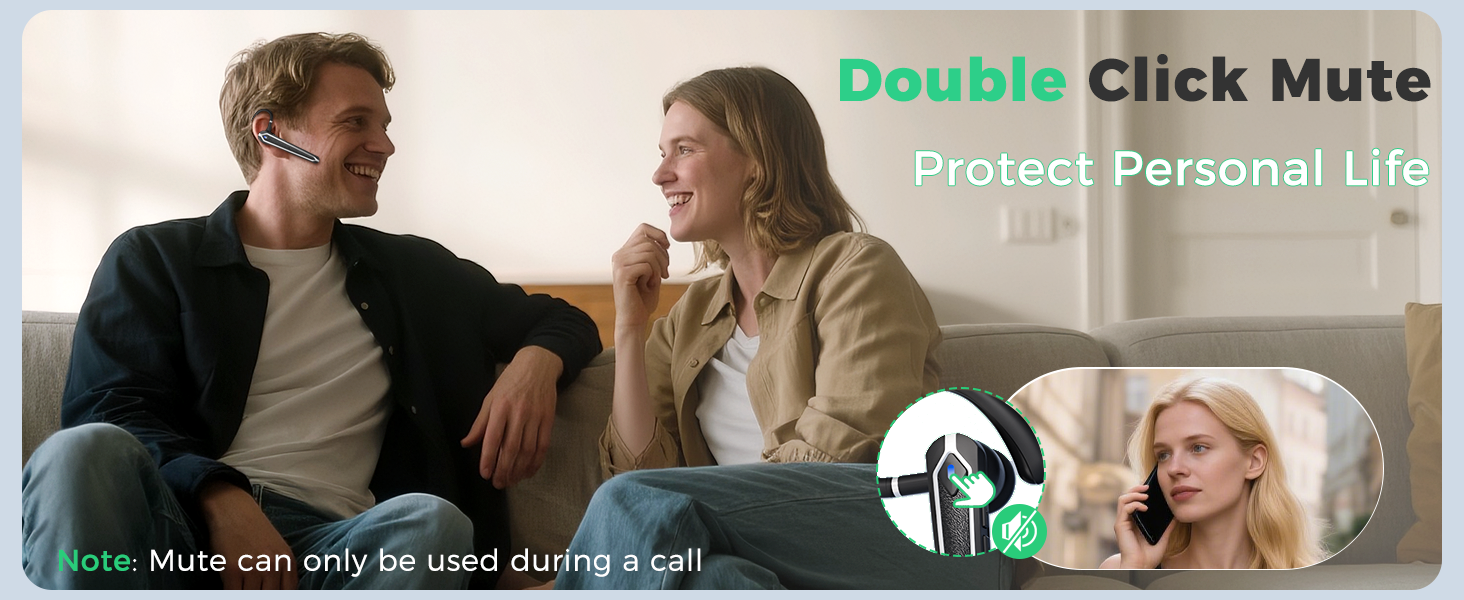
Figure 13: IPX5 water resistance for protection against sweat and light rain.
7. Kasutusstsenaariumid
The Eigsupia N18 Bluetooth Headset is versatile and suitable for various applications:
- Äri- ja kontoritöö: Make communication clearer and work more efficient during meetings and calls.
- Sõitmine: Focus on driving, hear navigation and phone calls clearly, and ensure driving safety with hands-free operation.
- Reisimine: Enjoy audio and calls on the go without interruption.
- Kodukasutus: Enjoy immersive music or take calls casually at home.
- Leisure & Sports: Listen to music while staying aware of your surroundings.
8. Veaotsing
If you encounter any issues with your Eigsupia N18 headset, please refer to the following common solutions:
- Ei saa sisse lülitada: Ensure the headset is fully charged. Place it in the charging case to check the battery level.
- Ei saa paari panna:
- Ensure the headset is in pairing mode (LED indicator flashing red and blue).
- Keela oma seadmes Bluetooth ja luba see uuesti.
- If using the USB dongle, ensure it is properly inserted and its indicator light is on.
- Proovige nii peakomplekti kui ka seadet taaskäivitada.
- Puudub heli/halb helikvaliteet:
- Kontrollige nii peakomplekti kui ka ühendatud seadme helitugevust.
- Veenduge, et peakomplekt oleks teie seadmega korralikult ühendatud.
- Häirete või leviala probleemide vältimiseks liikuge seadmele lähemale.
- Clean the ear tips and earpiece to ensure no obstructions.
- Mikrofon ei tööta:
- Ensure the microphone is not muted (check the mute function).
- Check microphone settings on your connected device (PC or phone).
9. Tehnilised andmed
| Mudeli nimi | N18 |
| Ühenduvustehnoloogia | Bluetooth |
| Bluetoothi versioon | 5.4 |
| Bluetoothi vahemik | 15 meetrit |
| Mürakontroll | Keskkonnamüra summutamine (ENC) |
| Helidraiveri suurus | 13 millimeetrit |
| Laadimisümbris Aku | 430 mAh |
| Kõneaeg | Up to 13 hours (Headset), Up to 90 hours (with Charging Case) |
| Veekindluse tase | IPX5 (veekindel) |
| Ühilduvad seadmed | Cellphones, Desktops, Laptops, Tablets, Telephones |
| Materjal | Akrüülnitriilbutadieenstüreen (ABS), polükarbonaat (PC) |
| Kauba kaal | 5.6 untsi |
10. Garantii ja tugi
Eigsupia provides comprehensive support for your N18 Bluetooth Headset:
- 12-kuuline garantii: Your product is covered by a 12-month warranty from the date of purchase.
- Eluaegne tehniline tugi: Access to lifetime technical assistance for any product-related queries.
- 24h klienditeenindus: Dedicated customer service available 24 hours for your convenience.
For further assistance, please refer to the contact information provided in your Quick Guide or visit the official Eigsupia store.