1. Sissejuhatus
Thank you for choosing the DUSONLAP SU8 Mini Wireless Sleep Earbuds. These earbuds are designed to provide a comfortable and immersive audio experience, especially for side sleepers, while effectively blocking out ambient noise. Please read this manual thoroughly to ensure proper usage and optimal performance.

Image: DUSONLAP SU8 Mini Wireless Sleep Earbuds and their compact charging case.
2. Mis on karbis
- DUSONLAP SU8 Sleep Earbuds (x2)
- SU8 Charging Case (x1)
- USB-C laadimiskaabel (x1)
- Kasutusjuhend (1x)

Image: All items included in the DUSONLAP SU8 product package.
3. Toote omadused
- Mini Portable and Safe Design: Made of soft, skin-friendly silicone, weighing only 3 grams per ear, with an ergonomic in-ear design for comfort and secure fit.
- True Noise Blocking: Achieves a noise suppression effect of 24 decibels, ideal for blocking ambient sounds.
- Premium Stereo Sound and Clear Call: Engineered with a 13mm dual chamber speaker driver unit for balanced sound with deep bass. Features ENC (Enhanced Noise Cancellation) technology for clear calls.
- NEW Bluetooth 5.4 and One-Step Pairing: Advanced Bluetooth 5.4 technology provides a fast, stable, and seamless connection with superior sound quality and strong signal up to 15m. Automatic connection to previously paired devices upon opening the charging case.
- LED Power Display and Long Battery Life: Charging case features an LED digital display to monitor charging status and remaining power. Earbuds offer 5-7 hours of listening time, with the case providing an additional 40 hours (total 47 hours). Supports USB-C fast charging.
- Ergonomic Design and IPX7 Waterproof: Soft silicone material and compact design ensure comfortable wear without earaches, even during extended use or side sleeping. IPX7 nano-coating technology makes them waterproof and sweatproof.
- Touch Control and Wide Compatibility: High-tech touch screen controls for calls, music playback, volume adjustment, song switching, and Siri activation. Compatible with most Bluetooth-enabled devices (iOS, Android, laptops, tablets, etc.).

Image: Earbuds designed for comfortable side sleeping with sleep mode features.

Image: IPX7 Waterproof feature for protection against sweat and water.
4. Seadistamine
4.1. Kõrvaklappide ja ümbrise laadimine
- Asetage kõrvaklapid laadimisümbrisesse. Veenduge, et need oleksid korralikult paigas.
- Ühenda USB-C laadimiskaabel korpuse laadimisporti ja toiteallikaga.
- The LED digital display on the case will show the charging status.
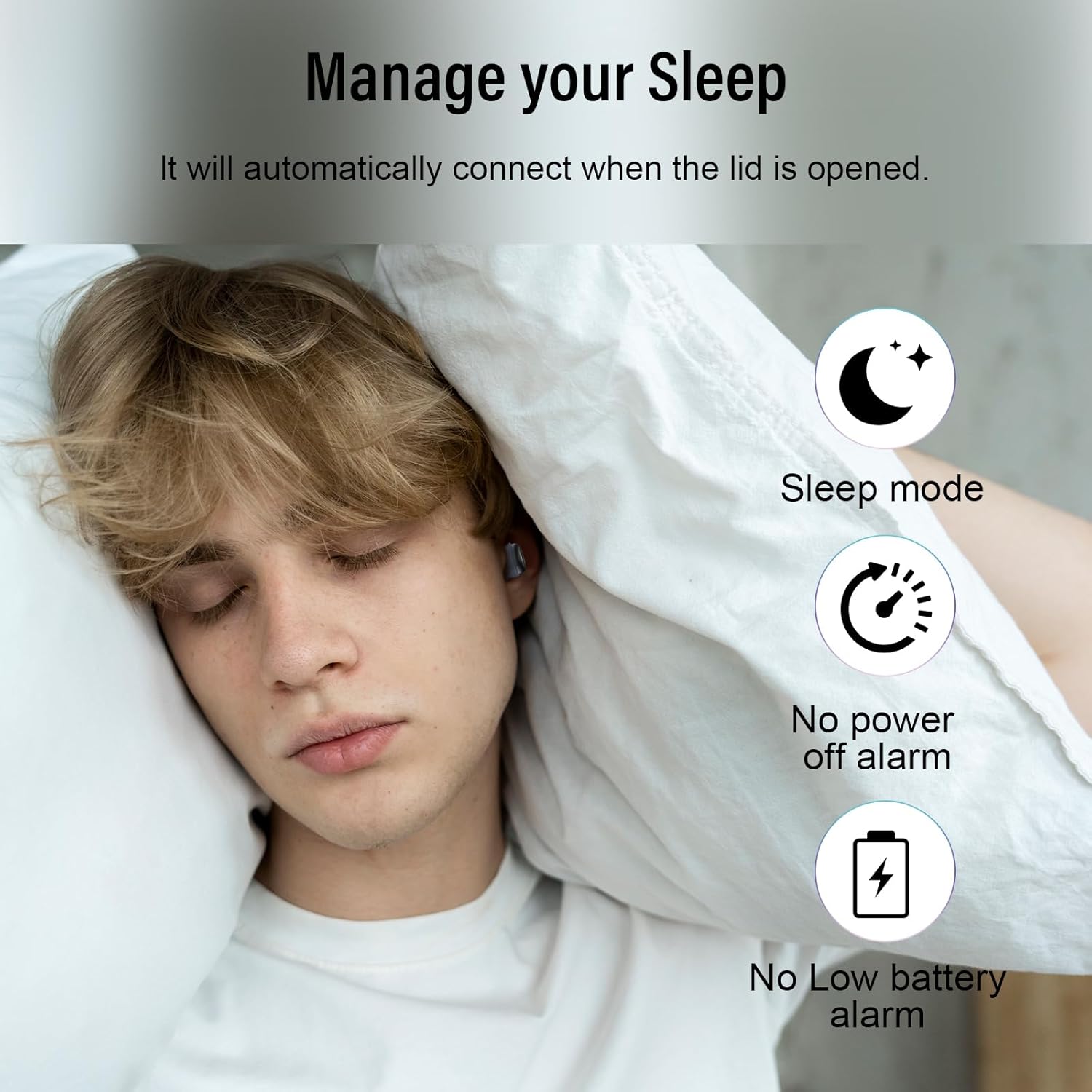
Image: Earbuds charging inside the case, with battery indicator visible.
4.2. Seadmega sidumine
- Ava laadimisümbrise kaas. Kõrvaklapid lülituvad automaatselt sidumisrežiimi.
- Oma seadmes (nutitelefon, tahvelarvuti, sülearvuti) minge Bluetoothi seadetesse.
- Select "SU8" from the list of available devices to connect.
- Pärast ühenduse loomist kuulete helisignaali ja kõrvaklapid on kasutusvalmis.

Image: Visual guide for one-step Bluetooth pairing.
4.3. Kuidas kõrvaklappe kanda
- Choose the appropriate ear caps and install them on the SU8 sleep earbuds.
- Place the ear cap downwards and insert it into your ear canal.
- Twist gently to lock into place for a secure and comfortable fit.

Image: Step-by-step instructions for wearing the earbuds.
5. Kasutusjuhised
5.1. Puudutage nuppu Juhtnupud
The DUSONLAP SU8 earbuds feature intuitive touch controls for easy management of calls and music.
- Kõnedele vastamine: Topeltpuudutage kumbagi kõrvaklappi.
- Hanging Up Calls: Topeltpuudutage kumbagi kõrvaklappi.
- Kõnede tagasilükkamine: Vajutage 2 sekundit pikalt mõlemat kõrvaklappi.
- Esita/peata muusika: Single-tap either earbud.
- Helitugevuse reguleerimine: Long press the right earbud to increase volume, long press the left earbud to decrease volume.
- Vaheta laule: Triple-tap the right earbud for next track, triple-tap the left earbud for previous track.
- Häälassistendi (Siri) aktiveerimine: Koputage kolm korda kumbagi kõrvaklappi.
- Puhkerežiim: Quadruple-tap either earbud to activate sleep mode (no shutdown and low battery beep).

Pilt: Üleview of touch control functions.
5.2. Unerežiim
The dedicated sleep mode ensures an undisturbed night by disabling shutdown and low battery beeps. Activate it with a quadruple-tap on either earbud.
Video: Demonstration of D20 Sleep Headphones features, including sleep mode and comfortable fit.
Video: Kiire üleminekview of aggoo Sleep Earbuds, highlighting comfort and sleep-friendly design.
6. Hooldus
6.1. Puhastamine
- Puhastage kõrvaklappe ja laadimisümbrist regulaarselt pehme ja kuiva lapiga.
- Eemaldage kõrvaotsad ja puhastage neid vajadusel eraldi õrna seebi ja veega. Enne tagasipanekut veenduge, et need on täiesti kuivad.
- Vältige tugevate kemikaalide või abrasiivsete materjalide kasutamist.
6.2. Ladustamine
- Hoidke kõrvaklappe laadimisümbrises, kui neid ei kasutata, et neid kaitsta ja laetuna hoida.
- Hoidke seadet jahedas ja kuivas kohas, eemal äärmuslikest temperatuuridest ja otsesest päikesevalgusest.
6.3. Veekindlus
The earbuds are IPX7 waterproof, meaning they can withstand sweat and light rain. However, they are not designed for swimming or submersion in water. Ensure the charging port is dry before charging.
7. Veaotsing
- Kõrvaklapid ei paaristu: Veenduge, et mõlemad kõrvaklapid on laadimisümbrises, seejärel avage kaas, et sidumisrežiimi uuesti siseneda. Kontrollige oma seadme Bluetoothi seadeid ja proovige uuesti ühendada.
- Ühest kõrvaklapist ei kostu heli: Place both earbuds back in the case, close the lid, then open it again. This often resets the connection.
- Laadimisprobleemid: Verify the USB-C cable is securely connected to both the case and the power source. Check the LED display for charging indicators. Ensure the charging contacts on the earbuds and case are clean.
- Ebamugav sobivus: Experiment with different ear tip sizes provided to find the most comfortable and secure fit for your ear canal.
- Low battery beep in sleep mode: Ensure sleep mode is properly activated by quadruple-tapping an earbud. If the issue persists, the earbuds might be too low on battery to sustain sleep mode without a warning.
8. Tehnilised andmed
| Funktsioon | Spetsifikatsioon |
|---|---|
| Mudeli nimi | SU8 |
| Kaubamärk | DUSONLAP |
| Ühenduvustehnoloogia | Traadita (Bluetooth 5.4) |
| Kõrvade paigutus | Kõrvas |
| Vormitegur | Kõrvas |
| Mürakontroll | Enhanced Noise Cancellation (ENC) |
| Veekindluse tase | IPX7 veekindel |
| Aku keskmine eluiga | 47 Hours (5-7 hours earbuds + 40 hours case) |
| Akuelemendi koostis | Liitiumpolümeer |
| Materjal | Silikoon |
| Eriomadused | Noise Cancelling, Waterproof, Touch Control |
9. Garantii ja tugi
For warranty information, technical support, or any inquiries regarding your DUSONLAP SU8 Mini Wireless Sleep Earbuds, please refer to the contact details provided on the product packaging or visit the official DUSONLAP websaidile. Hoidke ostutšekk alles garantiinõuete esitamiseks.


