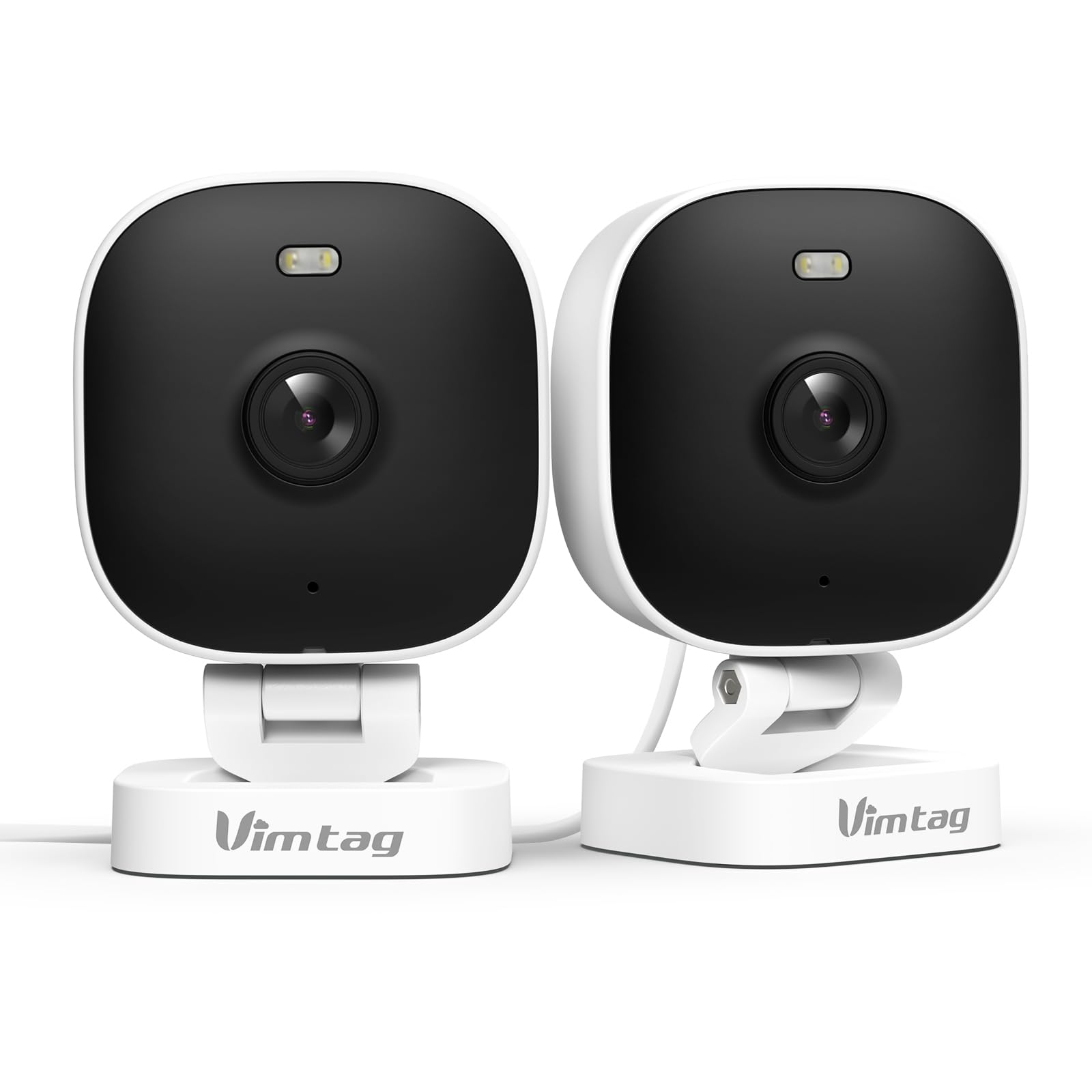
1. Sissejuhatus
The VIMTAG 8310 2.5K Security Camera is designed to provide comprehensive surveillance for your home, pets, and loved ones. This manual provides detailed instructions for setting up, operating, and maintaining your camera to ensure optimal performance and security.
Peamised omadused:
- Pidev töö: The camera operates 24/7 via a plug-in power cable, eliminating the need for battery charging. It supports 2.4GHz and 5GHz dual-band WiFi, including WiFi 6 technology, for stable connections.
- Kõrge eraldusvõimega video: Provides 2.5K resolution for clear day and night visibility. Features full-color night vision, enhanced by a built-in LED light, for detailed monitoring in various indoor and outdoor environments.
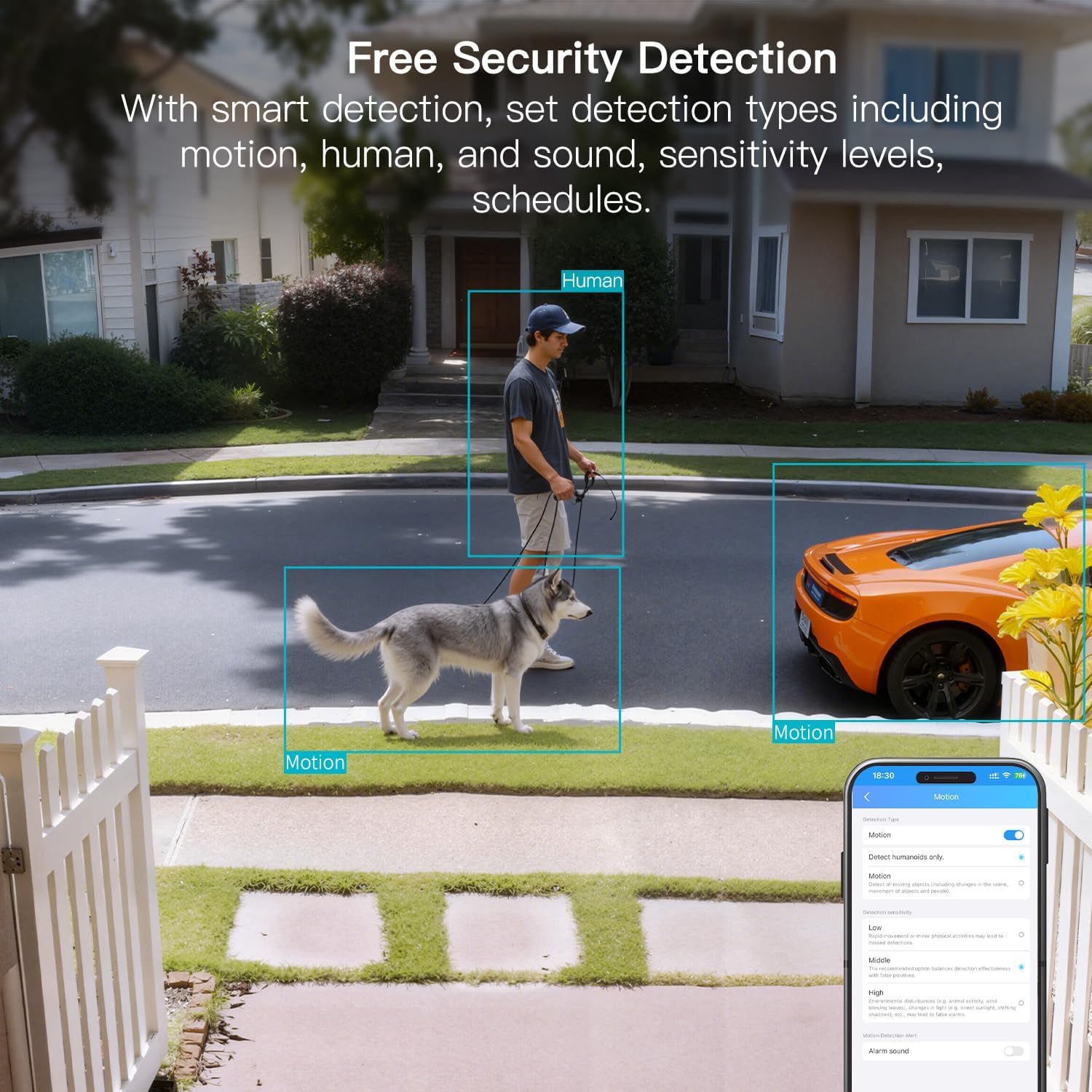
- Nutikas tuvastamine: Offers advanced detection capabilities for motion, people, and sound up to 33 feet. Users receive instant alerts for detected activity.
- Ilmastikukindlus: Rated IP65, the camera is designed for outdoor use and can withstand rain, snow, heat, and cold, ensuring continuous operation in various weather conditions.
- Remote Access and Two-Way Audio: The mobile app allows remote access to live video footage and recorded content. Built-in two-way audio enables real-time communication through the camera.
- Tsentraliseeritud haldus: Up to 32 Vimtag WiFi cameras can be managed within a single application. Features include smart cloud storage (subscription required), motion detection, and event filtering.
2. Mis on karbis
Palun kontrollige paki sisu, et kõik esemed oleksid olemas:
- Camera with cable
- Kinnituskruvi
- Toiteadapter
- Kasutusjuhend (see dokument)
3. Seadistamine
3.1 Esialgne seadistamine ja rakendusega ühenduse loomine
- Laadige rakendus alla: Otsi "Canny Cam" in your smartphone's app store (iOS or Android) and download the application.
- Registreeri konto: Open the Canny Cam app and follow the on-screen instructions to register a new user account.
- Toide sisse: Connect the camera to the power adapter using the provided cable and plug it into an electrical outlet. The camera will power on automatically.
- Lisa seade: In the Canny Cam app, select the option to add a new device. Enable Bluetooth and Wi-Fi on your smartphone as prompted by the app.
- Järgige rakendusesiseseid juhiseid: The app will guide you through the process of connecting the camera to your home Wi-Fi network. Ensure your Wi-Fi network is 2.4GHz or 5GHz compatible.
- Ühenduse kinnitus: Once successfully connected, the app will confirm the device has been added.

Image: Visual guide showing the steps to download the Canny Cam app, enable Bluetooth and Wi-Fi, and connect the camera.
3.2 Paigaldusvalikud
The VIMTAG 8310 camera offers flexible mounting options to suit various indoor and outdoor locations. Use the provided mounting screws for secure installation.
- Seinakinnitus: Securely attach the camera to a wall using the mounting bracket and screws.
- Lakke kinnitus: Install the camera on a ceiling for an overhead view.
- Tabletop Mount/Freestanding: Place the camera on a flat surface such as a table, shelf, or desk.
- Door Mount/Window Mount: Position the camera near doors or windows for specific entry point monitoring.

Image: A hand using a screwdriver to mount the VIMTAG camera to a surface.
Pilt: ntamples of various mounting positions for the camera, including freestanding, wall-mounted, and ceiling-mounted.
4. Kaamera kasutamine
4.1 Otseülekanne View ja Salvestamine
Access the live video feed and recorded footage through the Canny Cam app on your smartphone or tablet.

Image: A comparison demonstrating the enhanced detail of 2.5K QHD resolution compared to 1080p.
4.2 Värviline öönägemine
The camera features full-color night vision, providing clear and detailed images even in low-light conditions, unlike traditional black-and-white night vision.
Image: A visual comparison illustrating the difference between color night vision and traditional night vision.
4.3 Kahe sagedusribaga WiFi-ühenduvus
The camera supports both 2.4GHz and 5GHz Wi-Fi bands, offering flexibility for network connection. 2.4GHz provides a stable connection over longer distances, while 5GHz offers faster speeds for shorter ranges.

Image: Explanation of 2.4GHz and 5GHz Wi-Fi benefits for the camera's connectivity.
4.4 Nutikas tuvastamine ja hoiatused
Configure motion, human, and sound detection settings within the Canny Cam app. The camera can trigger a smart sound and light alarm and send instant notifications to your smartphone upon detecting activity.

Image: Depiction of the smart sound and light alarm feature in action.

Image: App interface showing options for setting detection types and sensitivity levels.
4.5 Kahesuunaline heli
Utilize the built-in microphone and speaker for two-way communication. This allows you to speak to visitors, deter intruders, or comfort pets remotely.
Pilt: ntample of using two-way audio to communicate through the camera.
4.6 Salvestusvõimalused
The camera supports local storage via a MicroSD card (up to 512GB, sold separately) for continuous or event-triggered recording. Cloud storage is also available through a subscription service, offering event recording and multi-device playback.

Image: The camera's recording capabilities to a TF card or cloud storage.

Pilt: Üleview of Canny Cam app features, including those available with and without a cloud subscription.
4.7 Alexa integratsioon
The VIMTAG 8310 camera is compatible with Alexa, allowing for hands-free control and live streaming to compatible Alexa-enabled devices.

Pilt: ntample of using Alexa to view kaamera sööt.
5. Hooldus
To ensure the longevity and optimal performance of your VIMTAG 8310 camera, follow these maintenance guidelines:
- Puhastamine: Regularly wipe the camera lens and body with a soft, dry cloth to remove dust and smudges. Avoid using harsh chemicals or abrasive materials.
- Püsivara värskendused: Check the Canny Cam app periodically for available firmware updates. Keeping your camera's firmware up-to-date ensures you have the latest features and security enhancements.
- Toiteallikas: Ensure the camera is connected to a stable power source. Avoid using damaged cables or adapters.
- Keskkonnakaitse: While the camera is IP65-rated for weather resistance, avoid direct exposure to extreme conditions or prolonged submersion in water.
6. Veaotsing
If you encounter any issues with your VIMTAG 8310 camera, please refer to the following common troubleshooting tips or contact support:
- Toide puudub: Ensure the power adapter is securely connected to both the camera and a working electrical outlet.
- Wi-Fi-ühenduse probleemid: Verify your Wi-Fi network is active and the camera is within range. Try restarting your router and the camera. Ensure you are connecting to the correct 2.4GHz or 5GHz network as supported by your router and camera settings.
- Rakenduse ühenduvusprobleemid: Check if your smartphone has a stable internet connection. Ensure the Canny Cam app is updated to the latest version. Try restarting the app or your phone.
- Kehv videokvaliteet: Check your internet speed. A slow connection can affect streaming quality. Ensure the camera lens is clean.
- Liikumistuvastus ei tööta: Review the motion detection settings in the Canny Cam app to ensure they are configured correctly and sensitivity levels are appropriate.
Note: No relevant product videos with 'creator_type: Seller' were found in the provided data to include in this section.
7. Tehnilised andmed
| Funktsioon | Detail |
|---|---|
| Kasutamine siseruumides/välistingimustes | Toas, Väljas |
| Ühilduvad seadmed | Smartphone, iPhone, iPad, Android Phone, Android Pad |
| Toiteallikas | Juhtmega elekter |
| Ühenduvusprotokoll | Wi-Fi |
| Kontrolleri tüüp | APP |
| Paigaldustüüp | Wall mount, Ceiling mount, Tabletop Mount, Freestanding, Door mount, Window mount |
| Video jäädvustamise eraldusvõime | 1440p (2.5K) |
| Värv | Valge |
| Artiklite arv | 2 |
| Kanalite arv | 2 |
| Traadita side tehnoloogia | Wi-Fi |
| Vormitegur | Kuubik |
| Tõhus video eraldusvõime | 4 MP |
| Viewing | 130 kraadi |
| Öise nägemise ulatus | 33 jalga |
| Kaadrisagedus | 25 kaadrit sekundis |
| Materjal | Plastikust |
| Voltage | 5 volti |
| Wattage | 5 vatti |
| Kauba mõõdud P x L x K | 2.28 x 1.85 x 2.8 tolli |
| Veekindluse tase | Veekindel (IP65) |
| Patareid on vaja? | Ei |
| Välkmälu tüüp | Micro SD |
| Kauba kaal | 0.19 kilogrammi (6.7 untsi) |
| Video kodeerimine | H.264 & H.265 |
| Kuju | Ristkülikukujuline |
| Fookuse tüüp | Automaatne teravustamine |
| Vähese valguse tehnoloogia | Öövärv |
| Suumi tüüp | Digitaalne suum |
| Suumi suhe | 8 |
| Hoiatuse tüüp | Heli ja liikumine |
| Valgusallika tüüp | LED, IR |
| Video jäädvustamise vorming | MPEG-4 |
| Fotosensori tehnoloogia | CMOS |
| Tõhus liikumatu eraldusvõime | 4 MP |
| Rahvusvaheline kaitse hinnang | IP66 |
| Maksimaalne Webcam Pildi eraldusvõime | 4 MP |
| Kontrollimeetod | Rakendus, kaugjuhtimispult |
| IR LED-ide arv | 2 |
| Välkmälu maksimaalne toetatav suurus | 512 GB |
| Toote klass | Elamurajoon |
| Nutika kodu ühilduvus | Smart Home Compatible |
| Mobiiltehnoloogia | 2.4G 5G |
| Audiovisuaalse salvestuse võimalused | Audio, Still Image, Video |
| Sagedusriba klass | Kaheribaline |

Image: Product dimensions of the VIMTAG 8310 camera.
8. Garantii ja tugi
For expert support with setting up and optimizing your VIMTAG cameras, please contact our support team:
- Telefonitugi: +1 (978) 437-5767
- Saadavus: Monday to Friday, 9:00 AM - 6:00 PM (ET)
VIMTAG is committed to providing lifetime technical support for its products. For any inquiries or assistance, please reach out to our dedicated support channels.

Image: VIMTAG Free Expert Support contact information.


