Sissejuhatus
Welcome to the instruction manual for your Dubstep Buzz X8 Wireless Earbuds. These earbuds are designed to provide a high-quality audio experience with advanced features. This manual will guide you through the setup, operation, and maintenance of your device.
Mis on karbis
Pakett sisaldab järgmisi esemeid:
- Juhtmevabad kõrvaklapid
- Juhtmevaba laadimise ümbris
- C-tüüpi kaabel
- Kasutusjuhend
- Kõrvapadjad (erinevad suurused)

Image: Contents of the Dubstep Buzz X8 Earbuds box, showing the earbuds, charging case, Type-C charging cable, and additional ear cushions.
Toode läbiview
The Dubstep Buzz X8 Wireless Earbuds feature a sleek design and are equipped with 13mm dynamic drivers for powerful sound. The charging case provides extended battery life and convenient storage.

Image: Dubstep Buzz X8 Wireless Earbuds in Neon Green, placed within their open charging case.
Kõrvaklappide komponendid
- Puutejuhtimisala: Taasesituse, kõnede ja häälassistendi haldamiseks.
- Mikrofonid: Dual microphones with Environmental Noise Cancellation (ENC) for clear calls.
- Kõrva näpunäited: Silicone ear tips for a comfortable and secure fit.
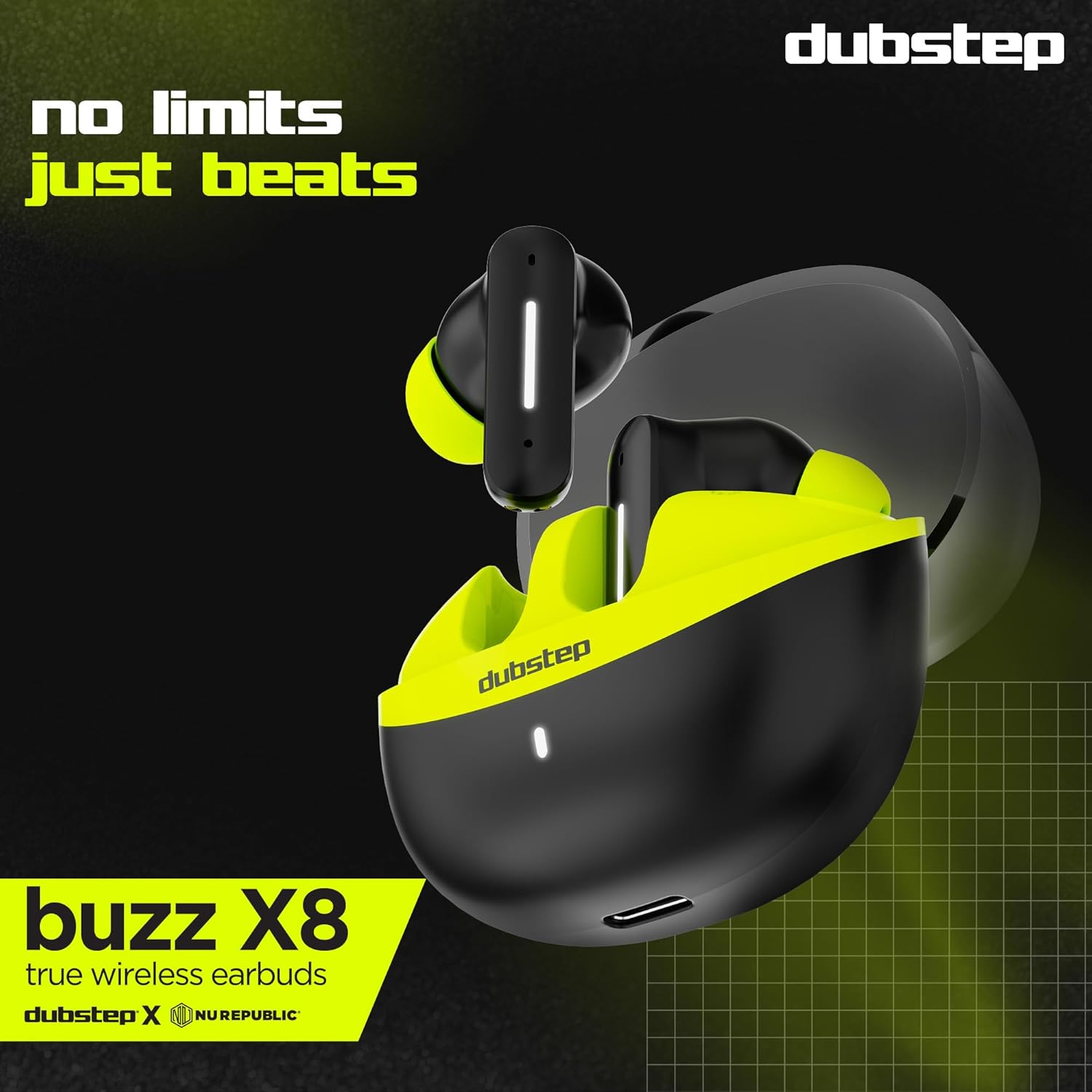
Pilt: Detailne view of the earbuds and charging case, illustrating their internal and external features.
Seadistamine
1. Kõrvaklappide ja ümbrise laadimine
Before first use, fully charge the earbuds and the charging case. Connect the provided Type-C cable to the charging port on the case and a compatible USB power source. The LED indicator on the case will show charging status.
- A 15-minute quick charge provides approximately 200 minutes of playtime.
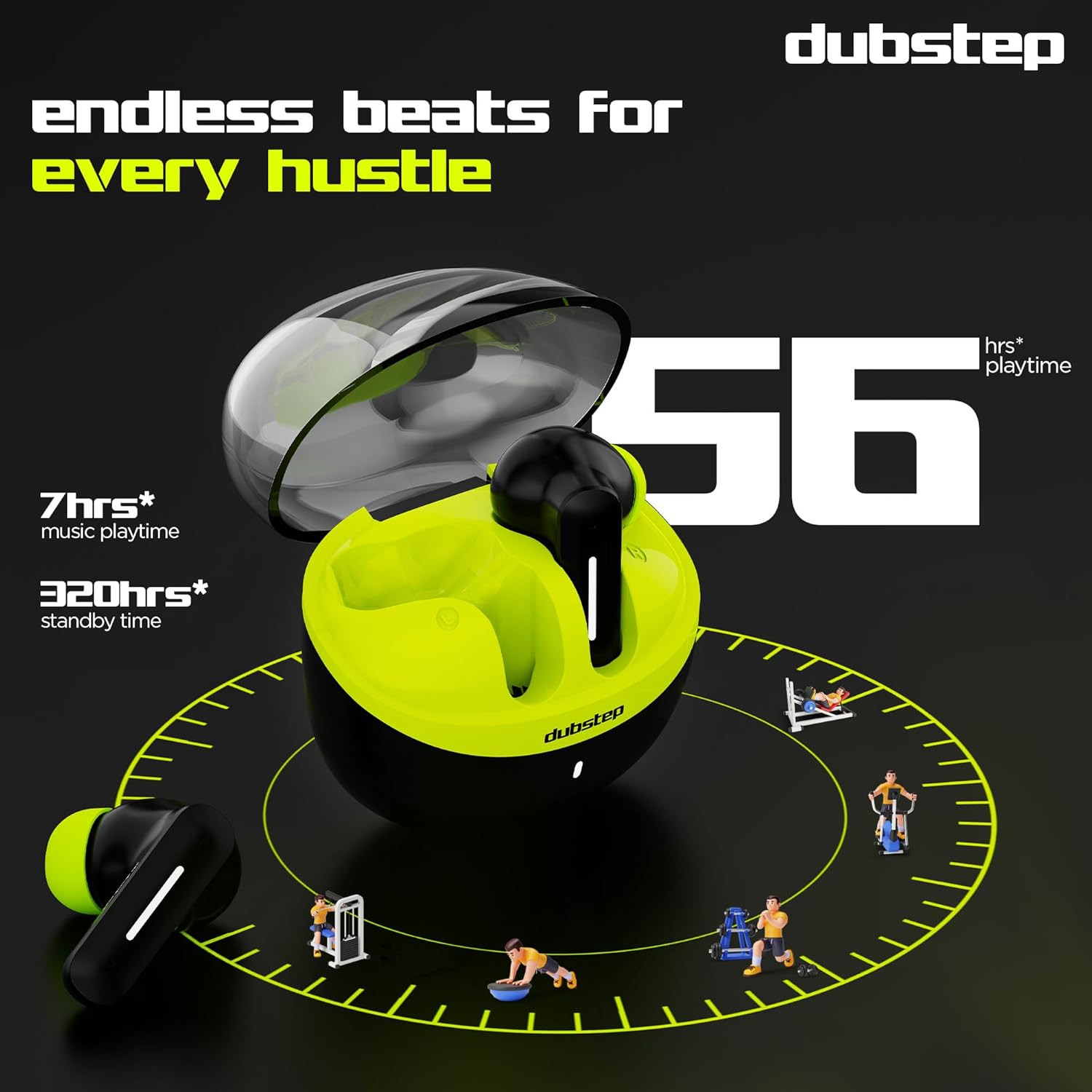
- Total playtime with the charging case is up to 56 hours.
- Earbuds provide 7 hours of continuous music playback on a single charge.

Image: The charging case of the Dubstep Buzz X8 earbuds connected to a Type-C cable for charging.
2. Seadmega sidumine
- Ava laadimisümbris. Kõrvaklapid lülituvad automaatselt sidumisrežiimi.
- Luba oma seadmes (nutitelefon, tahvelarvuti, sülearvuti) Bluetooth.
- Otsi "Dubstep Buzz X8" in the list of available Bluetooth devices.
- Select "Dubstep Buzz X8" to connect. Once connected, you will hear an audio prompt.
- The earbuds feature Bluetooth v5.3 for stable and efficient wireless connectivity.

Image: A smartphone displaying the Bluetooth connection screen, showing the Dubstep Buzz X8 earbuds successfully paired.
Kasutusjuhised
Puudutage juhtnuppe
The Dubstep Buzz X8 earbuds feature intuitive touch controls on each earbud. Refer to the following table for common functions:
| Tegevus | Funktsioon |
|---|---|
| Üks puudutus | Muusika esitamine/peatamine, kõne vastuvõtmine/lõpetamine |
| Topeltpuudutus | Helitugevuse suurendamine (+) / Helitugevuse vähendamine (-) |
| Kolmikpuudutus | Eelmine lugu / järgmine lugu |
| Pikk vajutus | Aktiveeri/desaktiveeri Voice Assistant |
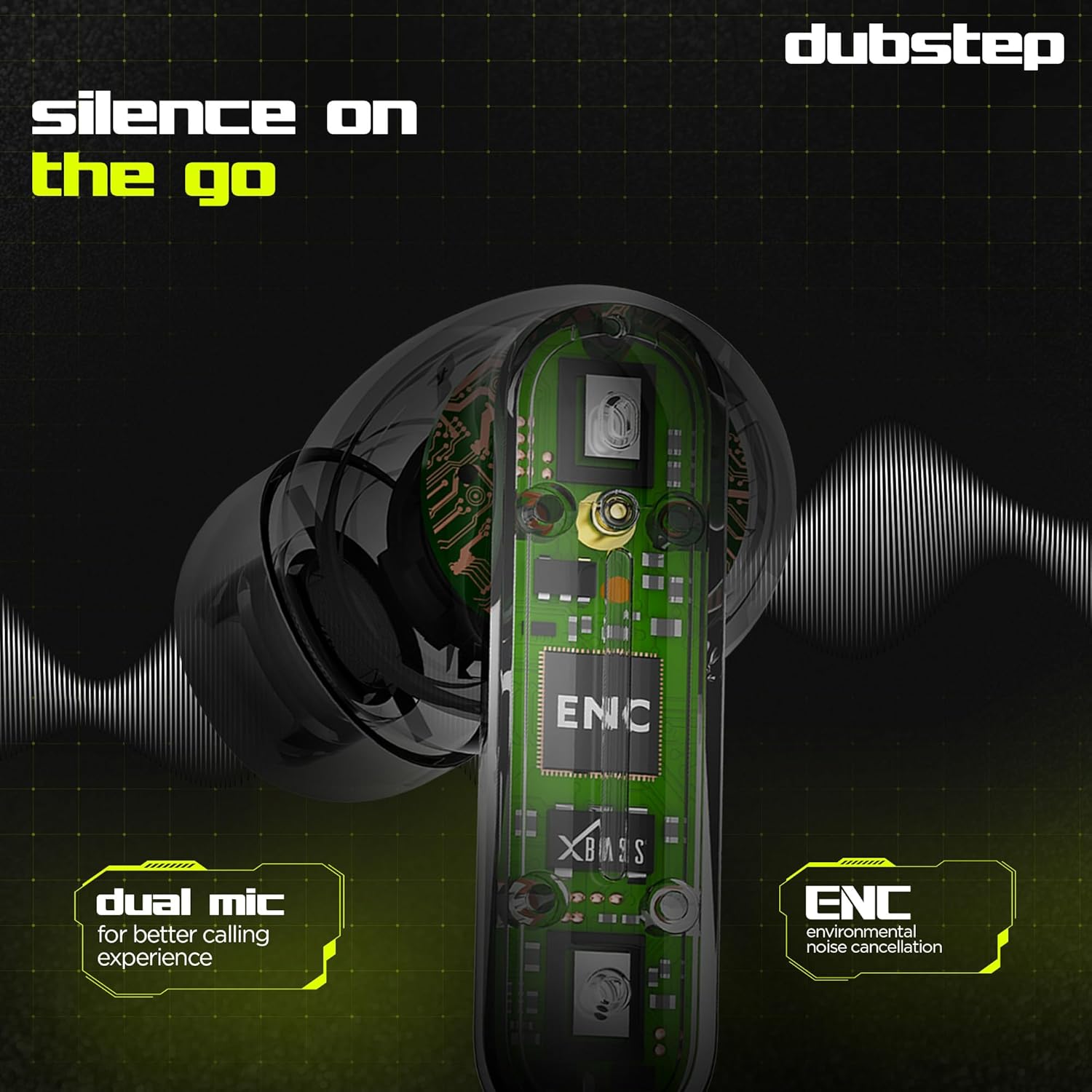
Image: Visual guide to the touch control gestures on the earbuds and their corresponding functions.
Keskkonnamüra summutamine (ENC)
The earbuds are equipped with ENC technology and dual microphones to reduce ambient noise during calls, ensuring clear communication.
Pilt: Sisemine view of the earbud highlighting the ENC technology and dual microphone system.
Hooldus
To ensure the longevity and optimal performance of your Dubstep Buzz X8 Wireless Earbuds, follow these maintenance guidelines:
- Puhastamine: Puhastage kõrvaklappe ja laadimisümbrist regulaarselt pehme, kuiva ja ebemevaba lapiga. Ärge kasutage tugevaid kemikaale ega abrasiivseid materjale.
- Kõrva näpunäited: Remove and clean the ear tips periodically with water and mild soap, then dry thoroughly before reattaching.
- Veekindlus: The earbuds are splash and sweat resistant, making them suitable for workouts. However, they are not waterproof. Avoid submerging them in water.
- Hoiustamine: Kui kõrvaklappe ei kasutata, hoidke neid laadimisümbrises, et neid kaitsta ja laetuna hoida.
- Temperatuur: Vältige kõrvaklappide pikaajalist jätmist äärmuslike temperatuuride (kuuma või külma) või otsese päikesevalguse kätte.
Veaotsing
If you encounter issues with your Dubstep Buzz X8 Wireless Earbuds, refer to the following common solutions:
| Probleem | Lahendus |
|---|---|
| Kõrvaklapid ei ühendu | Ensure earbuds are charged. Turn off and on Bluetooth on your device. Place earbuds back in case, close, then reopen to re-enter pairing mode. |
| Ühest kõrvaklapist pole heli | Check battery level of both earbuds. Try re-pairing the earbuds with your device. Clean earbud mesh for any blockages. |
| Madal helitugevus | Adjust volume on both your device and the earbuds. Ensure ear tips provide a good seal. |
| Laadimiskarp ei lae | Verify the Type-C cable is properly connected to both the case and the power source. Try a different cable or power adapter. |
| Hääleabiline ei reageeri | Ensure the earbuds are connected to your device. Check your device's settings for voice assistant activation. Perform a long press on the earbud touch area. |
Tehnilised andmed
| Funktsioon | Detail |
|---|---|
| Mudeli nimi | Buzz X8 |
| Ühenduvustehnoloogia | Bluetooth 5.3 |
| Helidraiveri suurus | 13 millimeetrit |
| Mänguaeg kokku | Kuni 56 tundi (koos laadimiskotiga) |
| Kõrvaklappide mänguaeg (ühe laadimisega) | 7 tundi |
| Ooteaeg | 320 tundi |
| Kiire laadimine | 15 minutit laadimist = 200 minutit mänguaega |
| Laadimisport | Tüüp-C |
| Mürakontroll | Keskkonnamüra summutamine (ENC) |
| Mikrofonid | Kahe mikrofoni süsteem |
| Juhtimistüüp | Touch Control, Voice Assistant |
| Veekindluse tase | Splash and Sweat Resistant |
| Kauba kaal | 40 grammi |
| Toote mõõtmed | 3.5 x 2.5 x 4.5 cm |
Garantii ja tugi
Your Dubstep Buzz X8 Wireless Earbuds come with a standard brand warranty. For detailed warranty information, troubleshooting guides, and further support, please visit the official user manuals page:


