Sissejuhatus
The One For All Big Button Remote Control (URC6821) is designed for simplified control of your television and other audio/video devices. Its ergonomic design features large, blue keys for optimal navigation and ease of use. This remote can combine the functions of two remotes into one, offering a streamlined experience for controlling your entertainment system.
The URC6821 remote control is packaged in new eco-friendly, recyclable packaging, free of single-use plastics.
Seadistamine
1. Aku paigaldamine
The remote requires 2 AAA alkaline batteries (not included). To install, open the battery compartment cover on the back of the remote and insert the batteries, ensuring correct polarity (+/-). Close the cover securely.
2. Device Pairing (Easy Setup)
The URC6821 remote offers a simple 3-step setup process. It is compatible with hundreds of TV brands, soundbars, home theaters, TV boxes, cable boxes, and DVD players. The remote supports both automatic and manual pairing modes.
Refer to the included quick setup guide or the comprehensive code list for specific device codes and detailed instructions on how to program your remote for your TV and a second device (e.g., cable box, soundbar).
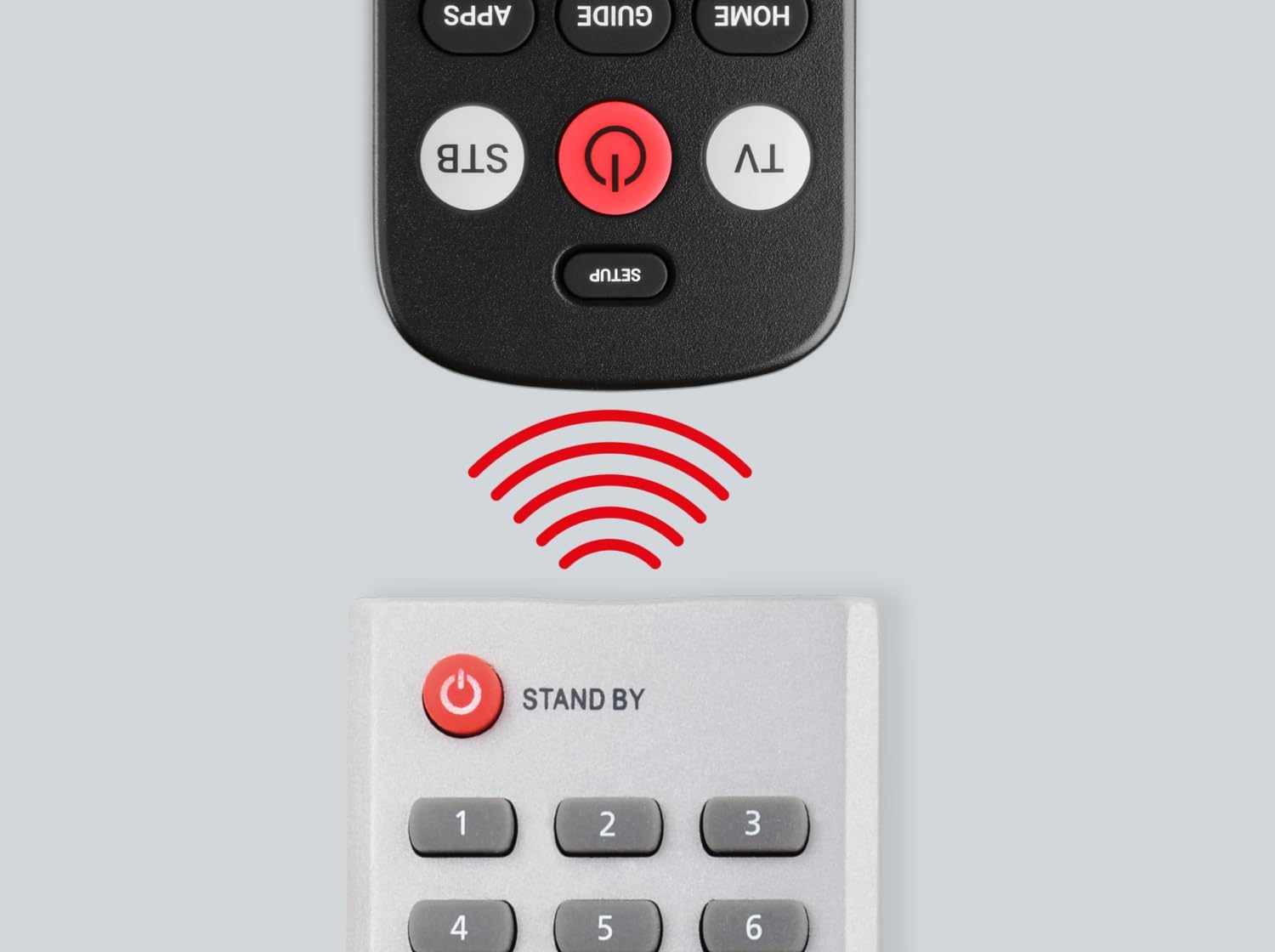
Image: The One For All Big Button Remote Control being used to set up a television, illustrating the simple three-step pairing process on the TV screen.
3. Õppimisfunktsioon
The remote includes a learning feature, allowing you to customize its functions to your specific needs. This ensures you can replicate any key from your original remote that might not be pre-programmed.
4. Simple Audio Connect
To connect your soundbar or other audio device, follow the four simple steps outlined in the manual. This feature allows you to control the volume of your audio device directly from the URC6821 remote.
Kasutusjuhised
The One For All Big Button Remote Control provides intuitive control over your devices with clearly labeled, large buttons.

Pilt: Esikülg view of the One For All Big Button Remote Control, showcasing its ergonomic design and prominent buttons for easy operation.
- Toitenupp: Lülitab teie seadme sisse või välja.
- Teleri/digiboksi nupud: Selects which device (TV or Set-Top Box/Cable Box) the remote is currently controlling.
- Helitugevuse (+/-) nupud: Reguleerib helitugevust.
- Channel (CH ^/v) Buttons: Vahetab kanalit üles või alla.
- Vaigistamise nupp: Vaigistab või tühistab heli.
- Navigeerimisnupud (noolenupud) ja OK: Kasutatakse menüüdes navigeerimiseks ja valikute kinnitamiseks.
- Home/Menu/Exit/Back Buttons: Provides access to device menus, home screens, and navigation back functions.
- Numbriklaviatuur (0–9): For direct channel entry.
The remote is designed to allow simultaneous volume control for both paired devices if desired, eliminating the need to switch between TV and audio device modes for volume adjustments.
Hooldus
To ensure optimal performance, replace the AAA batteries when the remote's indicator light becomes dim or unresponsive. Use a soft, dry cloth to clean the remote control. Avoid using liquid cleaners or abrasive materials.
Veaotsing
- Kaugjuhtimispult ei reageeri: Veenduge, et patareid on õigesti paigaldatud ja mitte tühjad. Vajadusel vahetage need välja.
- Specific functions not working after setup: The learning feature can be used to program individual buttons that may not have been correctly configured during initial setup.
- Seade ei reageeri puldile: Ensure the remote is pointed directly at the device and there are no obstructions. Verify that the correct device mode (TV or STB) is selected. If issues persist, try re-programming the remote using a different code from the provided code list for your device brand.
Helpful Setup Videos:
Video: Demonstrates the setup and use of an elderly-friendly large button TV remote control, similar in concept to the One For All Big Button Remote.
Video: Provides instructions on how to use the EZclicker remote, which shares similar large button features and universal control capabilities.
Video: Guide on how to sync a Flipper remote to your TV, offering general steps applicable to universal remote setup.
Video: Instructions for syncing a Flipper remote to a cable set-top box, providing useful guidance for multi-device control.
Tehnilised andmed
| Kaubamärk | Üks kõigi jaoks |
| Mudel | URC6821 |
| Mudeli nimi | OFA BIG BUTTON REMOTE |
| Ühilduvad seadmed | Television, Audio Devices (Soundbars, Home Theaters, TV Boxes, Cable Boxes, DVD Players) |
| Eriomadused | Ergonomic, Universal, Learning Feature, Big Buttons |
| Artiklite arv | 1 |
| Aku kirjeldus | Leeliseline |
| Nõutavad patareid | Yes (2x AAA) |
| Ühenduse tüüp | Infrapuna |
| Toote mõõtmed | 4.6 x 2 x 20.5 cm; 150 g |
| Värv | Must |
Toetus
For further assistance, including a complete list of compatible audio devices or detailed troubleshooting, please refer to the full product manual or visit the official One For All support websaidile.


