1. Mis on karbis
Veenduge, et pakendis on kõik komponendid olemas:
- Traadita mehaaniline klaviatuur
- Juhtmeta hiir
- USB vastuvõtja
- Hiirepadi
- USB-C Cable (for keyboard charging/wired mode)
- 1 AA Battery (for mouse)
2. Toote lõppview
The Taiahiro BK6301 set includes a 98-key mechanical keyboard and an ergonomic wireless mouse, designed for versatile use across gaming and professional tasks. The keyboard features blue mechanical switches for tactile and audible feedback, RGB backlighting, and triple-mode connectivity. The mouse offers adjustable DPI and dual-mode wireless connection.
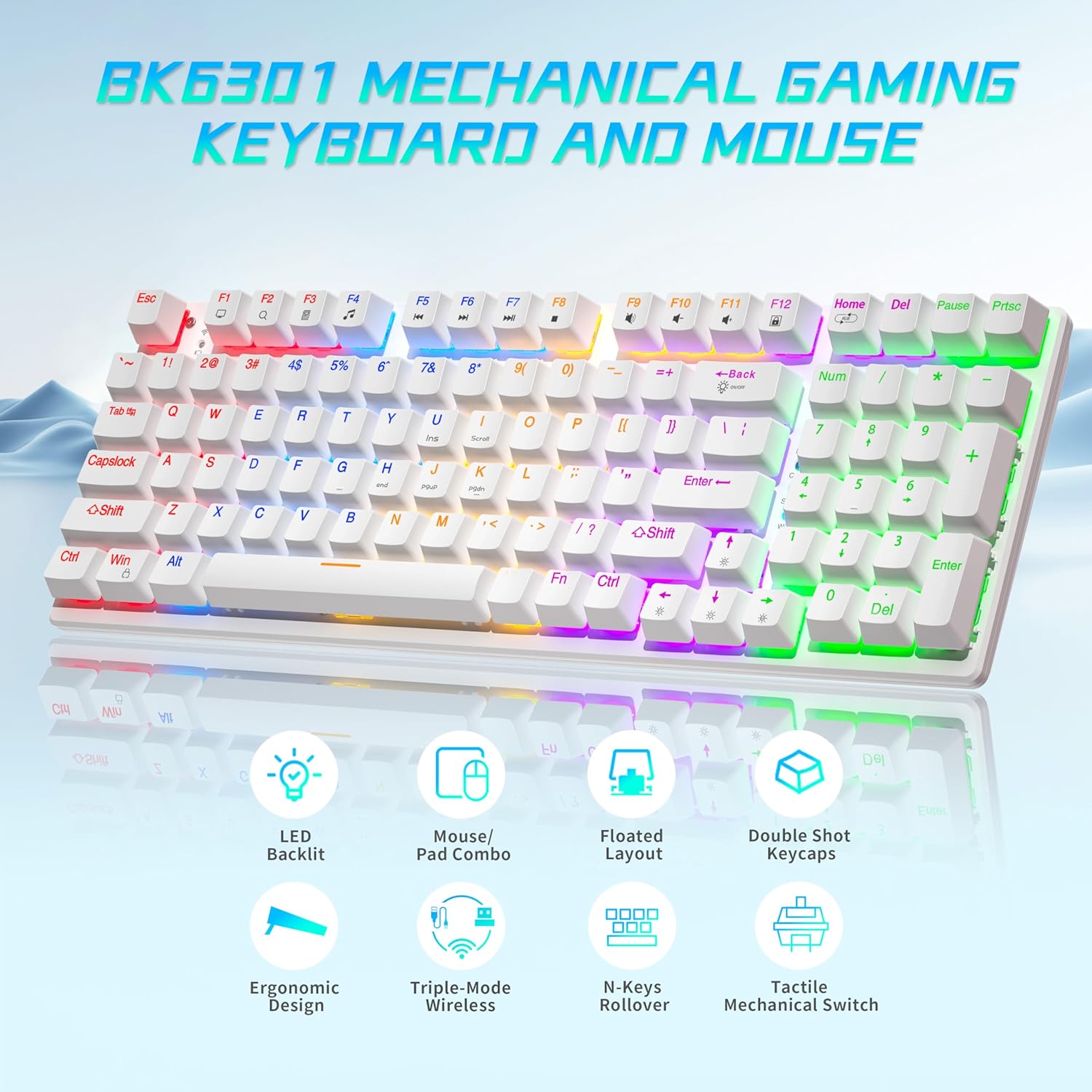
Image: The Taiahiro BK6301 keyboard and mouse combo, showcasing its LED backlit keys, mouse/pad combo, floated layout, double shot keycaps, ergonomic design, triple-mode wireless, N-keys rollover, and tactile mechanical switches.
2.1 Klaviatuuri funktsioonid
- 98-klahvi paigutus: Full-size keyboard including a numeric keypad.
- Sinised mehaanilised lülitid: Provides satisfying tactile and audible feedback for typing and gaming.
- Double Shot Injection Keycaps: Ensures key legends remain clear and legible over time.
- Kolmekordse režiimiga ühenduvus: Supports USB-C wired, 2.4G wireless, and Bluetooth 5.0 connections.
- RGB-taustvalgustus: 8 different lighting modes with adjustable brightness and breathing speed.
- Anti-ghosting: Ensures accurate registration of multiple simultaneous key presses.

Pilt: Lähivõte view illustrating the internal structure of the blue mechanical switches, highlighting their 50,000,000 keystroke life, 60±15g key force, and 2.4±0.2mm stroke travel.
2.2 Hiire funktsioonid
- Dual-Mode Wireless: Connects via 2.4G wireless or Bluetooth.
- Reguleeritav DPI: Four DPI levels (800/1600/2400/3200) for precision control.
- Ergonoomiline disain: Contoured shape with textured grip for comfortable use.
- Libisemisvastane kerimisratas: For improved control.

Image: The Taiahiro wireless gaming mouse, featuring its 4 adjustable DPI levels (800/1600/2400/3200) and convenient forward/back buttons.
3. Seadistusjuhised
3.1 Keyboard Setup
The keyboard supports three connection modes: USB-C wired, 2.4G wireless, and Bluetooth.
- USB-C juhtmega režiim:
Connect the provided USB-C cable from the keyboard to an available USB port on your computer. The keyboard will be automatically recognized and ready for use. - 2.4G traadita režiim:
Locate the USB receiver, typically stored in the mouse's battery compartment. Plug the USB receiver into an available USB port on your computer. The keyboard should connect automatically. - Bluetooth-režiim:
Ensure the keyboard is in Bluetooth pairing mode (refer to keyboard specific key combination, usually Fn + a Bluetooth key). On your device (PC, laptop, tablet, phone), go to Bluetooth settings and select the keyboard from the list of available devices to pair.

Image: The Taiahiro keyboard and mouse demonstrating its 3-mode wireless capabilities, connecting to a laptop via USB-C, a monitor via 2.4GHz, and a tablet via Bluetooth.
3.2 Mouse Setup
The mouse supports 2.4G wireless and Bluetooth connections.
- Paigaldage aku: The mouse requires one AA battery. Open the battery compartment on the underside of the mouse and insert the included AA battery, ensuring correct polarity.
- Toide sisse: Lükake hiire allosas olev toitelüliti asendisse „ON”.
- 2.4G traadita režiim:
The USB receiver for the 2.4G connection is stored in the mouse's battery compartment. Remove it and plug it into an available USB port on your computer. The mouse should connect automatically. - Bluetooth-režiim:
Ensure the mouse is in Bluetooth pairing mode (refer to mouse specific button, usually a button on the underside). On your device, go to Bluetooth settings and select the mouse from the list of available devices to pair.
Video: A brief demonstration of unboxing the keyboard and mouse, showing the initial setup and connection process.
4. Kasutusjuhised
4.1 Keyboard Backlighting Control
The keyboard features 8 RGB backlighting modes. Use the following key combinations to adjust:
- Valgustuse režiimi muutmine: Vajutage Fn + kodu to cycle through different lighting effects.
- Heleduse reguleerimine: Vajutage Fn + ↑ (ülesnool) heleduse suurendamiseks ja Fn + ↓ (allanool) heleduse vähendamiseks.
- Kiiruse reguleerimine: Vajutage Fn + ← (vasaknool) to decrease effect speed, and Fn + → (paremnool) efekti kiiruse suurendamiseks.
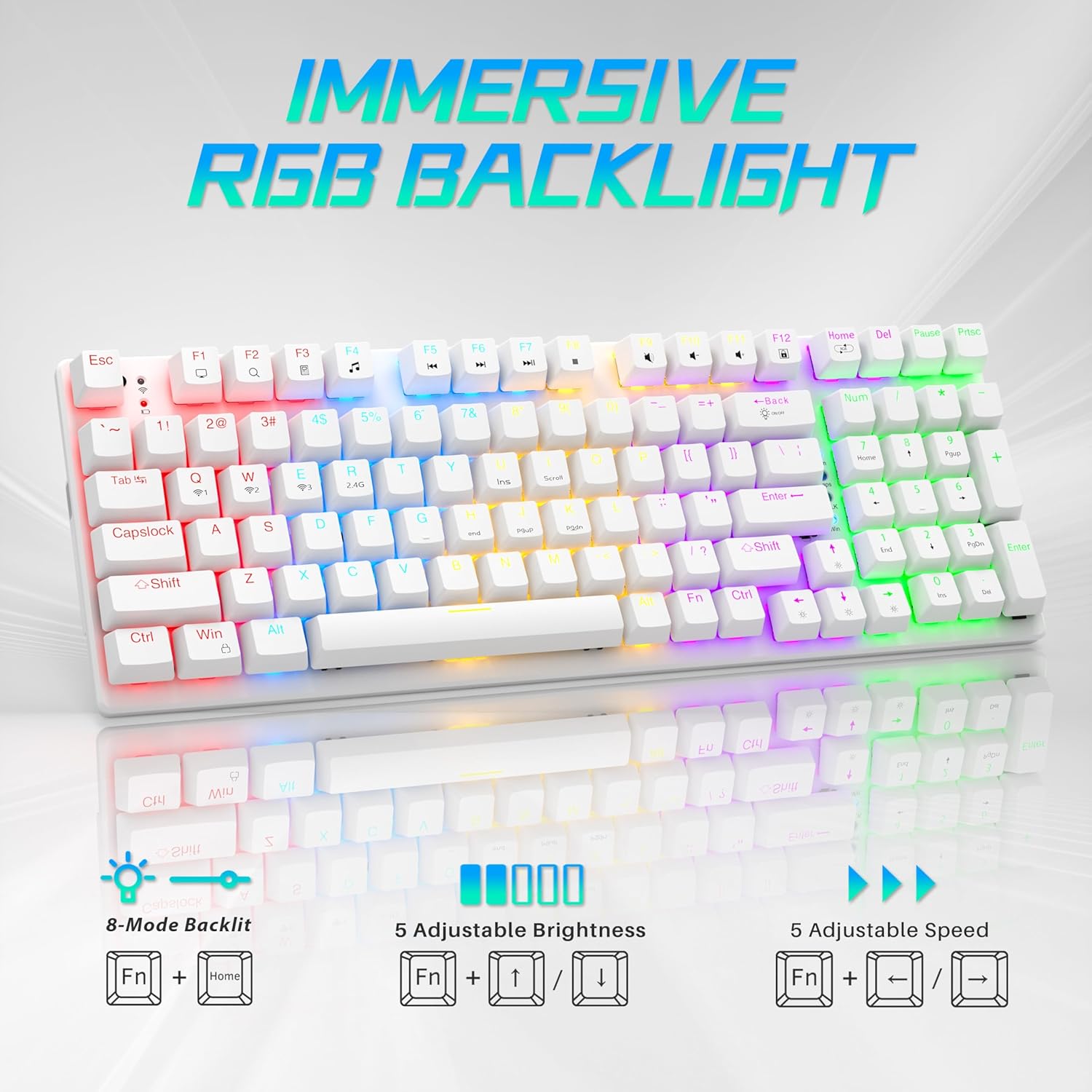
Image: Visual guide to controlling the keyboard's immersive RGB backlight, showing key combinations for 8-mode backlight, 5 adjustable brightness levels, and 5 adjustable speeds.
Video: A demonstration of the keyboard's RGB backlighting in action, highlighting the various lighting effects and colors.
4.2 Hiire DPI reguleerimine
The mouse features 4 adjustable DPI levels for varying cursor sensitivity.
- Change DPI: Press the DPI button located on the top of the mouse, below the scroll wheel, to cycle through the 800, 1600, 2400, and 3200 DPI settings.
5. Hooldus
- Puhastamine: Use a soft, dry cloth to clean the surfaces of the keyboard and mouse. For deeper cleaning, a can of compressed air can remove dust and debris from between keycaps.
- Mouse Battery Replacement: When the mouse's performance degrades, replace the AA battery in the compartment on the underside.
- Klahvikaane eemaldamine: A keycap puller (often included with mechanical keyboards) can be used to carefully remove keycaps for cleaning or replacement.
Video: üksikasjalik ülevaadeview demonstrating the mouse battery installation, USB receiver storage, and the use of a keycap puller for keyboard maintenance.
6. Veaotsing
- Seade ei ühendu:
- Ensure the device is powered on and fully charged (keyboard) or has a fresh battery (mouse).
- For 2.4G wireless, ensure the USB receiver is securely plugged into a working USB port.
- For Bluetooth, ensure the device is in pairing mode and your computer's Bluetooth is enabled and searching. Try re-pairing the device.
- If using wired mode, ensure the USB-C cable is properly connected.
- Klaviatuuri taustvalgustus ei tööta:
- Veenduge, et klaviatuur on sisse lülitatud.
- Try adjusting brightness using Fn + ↑.
- Valgustusrežiimide vahel liikumiseks kasutage Fn + kodu.
- Hiirekursor hüppab või ei reageeri:
- Vahetage hiire patarei.
- Veenduge, et hiire sensor oleks puhas ja prahist vaba.
- Try using the mouse on a different surface or the provided mouse pad.
- Re-pair the mouse with your computer.
7. Tehnilised andmed
| Funktsioon | Detail |
|---|---|
| Mudeli number | BK6301 |
| Ühenduvustehnoloogia | 2.4 GHz juhtmevaba, Bluetooth 5.0, juhtmega USB-C |
| Klaviatuuri tüüp | Mehaaniline mänguklaviatuur |
| Lüliti tüüp | Sinised mehaanilised lülitid |
| Võtmeelu | 50 miljonit klikki |
| Taustvalgustus | RGB (8 Modes) |
| Hiire DPI tasemed | 800/1600/2400/3200 |
| Hiire aku | 1 AA patarei (kaasas) |
| Ühilduvad seadmed | Laptop, PC (Windows, macOS, Android) |
| Toote mõõtmed (klaviatuur) | Ligikaudu 14.7 cm P x 5.2 cm L x 1.8 cm K |
| Kauba kaal | 2.68 naela |

Image: The Taiahiro BK6301 keyboard and mouse with key dimensions labeled for reference.
8. Garantii ja tugi
For warranty information, technical support, or any product-related inquiries, please refer to the contact details provided in your product packaging or visit the official Taiahiro websaidile. Hoidke ostutšekk alles garantiinõuete esitamiseks.


