Sissejuhatus
The VTech Dora Got Your Back Learning Backpack is an interactive bilingual toy designed to engage children aged 3 years and up in educational activities. This manual provides essential information for setting up, operating, maintaining, and troubleshooting your learning backpack. It features 12 interactive games and quizzes in both English and Spanish, focusing on key learning milestones such as letter writing, shape drawing, emotions, numbers, and words.
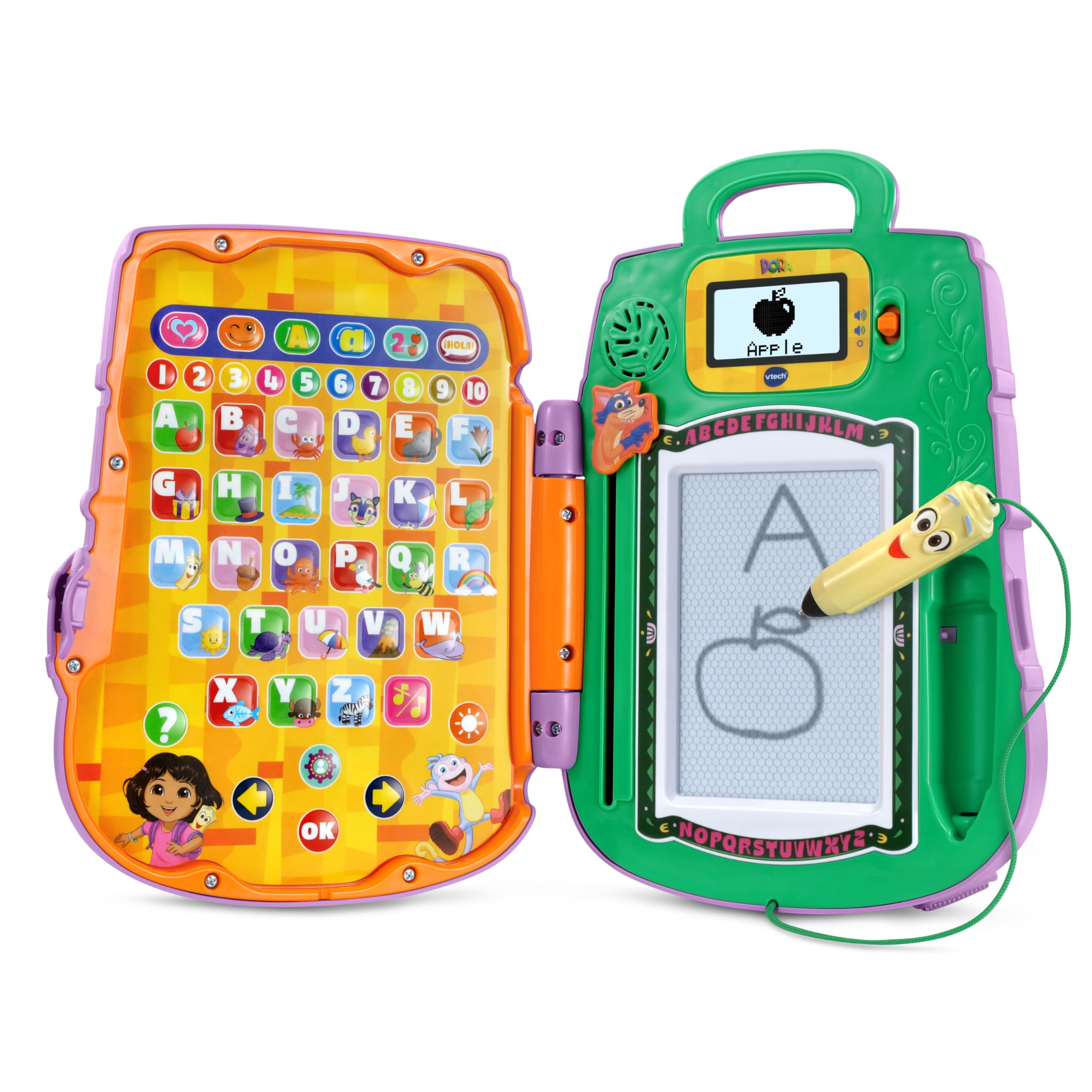
Image: The VTech Dora Got Your Back Learning Backpack in its closed, backpack form.
Mis on kaasas
Paki avamisel veenduge, et kõik komponendid on olemas:
- 1 x Dora Got Your Back Learning Backpack
- 1 x kiirjuhend

Image: The learning backpack opened, showing the interactive button panel on the left and the drawing board with screen on the right.
Seadistamine
- Aku paigaldamine: The toy requires 2 AA batteries. Batteries are included for demonstration purposes only. For regular use, new batteries are recommended. To install, locate the battery compartment on the back of the unit, open it with a screwdriver, insert the batteries according to the polarity markings, and close the compartment securely.
- Rihmade kinnitamine: The backpack straps are typically included separately in the packaging. Attach them to the designated loops on the top and bottom of the backpack to enable wearing the toy.
- Esialgne sisselülitamine: Seadme sisselülitamiseks vajutage toitenuppu.
- Isikupärastamine: The toy allows for personalization. Follow the on-screen prompts or refer to the Quick Start Guide to enter a child's name. This enables personalized greetings from Dora's friends during play.

Image: The toy's screen displaying a prompt to enter a name for personalization.
Kasutusjuhised
The Dora Got Your Back Learning Backpack features two main interactive areas when opened: a button panel on the left and a drawing board with a small screen on the right.
- Toide sisse/välja: Press the orange power button located on the right side of the unit to turn the toy on or off.
- Helitugevuse juhtimine: Use the volume buttons (usually located near the screen) to adjust the sound level.
- Keele valik: The toy supports both English and Spanish. Look for a dedicated language button or follow initial setup prompts to select your preferred language.
- Tegevuse valik: The left panel contains various buttons representing different games and learning activities. Press a button to select an activity.
- Pliiatsi kasutamine: The Map-shaped stylus is attached to the unit by a string. Use it to interact with the drawing board for writing and drawing activities.
- Swiper Eraser: To clear the drawing board, slide the Swiper character down the designated slot.

Image: A child actively engaging with the open learning backpack, pressing buttons on the left panel and using the stylus on the right drawing board.
Mängud ja tegevused
The learning backpack offers 12 interactive games and quizzes designed to promote early learning skills:
- Kirja kirjutamine: Follow step-by-step animations on the screen to practice writing uppercase and lowercase letters using the stylus.
- Shape Drawing: Learn to draw various shapes by tracing guided animations.
- Numbrite tuvastamine: Identify and learn numbers through interactive games.
- Object Identification: Match objects with their corresponding letters or words.
- Emotion Exploration: Learn about different emotions through engaging activities.
- Bilingual Quizzes: Participate in quizzes that reinforce learning in both English and Spanish.

Image: A child using the stylus to draw on the learning backpack's screen, following animated instructions.

Image: A child operating the Swiper slider to clear the drawing board, preparing for a new activity.
Video: An official VTech video demonstrating the features and interactive play of the Dora Got Your Back Learning Backpack.
Hooldus
- Puhastamine: Pühkige mänguasja kergelt kuiva lapiga.amp riie. Ärge kastke vette ega kasutage tugevatoimelisi puhastusvahendeid.
- Hoiustamine: Hoidke mänguasja mittekasutamisel jahedas ja kuivas kohas, eemal otsesest päikesevalgusest.
- Aku hooldus: Kui mänguasja pikemat aega ei kasutata, eemaldage patareid, et vältida lekkeid.
Veaotsing
| Probleem | Lahendus |
|---|---|
| Mänguasi ei lülitu sisse. | Check battery installation. Ensure batteries are new and correctly inserted. |
| Heli ei tööta või on liiga vaikne. | Adjust the volume using the volume buttons. Replace batteries if sound remains low or absent. |
| Drawing board is not clearing. | Ensure the Swiper eraser is slid completely across the board. |
| Stylus is not making marks. | Ensure the stylus tip is making firm contact with the drawing surface. The drawing board is magnetic, not electronic. |
Tehnilised andmed
- Toote mõõtmed: 11.02 x 8.27 x 2.8 tolli
- Kauba kaal: 1.7 naela
- Kauba mudeli number: 80-573300
- Tootja soovituslik vanus: 3 aastat ja rohkem
- Patareid: Vajalik on 2 AA-patareid (demo jaoks kaasas)
- Tootja: VTech
- Väljalaske kuupäev: 5. juuni 2025
Garantii ja tugi
Garantiiteabe, tootetoe või varuosade ostmiseks külastage VTechi ametlikku veebisaiti. website or contact their customer service department. Details can typically be found in the Quick Start Guide or on the VTech product page.