Sissejuhatus
Welcome to the user manual for your new Samsung Galaxy S25 Ultra SM-S938B/DS AI Smartphone. This guide provides essential information to help you set up, operate, and maintain your device, ensuring you get the most out of its advanced features, including its powerful AI capabilities and high-resolution camera system.
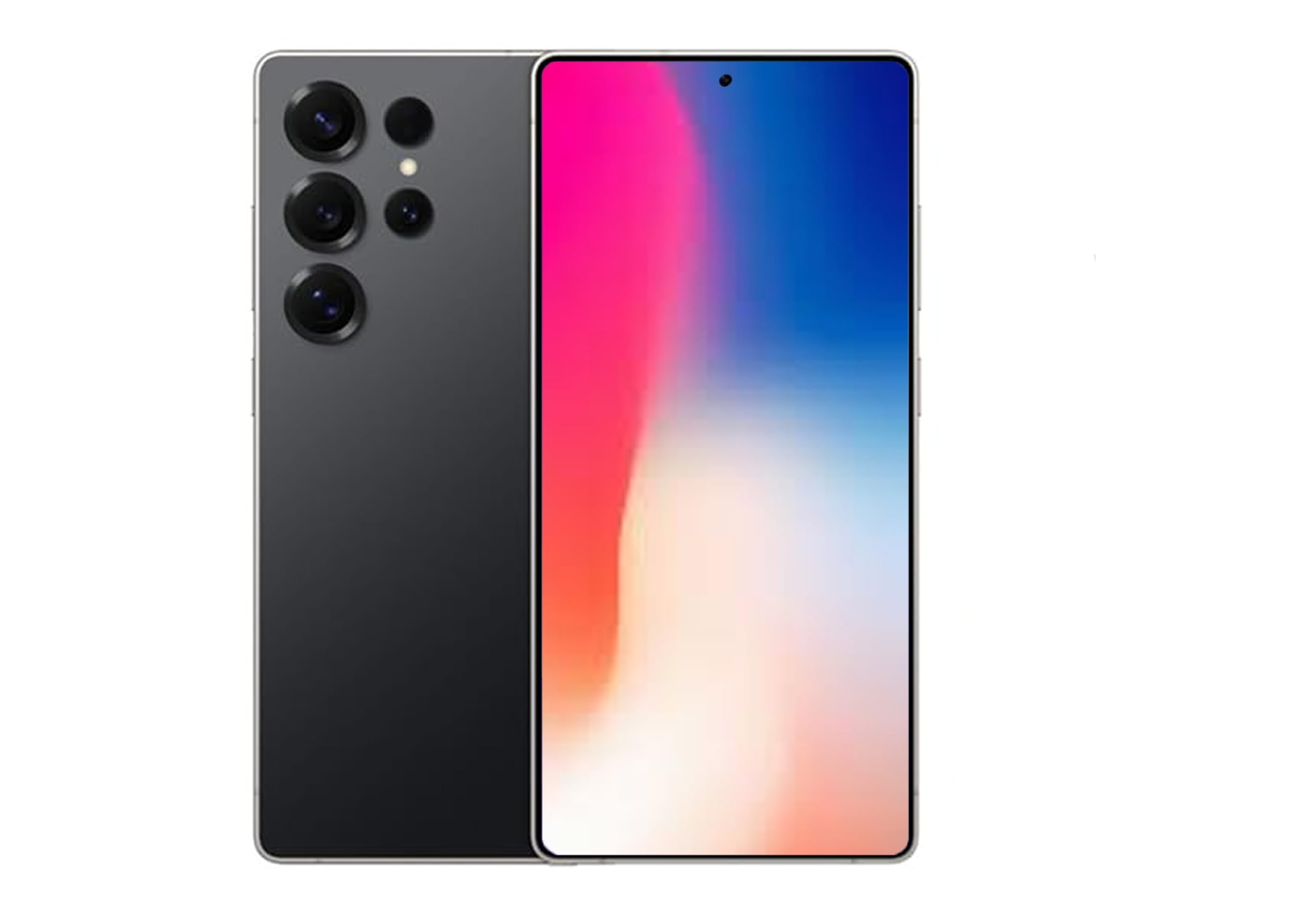
Figure 1: Samsung Galaxy S25 Ultra in Titanium Black.
1. Seadistamine ja algkonfiguratsioon
1.1 SIM-kaardi sisestamine
The Samsung Galaxy S25 Ultra supports Dual SIM functionality. To insert your SIM card(s):
- Leidke seadme küljelt SIM-kaardi salv.
- Use the provided ejection tool to open the tray.
- Asetage nano-SIM-kaart(id) salve nii, et kuldsed kontaktid oleksid allapoole suunatud. Veenduge, et need oleksid õigesti paigas.
- Lükake salv õrnalt pessa tagasi, kuni see klõpsuga oma kohale lukustub.
Märkus. For USA buyers, this device is compatible with GSM carriers such as T-Mobile, Metro, Tello, Mint, and Ultra. It is not compatible with CDMA carriers like Verizon, Sprint, Boost, AT&T, Cricket, US Cellular, Xfinity, or Visible.
1.2 Sisse-/väljalülitamine
- Sisselülitamiseks: Vajutage ja hoidke külgnuppu all, kuni ilmub Samsungi logo.
- Väljalülitamiseks: Press and hold the Side key and Volume Down button simultaneously, then tap "Power off" on the screen. Alternatively, swipe down from the top of the screen to open the Quick Panel, tap the Power icon, and select "Power off".
1.3 Esialgse seadistuse viisard
Upon first power-on, follow the on-screen instructions to complete the initial setup, including language selection, Wi-Fi connection, Google account setup, and security settings (Face Recognition is available).
2. Galaxy S25 Ultra kasutamine
2.1 Lihtne navigeerimine
Navigate your device using intuitive touch gestures. Swipe, tap, pinch, and spread to interact with apps and content on the 6.9-inch AMOLED display.
2.2 AI Features (Galaxy AI)
The Galaxy S25 Ultra integrates advanced AI features to enhance your daily experience:
- Nüüd lühidalt: Stay informed with daily insights and information from selected apps, displayed proactively on your device.
- Tehisintellektiga kaamera heli kustutajaga: Capture vibrant videos even in low-light conditions. The Audio Eraser feature minimizes unwanted background noises, allowing for clearer audio in your recordings.
- Nutikas lüliti: Easily transfer your photos, videos, music, apps, contacts, and conversations securely from your old device to your new Galaxy S25 Ultra.
- Interpreter Calls: Utilize AI for real-time translation during phone calls.
- Google Gemini integratsioon: Access advanced AI assistance for various tasks and queries.
2.3 Kaamera funktsioonid
Your Galaxy S25 Ultra features a powerful camera system with a 200 MP effective video resolution and 8K video capture capabilities. It includes four rear-facing cameras and one 12 MP front-facing camera.
- Portrait Features: Advanced portrait modes automatically adjust skin tones and preserve natural textures for professional-looking photos.
- Video salvestamine: Record stunning 8K videos at 30 frames per second.
- Suum: Utilize the advanced zoom capabilities for capturing distant subjects with clarity.
2.4 Meedia taasesitus
Control your music and other media directly from the lock screen. Swipe through tracks and manage playback with ease.
3. Hooldus ja hooldus
3.1 Seadme puhastamine
To keep your Galaxy S25 Ultra in optimal condition:
- Pühkige ekraani ja korpust pehme, ebemevaba lapiga.
- Vältige tugevate kemikaalide või abrasiivsete materjalide kasutamist.
3.2 Tarkvaravärskendused
Kontrollige regulaarselt tarkvarauuendusi ja installige need, et teie seadmel oleksid uusimad funktsioonid, turvapaigad ja jõudluse täiustused. Minge aadressile Seaded > Tarkvarauuendus värskenduste kontrollimiseks.
3.3 Veekindlus
The Galaxy S25 Ultra is water resistant. However, it is not waterproof. Avoid submerging the device in water for extended periods or exposing it to high-pressure water jets. Always ensure the SIM tray is properly closed to maintain water resistance.
4. Levinud probleemide tõrkeotsing
- Seade ei lülitu sisse: Ensure the battery is charged. Connect the device to a charger and try powering it on after a few minutes.
- Rakendused hanguvad või jooksevad kokku: Sulgege probleemne rakendus ja avage see uuesti. Kui probleem püsib, taaskäivitage seade.
- Kehv võrguühendus: Check your SIM card insertion. Ensure you are within your carrier's coverage area. Restarting the device can often resolve minor network issues.
- Aku tühjeneb kiiresti: Adjust screen brightness, close unused apps, and review battery usage in settings to identify power-hungry applications.
- Ekraan ei reageeri: Perform a forced restart by pressing and holding the Side key and Volume Down button for more than 7 seconds.
5. Tehnilised andmed
| Funktsioon | Spetsifikatsioon |
|---|---|
| Kaubamärk | Samsung |
| Mudeli nimi | SM-S938BZKKTPA |
| Mälu salvestusmaht | 512 GB |
| Ekraani suurus | 6.9 tolli |
| Resolutsioon | 3120 x 1440 |
| Värskendussagedus | 120 Hz |
| Juhtmevaba kandja | Lukustamata (GSM-ühilduv) |
| Mobiiltehnoloogia | 5G |
| Ühenduvustehnoloogia | 2G, 3G, 4G, 5G |
| Värv | Must |
| SIM-kaardi pesade arv | Kaks SIM-kaarti |
| Vormitegur | Baar |
| Biomeetriline turvaelement | Näotuvastus |
| SIM-kaardi suurus | Nano |
| Veekindluse tase | Veekindel |
| Kõrvaklappide Jack | Kõrvaklappide pesa puudub |
| Välkmälu maksimaalne toetatav suurus | 512 GB |
| Mudeli aasta | 2025 |
| Telefonikõnede aeg | 24 tundi |
| Tõhus video eraldusvõime | 200 MP |
| Video jäädvustamise eraldusvõime | 8k |
| Kaadrisagedus | 30 kaadrit sekundis |
| Kuva tüüp | AMOLED |
| Ekraani eraldusvõime maksimaalne | 3120x1440 |
| Display Pixel Density | 498 Pixels Per Inch (PPI) |
| Front Photo Sensor Resolution | 12 MP |
| Number of Rear Facing Cameras | 4 |
| Number of Front Cameras | 1 |
| Aku mahutavus | 5000 miljonitamp Tundi |
| Kauba kaal | 250 grammi |
| Kauba mõõtmed | 6.3 x 4.72 x 1.18 tolli |
| GPS Geotagging Functionality | Tõsi |
6. Garantii ja tugi
For detailed warranty information, technical support, and service inquiries, please visit the official Samsung support websaidil või võtke ühendust nende klienditeenindusega. Lisateavet leiate aadressilt Samsungi pood Amazonis või ametlik Samsung websaidile.


