1. Sissejuhatus
This manual provides comprehensive instructions for the installation, operation, and maintenance of your FoMaKo 4K 20X PTZ Camera system. This system includes three K20UH 4K PTZ Cameras and one KC608 Pro NDI PTZ Controller. Please read this manual thoroughly before using the product to ensure proper functionality and to prevent damage.
2. Toote lõppview
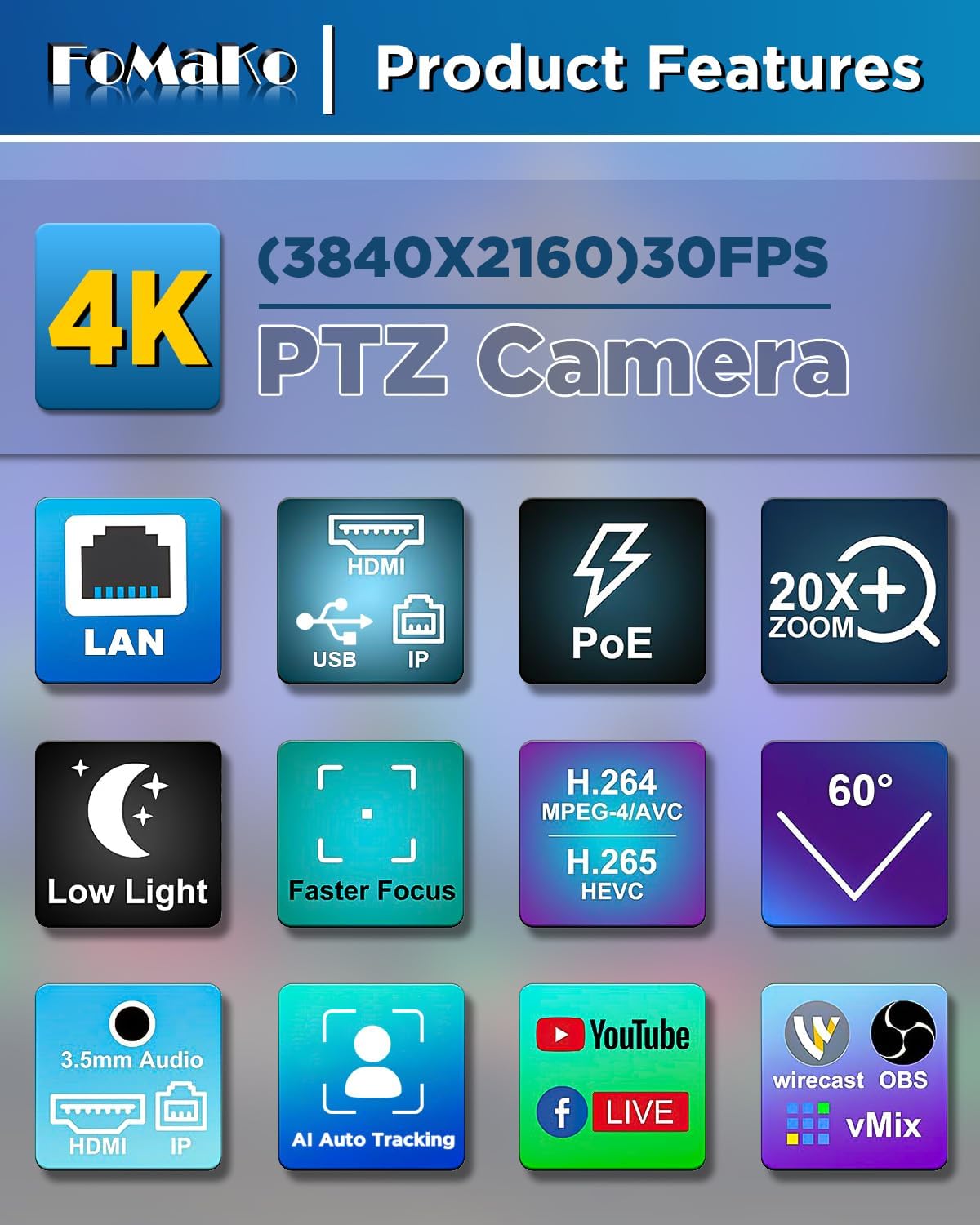
The FoMaKo 4K 20X PTZ Camera system is an all-in-one professional video solution designed for various applications including churches, classrooms, live events, and conferences. It features 4K UHD resolution, 20x optical zoom, AI auto-tracking, and NDI 6 & NDI HX3 certification for seamless multi-camera workflows.
2.1 Põhifunktsioonid
- 4K UHD Clarity (3840x2160): Capture crisp, true-to-life 4K video with a high-end 1/2.8" CMOS sensor (8.42MP) and 20x optical zoom.
- AI Auto-Tracking (3rd Generation): Customizable tracking modes, sensitivity, figure size, character position, and lost target action. Supports real-time and regional tracking.
- NDI 6 & NDI HX3 Certified: Seamless integration with NewTek’s NDI ecosystem for ultra-low-latency, high-quality video over standard networks. NDI HX3 ensures stable streaming with limited bandwidth.
- PoE tugi: Power over Ethernet simplifies setup with a single cable for both power and data.
- Mitu liidest: Supports HDMI 2.0, USB 3.0, LAN, RS232, RS422, RS485.
- KC608 Pro NDI PTZ Controller: PoE PTZ IP Controller Keyboard with 4D Joystick, compatible with VISCA, PELCO-P & D protocols.
2.2 Pakendi sisu
Pakett sisaldab järgmisi esemeid:
- 3 x FoMaKo K20UH 4K PTZ Camera
- 1 x FoMaKo KC608 Pro NDI PTZ Controller
- Toitekaablid
- USB 3.0 kaabel
- RS232/RS485 kaabel
- Seinakinnitusklamber
- Laekinnitus
- Paigaldusriistvara
- IR Wireless Remote Control
- Kasutusjuhend
1. video: Karbist lahtipakkimine ja edasiview of the FoMaKo 4K PTZ Camera and included accessories. This video demonstrates the contents of the package, including the camera, cables, mounting options, and remote control.
3. Seadistamine
3.1 Kaamera paigutamine ja paigaldamine
The camera can be placed on a flat surface, mounted on a wall, or suspended from the ceiling. Ensure the camera is positioned to capture the desired area without obstruction.
- Seinakinnitus: Use the provided metal wall bracket and hardware. Secure the bracket firmly to a sturdy wall surface before attaching the camera.
- Lakke paigaldamine: Use the provided metal ceiling mount and hardware. Ensure the ceiling can support the camera's weight.

1. pilt: FoMaKo K20UH 4K NDI PTZ Camera mounted on a wall, demonstrating its pan and tilt range in a church environment.
3.2 Ühendused
Connect the camera using the appropriate cables for your setup:
- Võimsus: Connect the power adapter to the DC12V port and plug it into a power outlet. If using PoE, connect an Ethernet cable from a PoE-enabled switch to the LAN port.
- Video väljund:
- HDMI: Connect an HDMI cable from the camera's HDMI port to a display or video switcher.
- USB 3.0: Connect the USB 3.0 cable from the camera to a computer for video capture and control.
- LAN (NDI/IP Streaming): Connect an Ethernet cable to the LAN port for NDI streaming and IP control.
- Helisisend: Connect an audio source to the LINE IN port.
- Juhtimine:
- RS232/RS485: Use the provided cable to connect to a PTZ controller or control system.
- LAN (IP Control): Control the camera via its IP address using the KC608 Pro controller or web liides.

2. pilt: Rear panel of the FoMaKo K20UH camera, highlighting the various input and output ports for connectivity.

3. pilt: Example connection diagram for a multi-camera setup using FoMaKo PTZ cameras, illustrating how to integrate with a video mixer, PoE switch, and computer for live streaming.
4. Kasutusjuhised
4.1 Sisse-/väljalülitamine
After connecting the power supply, toggle the ON/OFF switch on the rear of the camera to power it on. The camera will perform a self-test and initialize.
4.2 Using the KC608 Pro NDI PTZ Controller
The KC608 Pro controller provides comprehensive control over your PTZ cameras. Connect the controller to your network via Ethernet. Ensure the cameras are also connected to the same network.
- Kaamera valik: Use the camera selection buttons (CAM 1-7) to choose which camera to control.
- 4D-juhtkang: Use the joystick for precise pan, tilt, and zoom control.
- PTZ Speed Adjustment: Adjust the pan/tilt/zoom speed using the dedicated knobs or buttons on the controller.
- Eelseadistatud haldus: Store and recall camera positions using the preset buttons.
- Fookuse juhtimine: Adjust focus manually or use the auto-focus function.
- Kokkupuute kontroll: Adjust exposure settings as needed.
2. video: FoMaKo KC608 Pro web control panel operation workflow. This video demonstrates how to configure and manage camera settings through the controller's web liides.

4. pilt: The FoMaKo KC608 Pro PTZ controller in use, displaying its 4D joystick and LCD screen with a camera feed.
4.3 Tehisintellekti automaatne jälgimine
The 3rd generation AI Auto-Tracking feature allows the camera to automatically follow a presenter or subject. This feature can be activated and configured via the remote control or the web liides.
- Jälgimise aktiveerimine: Press F2 on the remote control to turn on automatic tracking.
- Jälgimise sihtmärgi vahetamine: Press F4 on the remote control to switch between tracking targets.
- Kohandamine: Juurdepääs web interface to adjust tracking modes (Presenter/Zone), tracking sensitivity, figure size (Close, Half, Full), character position, and action upon lost target.

5. pilt: The FoMaKo 4K PTZ Camera demonstrating its AI auto-tracking feature, with a speaker highlighted by a green tracking box.

6. pilt: Web interface settings for AI tracking, illustrating options for adjusting target size (Full, Half, Close) and other advanced tracking parameters.
4.4 Kaugjuhtimispuldi funktsioonid
The IR wireless remote control provides quick access to essential camera functions:
- Võimsus: Lülitage kaamera sisse või välja.
- Camera Select: Switch between multiple cameras (Cam 1-4).
- Panoraam/kallutamine/Suum: Adjust camera direction and zoom level.
- Fookus: Manual and auto-focus controls.
- Eelseadistatud: Set and recall preset positions.
- F1/F2/F3/F4: Customizable function keys, pre-assigned for AI tracking on/off.
7. pilt: The IR wireless remote control for the FoMaKo PTZ camera, showing its layout and key functions.
5. Hooldus
- Puhastamine: Kaamera korpuse puhastamiseks kasutage pehmet ja kuiva lappi. Objektiivi puhastamiseks kasutage spetsiaalset objektiivipuhastuslappi ja -lahust. Vältige karme kemikaale.
- Püsivara värskendused: Kontrollige regulaarselt tootja website for firmware updates to ensure optimal performance and access to new features. Firmware can be updated via the web liides.
- Hoiustamine: Kui kaamerat pikemat aega ei kasutata, hoidke seda kuivas ja tolmuvabas kohas.
6. Veaotsing
| Probleem | Võimalik põhjus | Lahendus |
|---|---|---|
| Videoväljund puudub. | Incorrect cable connection, camera not powered on, incorrect input selected on display. | Check all cable connections (HDMI, USB, LAN). Ensure camera is powered on. Select the correct input source on your display/switcher. |
| Camera not responding to controller. | Incorrect network settings, wrong camera selected, remote control batteries low. | Verify IP addresses and network settings for both camera and controller. Ensure the correct camera is selected on the controller. Replace remote control batteries. |
| Tehisintellekti jälgimine ei tööta. | Tracking feature disabled, subject out of range, incorrect tracking settings. | Activate AI tracking using F2 on the remote or via the web interface. Ensure the subject is within the camera's field of view. Adjust tracking sensitivity and mode in the web liides. |
| Halb video kvaliteet. | Insufficient lighting, dirty lens, incorrect resolution settings. | Ensure adequate lighting. Clean the camera lens. Check video output resolution settings on the camera and receiving device. |
7. Tehnilised andmed
| Funktsioon | Detail |
|---|---|
| Kaubamärk | FoMaKo |
| Mudeli number | K20UHx3+KC608 Pro |
| Fotosensori tehnoloogia | CMOS (1/2.8 inch, 8.42MP Effective Pixels) |
| Video jäädvustamise eraldusvõime | 4K (3840x2160) @ 30fps, 1080P @ 60fps |
| Optiline suum | 20x |
| Eriomadused | 4K Resolution, AI Auto-Tracking (3rd Gen), PoE Capability, NDI 6 & NDI HX3 Certified |
| Ühenduvustehnoloogia | Ethernet, HDMI 2.0, USB 3.0, RS232, RS422, RS485 |
| Toetatud helivorming | PCM, AAC, MP3 |
| Screen Size (Controller) | 3 tolli |
8. Garantii ja tugi
FoMaKo provides the following warranty and support for this product:
- 3-aastane piiratud garantii: Hõlmab tootmisdefekte ja normaalse kasutamise korral esinevaid rikkeid.
- 30-päevane raha tagasi garantii: Riskivaba ost.
- Tasuta veebikoolitus: Resources available to help you get started.
- Ekspertabi ööpäevaringselt: Vastused 24 tunni jooksul. Kiirema teeninduse saamiseks palun lisage oma tellimuse ID.
- Eluaegne kliendi tehniline tugi: Ongoing support for the product's lifespan. Remote assistance can be provided if necessary.

8. pilt: FoMaKo customer support information, detailing warranty, money-back guarantee, and technical assistance.


