Sissejuhatus
This manual provides detailed instructions for the setup, operation, and maintenance of your Transformers TF-T31 Bluetooth TWS Wireless Earbuds. Please read this manual thoroughly before using the product to ensure proper function and longevity.
Toode läbiview
Pakendi sisu
- Transformers TF-T31 Wireless Earbuds (Left and Right)
- Laadimisümbris
- USB-tüüpi C laadimiskaabel
- Kasutusjuhend (käesolev dokument)
Põhifunktsioonid
- Bluetooth 5.4: Provides a stable, fast, and low-power connection.
- Kahe režiimi funktsionaalsus: Switch between Gaming Mode for low latency audio and Music Mode for HiFi sound.
- Kõrge täpsusega heli: Features 13mm magnetically levitated drivers for rich, detailed sound with deep bass.
- Keskkonnamüra summutamine (ENC): Parandab kõne selgust, vähendades ümbritsevat müra.
- Intuitiivsed puutetundlikud juhtnupud: Manage music playback, calls, and mode switching directly from the earbuds.
- Pikendatud aku tööiga: Up to 5 hours of playback per charge, with the charging case providing up to 50 hours total.
- Ergonoomiline disain: Lightweight and comfortable for prolonged wear.
- Mechanical Shell Design: Unique aesthetic inspired by Transformers.

Image: The Transformers TF-T31 wireless earbuds and their distinctive mechanical shell charging case, shown in yellow.

Image: Close-up of the Transformers TF-T31 charging case, highlighting its unique mechanical shell design and the Transformers logo.
Seadistamine
1. Kõrvaklappide ja ümbrise laadimine
Enne esmakordset kasutamist laadige kõrvaklapid ja laadimisümbris täielikult.
- Asetage mõlemad kõrvaklapid laadimiskarpi. Veenduge, et need oleksid õigesti paigas.
- Connect the provided USB Type-C cable to the charging port on the case and plug the other end into a USB power source (e.g., wall adapter, computer).
- The LED digital display on the charging case will indicate the battery status during charging.
- Täislaadimine võtab tavaliselt umbes 1.5 tundi.
Märkus. The charging case has a 3.7V/300mAh battery, and each earbud has a 3.7V/30mAh built-in battery.
2. Bluetoothi sidumine
Kõrvaklappide Bluetooth-toega seadmega sidumiseks toimige järgmiselt.
- Toide sisse: Open the charging case. The earbuds will automatically power on and enter pairing mode. You may hear an audible prompt.
- Bluetoothi aktiveerimine: On your device (smartphone, tablet, computer), go to the Bluetooth settings and ensure Bluetooth is enabled.
- Valige seade: Look for "TF-T31" in the list of available Bluetooth devices and select it to connect.
- Kinnitus: Once connected, you will hear a confirmation sound from the earbuds, and your device will show "TF-T31" as connected.
Märkus. Kõrvaklapid ühenduvad ümbrisest väljavõtmisel automaatselt viimati seotud seadmega, kui seadmes on Bluetooth lubatud.

Image: Diagram illustrating the advanced Bluetooth 5.4 technology, emphasizing stable and fast connection.
Kasutusjuhised
Toide sisse/välja
- Toide sisse: Ava laadimisümbris või vajuta mõlema kõrvaklapi puuteala 3 sekundit.
- Toide välja: Asetage kõrvaklapid tagasi laadimiskarpi ja sulgege kaas või vajutage mõlema kõrvaklapi puuteala 5 sekundit.
Puudutage juhtnuppe
The TF-T31 earbuds feature intuitive touch controls on the outer surface of each earbud. The functions are as follows:
| Tegevus | Funktsioon |
|---|---|
| Üks puudutus (vasak/parem) | Muusika esitamine/peatamine, kõne vastuvõtmine/lõpetamine |
| Topeltpuudutus (parem kõrvaklapp) | Järgmine lugu |
| Topeltpuudutus (vasak kõrvaklapp) | Eelmine lugu |
| Kolmikpuudutus (vasak/parem) | Switch between Gaming Mode and Music Mode |
| Pikk vajutus (vasakule/paremale, 2 sekundit) | Reject incoming call, Activate Voice Assistant |
Switching Modes (Gaming/Music)
The TF-T31 earbuds offer two distinct audio modes:
- Mängurežiim: Provides ultra-low latency audio synchronization, ideal for gaming and video playback to minimize delay between audio and visuals.
- Muusikarežiim: Delivers rich HiFi sound with enhanced bass and clear highs, optimized for an immersive music listening experience.
To switch between modes, kolmekordne koputus the touch area on either earbud. You will hear an audible prompt indicating the current mode.
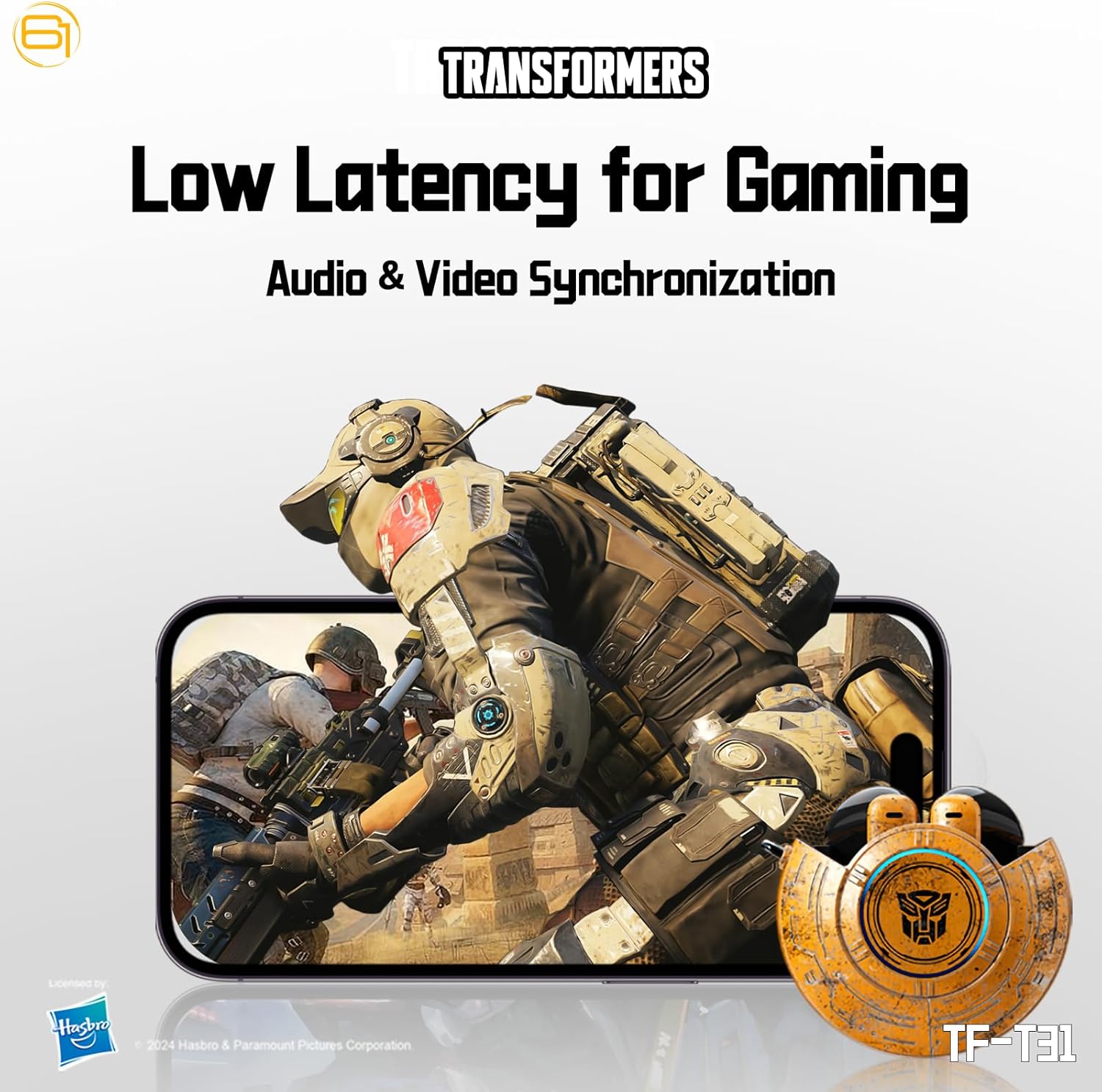
Image: Illustration of the earbuds providing low latency audio for gaming, showing a mobile gaming scenario.
Hooldus
Puhastamine
- Puhastage kõrvaklappe ja laadimisümbrist regulaarselt pehme, kuiva ja ebemevaba lapiga.
- Ärge kasutage abrasiivseid puhastusvahendeid, alkoholi ega keemilisi lahusteid.
- Eemaldage kõrvavaik või praht kõrvaklappide võrgust õrnalt väikese pehme harja või vatitupsuga.
- Veenduge, et nii kõrvaklappide kui ka ümbrise laadimiskontaktid oleksid puhtad ja kuivad, et laadimine toimuks korralikult.
Säilitamine
- Kui kõrvaklappe ei kasutata, hoidke neid laadimisümbrises, et neid kaitsta ja laetuna hoida.
- Hoida toodet jahedas, kuivas kohas, eemal äärmuslikest temperatuuridest ja otsesest päikesevalgusest.
- Avoid exposing the earbuds or case to water or excessive moisture. While the product is water-resistant, it is not waterproof.
Veaotsing
If you encounter issues with your TF-T31 earbuds, please refer to the following common problems and solutions:
Kõrvaklapid ei ühendu ega paaristu
- Veenduge, et mõlemad kõrvaklapid on laetud.
- Veenduge, et Bluetooth oleks teie seadmes lubatud.
- Asetage kõrvaklapid tagasi laadimiskarpi, sulgege kaas, oodake paar sekundit ja avage see uuesti, et sidumisrežiimi uuesti siseneda.
- On your device, forget or delete "TF-T31" from your Bluetooth device list, then attempt to pair again.
- Seadmepõhiste probleemide välistamiseks proovige siduda see teise seadmega.
Heli puudub või heli on madal
- Kontrollige helitugevust nii ühendatud seadmes kui ka kõrvaklappides.
- Veenduge, et kõrvaklapid on teie kõrvades korralikult istunud.
- Clean any debris from the earbud mesh that might be obstructing sound.
- Ühendage kõrvaklapid uuesti oma seadmega.
Laadimisprobleemid
- Veenduge, et laadimiskaabel on kindlalt ühendatud nii korpuse kui ka toiteallikaga.
- Ensure the charging contacts on the earbuds and inside the case are clean and free of obstructions.
- Proovige kasutada teist USB Type-C kaablit või toiteadapterit.
- Confirm the power source is active.
Earbuds Disconnect Frequently
- Ensure your device is within the Bluetooth transmission distance (26-32 feet or 8-10 meters) without significant obstacles.
- Vältige tugevate elektromagnetiliste häiretega keskkondi.
- Fully charge both the earbuds and the charging case.
Tehnilised andmed
| Funktsioon | Detail |
|---|---|
| Mudeli nimi | TF-T31 |
| Bluetoothi versioon | Bluetooth 5.4 |
| Bluetoothi edastuskaugus | 26-32 jalga (8-10 meetrit) |
| Kõrvaklappide aku maht | 3.7V/30mAh (each earbud) |
| Laadimiskorpuse aku mahutavus | 3.7 V / 300 mAh |
| Laadimisport | Tüüp-C |
| Laadimisaeg | Umbes 1.5 tundi |
| Battery Talk/Music Time | Kuni 5 tundi (kõrvaklapid), kuni 50 tundi (koos laadimisümbrisega) |
| Sagedusvastuse vahemik | 20Hz-20KHz |
| Kõlari takistus | 32Ω |
| Tundlikkus | 109dB±3dB |
| Juhtimistüüp | Puutejuhtimine |
| Veekindluse tase | Veekindel |
| Toote mõõtmed | 3.15 x 3.15 x 4.72 tolli |
| Kauba kaal | 5.3 untsi (0.15 kilogrammi) |
Ohutusteave
- Kuulmiskaitse: Kuulmiskahjustuste vältimiseks vältige pikaajalist suure helitugevusega kuulamist.
- Sõiduohutus: Do not use earbuds while driving or operating machinery where the inability to hear ambient sounds could pose a danger.
- Kokkupuude veega: The earbuds are water-resistant, not waterproof. Do not submerge them in water or expose them to heavy rain. Dry them thoroughly if they get wet.
- Lapsed: Keep earbuds and small parts away from children to prevent choking hazards.
- Aku ohutus: Do not attempt to replace the built-in batteries. Do not expose batteries to excessive heat or direct sunlight. Dispose of batteries according to local regulations.
- Puhastamine: Use only recommended cleaning methods. Avoid harsh chemicals.
Garantii ja tugi
For warranty information or technical support, please refer to the documentation provided at the time of purchase or contact the retailer/manufacturer directly. Keep your proof of purchase for warranty claims.
You can visit the official Transformers store on Amazon for more product information: Transformers Store


