1. Sissejuhatus
This instruction manual provides comprehensive guidance for assembling, operating, and maintaining your KEYESTUDIO Micro:bit V2 Robot and Super Starter Kit. This bundle offers an engaging platform for learning programming and robotics, combining a versatile robot car kit with a wide array of electronic components for various projects. Please note that the Micro:bit V2 board is not included in this kit and is required for the robot to function.
2. Põhiomadused
- Lihtne kokkupanek: The robot car is designed for straightforward assembly, primarily involving plugging in components and securing screws, minimizing complex electronic work.
- Comprehensive Starter Kit: Includes a variety of modules and components such as jumper wires, LED lights, resistors, and a breadboard, ideal for beginners in electronics.
- Micro:bit V2 Compatibility: Designed to work seamlessly with the Micro:bit V2 (not included), enabling a wide range of programming possibilities.
- Hariduslik väärtus: Provides a strong foundation for building and programming electronics, suitable for various age groups and skill levels.
- Tugev disain: Components are durable and designed to withstand typical classroom or hobbyist use.

Pilt: Üleview of the components included in the KEYESTUDIO Super Starter Kit, featuring various electronic modules, wires, and a breadboard.
3. Seadistamine ja kokkupanek
3.1 Robot Car Assembly
The robot car assembly is designed to be simple. Follow the visual instructions provided in the video below to connect the main components, including the wheels, battery holder, and ultrasonic module. Ensure all connections are secure before proceeding.
Video: Detailed assembly guide for the KEYESTUDIO Micro:bit V2 Robot Kit, demonstrating step-by-step installation of components.
Video: Assembly instructions for the HolaSmart Microbit car, showing how to put together the robot car chassis and attach the Micro:bit board.
3.2 Micro:bit V2 Board Integration
The Micro:bit V2 board (not included) serves as the brain of your robot. Carefully insert the Micro:bit V2 board into the designated slot on the robot car's mainboard. Ensure it is firmly seated to establish proper electrical contact.

Image: The assembled KEYESTUDIO Micro:bit V2 Robot Car with the Micro:bit board installed, showcasing its compact design and ultrasonic sensors.
3.3 Super Starter Kit Components
The Super Starter Kit provides various components for expanding your projects. Familiarize yourself with the breadboard, jumper wires, LEDs, and resistors. These components are essential for building custom circuits and experiments.

Image: A Micro:bit connected to a breadboard with various components, demonstrating a typical circuit setup for learning electronics.
4. Operating the Robot and Kit
4.1 Programming the Micro:bit
The Micro:bit V2 can be programmed using various platforms, including MakeCode (block-based or JavaScript) and MicroPython. Connect your Micro:bit to a computer via USB to upload your code. Detailed tutorials for different projects are available online.

Image: Screenshot showing both MakeCode graphical programming and Python programming interfaces, highlighting the dual programming methods supported by Micro:bit.
Video: Üleview of the KEYESTUDIO Super Starter Kit, demonstrating various components and basic circuit setups for coding projects.
4.2 Robot Car Functions
The robot car supports multiple functions based on your programming:
- Joone jälgimine: Program the robot to follow a designated line on the ground.
- Ultrasonic Following: The robot can maintain a set distance from an object using its ultrasonic sensors.
- Ultraheli takistuste vältimine: The robot detects obstacles and navigates around them.
- Infrapuna kaugjuhtimispult: Control the robot's movement using an IR remote.
- APP juhtimine: Utilize a smartphone application for remote control and interaction.
- Light Tracking: The robot can be programmed to follow a light source.
- RGB Module: Control the integrated RGB LEDs for various lighting effects.
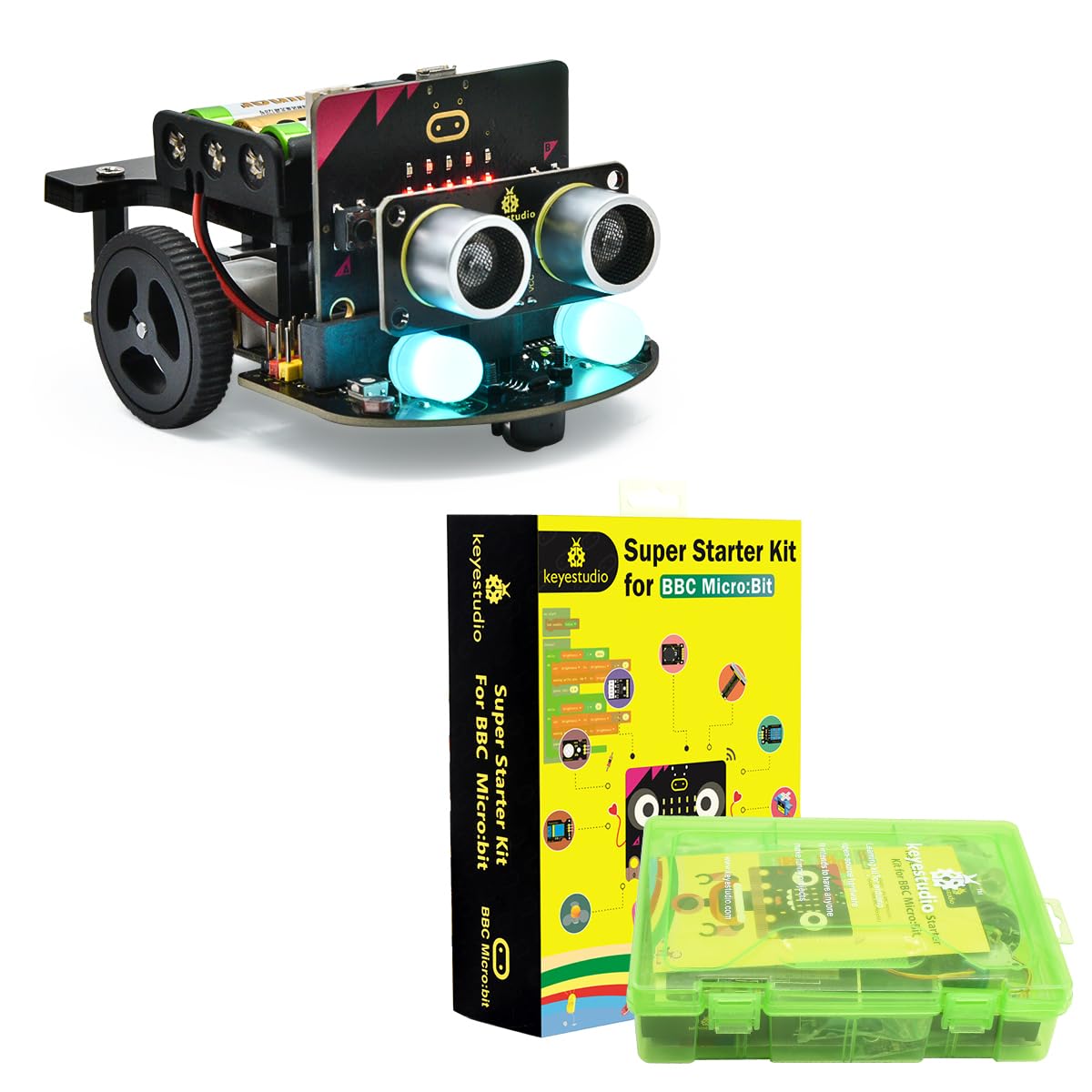
Image: Diagram illustrating the multi-function capabilities of the KEYESTUDIO Micro:bit Robot, including line tracking, ultrasonic following, obstacle avoidance, infrared remote control, APP control, RGB module, and light tracking.
Video: Demonstration of the KEYESTUDIO Microbit Smart Robot Car Kit's various functions, including line tracking, ultrasonic following, IR remote control, obstacle avoidance, and light tracking with RGB LEDs.
5. Expansion and Customization
The robot car is designed to be compatible with building blocks, allowing for creative expansion and customization. You can attach various accessories to enhance its functionality, such as a catapult, AR camera, or bulldozer blade.

Image: The Micro:bit Robot Car with building blocks attached, demonstrating its compatibility for custom modifications and expansions.
Video: Tutorial on how to expand the functionality of a Micro:bit car using building blocks, showcasing attachments like a catapult, AR camera, and bulldozer.
6. Hooldus
- Puhastamine: Keep the robot car and components free from dust and debris. Use a soft, dry cloth for cleaning.
- Aku hooldus: Ensure batteries are correctly installed and replaced when depleted. Remove batteries if the robot will not be used for an extended period.
- Komponentide ülevaatus: Kontrollige regulaarselt kõiki ühendusi ja komponente kulumise või kahjustuste suhtes.
- Hoiustamine: Hoidke komplekti kuivas, jahedas ja otsese päikesevalguse ning äärmuslike temperatuuride eest kaitstud kohas.
7. Veaotsing
- Robot ei liigu:
- Check battery installation and power switch.
- Ensure the Micro:bit board is correctly inserted and has uploaded code.
- Kontrollige mootori ühendusi.
- Code not uploading:
- Ensure the USB cable is securely connected to both the computer and the Micro:bit.
- Check if the correct drivers are installed on your computer.
- Restart the MakeCode editor or your computer.
- Andurid ei reageeri:
- Verify sensor connections to the Micro:bit.
- Check the code for correct sensor initialization and logic.
8. Tehnilised andmed
| Atribuut | Väärtus |
|---|---|
| Kaubamärk | KEYESTUDIO |
| Mudel | Micro:bit V2 Robot with Microbit Super Starter Kit |
| ASIN | B0DPMN2MS1 |
| Esmakordselt saadaval olev kuupäev | 5. detsember 2024 |
| Toiteallikas | Aku (ei kuulu komplekti) |
| Programmeerimiskeeled | MakeCode (Blocks, JavaScript), MicroPython |

Image: Detailed product dimensions of the KEYESTUDIO Micro:bit Robot Car, showing measurements for length, width, and height.
9. Garantii ja tugi
KEYESTUDIO products are covered by a standard manufacturer's warranty. For specific warranty details, returns, or replacement information, please refer to the retailer's policy or contact KEYESTUDIO customer support directly. For technical assistance, please visit the official KEYESTUDIO websaidil või võtke ühendust nende tugimeeskonnaga.
Kontaktandmed:
- Brändipood: KEYESTUDIO Amazon Store
- Üldine tugi: Vaadake toote pakendit või ametlikku website for up-to-date contact details.


