1. Sissejuhatus
This manual provides essential information for the safe and efficient use of your MESWAO 15.6 Inch Pro Android 14 Tablet. Please read this manual thoroughly before operating the device and retain it for future reference.
2. Ohutusalane teave
- Ärge jätke tahvelarvutit äärmuslike temperatuuride, otsese päikesevalguse ega kõrge õhuniiskuse kätte.
- Vältige tahvelarvuti maha kukkumist või tugevate löökide saamist.
- Use only the provided power adapter and Type-C cable for charging.
- Hoidke tabletti vee ja muude vedelike eest.
- Ärge proovige tahvelarvutit ise lahti võtta ega parandada. Abi saamiseks võtke ühendust klienditoega.
- Ensure proper ventilation when using the tablet for extended periods.
3. Pakendi sisu
Veenduge, et pakendis on kõik esemed olemas:
- 1 x MESWAO 15.6 inch Android Tablet
- 1 x toiteadapter
- 1 x C-tüüpi kaabel
- 1 x kasutusjuhend
- 1 x Type-C-USB-adapter
- 1 x Stuck pin
4. Seade üleview
Familiarize yourself with the physical components of your MESWAO tablet.
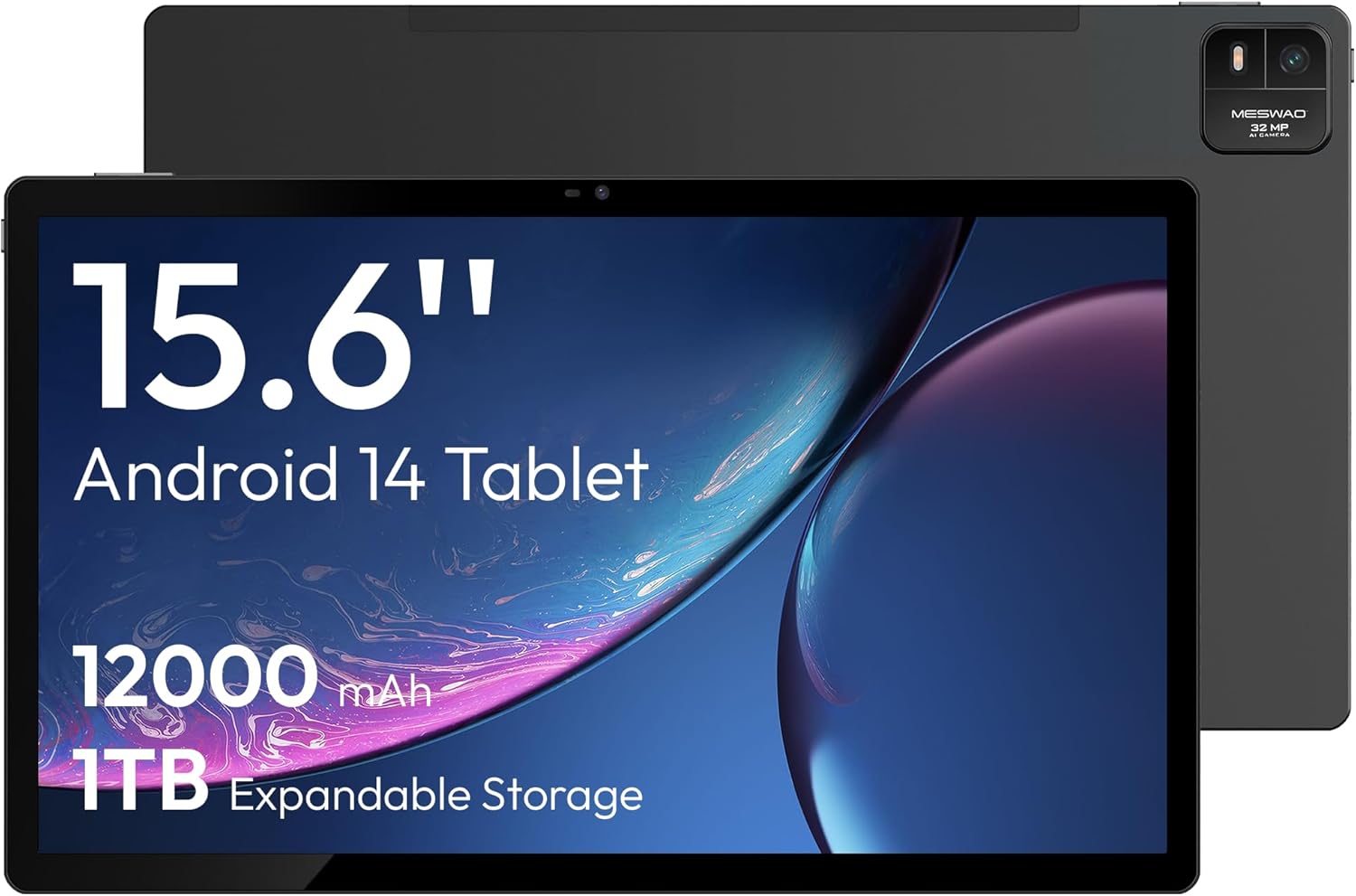
Joonis 4.1: Esiosa view of the MESWAO 15.6-inch Android 14 Tablet, highlighting the large display and key specifications such as 12000mAh battery and 1TB expandable storage.
Joonis 4.2: Külg ja tagumine view of the tablet, indicating the location of the quad speakers, Type-C port, TF card slot, power button, volume controls, and front/rear cameras.
Põhikomponendid:
- 15.6-tolline FHD IPS-ekraan: Large screen for immersive viewing.
- Esikaamera: Videokõnede ja selfide jaoks.
- Tagumine kaamera (32MP): Fotode ja videote jäädvustamiseks.
- Toitenupp: To turn the tablet on/off or put it to sleep.
- Helitugevuse nupud: Helitasemete reguleerimiseks.
- C-tüüpi tüüp: Laadimiseks ja andmeedastuseks.
- TF-kaardi pesa: For expandable storage (MicroSD card).
- Nelja kõlariga: Heliväljundi jaoks.
5. Seadistamine
5.1 Esmane laadimine
Before first use, fully charge the tablet. Connect the provided Type-C cable to the tablet's Type-C port and the power adapter to a wall outlet. The tablet supports 30W fast charging.

Joonis 5.1: The tablet connected to its charger, showing the charging indicator on the screen.
5.2 Toide sisse/välja
- Sisselülitamiseks: Vajutage ja hoidke toitenuppu all, kuni ekraan süttib.
- Väljalülitamiseks: Vajutage ja hoidke toitenuppu all, seejärel valige ekraanil kuvatavate valikute hulgast „Lülita välja”.
- Magamisse/ärkamisse: Vajutage korraks toitenuppu.
5.3 Esialgne konfiguratsioon
Upon first power-on, follow the on-screen prompts to set up your Android 14 operating system. This includes selecting your language, connecting to Wi-Fi, and signing in with your Google account.
5.4 Wi-Fi-ühendus
- Mine aadressile Seaded > Võrk ja internet > Wi-Fi.
- Lülita WiFi sisse/välja On.
- Valige loendist soovitud võrk.
- Sisestage parool, kui seda küsitakse, ja puudutage Ühendage. The tablet supports dual-band Wi-Fi (2.4GHz and 5GHz).
5.5 MicroSD-kaardi sisestamine
To expand storage up to 1TB, insert a MicroSD card:
- Locate the TF card slot on the side of the tablet.
- Use the provided stuck pin to gently press into the small hole next to the slot to eject the tray.
- Asetage MicroSD-kaart pessa nii, et kuldsed kontaktid oleksid allapoole.
- Sisestage salv ettevaatlikult tahvelarvutisse tagasi.

Joonis 5.2: Illustration of the tablet's internal storage and the option for expandable storage via MicroSD card.
6. Tahvelarvuti kasutamine
6.1 Lihtne navigeerimine
The Android 14 operating system uses touch gestures for navigation:
- Puudutage: Valige üksus või avage rakendus.
- Pühkige: Kerige ekraane või loendeid.
- Näputäis: Suumige pilte sisse või välja ja web lehekülgi.
- Pikk vajutus: Avage kontekstimenüüd või liigutage ikoone.
6.2 Ekraani funktsioonid
The 15.6-inch FHD IPS display offers a resolution of 1920 x 1080 pixels, providing clear and vibrant visuals for various applications.

Joonis 6.1: Comparison of the MESWAO 15.6-inch display size to an A4 sheet of paper and a smaller tablet, emphasizing its expansive viewala.
6.3 Toimivus
Powered by the Helio G99 octa-core processor and 8GB RAM, the tablet delivers efficient performance for multitasking, gaming, and media consumption.

Joonis 6.2: An illustration of the Helio G99 Octa-Core chipset, detailing its technical specifications and performance benefits.
6.4 Kaamera kasutamine
The tablet features a 32MP rear camera and a 5MP front camera. Open the Camera app to capture photos and videos.
6.5 heli
The quad speakers provide clear audio. You can connect Bluetooth headphones or use the Type-C port for audio output with a suitable adapter.
6.6 Android 14 funktsioonid
The tablet runs on Android 14, offering features such as:
- Smooth Multitasking: Efficiently switch between applications.
- Vanemlik kontroll: Manage content and usage for children.
- Enhanced Privacy & UI: Improved security and user interface experience.

Joonis 6.3: The Android 14 operating system interface, showcasing various applications and system features.
7. Hooldus
7.1 Seadme puhastamine
Tahvelarvuti ekraani ja korpuse puhastamiseks kasutage pehmet ja ebemevaba lappi. Vältige karmide kemikaalide või abrasiivsete materjalide kasutamist.
7.2 Tarkvaravärskendused
Optimaalse jõudluse ja turvalisuse tagamiseks kontrollige regulaarselt süsteemivärskendusi. Minge aadressile Seaded > Süsteem > Süsteemi värskendus.
7.3 Aku hooldus
Aku tööea pikendamiseks:
- Vältige aku sagedast täielikku tühjenemist.
- Do not expose the tablet to high temperatures.
- Kui aku on täis, eemaldage laadija vooluvõrgust.
8. Veaotsing
8.1 Tahvelarvuti ei lülitu sisse
- Veenduge, et aku on laetud. Ühendage laadija ja oodake enne sisselülitamist paar minutit.
- Taaskäivituse sundkäivitamiseks vajutage ja hoidke toitenuppu vähemalt 10–15 sekundit all.
8.2 WiFi-ühenduse probleemid
- Taaskäivitage oma WiFi-ruuter.
- Unusta tahvelarvuti seadetes võrk ja ühenda uuesti.
- Veenduge, et tahvelarvuti oleks WiFi-signaali levialas.
8.3 Aeglane jõudlus
- Sulgege mittevajalikud taustarakendused.
- Tühjendage rakenduste vahemälu andmed.
- Veenduge, et teil oleks piisavalt vaba salvestusruumi.
8.4 Ekraan ei reageeri
- Taaskäivitage tahvelarvuti.
- Veenduge, et ekraan on puhas ja prahist vaba.
9. Tehnilised andmed
| Funktsioon | Spetsifikatsioon |
|---|---|
| Mudeli nimi | MES-B3 |
| Operatsioonisüsteem | Android 14 |
| Ekraani suurus | 15.6 tolli |
| Ekraani eraldusvõime | 1920 x 1080 pikslit (FHD) |
| Protsessor | MediaTek Helio G99 kaheksatuumaline |
| Graafika kaasprotsessor | Mali-G75 |
| RAM | 8 GB |
| Sisemälu (ROM) | 256 GB |
| Laiendatav salvestusruum | Kuni 1 TB MicroSD-kaardi kaudu |
| Tagumine kaamera | 32 MP |
| Esikaamera | 5 MP |
| Aku mahutavus | 12000 mAh |
| Laadimine | 30W kiirlaadimine |
| Traadita ühenduvus | Dual-Band Wi-Fi (802.11a/b/ac/ad/ax), Bluetooth |
| Kauba kaal | 4.55 naela |
| Toote mõõtmed | 14.49 x 8.66 x 0.39 tolli |
10. Garantii ja tugi
10.1 Garantii teave
Your MESWAO tablet comes with a 12-kuuline garantii tootmisdefektide katmine. Palun hoidke ostutõend garantiinõuete esitamiseks alles.
10.2 Klienditugi
For technical assistance, troubleshooting, or warranty inquiries, please contact MESWAO customer support. Our support team is available to assist you.
- 24-tunnine klienditugi: Abi on saadaval ööpäevaringselt.
- Local After-sales Centers: Service centers are available in regions including the US, Germany, Japan, and more.
- Quick Response Flow: Issues reported receive a team response within 24 hours, aiming for prompt problem resolution or replacement.


