Sissejuhatus
This manual provides essential information for the setup, operation, and maintenance of your NIMO 15.6" FHD IPS Business Gaming Laptop. Designed for both productivity and light gaming, this laptop features an AMD Ryzen 5 6600H processor, 32GB DDR5 RAM, and a 1TB PCIe SSD, ensuring fast performance and ample storage. Please read this manual thoroughly to ensure proper use and longevity of your device.
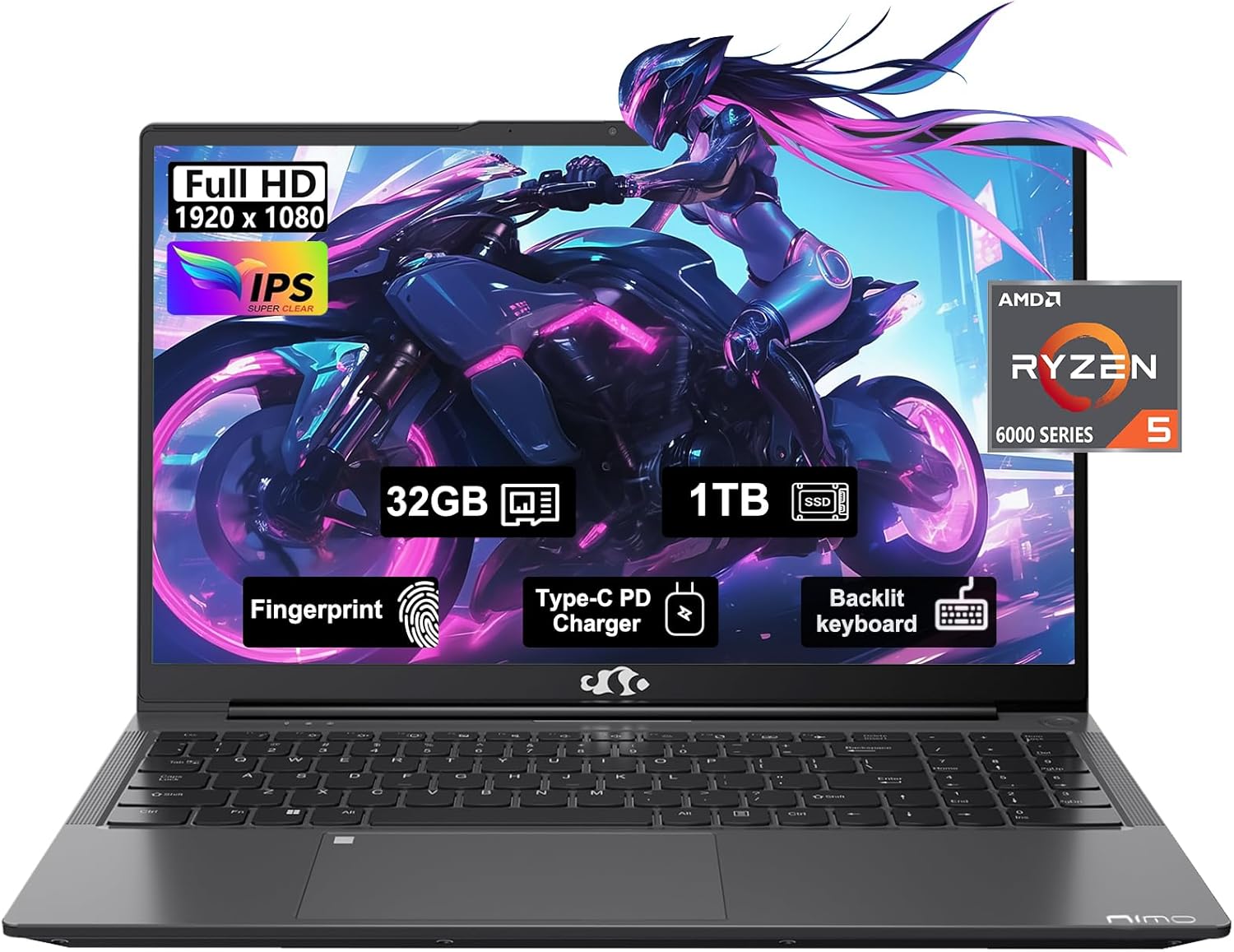
Figure 1: NIMO 15.6" FHD IPS Business Gaming Laptop overview.
Seadistamine
1. Karbist lahtivõtmine ja esmane ülevaatus
Eemaldage pakendist ettevaatlikult kõik komponendid. Karp peaks sisaldama:
- 1 x Nimo N153 Laptop
- 1 x Type-C 100W PD Fast Charger
- 1 x kasutusjuhend
Inspect the laptop and accessories for any signs of damage. If any components are missing or damaged, contact customer support immediately.
2. Esmane sisselülitamine ja laadimine
Before first use, it is recommended to fully charge the laptop.
- Connect the Type-C 100W PD Fast Charger to the laptop's Type-C port (Multifunction) and to a power outlet.
- The charge LED indicator will illuminate. Allow the laptop to charge until the LED indicates a full charge.
- Sülearvuti sisselülitamiseks vajutage toitenuppu.

Figure 2: Connecting the Type-C 100W PD Fast Charger.
3. Operating System Setup (Windows 11)
Follow the on-screen prompts to complete the initial setup of Windows 11. This typically includes:
- Oma piirkonna ja klaviatuuripaigutuse valimine.
- Ühenduse loomine Wi-Fi võrguga.
- Microsofti kontoga sisselogimine või uue konto loomine.
- PIN-koodi või parooli seadistamine.
- Configuring privacy settings.
Sülearvuti kasutamine
1. Klaviatuur ja puuteplaat
The NIMO laptop features a full-size backlit keyboard and a large touchpad for comfortable and efficient input.
- Taustvalgustusega klaviatuur: Use the function keys (Fn + F-key combination, typically F3 or F4) to adjust keyboard backlight brightness.
- Puuteplaat: Toetab navigeerimiseks mitmikpuutega žeste. Kohandamise kohta vaadake Windowsi seadeid.
- Sõrmejäljelugeja: Located on the touchpad, allows for secure login via Windows Hello.

Figure 3: Laptop keyboard layout with backlit keys and integrated fingerprint reader.
2. Portid ja ühenduvus
Your NIMO laptop is equipped with various ports for versatile connectivity:
- USB 2.0 pordid: 1 port for connecting peripherals.
- USB 3.0 pordid: 2 ports for high-speed data transfer.
- Type-C Ports (Multifunction): 2 ports supporting power delivery (PD) and data.
- HDMI-port: Väliste kuvaritega ühendamiseks.
- Kõrvaklappide pesa: Heliväljundi jaoks.
- Micro SD kaardi pesa: Salvestusruumi laiendamiseks või andmete edastamiseks mälukaartidelt.
- Kensingtoni luku pesa: Füüsilise turvalisuse tagamiseks.
- Traadita ühenduvus: Supports Wi-Fi 802.11a/b/g/n/ac and Bluetooth 5.2.

Joonis 4: Üleview of laptop ports for various connections.
3. Ekraan
The laptop features a 15.6" FHD IPS (1920x1080) Anti-Glare Display with an 85% screen-to-body ratio. This display is designed to provide clear visuals and reduce eye strain during extended use.

Figure 5: The 15.6-inch Full HD IPS display.
4. Esitus
Powered by an AMD Ryzen 5 6600H processor (6 Cores, 12 Threads, up to 4.5 GHz) and 32GB DDR5 RAM, the laptop delivers robust performance for business tasks, content creation, and light gaming. The integrated AMD Radeon 660M GPU handles graphics processing efficiently.

Figure 6: AMD Ryzen 5 6600H processor, central to the laptop's performance.
The 1TB PCIe SSD provides fast boot times and rapid data access, enhancing overall system responsiveness.
Hooldus
1. Sülearvuti puhastamine
- Kasutage kergelt pehmet ebemevaba lappi dampekraani puhastamiseks veega või ekraanipuhastusvahendiga loputatud.
- Klaviatuuri ja korpuse puhastamiseks kasutage pehmet lappi. Vältige karme kemikaale või abrasiivseid materjale.
- Kasutage ventilatsiooniavade ja avade tolmust perioodiliselt puhastamiseks suruõhku.
2. Tarkvaravärskendused
Optimaalse jõudluse ja turvalisuse tagamiseks kontrollige regulaarselt Windowsi värskendusi ja draiverivärskendusi ning installige need.
- Mine aadressile Seaded > Windowsi värskendus to check for OS updates.
- Visit the NIMO support websait uusimate draiverivärskenduste jaoks.
3. Salvestushaldus
To maintain performance, regularly manage your 1TB SSD storage:
- Kustuta mittevajalik files ja rakendused.
- Kasutage suurte failide jaoks pilvesalvestust files.
- Periodically run Disk Cleanup (built-in Windows tool).
4. Aku hooldus
Aku eluea maksimeerimiseks:
- Vältige äärmuslikke temperatuure.
- Ärge jätke sülearvutit pikaks ajaks 100% laetuna vooluvõrku ühendatuks, kui seda ei kasutata.
- Kalibreerige akut aeg-ajalt, tühjendades ja laadides seda täielikult.
5. Memory and Storage Upgrades
The NIMO laptop supports dual-channel memory upgrades (up to 2 x 16GB DDR5 RAM) and features an upgradable PCIe SSD. Consult a qualified technician for hardware upgrades to avoid voiding your warranty.
Veaotsing
See jaotis käsitleb levinud probleeme, millega võite kokku puutuda.
Sülearvuti ei lülitu sisse
- Veenduge, et laadija oleks kindlalt ühendatud nii sülearvuti kui ka töötava pistikupesaga.
- Veenduge, et pistikupesa töötab, ühendades sellega teise seadme.
- Proovige kõvaketta lähtestamiseks hoida toitenuppu 15–20 sekundit all.
- Kui aku on täiesti tühi, laske sellel enne sisselülitamist vähemalt 30 minutit laadida.
Ekraan jääb tühjaks
- Check if the laptop is powered on (listen for fan noise or look for indicator lights).
- Connect an external monitor via the HDMI port to check if the display output works.
- Taaskäivitage sülearvuti.
Aeglane jõudlus
- Sulgege taustal töötavad mittevajalikud rakendused.
- Kontrollige ja installige kõik ootel olevad Windowsi värskendused.
- Veenduge, et teie SSD-l oleks piisavalt vaba ruumi.
- Käivita viirusekontroll.
WiFi-ühenduse probleemid
- Veenduge, et Windowsi seadetes oleks WiFi lubatud.
- Taaskäivitage ruuter ja modem.
- Uuenda oma traadita võrguadapteri draivereid.
- Unusta võrk ja ühenda uuesti.
For issues not covered here, please refer to the Warranty and Support section for contact information.
Tehnilised andmed
| Funktsioon | Detail |
|---|---|
| Kaubamärk | NIMO |
| Mudeli nimi | Nimo N153G |
| Ekraani suurus | 15.6 tolli |
| Ekraani eraldusvõime | 1920 x 1080 pixels (FHD IPS Anti-Glare) |
| Protsessor | AMD Ryzen 5 6600H (6 südamikku, 12 niiti, kuni 4.5 GHz) |
| RAM | 32GB DDR5 (Dual-channel, upgradable to 2x16GB) |
| Kõvaketas | 1TB PCIe SSD |
| Graafika kaasprotsessor | AMD Integrated graphics (Radeon 660M GPU) |
| Operatsioonisüsteem | Windows 11 |
| Traadita tüüp | 802.11a/b/g/n/ac (Wi-Fi 5), Bluetooth 5.2 |
| Sadamad | 1x USB 2.0, 2x USB 3.0, 2x Type-C (Multifunction), 1x HDMI, 1x Headphone Jack, 1x Micro SD Slot |
| Eriomadused | Fingerprint Reader, HD Audio, Backlit Keyboard, Numeric Keypad |
| Toiteallikas | Battery Powered, Type-C 100W PD Fast Charger |
| Keskmine aku tööiga | 5 tundi |
| Kauba kaal | 6 naela |
| Toote mõõtmed | 14.07 x 8.98 x 0.76 tolli |
| Värv | Ruumihall |
Garantii ja tugi
Tootja garantii
Your NIMO laptop is covered by a comprehensive 2-aastane tootjagarantii offered by Nimo Direct Inc. This warranty covers defects in materials and workmanship under normal use.
Additionally, Nimo Direct Inc. offers 90-Day Hassle-Free Returns. If you encounter any concerns or issues with your product within this period, please contact customer support for assistance with resolution or replacement.
Võtke ühendust tugiteenusega
For technical assistance, warranty claims, or return inquiries, please contact NIMO customer support. Refer to the contact information provided on the official NIMO websaidil või tootega kaasasolevas dokumentatsioonis.
Please have your product model number (Nimo N153) and purchase details ready when contacting support.


