1. Toote lõppview
The Rosewill Helium NAS Black ATX Mid Tower Computer Case is engineered for optimal performance and extensive storage capabilities, making it suitable for DIY NAS, media servers, and small business applications. Its design prioritizes airflow, efficient cooling, and versatile component compatibility.
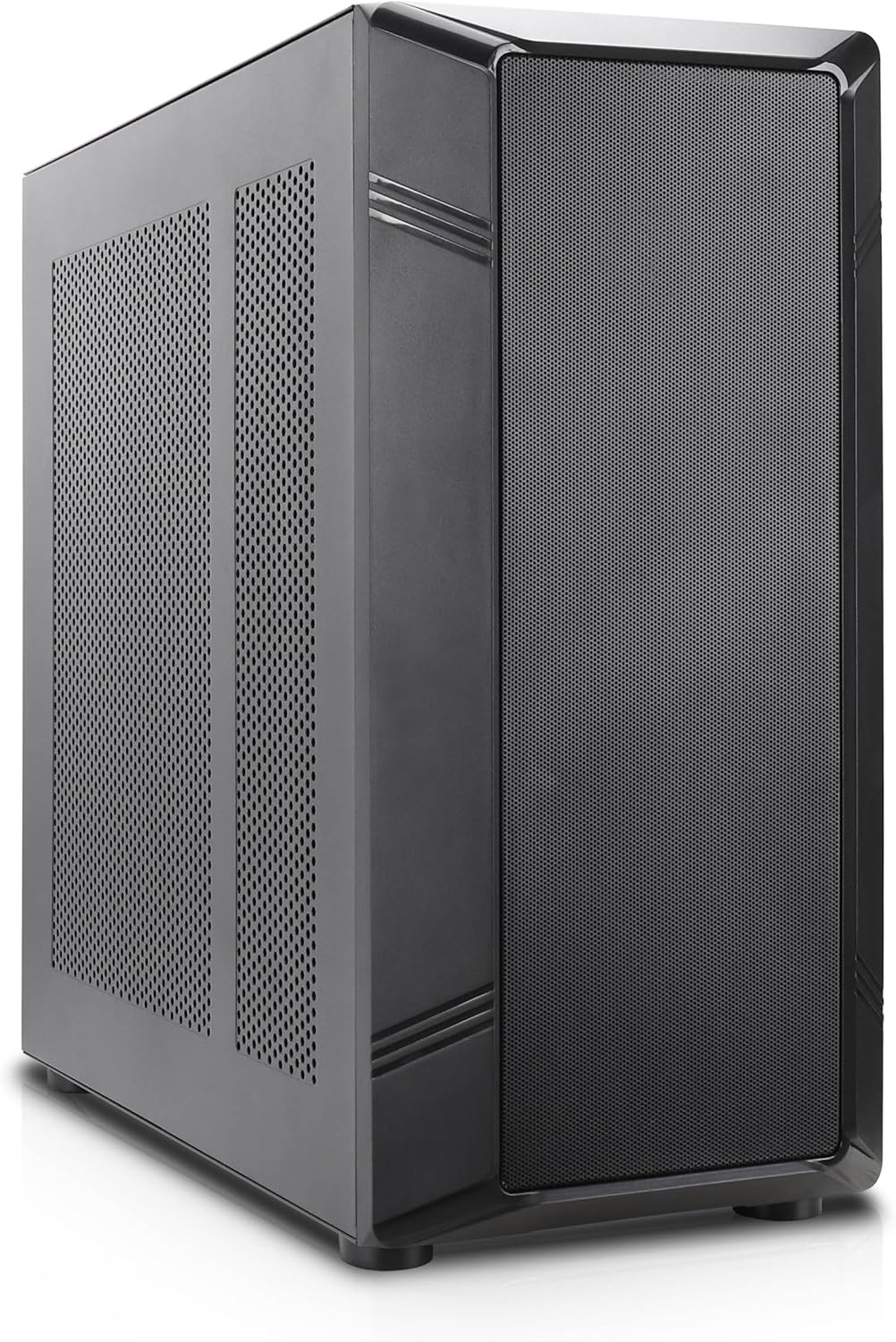
Joonis 1: Nurga all olev esiosa view of the Rosewill Helium NAS Black ATX Mid Tower Computer Case.
Peamised omadused:
- Maximized Airflow: All-mesh side panels ensure unrestricted airflow for optimal cooling and prevention of thermal throttling.
- Quiet, Efficient Cooling: Four pre-installed 140mm PWM fans provide silent and efficient cooling, maintaining system stability under heavy workloads.
- Suur salvestusmaht: Supports up to 10 x 3.5" HDDs and 3 x 2.5" SSDs, ideal for large media libraries, virtual machines, and data-intensive applications.
- Mitmekülgne ühilduvus: Supports ATX motherboards and 360 AIO Radiators, offering flexibility for various system configurations and high-performance cooling solutions.
2. Seadistamine ja installimine
Follow these steps for proper installation of your computer components.
2.1 Juhtumi ettevalmistamine
- Asetage ümbris stabiilsele ja tasasele pinnale.
- Eemaldage külgpaneelid, keerates lahti tagaosas olevad pöidlakruvid ja libistades paneelid ära.

Figure 2: Interior layout of the Rosewill Helium NAS case, showing component mounting areas.
2.2 Emaplaadi paigaldamine
- Paigaldage I/O-kaitse emaplaadi sahtli avasse.
- Align your ATX motherboard with the standoffs inside the case.
- Kinnitage emaplaat kaasasolevate kruvidega.
2.3 Salvestusketta paigaldamine
The case supports up to 10 x 3.5" HDDs and 3 x 2.5" SSDs. Utilize the dedicated drive cages for secure mounting.
Video 1: Demonstration of hard drive cage installation and cabling. This video illustrates the process of securing and connecting multiple hard drives within a PC case, which is applicable to the Rosewill Helium NAS case's storage capabilities.
- For 3.5" HDDs, slide the drives into the designated bays within the drive cages and secure them with screws.
- For 2.5" SSDs, mount them in the dedicated SSD trays, typically located behind the motherboard tray or on top of the HDD cages, and secure with screws.
- Ühendage SATA toite- ja andmekaablid iga paigaldatud draiviga.
2.4 Toiteallika paigaldamine
- Mount the power supply unit (PSU) in the bottom rear compartment of the case.
- Kinnitage toiteplokk korpuse tagaküljelt kruvidega.
- Route the necessary power cables to your motherboard and other components.
2.5 Graafikakaardi ja laienduskaardi paigaldamine
- Eemaldage korpuse tagaküljelt vajalikud PCIe pesa katted.
- Sisestage graafikakaart või muud laienduskaardid emaplaadi vastavatesse PCIe-pesadesse.
- Kinnitage kaardid kruvidega.
2.6 Kaablihaldus
Utilize the cable routing cutouts and tie-down points behind the motherboard tray to organize cables. This improves airflow and aesthetics. Zip ties are included for assistance.
3. Kasutusjuhised
3.1 Esipaneeli I/O

Figure 3: Front panel I/O ports located on the top of the case.
- Toitenupp: Press to power on/off the system.
- Lähtestamisnupp: Süsteemi taaskäivitamiseks vajutage .
- USB 3.1 C-tüüpi port: Kiire andmeedastuse jaoks.
- USB 3.0 pordid: USB 3.0-ga ühilduvate seadmete ühendamiseks.
- USB 2.0 pordid: USB 2.0-ga ühilduvate seadmete ühendamiseks.
- HD-heli pesad: Kõrvaklappide ja mikrofonide ühendamiseks.
3.2 Esmane sisselülitamine
- Ensure all components are securely installed and cables are properly connected.
- Ühendage toitekaabel toiteploki ja seinakontakti külge.
- Press the power button on the front panel to start your system.
4. Hooldus
Regular maintenance ensures optimal performance and longevity of your computer case and components.
4.1 Tolmufiltrite puhastamine
The Rosewill Helium NAS case features removable dust filters on the top and bottom for easy cleaning.
- Gently pull out the bottom dust filter.
- The top mesh panel is magnetic and can be easily lifted off.
- Puhastage filtreid suruõhu või pehme harjaga, et eemaldada kogunenud tolm.
- Reinstall the filters once clean.
4.2 Üldpuhastus
- Use a soft, dry cloth to wipe down the exterior surfaces of the case.
- For interior cleaning, use compressed air to remove dust from fans and components. Ensure the system is powered off and unplugged before cleaning.
5. Veaotsing
See jaotis pakub lahendusi levinud probleemidele, millega võite kokku puutuda.
- Süsteem ei lülitu sisse:
- Check all power connections, including the PSU, motherboard, and front panel power switch cables.
- Veenduge, et toiteploki lüliti on asendis „ON”.
- Ülekuumenemise komponendid:
- Verify all case fans are spinning correctly.
- Clean dust filters and internal components to improve airflow.
- Veenduge, et protsessori jahuti ja graafikakaardi ventilaatorid töötavad.
- Liigne ventilaatori müra:
- Check for loose cables or obstructions hitting fan blades.
- Ensure fans are securely mounted.
- Adjust fan speeds through motherboard BIOS or software if supported.
- Esipaneeli sisend/väljund ei tööta:
- Verify that all front panel cables (USB, Audio, Power, Reset) are correctly connected to the motherboard headers.
6. Tehnilised andmed
| Funktsioon | Spetsifikatsioon |
|---|---|
| Kaubamärk | Rosewill |
| seeria | Helium NAS |
| Mudeli nimi | Helium NAS |
| Kauba mudeli number | B0DP3PQFKW |
| Juhtumi tüüp | Mid Tower |
| Emaplaadi ühilduvus | ATX |
| Värv | Must |
| Materjal | Alumiinium, roostevaba teras |
| Kauba kaal | 19.71 naela |
| Toote mõõtmed (PxLxK) | 25 x 24.41 x 12.68 tolli |
| 3.5-tollise kõvaketta tugi | Kuni 10 |
| 2.5-tollise SSD tugi | Kuni 3 |
| Eelinstallitud ventilaatorid | 4 x 140mm PWM Fans |
| Jahutusmeetod | Air, Water (360 AIO Radiator Support) |
| Front Panel USB 2.0 Ports | 2 |
| Front Panel USB 3.0 Ports | 2 |
| Soovitatavad kasutusalad | AI Server, Media Server, NAS, Workstation |
7. Garantii ja tugi
For warranty information, technical support, or further assistance, please refer to the official Rosewill webveebisaidilt või võtke ühendust nende klienditeenindusega. Hoidke ostutšekk garantiinõuete esitamiseks alles.


