Sissejuhatus
This manual provides comprehensive instructions for the MoKo 10X Rechargeable Magnifying Glass with 21 LED Lights. Designed for enhanced visual clarity, this device is ideal for reading, inspection, and exploring small details. It features a powerful 10X magnification, adjustable LED lighting, and a comfortable ergonomic design for extended use.
Palun lugege enne toote kasutamist see kasutusjuhend hoolikalt läbi, et tagada selle nõuetekohane toimimine ja hooldus.
Mis on karbis
- MoKo 10X Rechargeable Magnifying Glass
- USB laadimiskaabel
- Puhastuslapp
- Säilituskott
- Kasutusjuhend
Seadistamine
1. Esialgne laadimine
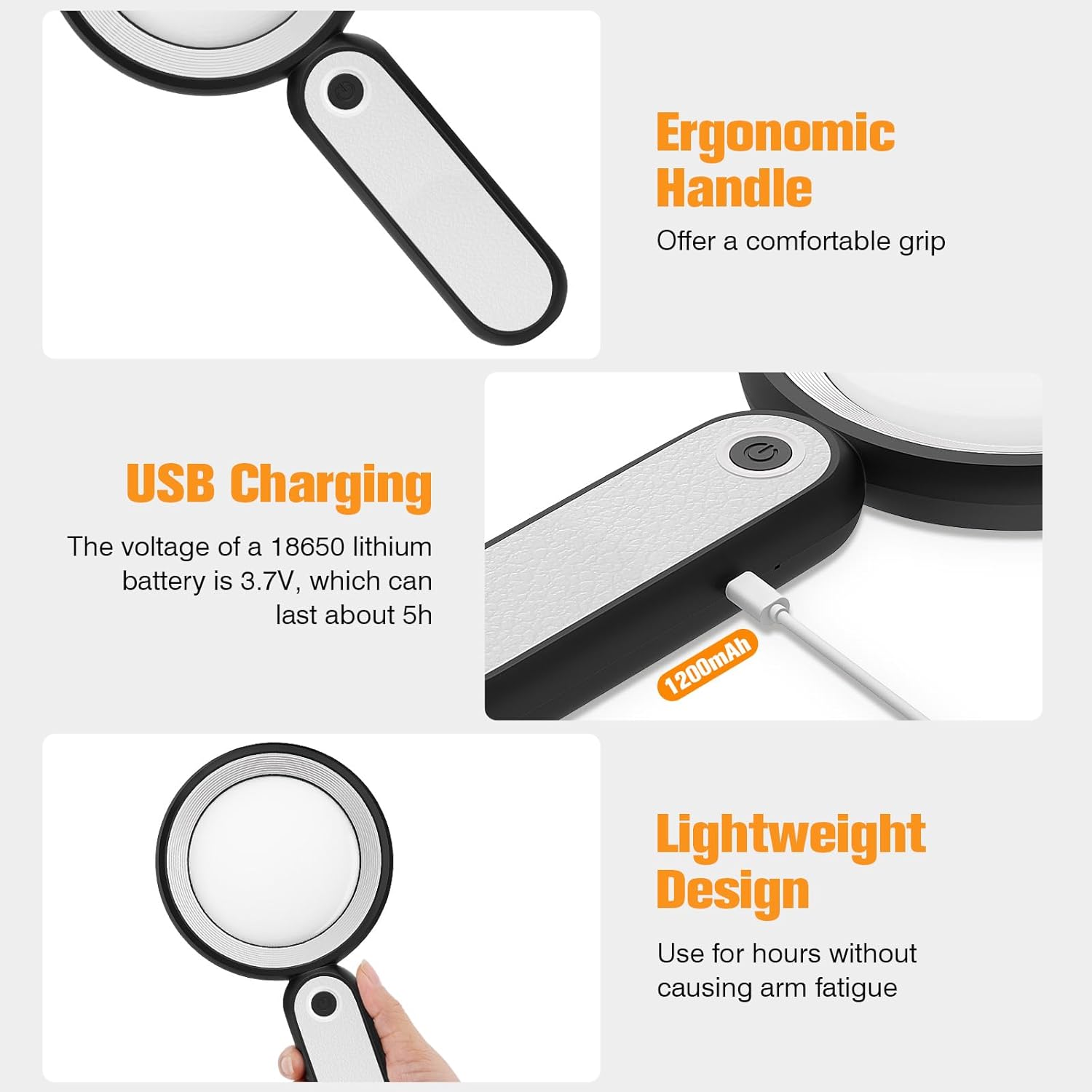
Before first use, fully charge the magnifying glass. Locate the USB charging port on the handle of the device.

Image: USB charging port on the handle.
- Connect the provided USB charging cable to the charging port on the magnifying glass.
- Ühendage USB-kaabli teine ots ühilduva USB-toiteadapteriga (ei kuulu komplekti) või arvuti USB-porti.
- The charging indicator lights (if present) will show the charging status. Allow the device to charge until fully powered, typically around 5 hours for a full charge.
2. Käepideme reguleerimine
The magnifying glass features an adjustable handle for comfortable use.

Image: Ergonomic handle design.
- Gently pivot the handle to your desired angle for handheld use.
- The handle can be folded for compact storage or extended for a comfortable grip during use.
Kasutusjuhised
1. Suurendus
The MoKo Magnifying Glass provides 10X magnification for clear viewing of small text and objects.

Image: Magnifying glass in use, showing 10X magnification on text.
- Hold the magnifying glass approximately 3-5 inches (7.5-12.5 cm) above the object you wish to magnify.
- Adjust the distance slightly until the object comes into clear focus.
2. LED-valgustusrežiimid
The device is equipped with 21 LED lights and three lighting modes to suit various environments and reduce eye strain.

Image: Three adjustable lighting modes (cool, warm, mixed) for the LED lights.
- Locate the power button on the handle.
- Press the power button once to activate the Lahe valgus režiimis.
- Press the power button a second time to switch to Soe Valgus režiimis.
- Press the power button a third time to activate the Mixed Light režiimis.
- Press the power button a fourth time to turn off the LED lights.
Choose the lighting mode that provides the most comfortable and clear viewing experience for your specific task and ambient light conditions.
Hooldus
1. Objektiivi puhastamine
To maintain optimal clarity, keep the optical glass lens clean.
- Use the provided soft cleaning cloth to gently wipe the lens surface.
- Avoid using abrasive materials, paper towels, or chemical cleaners, as these can scratch or damage the lens.
- Kangekaelsete plekkide korral dörtsige kergeltampen the cleaning cloth with a small amount of lens cleaning solution or water, then gently wipe and dry.
2. Ladustamine
When not in use, store the magnifying glass in the provided storage pouch to protect it from dust and scratches.

Image: Magnifying glass being stored in its protective pouch.
- Hoida jahedas, kuivas kohas, eemal otsesest päikesevalgusest ja äärmuslikest temperatuuridest.
Veaotsing
| Probleem | Võimalik põhjus | Lahendus |
|---|---|---|
| Tuled ei lülitu sisse. | Aku on tühi või seade on välja lülitatud. | Charge the device using the provided USB cable. Ensure the power button is pressed correctly to cycle through modes. |
| Magnification is blurry or distorted. | Incorrect distance from object or dirty lens. | Adjust the distance between the lens and the object. Clean the lens with the provided cleaning cloth. |
| Handle is stiff or difficult to adjust. | Minor friction in the hinge. | Apply gentle, consistent pressure. Avoid forcing the hinge. |
Tehnilised andmed
| Funktsioon | Detail |
|---|---|
| Kaubamärk | MoKo |
| Mudeli number | 10X |
| Suurenduse tugevus | 10X |
| Objektiivi materjal | Optiline klaas |
| LED tuled | 21 LED helmeid |
| Valgustusrežiimid | 3 (Cool, Warm, Mixed) |
| Toiteallikas | Rechargeable USB (1200mAh battery, 3.7V) |
| Aku kestvus (pidev kasutamine) | Umbes 5 tundi |
| Toote mõõtmed | 9.57 x 4.72 x 1.02 tolli (24.3 x 12 x 2.6 cm) |
| Kauba kaal | 7.05 untsi (200 g) |
| UPC | 840401442876 |
Pilt: Toote mõõtmed.
Garantii ja tugi
MoKo tooted on loodud töökindlust ja jõudlust silmas pidades. Garantiiteabe või tehnilise toe saamiseks vaadake ostuga kaasas olnud kontaktandmeid või külastage MoKo ametlikku veebisaiti. websaidile.
Hoidke ostutšekk ostutõendina alles võimalike garantiinõuete korral.
Oluline ohutusteave
- Do not expose the magnifying glass to direct sunlight for extended periods, as this may cause fire or damage to surfaces.
- Hoida lastele kättesaamatus kohas.
- Vältige seadme maha pillamist ega tugevate löökide saamist.
- Do not attempt to disassemble or modify the magnifying glass.


