1. Sissejuhatus
This manual provides detailed instructions for the setup, operation, and maintenance of your TUINYO WH-819 Wireless Over-Ear Bluetooth Headphones. Please read this manual thoroughly before using the product to ensure proper function and longevity.
2. Toote lõppview
The TUINYO WH-819 headphones offer high-fidelity stereo sound, comfortable over-ear design, and versatile connectivity options. They are designed for extended listening periods, featuring a long-lasting battery and a foldable structure for portability.
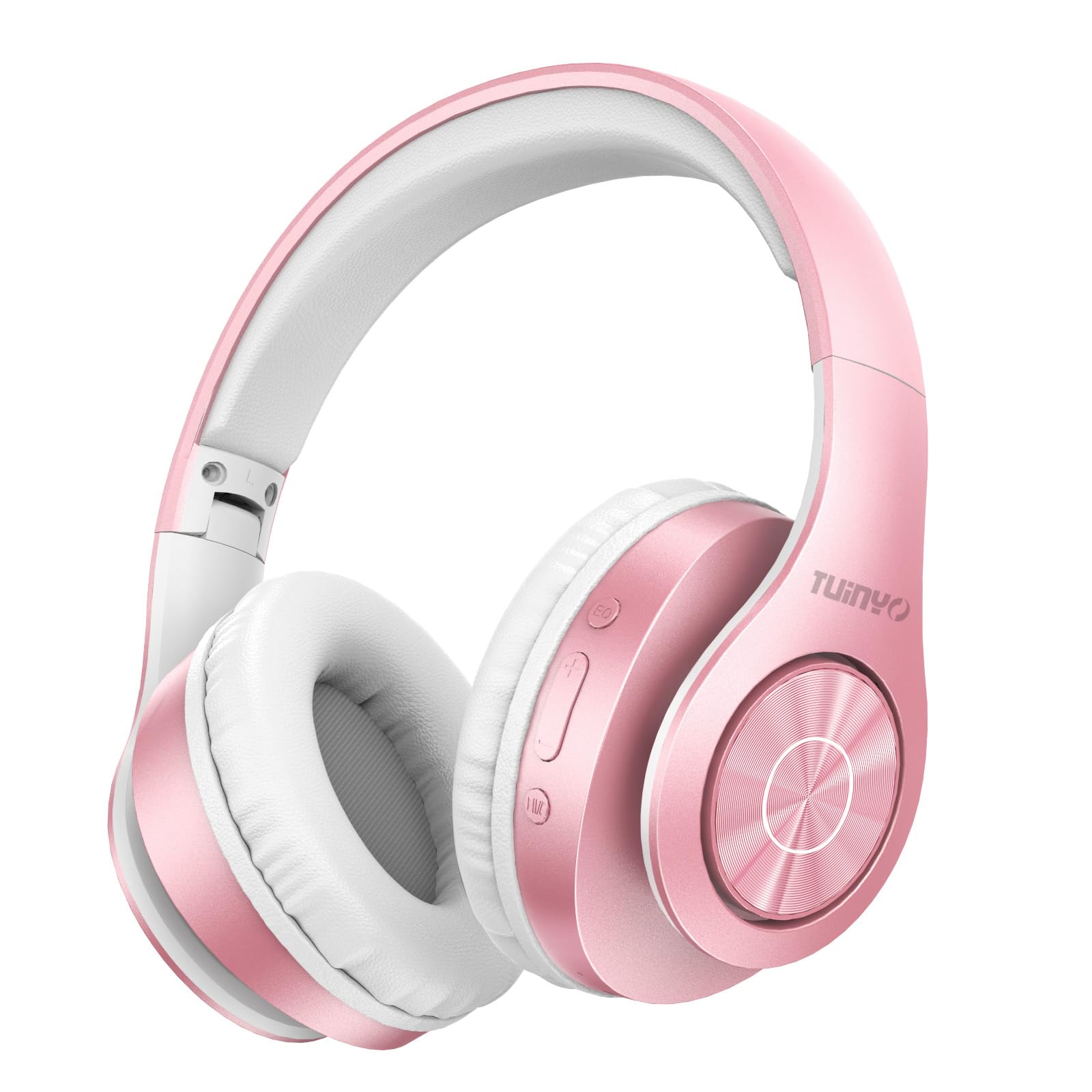
Figure 2.1: TUINYO WH-819 Rose Gold Wireless Over-Ear Bluetooth Headphones.
Video 2.1: Ülelöökview of the TUINYO wireless Bluetooth headphones, highlighting their design and features.
3. Pakendi sisu
Veenduge, et pakendis on kõik esemed olemas:
- TUINYO WH-819 Wireless Over-Ear Bluetooth Headphones
- USB laadimiskaabel
- 3.5 mm helikaabel
- Protective Premium Case
- Kasutusjuhend

Figure 3.1: Included accessories with the TUINYO WH-819 headphones.
4. Juhtimisseadmed ja pordid
Familiarize yourself with the headphone controls and ports:
- Toitenupp: Long press to power on/off. Short press to play/pause music or answer/end calls.
- Helitugevuse suurendamise/järgmise loo nupp: Lühike vajutus helitugevuse suurendamiseks. Pikk vajutus järgmise loo kuulamiseks.
- Helitugevuse vähendamise/eelmise loo nupp: Lühike vajutus helitugevuse vähendamiseks. Pikk vajutus eelmise loo kuulamiseks.
- EQ nupp: Press to cycle through different equalizer modes (Normal, Rock, Pop, Classic, Jazz, Country).
- 3.5 mm helipistik: Juhtmega ühenduse jaoks.
- USB-laadimisport: Kõrvaklappide laadimiseks.
- MicroSD kaardi pesa: Muusika otseesituseks MicroSD-kaardilt.

Joonis 4.1: üksikasjalik view of headphone controls and features.
Video 4.1: A demonstration of the TUINYO headphones' folding mechanism and button controls.
5. Seadistamine
5.1 Kõrvaklappide laadimine
- Connect the USB charging cable to the headphone's charging port.
- Ühendage USB-kaabli teine ots ühilduva USB-toiteallikaga (nt arvuti, seinaadapter).
- LED-indikaator näitab laadimise olekut (nt punane laadimise korral, sinine täielikult laetud aku korral).
- Täislaadimine võtab tavaliselt 2–2.5 tundi.
5.2 Bluetoothi sidumine
- Veenduge, et kõrvaklapid on täielikult laetud.
- Long press the Power button until the LED indicator flashes blue and red, indicating pairing mode.
- Luba oma seadmes (nutitelefon, tahvelarvuti, sülearvuti) Bluetooth ja otsi saadaolevaid seadmeid.
- Select "WH-819" from the list of devices.
- Once connected, the LED indicator will flash blue slowly, and a voice prompt will confirm successful pairing.
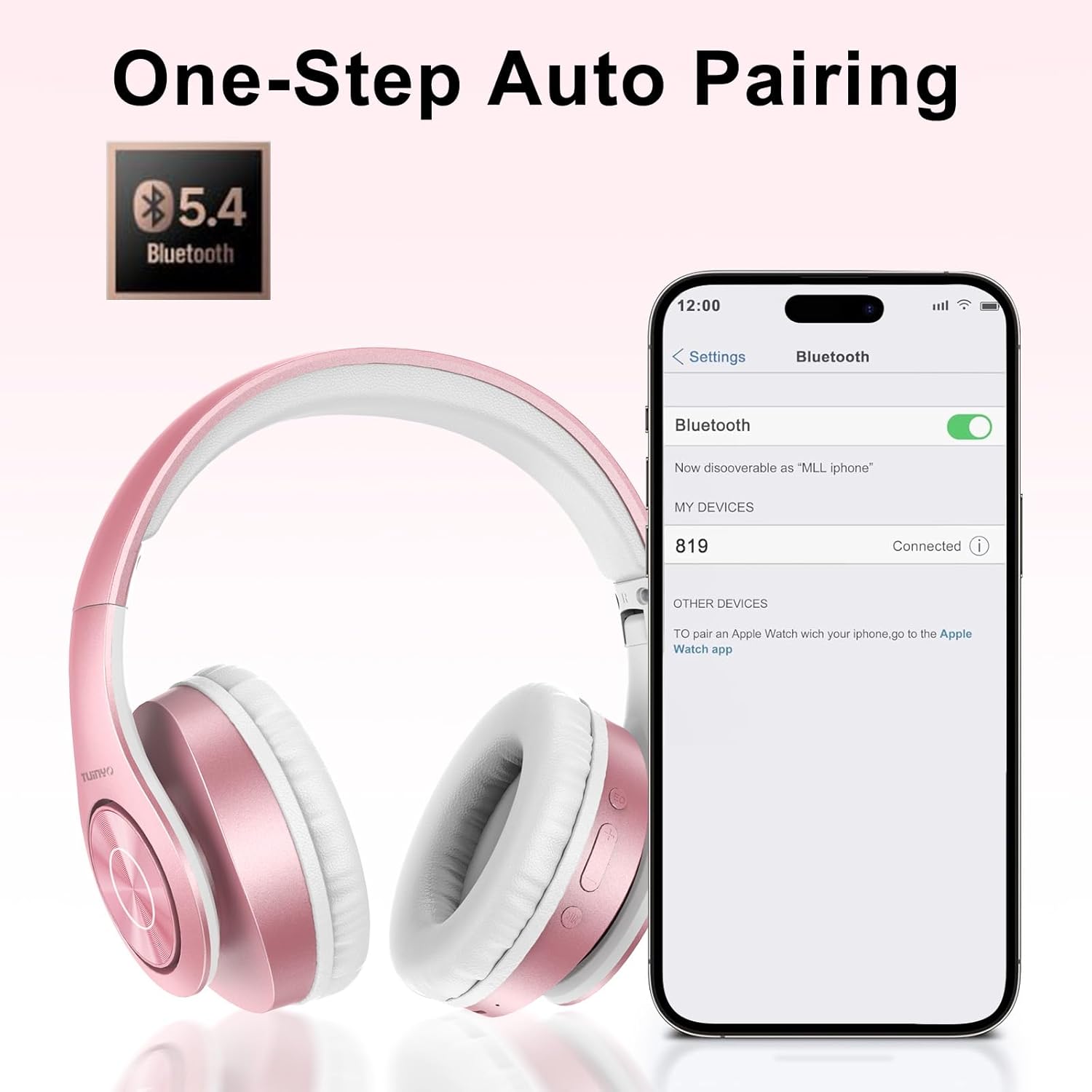
Joonis 5.1: Bluetoothi sidumise protsess nutitelefonis.
6. Kasutusjuhised
6.1 Toide sisse/välja
- Toide sisse: Long press the Power button until the LED indicator lights up blue.
- Toide välja: Long press the Power button until the LED indicator turns off.
6.2 Muusika taasesitus
- Esita/peata: Vajutage lühidalt toitenuppu.
- Järgmine lugu: Vajutage pikalt helitugevuse suurendamise nuppu.
- Eelmine lugu: Vajutage pikalt helitugevuse vähendamise nuppu.
- Helitugevuse reguleerimine: Short press the Volume Up or Volume Down buttons.
6.3 Kõnede haldamine
- Kõnele vastamine/lõpetamine: Vajutage lühidalt toitenuppu.
- Keeldu kõnest: Vajutage pikalt toitenuppu.
6.4 ekvalaiseri režiimi
- Press the EQ button to switch between different sound equalizer modes (Normal, Rock, Pop, Classic, Jazz, Country) to optimize your listening experience.
6.5 Juhtmega režiim
- Insert the 3.5mm audio cable into the headphone's audio jack and the other end into your audio device.
- Kõrvaklapid lülituvad automaatselt juhtmega režiimile ja Bluetooth-funktsioon keelatakse.
6.6 MicroSD-kaardi taasesitus
- Insert a MicroSD card with MP3 audio fileMicroSD-kaardi pessa.
- The headphones will automatically detect the card and begin playing music.
- Use the music playback controls (Play/Pause, Next/Previous Track, Volume) to manage your audio.
7. Hooldus
- Puhastage kõrvaklappe regulaarselt pehme ja kuiva lapiga.
- Vältige abrasiivsete puhastusvahendite või lahustite kasutamist.
- Kahjustuste vältimiseks hoidke kõrvaklappe kaitseümbrises, kui neid ei kasutata.
- Hoida eemal äärmuslikest temperatuuridest ja niiskusest.
8. Veaotsing
| Probleem | Lahendus |
|---|---|
| Kõrvaklapid ei lülitu sisse. | Veenduge, et kõrvaklapid on laetud. Ühendage need toiteallikaga ja proovige uuesti. |
| Ei saa Bluetoothi kaudu siduda. | Ensure headphones are in pairing mode (LED flashing blue/red). Turn off and on Bluetooth on your device. Move closer to the device. |
| Bluetooth-režiimis heli puudub. | Kontrollige nii kõrvaklappide kui ka ühendatud seadme helitugevust. Veenduge, et kõrvaklapid on edukalt seotud. |
| Juhtmega režiimis pole heli. | Ensure the 3.5mm audio cable is fully inserted into both the headphones and the audio device. Check the audio source. |
| MicroSD card not playing. | Ensure the MicroSD card is inserted correctly and contains compatible MP3 audio files. |
9. Tehnilised andmed
| Funktsioon | Detail |
|---|---|
| Mudeli nimi | WH-819 |
| Ühenduvustehnoloogia | Juhtmevaba (Bluetooth), Juhtmega (3.5 mm pesa) |
| Traadita side tehnoloogia | Bluetooth 4.0 |
| Helidraiveri tüüp | Dynamic Driver (40mm neodymium) |
| Aku tööiga | Up to 40 hours of music time (800mAh battery) |
| Laadimisaeg | 2-2.5 tundi |
| Kuulari kuju | Üle kõrva |
| Materjal | Plastikust, mäluvalguga kõrvaklapid |
| Kaal | 13.4 untsi |
| Mõõtmed | 8.5 x 6.22 x 4.25 tolli (pakend) |
| Ühilduvad seadmed | Tablets, Laptops, Desktops, Smartphones, Bluetooth-enabled devices |
| Veekindluse tase | Ei ole veekindel |
10. Garantii ja tugi
Your TUINYO WH-819 headphones are covered by a 30-day warranty from the date of purchase. For any product inquiries, technical support, or warranty claims, please refer to the contact information provided with your purchase or visit the official TUINYO websaidile.


