Sissejuhatus
This manual provides detailed instructions for the proper use and maintenance of your ACEFAST H2 Wireless Headset. Designed with advanced Active Noise Cancelling (ANC) technology and Bluetooth 5.3 connectivity, these headphones offer a high-quality audio experience. Please read this manual thoroughly before using the product to ensure optimal performance and longevity.
Pakendi sisu
- ACEFAST H2 Wireless Headset
- USB-C laadimiskaabel
- 3.5 mm lisakaabel
- Kasutusjuhend (see dokument)
Toode läbiview
Familiarize yourself with the components and controls of your ACEFAST H2 headset.
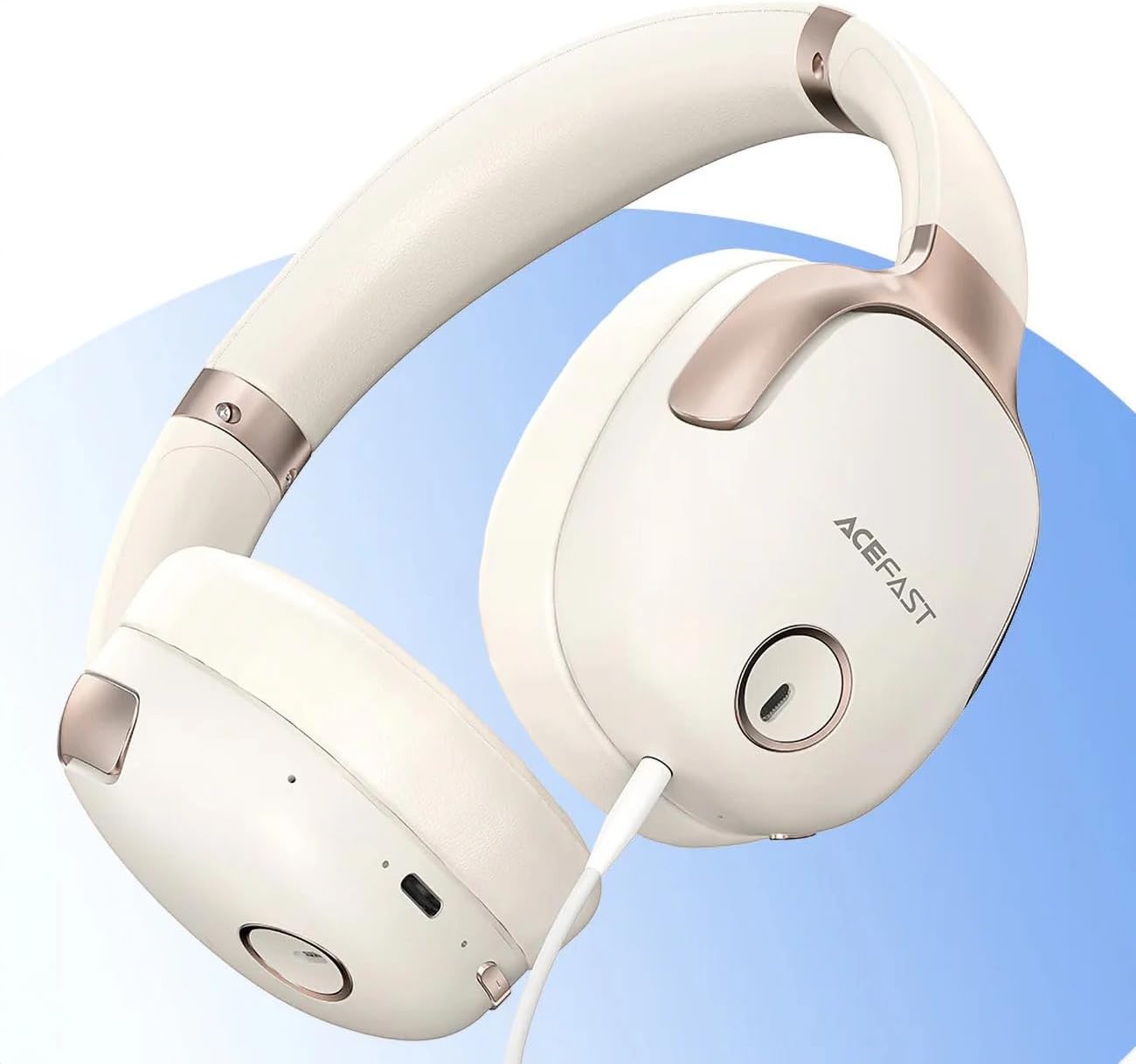
Joonis 1: ACEFAST H2 Headset showing USB-C charging port, 3.5mm audio jack, and control buttons.
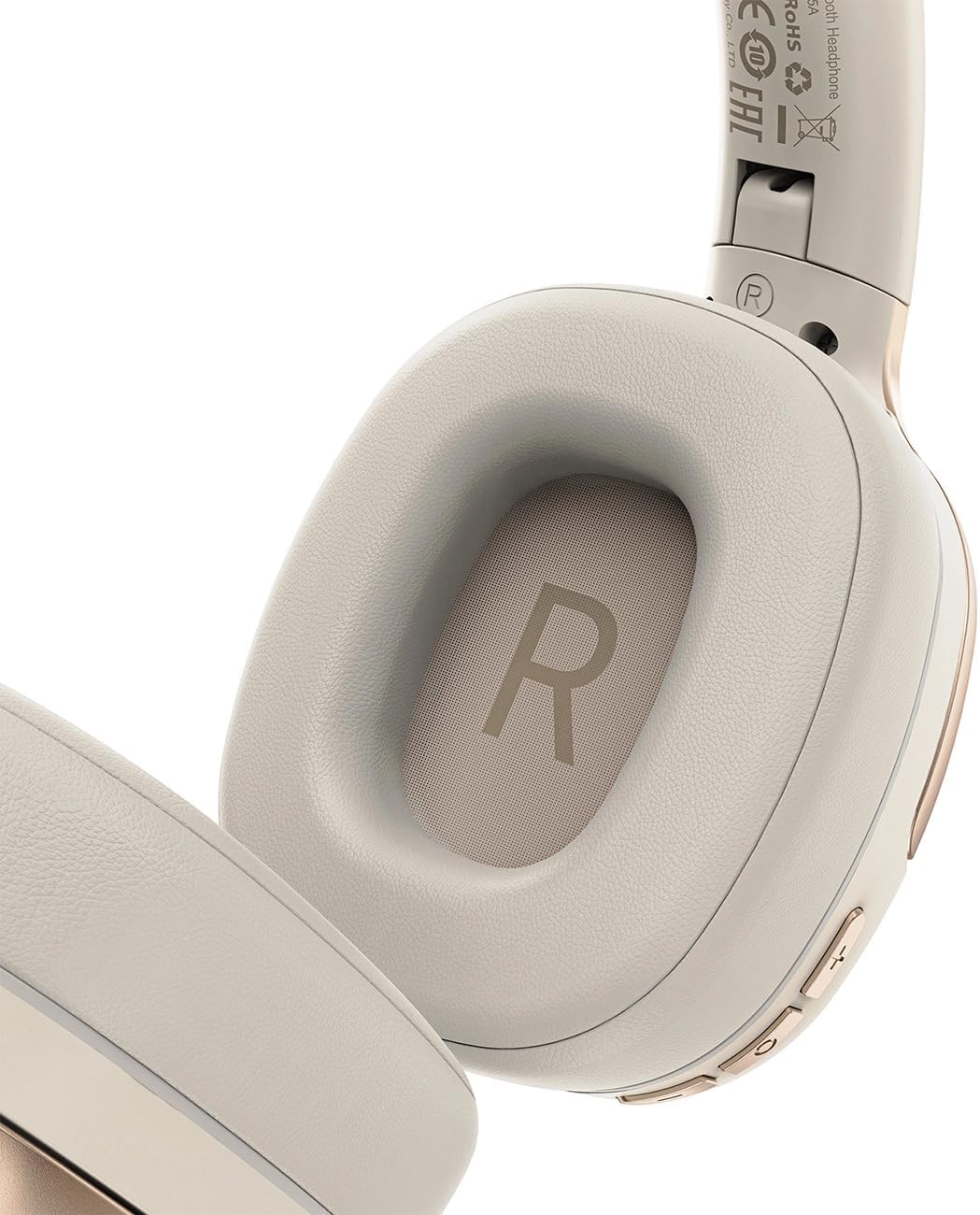
Joonis 2: Interior of the right earcup, indicating proper orientation for wearing.

Joonis 3: Headband adjustment mechanism and ear cup swivel for comfortable fit.

Joonis 4: The foldable design of the headset for easy storage and transport.
Põhikomponendid:
- Toite-/mitmeotstarbeline nupp: Used for power on/off, play/pause, answer/end calls.
- Helitugevuse suurendamise/järgmise loo nupp: Helitugevuse suurendamiseks vajutage, järgmise loo jaoks hoidke all.
- Helitugevuse vähendamise/eelmise loo nupp: Vajutage helitugevuse vähendamiseks, hoidke eelmise loo jaoks.
- ANC nupp: Aktiveerib või deaktiveerib aktiivse mürasummutuse.
- USB-C laadimisport: Peakomplekti laadimiseks.
- 3.5 mm helipistik: For wired connection using the Aux cable.
- Mikrofon: Sisseehitatud kõnede jaoks.
- LED indikaator: Näitab toite, laadimise ja sidumise olekut.
Seadistamine
1. Peakomplekti laadimine
- Connect the provided USB-C charging cable to the headset's USB-C port.
- Ühendage kaabli teine ots USB-toiteadapteriga (ei kuulu komplekti) või arvuti USB-porti.
- LED-indikaator näitab laadimise olekut (nt punane laadimise ajal, sinine, kui aku on täielikult laetud).
- A full charge takes approximately 2 hours and provides up to 80 hours of music playback.
2. Toite sisse / välja lülitamine
- Sisselülitamiseks: Vajutage ja hoidke toite-/mitmeotstarbelist nuppu umbes 3 sekundit all, kuni LED-indikaator vilgub.
- Väljalülitamiseks: Vajutage ja hoidke toite-/mitmeotstarbelist nuppu umbes 5 sekundit all, kuni LED-indikaator kustub.
3. Bluetoothi sidumine
- Veenduge, et peakomplekt on välja lülitatud.
- Press and hold the Power/Multi-function button for about 5-7 seconds until the LED indicator flashes red and blue alternately, indicating pairing mode.
- Luba oma seadmes (nutitelefon, tahvelarvuti, arvuti) Bluetooth ja otsi saadaolevaid seadmeid.
- Select "ACEFAST H2" from the list of found devices.
- Pärast sidumist vilgub LED-indikaator aeglaselt siniselt.
- The headset will automatically connect to the last paired device when powered on, if within range.
4. Juhtmega ühendus (abirežiim)
- Connect one end of the 3.5mm Aux cable to the headset's 3.5mm audio jack.
- Connect the other end to your audio source's 3.5mm audio output.
- In wired mode, the headset functions passively, and Bluetooth features are disabled. ANC may still be active if powered on.
Kasutusjuhised
Muusika taasesitus
- Esita/peata: Vajutage lühidalt toite-/mitmeotstarbelist nuppu.
- Helitugevuse suurendamine: Vajutage lühidalt helitugevuse suurendamise nuppu.
- Hääl maha: Vajutage lühidalt helitugevuse vähendamise nuppu.
- Järgmine lugu: Vajutage pikalt helitugevuse suurendamise nuppu.
- Eelmine lugu: Vajutage pikalt helitugevuse vähendamise nuppu.
Telefonikõned
- Kõnele vastamine/lõpetamine: Vajutage lühidalt toite-/mitmeotstarbelist nuppu.
- Keeldu kõnest: Vajutage pikalt toite-/mitmeotstarbelist nuppu.
- Häälassistent: Vajutage kaks korda toite-/mitmeotstarbelist nuppu (kui teie seade seda toetab).
Aktiivne müra tühistamine (ANC)
- ANC aktiveerimine/deaktiveerimine: Press the dedicated ANC button. The LED indicator will change to confirm status.
- ANC reduces ambient noise up to -40dB, providing a quieter listening environment.
Hooldus
- Puhastamine: Peakomplekti puhastamiseks kasutage pehmet ja kuiva lappi. Ärge kasutage abrasiivseid puhastusvahendeid ega lahusteid.
- Hoiustamine: Store the headset in a cool, dry place away from direct sunlight and extreme temperatures. When not in use, it is recommended to fold the headset for compact storage.
- Veekindlus: The headset is IPX4 water-resistant, meaning it is protected against splashing water from any direction. It is not designed for submersion or exposure to heavy rain. Avoid exposing the charging port and audio jack to moisture.
- Aku hooldus: To preserve battery life, charge the headset fully before long periods of storage and recharge it at least once every three months.
Veaotsing
| Probleem | Võimalik põhjus | Lahendus |
|---|---|---|
| Peakomplekt ei lülitu sisse. | Aku tühi. | Laadige peakomplekt täielikult. |
| Seadmega ei saa siduda. | Headset not in pairing mode; device Bluetooth off; too far from device. | Ensure headset is in pairing mode (flashing red/blue). Turn on device Bluetooth. Move headset closer to device (within 10 meters). |
| Heli puudub või on halb helikvaliteet. | Volume too low; headset not connected; interference; incorrect audio output selected. | Adjust volume on headset and device. Re-pair headset. Move away from sources of interference. Check device's audio output settings. |
| ANC ei tööta tõhusalt. | ANC pole aktiveeritud; vale sobivus. | Press the ANC button to activate. Adjust headset for a snug fit over your ears. |
Tehnilised andmed
| Mudeli nimi | H2 |
| Ühenduvustehnoloogia | Wireless (Bluetooth 5.3) / Wired (3.5mm Aux) |
| Bluetoothi vahemik | Kuni 10 meetrit |
| Mürakontroll | Active Noise Cancellation (ANC) up to -40dB, Environmental Noise Cancelling (ENC) for microphone |
| Aku tööiga | Kuni 80 tundi (muusika taasesitus) |
| Laadimisaeg | Approximately 2 hours (via USB-C) |
| Veekindlus | IPX4 (pritsmekindel) |
| Kõrvade paigutus | Kõrval |
| Materjal | Akrüülnitriilbutadieenstüreen (ABS) |
| Värv | Beež |

Joonis 5: Illustration of the dynamic HiFi audio driver components.
Garantii teave
The ACEFAST H2 Wireless Headset comes with a 6-kuuline tootjagarantii alates ostukuupäevast. See garantii katab tootmisdefektid ja töövead normaalse kasutamise korral. See ei kata kahjustusi, mis on tekkinud väärkasutuse, õnnetuste, volitamata muudatuste või normaalse kulumise tagajärjel. Palun hoidke oma ostutõend garantiinõuete esitamiseks alles.
Toetus
For further assistance, technical support, or warranty inquiries, please refer to the contact information provided by your retailer or visit the official ACEFAST website. Ensure you have your product model number (H2) and proof of purchase ready when contacting support.


