1. Sissejuhatus
Thank you for choosing the LEKATO GA-02 5W Rechargeable Guitar Ampelujõudu. See kompaktne ja kaasaskantav amplifier is designed for electric guitar and bass practice, offering both clean and overdrive effects, Bluetooth connectivity, and multiple input/output options. Please read this manual carefully to ensure proper operation and to maximize your experience with the product.
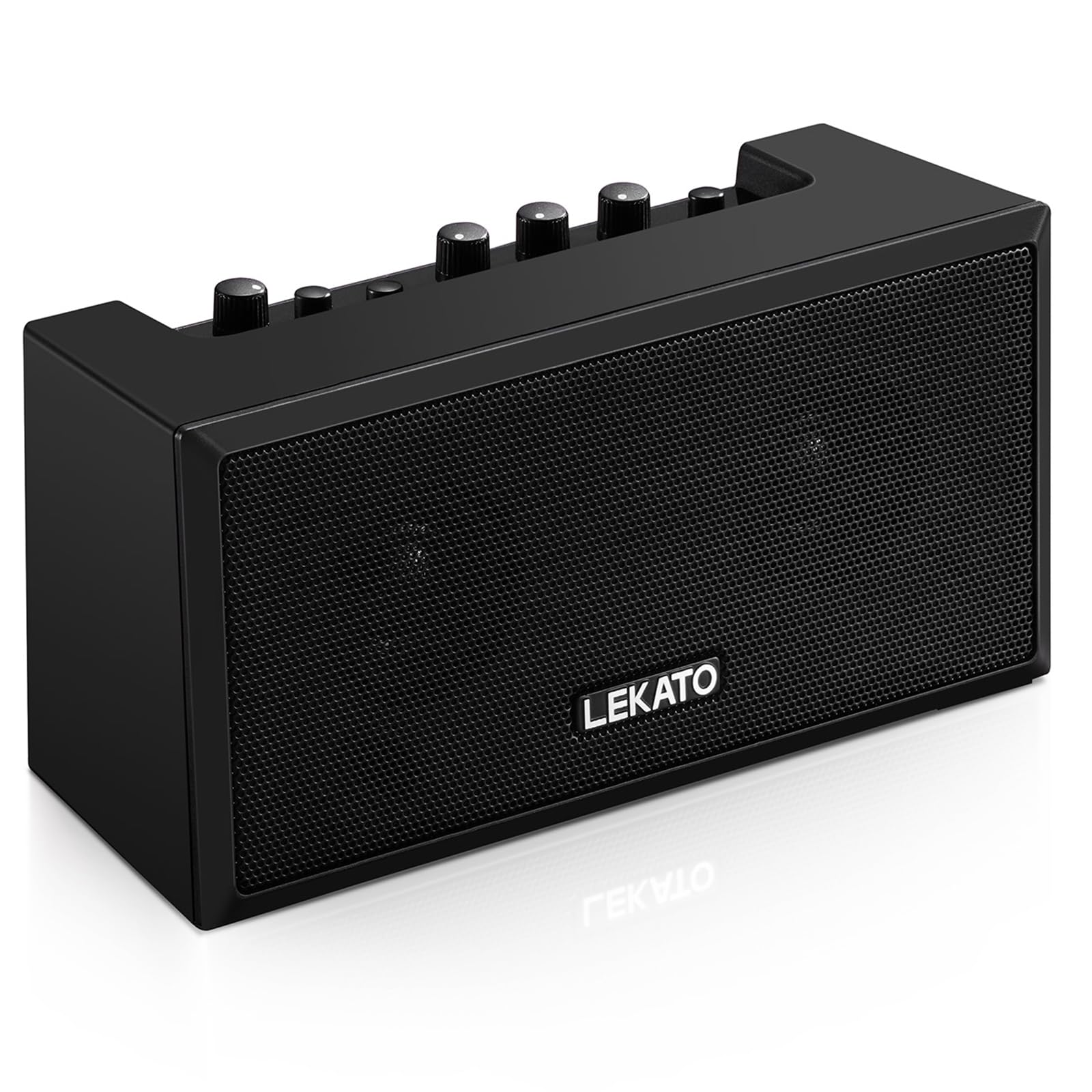
Joonis 1: Esiosa view of the LEKATO GA-02 Guitar Ampelujõulisem.
2. Põhiomadused
- Dual Tone Channels: Easily switch between Clean and Overdrive effects with a single button.
- Kompaktne ja kaasaskantav: 5W dual speakers in a mini size, ideal for practice anywhere.
- Bluetooth 5.0 ühenduvus: Connect wirelessly to your smartphone or other devices for accompaniment.
- Rikkalikud liidesed: Includes 1/8" Aux input, 1/8" stereo headphone output, and 6.35mm instrument input.
- Laetav aku: Built-in 3.7V/2000mA battery provides up to 6 hours of playtime on a single charge, rechargeable via Type-C USB.
3. Seadistamine ja ühendused
3.1 Laadimine Ampelujõulisem
Enne esmakordset kasutamist laadige aku täielikult amplifier. Connect the included Type-C USB cable to the DC 5V charging port on the rear panel of the amplifier and to a standard USB power source (e.g., wall adapter, computer USB port).

Figure 2: Type-C USB charging port on the rear panel.
Täislaadimine annab umbes 6 tundi mänguaega.
3.2 Controls and Interfaces Overview

Figure 3: Front panel controls (top) and rear panel interfaces (bottom) of the ampelujõulisem.
Esipaneeli juhtnupud:
- B.T./AUX VOL: Adjusts the volume for Bluetooth and Aux input.
- B.T. Button: Aktiveerib/deaktiveerib Bluetoothi sidumisrežiimi.
- OVERDRIVE Button: Toggles between Clean and Overdrive channels.
- GAIN-nupp: Adjusts the input sensitivity and distortion level (primarily for Overdrive channel).
- TONE nupp: Adjusts the tonal characteristics (treble/bass balance).
- VOLUME nupp: Adjusts the overall output volume of the guitar signal.
- POWER nupp: Pöörab ampeluiga sisse või välja.
Tagapaneeli liidesed:
- INPUT (6.35mm Jack): Connect your electric guitar or bass.
- AUX (1/8" Jack): Connect external audio sources like smartphones or CD players.
- Headphone Output (1/8" Stereo Jack): Vaikse harjutamise jaoks ühendage kõrvaklapid.
- DC 5V (Type-C Port): Toitesisend laadimiseks.
3.3 Instrumendi ühendamine
Insert your instrument cable (6.35mm jack) into the SISEND port on the rear of the ampelujõulisem.
3.4 Bluetooth-ühendus
- Lülitage sisse amptõstja kasutades VÕIMSUS nuppu.
- Vajutage nuppu B.T. button on the front panel. The Bluetooth indicator light will flash, indicating pairing mode.
- On your smartphone or Bluetooth-enabled device, search for "TOP-GT" in the Bluetooth settings.
- Select "TOP-GT" to pair. Once connected, the Bluetooth indicator light will remain solid.
- Adjust the Bluetooth/Aux volume using the B.T./AUX VOL nupp.

Figure 4: Bluetooth pairing process with a mobile device.
3.5 Aux Input Connection
Connect an external audio source (e.g., MP3 player, computer) to the AUX input jack on the rear panel using a 1/8" (3.5mm) stereo audio cable. Adjust the volume using the B.T./AUX VOL nupp.
3.6 Kõrvaklappide ühendus
For silent practice, connect your headphones to the Kõrvaklappide väljund jack on the rear panel. This will mute the amplifier's internal speakers.
4. Kasutusjuhised
4.1 Toide sisse/välja
Vajutage nuppu VÕIMSUS nuppu, et keerata ampeluiga sisse või välja.
4.2 Selecting Tone Channels
The amplifier features two tone channels: Clean and Overdrive.
- Vajutage nuppu ÜLESÕIT button to switch between the Clean and Overdrive channels.
- When the Overdrive channel is active, the corresponding indicator light will illuminate.
- Puhas: Provides a pure instrument tone.
- Ülesõit: Produces a distorted rock sound.

Figure 5: Pressing the OVERDRIVE button to switch channels.
4.3 Heli reguleerimine
- KASUTAMINE: Rotate the GAIN knob to adjust the input signal level. Higher gain settings will increase distortion, especially in Overdrive mode.
- TOON: Use the TONE knob to shape the amplifier's frequency response, making the sound brighter or warmer.
- MAHU: Adjust the overall output volume of your instrument using the VOLUME knob.
5. Hooldus
- Puhastamine: Pühkige amplifier with a soft, dry cloth. Do not use liquid cleaners or abrasive materials.
- Hoiustamine: Säilitage ampHoida jahedas ja kuivas kohas, eemal otsesest päikesevalgusest ja äärmuslikest temperatuuridest.
- Aku hooldus: For optimal battery life, avoid fully discharging the battery frequently. Charge the amplifier regularly, even if not in use for extended periods.
- Käitlemine: Vältige maha kukkumist või amptugevatele löökidele vastupidavam.
6. Veaotsing
| Probleem | Võimalik põhjus | Lahendus |
|---|---|---|
| Ei mingit heli ampelujõulisem. |
|
|
| Bluetooth ei ühendu. |
|
|
| Sound is distorted (not desired). |
|
|
| Lühike aku tööiga. |
|
|
7. Tehnilised andmed
| Funktsioon | Detail |
|---|---|
| Mudel | GA-02 |
| Väljund vattage | 5 vatti |
| Kanalid | Clean, Overdrive |
| Ühenduvus | Bluetooth 5.0 |
| Sisendid | 6.35mm Instrument Jack, 3.5mm Aux Input |
| Väljundid | 3.5 mm stereokõrvaklappide väljund |
| Toiteallikas | Akutoitel (taaslaetav) |
| Aku tüüp | 3.7V/2000mA Lithium Polymer (included) |
| Laadimisport | Type-C USB (DC 5V) |
| Ligikaudne mänguaeg | 6 tundi |
| Toote mõõtmed | 2.76" S x 4.53" L x 3.23" K (7 x 11.5 x 8.2 cm) |
| Kauba kaal | 1.23 naela (0.56 kg) |

Figure 6: Dimensions of the LEKATO GA-02 Ampelujõulisem.
8. Garantii ja tugi
LEKATO products are designed for reliability and performance. For warranty information or technical support, please refer to the warranty card included with your product or visit the official LEKATO websait. Abi saamiseks võite pöörduda ka oma jaemüüja poole.
For more information about LEKATO products, visit the LEKATO Brand Store.
9. Toote videodemonstratsioon
Video 1: Official product demonstration of the LEKATO GA-02 Guitar Ampelujõud, showcasing selle omadusi ja helivõimalusi.


