Sissejuhatus
The ASUS ROG Strix XG27UCDMG is a 27-inch 4K QD-OLED gaming monitor designed for high-performance visual experiences. It features a 240Hz refresh rate and 0.03ms response time, utilizing fourth-generation QD-OLED technology for sharp visuals and crisp text. Advanced features like OLED Anti-Flicker 2.0 and OLED Care Pro with Neo Proximity Sensor enhance viewing comfort and panel longevity.
Mis on kaasas
The following items are included with your ASUS ROG Strix XG27UCDMG monitor:
- XG27UCDMG gaming monitor
- DisplayPorti kaabel
- HDMI ülikiire kaabel
- Mikrokiudlapp
- Toitejuhe
- Kiirjuhend
- ROG kott
- ROG-kleebis
- USB 3.2 kaabel
- USB-C kaabel
- VESA kinnituskomplekt
- Garantiikaart

An image showing all the components included in the monitor's packaging, such as the monitor itself, various cables (DisplayPort, HDMI, USB-C, USB 3.2), a microfiber cloth, VESA mount kit, ROG pouch, ROG sticker, power cord, quick start guide, and warranty card.
Seadistamine
Monitori kokkupanek
Attach the stand base to the stand column, then secure the column to the monitor. Ensure all connections are firm.

A visual guide demonstrating the assembly of the monitor stand, showing how the base connects to the column and then to the monitor panel.
Seadmega ühendamine
Connect your computer or gaming console to the monitor using the appropriate cable (DisplayPort, HDMI, or USB-C).
For optimal performance, use the included DisplayPort 1.4 or HDMI 2.1 cables.
The USB-C port supports DisplayPort Alt Mode and 90W Power Delivery for compatible devices.
An image illustrating the various input ports on the back of the monitor, including DisplayPort 1.4, HDMI 2.1, USB-C (with PD), and USB hub ports.
Toiteühendus
Ühendage toitejuhe monitoriga ja seejärel pistikupessa.
Monitori asendi reguleerimine
The monitor stand allows for height, tilt, swivel, and pivot adjustments for ergonomic viewing.

A series of diagrams showing the monitor's adjustable stand features, including height adjustment, swivel, pivot, and tilt capabilities.
Monitori juhtimine
Toide sisse/välja
Monitori sisse- või väljalülitamiseks vajutage sellel asuvat toitenuppu.
Ekraanikuva (OSD) menüü
Use the joystick and buttons on the monitor to navigate and adjust settings in the OSD menu.
Põhifunktsioonid
4K QD-OLED Technology
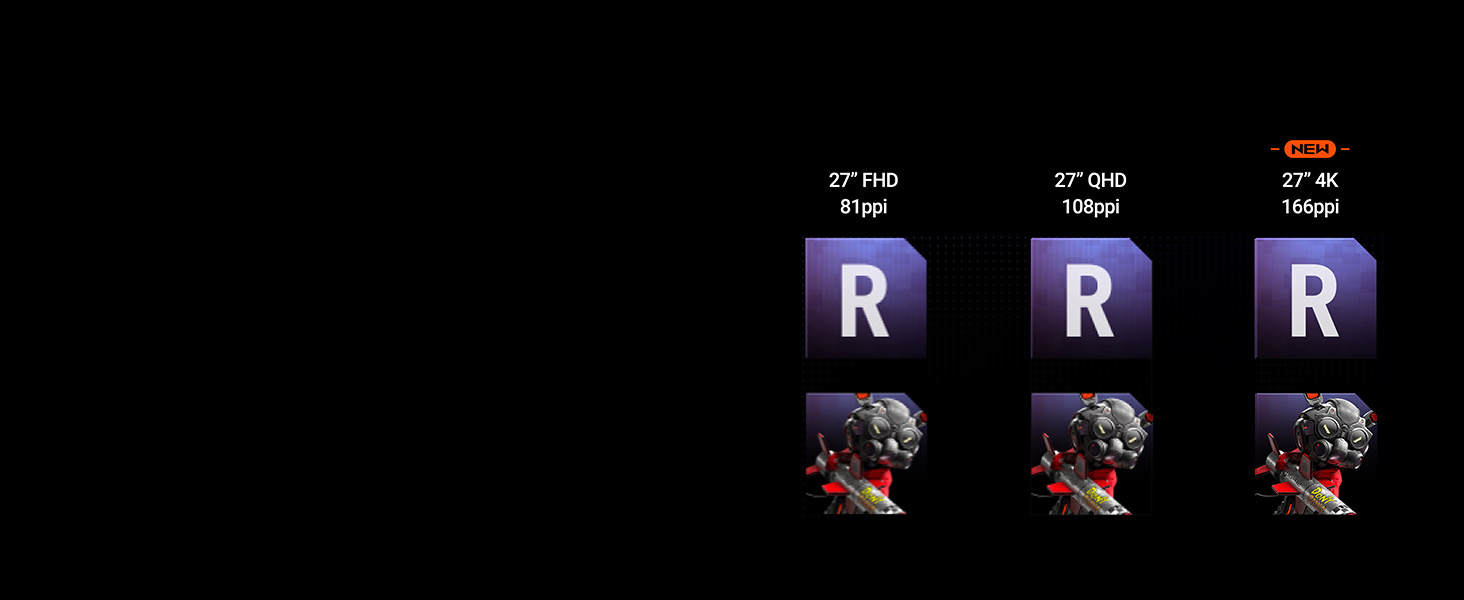
Experience supersharp images and crisp text with the latest 4th-generation QD-OLED panel, offering enhanced clarity and a longer lifespan.

A comparison image demonstrating the improved sharpness and pixel density of 4th-generation 4K QD-OLED technology compared to lower resolutions.
Kõrge värskendussagedus ja reageerimisaeg
Enjoy fluid motion with a 240Hz refresh rate and an ultra-fast 0.03ms response time, crucial for competitive gaming.
OLED Anti-Flicker 2.0
This technology reduces screen flicker by 20% compared to previous-generation panels, ensuring a more comfortable viewkogemus, eriti pikaajalise kasutamise korral.
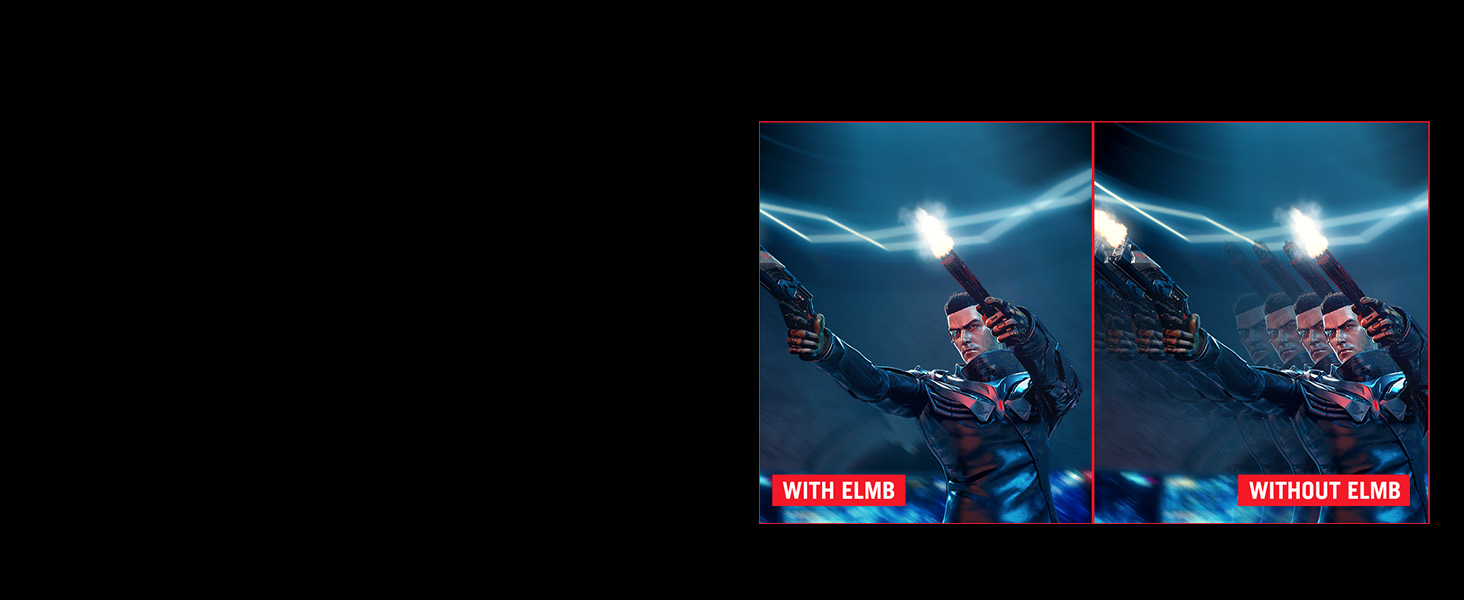
A side-by-side comparison showing screen flicker with and without OLED Anti-Flicker 2.0 technology, highlighting reduced flicker with the feature enabled.
ASUS DisplayWidget Center
The exclusive ASUS DisplayWidget Center application provides an intuitive interface for adjusting monitor settings and accessing OLED Care Pro functions using a mouse.

A screenshot of the ASUS DisplayWidget Center software interface, showing options for customizable monitor settings, auto firmware updates, multiscreen control, and OLED protection.
VESA DisplayHDR 400 Tõeline must
The monitor is VESA DisplayHDR 400 True Black compliant, offering deep blacks, high contrast, and vibrant colors with 99% DCI-P3 gamut and true 10-bit color.
Hooldus
Ekraani puhastamine
Use the provided microfiber cloth to gently wipe the screen. Avoid harsh chemicals or abrasive materials.
OLED Care Pro
The OLED Care Pro suite includes features designed to prevent OLED burn-in and extend the panel's lifespan.
- Neo Proximity Sensor: Automatically switches to a black screen when no user is detected, reducing burn-in risk.
- Pixel Cleaning: A maintenance function that refreshes pixels.
- Ekraanisalvestus: Activates a screen saver to prevent static image retention.
- Pixel Move: Shifts pixels slightly to prevent static image burn-in.
- Logo Brightness Adjustment: Reduces the brightness of static logos.
- Tegumiriba tuvastamine: Dims the taskbar area to prevent burn-in.
- Outer Dimming Detection: Dims static elements at the screen edges.
- Global Dimming Detection: Adjusts overall brightness for static content.
An image detailing the various features of OLED Care Pro, including Neo Proximity Sensor, Pixel Cleaning, Screen Save, Pixel Move, Logo Brightness Adjustment, Taskbar Detection, Outer Dimming Detection, and Global Dimming Detection.
Veaotsing
Jõudu pole
Veenduge, et toitejuhe on kindlalt ühendatud nii monitori kui ka pistikupesaga. Kontrollige, kas pistikupesa on töökorras.
Signaali pole
Verify that the video cable (DisplayPort, HDMI, or USB-C) is correctly connected to both the monitor and the source device. Select the correct input source via the OSD menu.
Image Flickering
Ensure OLED Anti-Flicker 2.0 is enabled in the OSD menu. Check for updated graphics drivers on your connected device.
Image Retention/Burn-in Concerns
Utilize the OLED Care Pro features, especially Pixel Cleaning and Neo Proximity Sensor, to mitigate burn-in risks. Avoid displaying static images for extended periods.
Tehnilised andmed
Tehnilised andmed
| Seisva ekraani kuva suurus | 26.5 tolli |
| Ekraani eraldusvõime | 3840x2160 |
| Maksimaalne ekraani eraldusvõime | 3840 x 2160 pikslit |
| USB 3.0 portide arv | 2 |
| Kaubamärk | ASUS |
| seeria | XG27UCDMG |
| Kauba mudeli number | XG27UCDMG |
| Kauba kaal | 16.4 naela |
| Toote mõõtmed | 6.6 x 24.1 x 20.1 tolli |
| Kauba mõõtmed PxLxK | 6.6 x 24.1 x 20.1 tolli |
| Värv | MUST |
| Tootja | ASUS |
| ASIN | B0DM6RWRQC |
| Esmakordselt saadaval olev kuupäev | 31. mai 2025 |
| Ekraani suurus | 26.5 tolli |
| Resolutsioon | 4K UHD 2160p |
| Kuvasuhe | 16:9 |
| Ekraani pinna kirjeldus | Matt |
Garantii ja tugi
Garantii teave
The ASUS ROG Strix XG27UCDMG monitor comes with a 3-year warranty. Please refer to the included Warranty Card for detailed terms and conditions.
Klienditugi
For technical assistance or further inquiries, please visit the official ASUS support websaidil või võtke ühendust nende klienditeenindusega.
Ametlikud tootevideod
The following videos provide additional information and demonstrations of the ASUS ROG Strix XG27UCDMG monitor.
Ametlik tootevideo esitlusasing the features and design of the ASUS ROG Strix XG27UCDMG monitor.
A video highlighting the gaming capabilities and visual quality of the ASUS ROG Strix 27-inch 4K Gaming Monitor.