Sissejuhatus
Welcome to your RCA Wave-68 True Wireless Earbuds. This manual provides detailed instructions on how to set up, operate, maintain, and troubleshoot your earbuds to ensure optimal performance and a seamless audio experience. Please read this manual thoroughly before using your device.
Pakendi sisu
- RCA Wave-68 tõeliselt juhtmevabad kõrvaklapid (vasak ja parem)
- Laadimisümbris
- USB laadimiskaabel
- Kasutusjuhend
Toode läbiview
Tutvuge oma RCA Wave-68 kõrvaklappide ja laadimisümbrise komponentidega.

Pilt: The RCA Wave-68 earbuds are shown inside their open charging case. The case features a digital display indicating the battery levels of both the case and individual earbuds.
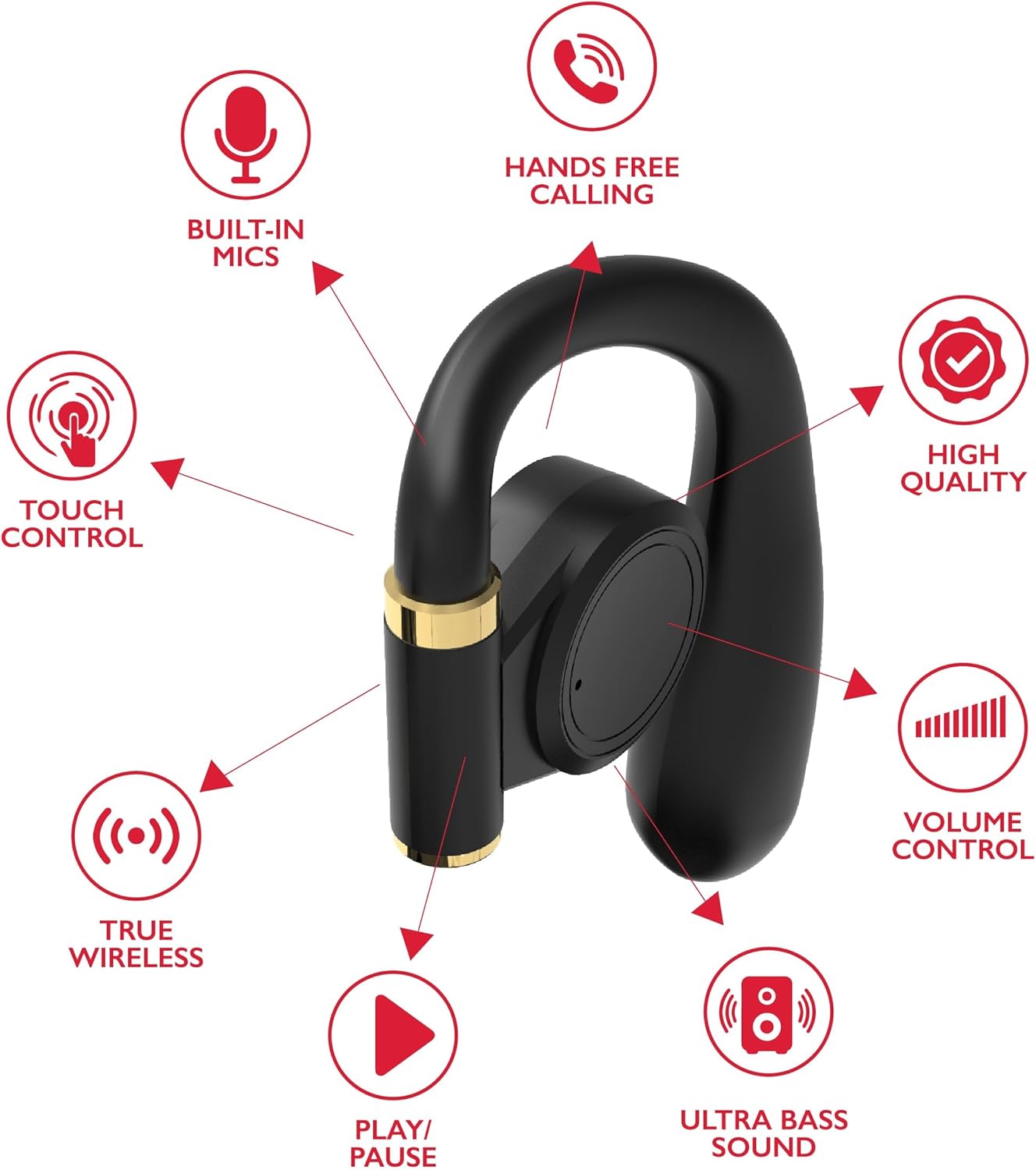
Pilt: A diagram highlights key features of a single RCA Wave-68 earbud, including built-in mics, hands-free calling, touch control, true wireless connectivity, play/pause function, ultra bass sound, volume control, and high-quality audio.
Seadistamine
1. Kõrvaklappide ja ümbrise laadimine
Before first use, fully charge the earbuds and charging case. Place the earbuds into the charging case. Connect the USB charging cable to the charging port on the case and to a power source. The digital display on the case will show the charging status. A full charge provides approximately 20 hours of total playtime with the charging case.
2. Bluetoothi sidumine
- Toide sisse: Open the charging case. The earbuds will automatically power on and enter pairing mode. You may see a blinking light indicator on the earbuds.
- Bluetoothi aktiveerimine: Luba oma seadmes (nutitelefon, tahvelarvuti jne) Bluetooth.
- Valige seade: Otsi Valige saadaolevate Bluetooth-seadmete loendist "RCA Wave-68" ja valige see ühenduse loomiseks.
- Kinnitus: Once connected, the earbuds will indicate successful pairing, and the light indicator may stop blinking or turn off.
If pairing fails, ensure the earbuds are charged and within range of your device. Turn off Bluetooth on other nearby devices to avoid interference.
Kasutusjuhised
Toide sisse/välja
- Toide sisse: Avage laadimisümbris ja kõrvaklapid lülituvad automaatselt sisse. Teise võimalusena vajutage ja hoidke mõlema kõrvaklapi puutetundlikku juhtala 3 sekundit all.
- Toide välja: Place the earbuds back into the charging case and close the lid. They will automatically power off. Alternatively, press and hold the touch control area on both earbuds for 5 seconds.
Puudutage juhtnuppe
RCA Wave-68 kõrvaklappidel on intuitiivsed puutetundlikud juhtnupud heli taasesituse, kõnede ja häälassistendi funktsioonide haldamiseks.
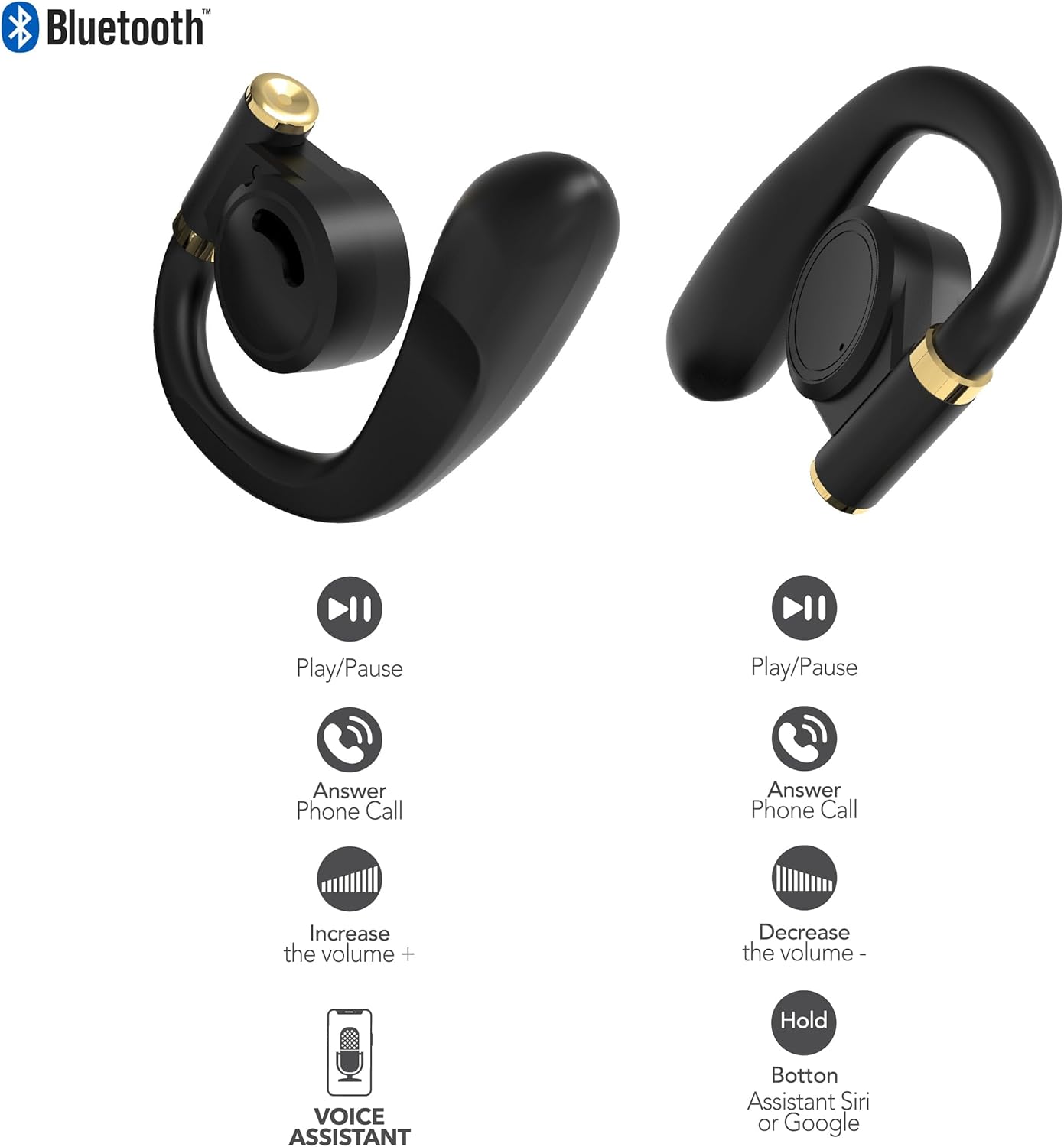
Pilt: This diagram illustrates the touch control functions for both the left and right RCA Wave-68 earbuds, including play/pause, answer phone call, volume increase/decrease, and activating the voice assistant.
- Esita/peata: Üks puudutus kummalgi kõrvaklapil.
- Järgmine lugu: Topeltpuudutage paremat kõrvaklappi.
- Eelmine lugu: Topeltpuudutage vasakut kõrvaklappi.
- Helitugevuse suurendamine: Koputage kolm korda paremat kõrvaklappi.
- Hääl maha: Koputage kolm korda vasakut kõrvaklappi.
- Kõnele vastamine/lõpetamine: Sissetuleva või aktiivse kõne ajal puudutage üks kord kummalgi kõrvaklapil.
- Keeldu kõnest: Sissetuleva kõne ajal vajutage ja hoidke kumbagi kõrvaklappi 2 sekundit all.
- Häälassistendi (Siri/Google Assistant) aktiveerimine: Vajutage ja hoidke kumbagi kõrvaklappi 3 sekundit all.
Läbipaistvusrežiim
The Transparency Mode allows you to hear your surroundings while still enjoying your audio. This feature is useful for awareness in environments like busy streets or public transport.
- Activate/Deactivate Transparency Mode: Consult your device's Bluetooth settings or specific app if available, or refer to the product's quick start guide for a specific touch control gesture if not listed above.
Hooldus
Puhastamine
Regulaarne puhastamine aitab säilitada helikvaliteeti ja hügieeni.
- Kõrvaklappide ja laadimisümbrise pühkimiseks kasutage pehmet, kuiva ja ebemevaba lappi.
- Ärge kasutage abrasiivseid puhastusvahendeid, alkoholi ega keemilisi lahusteid.
- Gently remove any earwax or debris from the earbud tips and speaker mesh using a small, clean brush or cotton swab.
Säilitamine
Kui kõrvaklappe ei kasutata, hoidke neid tolmu ja kahjustuste eest kaitsmiseks laadimisümbrises.
- Hoida jahedas ja kuivas kohas, eemal äärmuslikest temperatuuridest.
- Avoid prolonged exposure to direct sunlight or moisture.
Veaotsing
Kui teil tekib RCA Wave-68 kõrvaklappidega probleeme, vaadake järgmisi levinud lahendusi.
- Earbuds not powering on automatically: Ensure the charging case is charged. Place earbuds back in the case, close the lid, then open it again. If issues persist, manually power on by pressing and holding the touch control area for 3 seconds.
- Kõrvaklapid ei paaristu: Make sure both earbuds are fully charged. Turn off Bluetooth on your device, then turn it back on. Forget "RCA Wave-68" from your device's Bluetooth list and attempt to pair again. Ensure no other devices are actively connected to the earbuds.
- Ühest kõrvaklapist ei kostu heli: Place both earbuds back into the charging case, close the lid, and then take them out again. This often re-syncs them. Check your device's audio balance settings.
- Charging case not displaying battery info/not charging: Ensure the USB cable is securely connected to both the case and the power source. Try a different USB cable or power adapter. Clean the charging port on the case for any debris.
- Madal helitugevus või halb helikvaliteet: Adjust the volume on both your device and the earbuds. Ensure the earbuds are properly seated in your ears for a good seal. Clean any debris from the earbud speaker mesh.
- Kõrvaklapid kukuvad välja: Ensure you are using the correct ear tip size for a secure and comfortable fit.
Tehnilised andmed
| Funktsioon | Detail |
|---|---|
| Mudeli nimi | Laine-68 |
| Kaubamärk | RCA |
| Ühenduvustehnoloogia | Juhtmeta (Bluetooth) |
| Bluetoothi versioon | 5.3 |
| Aku tööiga | Kuni 20 tundi (laadimisümbrisega) |
| Kontrollimeetod | Puudutage |
| Kõrvade paigutus | Kõrvas |
| Vormitegur | Kõrvas |
| Materjal | Plastik, Silikoon |
| Eriomadused | Built-In Voice Assistant, Transparency Mode |
| UPC | 850068964468 |
Ohutusteave
- Ärge võtke kõrvaklappe ega laadimisümbrist lahti ega muutke neid.
- Vältige seadme jätmist äärmuslike temperatuuride, niiskuse või vedelike kätte.
- Kuulmiskahjustuste vältimiseks ärge kasutage kõrvaklappe pikka aega suure helitugevusega.
- Hoida lastele ja lemmikloomadele kättesaamatus kohas.
- Kõrvaldage seade vastutustundlikult vastavalt kohalikele eeskirjadele.
Garantii ja tugi
RCA products are designed for reliability and performance. For warranty information or technical support, please refer to the warranty card included in your package or visit the official RCA support webPalun hoidke oma ostutõend garantiinõuete esitamiseks alles.


