1. Sissejuhatus
Tänan ostu eestasing the Jazmm Model 213 Portable Multi-Band Radio. This device is designed to provide versatile audio entertainment and essential weather information. It features AM, FM, Shortwave (SW), and NOAA Weather Band (WB) reception, Bluetooth 5.4 connectivity, TF card playback, a powerful 5W speaker, and a built-in rechargeable battery with flashlight functionality. This manual provides detailed instructions for the proper use and maintenance of your radio.
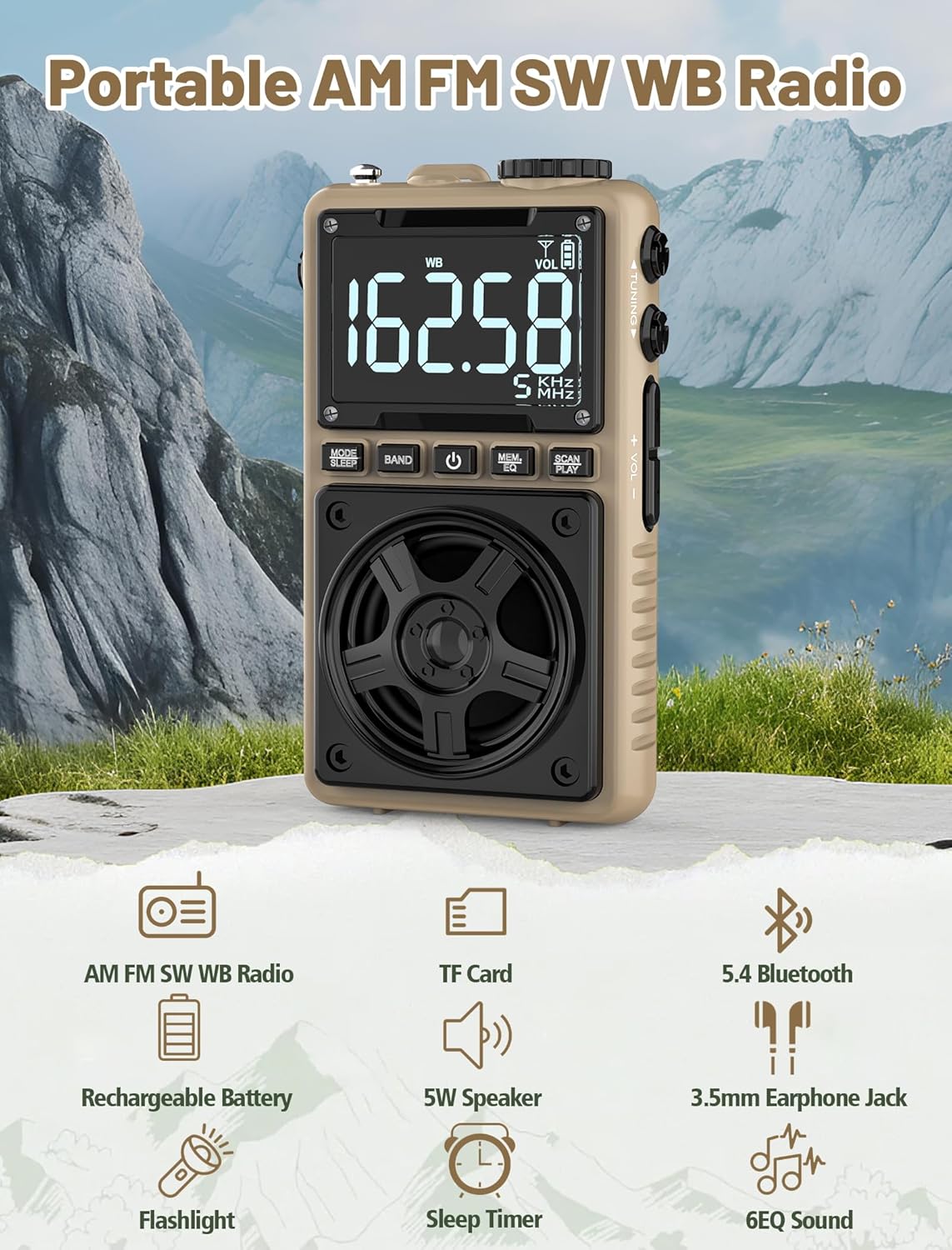
Image 1.1: The Jazmm Model 213 Portable Multi-Band Radio highlighting its key features including AM/FM/SW/WB radio, TF card support, Bluetooth 5.4, 5W speaker, rechargeable battery, flashlight, sleep timer, and 6 EQ sound effects.
2. Ohutusalane teave
Palun lugege enne toote kasutamist kõik ohutusjuhised läbi ja mõistke neid. Hoidke need juhised edaspidiseks kasutamiseks alles.
- Ärge jätke seadet äärmuslike temperatuuride, otsese päikesevalguse ega kõrge õhuniiskuse kätte.
- Vältige seadme maha pillamist või tugevate löökide allutamist.
- Ärge võtke seadet ise lahti, parandage ega muutke seda. Jätke kogu hooldus kvalifitseeritud personalile.
- Hoidke seadet veest ja muudest vedelikest eemal.
- Laadimiseks kasutage ainult kaasasolevat laadimiskaablit või sertifitseeritud Type-C-kaablit.
- Aku utiliseerimine vastavalt kohalikele eeskirjadele. Akut ei tohi põletada.
- Pikaajaline kuulamine suure helitugevusega võib põhjustada kuulmiskahjustusi. Reguleerige helitugevus mõõdukale tasemele.
3. Pakendi sisu
Veenduge, et pakendis on kõik esemed olemas:
- Jazmm Model 213 AM FM SW WB Radio
- Kasutusjuhend (käesolev dokument)
- C-tüüpi USB-toitejuhe
4. Toote lõppview
Tutvuge raadio komponentide ja juhtnuppudega.

Pilt 4.1: Ees ja külg view of the Jazmm Model 213 radio. The front features a large digital display, speaker, and control buttons (MODE/SLEEP, BAND, Power, MEM/EQ, SCAN/PLAY). The side shows the LOCK/LIGHT switch, TF card slot, DC 5V Type-C charging port, and a 1250mAh battery indicator.
Juhtnupud ja pordid:
- Digitaalne kuva: Shows frequency, band, volume, battery level, and other indicators.
- Kõlar: 5W output for clear audio.
- MODE/SLEEP Button: Switches between modes (Radio, Bluetooth, TF Card) and activates sleep timer.
- Nupp BAND: Selects radio bands (FM, AM, SW, WB).
- Toitenupp: Lülitab raadio sisse/välja.
- MEM/EQ Button: Accesses memory functions and cycles through EQ sound effects.
- SCAN/PLAY Button: Initiates auto-scan for radio stations or plays/pauses in Bluetooth/TF card mode.
- Häälestusnupp: Adjusts frequency.
- Helitugevuse +/- nupud: Reguleerib helitugevust.
- LOCK/LIGHT Switch: Locks buttons or activates the flashlight.
- TF-kaardi pesa: For Micro SD card playback (up to 128GB).
- DC 5V Type-C Charging Port: Sisemise aku laadimiseks.
- 3.5 mm kõrvaklappide pesa: Privaatseks kuulamiseks.
- Teleskoopantenn: Raadiovastuvõtu parandamiseks.
- Back Clip & Wrist Strap: For portability and secure carrying.
5. Seadistamine
5.1 Esmane laadimine
Before first use, fully charge the radio's internal 1250mAh lithium polymer battery. Connect the provided USB Type-C power cord to the DC 5V charging port on the side of the radio and plug the other end into a compatible USB power adapter (not included) or a computer USB port. The charging indicator on the display will show charging status. A full charge typically takes approximately 1.5 hours and provides 10-12 hours of usage.

Image 5.1: The Jazmm Model 213 radio connected to a power adapter via its Type-C charging port, illustrating the charging process for its 1250mAh rechargeable battery.
5.2 Antenni reguleerimine
For optimal radio reception, extend the telescopic antenna fully when listening to FM, SW, or WB bands. For AM reception, the internal antenna is generally sufficient, but adjusting the radio's orientation may improve signal strength.
6. Kasutusjuhised
6.1 Toide sisse/välja
Vajutage ja hoidke all nuppu Toitenupp ( ) for approximately 2 seconds to turn the radio on or off.
6.2 Režiimi valimine
Vajutage nuppu MODE/SLEEP Button to cycle through available modes: Radio (FM/AM/SW/WB), Bluetooth, and TF Card (if a card is inserted).
6.3 Radio Band Selection and Tuning
Raadiorežiimis vajutage BAND nupp to switch between FM, AM, Shortwave (SW), and NOAA Weather Band (WB).
- FM: 87-108 MHz
- OLEN: 520-1710 KHz
- SW: 4.75-21.85 MHz
- WB: 162.400-162.550 MHz

Image 6.1: The radio displaying different frequencies across FM, AM, SW, and WB bands, illustrating its multi-band reception capability with an extended antenna.
Käsitsi häälestamine:
Pöörake Häälestusnupp raadio küljel, et sagedust käsitsi reguleerida.
Automaatne skannimine:
Vajutage nuppu SCAN/PLAY Button to automatically scan for and save available stations. The radio can store up to 100 preset stations.
6.4 eelseadistatud jaama
Pärast automaatset skannimist kasutage Häälestusnupp või MEM/EQ Button to navigate through saved preset stations. Refer to the display for preset numbers (e.g., P01, P02).

Image 6.2: The radio positioned on a nightstand, illustrating the sleep timer function and the display of preset station numbers (P01, P05, P19, etc.).
6.5 Helitugevuse reguleerimine
Kasutage Helitugevus +/- nupud on the side of the radio to increase or decrease the audio output.
6.6 Bluetooth-režiim
Lülitage Bluetooth-režiimile, kasutades MODE/SLEEP Button. The radio will enter pairing mode, indicated by a blinking Bluetooth icon on the display. On your smartphone, tablet, or laptop, search for Bluetooth devices and select "Jazmm 213" to connect. The radio acts as a Bluetooth speaker. Note: This radio does not support connection to Bluetooth earphones.
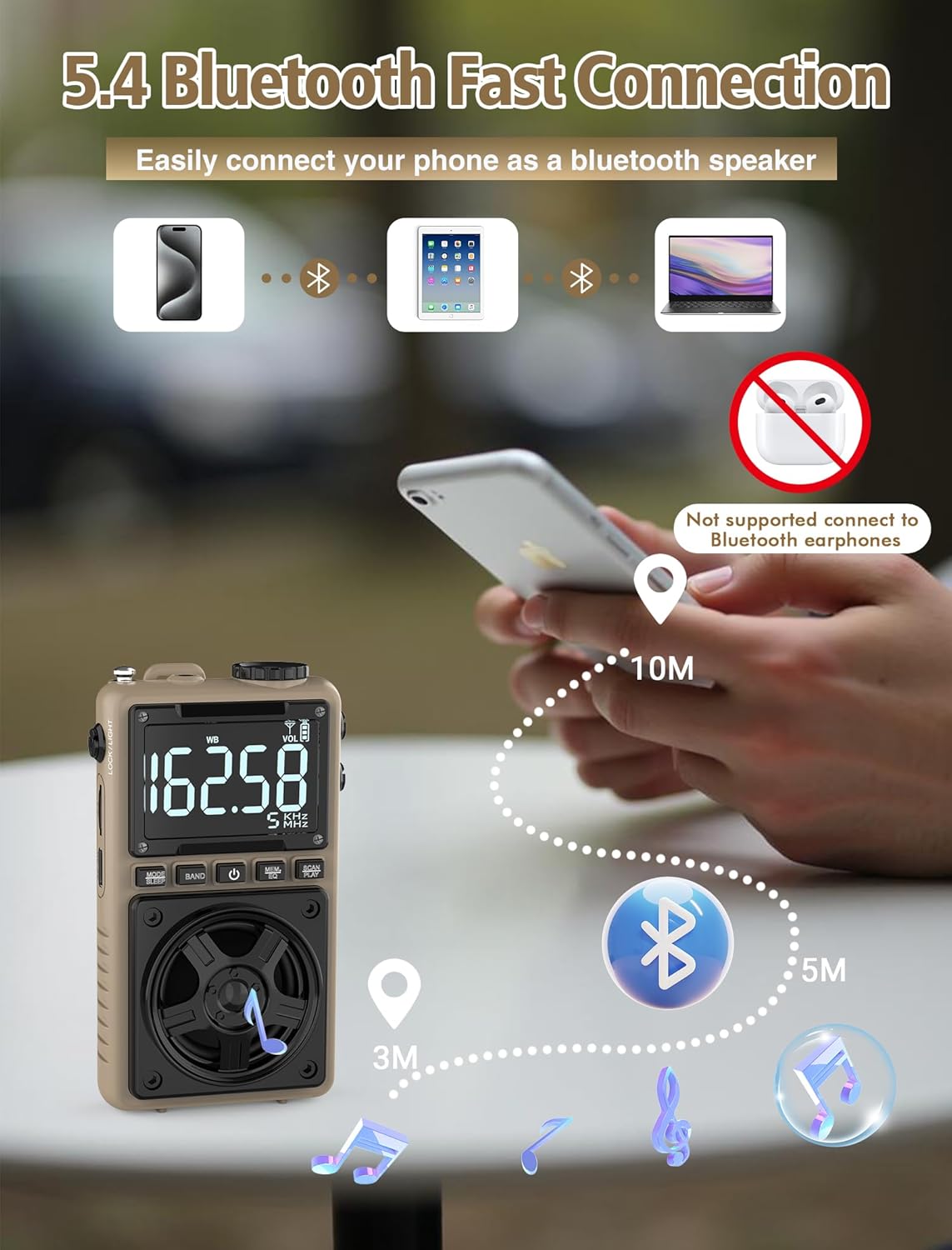
Image 6.3: A visual representation of the Jazmm Model 213 radio establishing a Bluetooth connection with various devices like smartphones, tablets, and laptops, functioning as a Bluetooth speaker.
6.7 TF Card Playback (MP3 Player)
Insert a Micro SD card (up to 128GB) with MP3 audio files sisse TF-kaardi pesa. Switch to TF Card mode using the MODE/SLEEP Button. The radio will automatically begin playing music from the card. Use the SCAN/PLAY Button to play/pause and the Häälestusnupp lugude vahelejätmiseks.

Image 6.4: A user enjoying music through headphones connected to the Jazmm Model 213 radio, with an inset showing the TF card slot for Micro SD card insertion.
6.8 Kõrvaklappide kasutamine
Plug standard 3.5mm headphones into the 3.5 mm kõrvaklappide pesa for private listening. The radio's speaker will automatically mute when headphones are connected.
6.9 NOAA ilmahoiatus
In WB (Weather Band) mode, the radio is capable of receiving real-time weather alerts and updates from the National Oceanic and Atmospheric Administration. This feature helps you prepare for potential weather hazards. Ensure the antenna is extended for best reception.

Image 6.5: The radio displaying a NOAA weather alert, with a flashlight beam illuminating the foreground and a stormy sky in the background, emphasizing its emergency preparedness features.
6.10 Taskulambi funktsioon
Libistage LOCK/LIGHT Switch to activate the built-in LED flashlight. This can be useful in low-light conditions or emergencies.
6.11 Unetaimer
Vajutage ja hoidke all nuppu MODE/SLEEP Button to activate the sleep timer. Repeated presses will cycle through available durations (e.g., 10, 60, 90, 120 minutes). The radio will automatically turn off after the selected time.
6.12 Lukustusklahv
Libistage LOCK/LIGHT Switch to the 'LOCK' position to prevent accidental button presses. This is useful when carrying the radio in a pocket or bag.
6.13 EQ heliefektid
Vajutage nuppu MEM/EQ Button (short press) to cycle through 6 preset EQ sound effects: Normal, Rock, Pop, Jazz, Class, and Village. Select the effect that best suits your audio preference.

Image 6.6: The radio's 5W speaker is highlighted, surrounded by icons representing the six available EQ stereo sound effects: Normal, Rock, Pop, Jazz, Class, and Village.
7. Tehnilised andmed
| Funktsioon | Detail |
|---|---|
| Mudeli number | 213 |
| Toote mõõtmed | 2.3 x 4 x 1.3 tolli (5.84 x 10.16 x 3.3 cm) |
| Kauba kaal | 4.6 untsi (130 grammi) |
| Toetatud raadiobändid | FM (87-108MHz), AM (520-1710KHz), SW (4.75-21.85MHz), WB (162.400-162.550MHz) |
| Ühenduvustehnoloogia | Bluetooth 5.4 |
| Kõlari väljund | 5W |
| Aku | 1250mAh Lithium Polymer (Rechargeable, included) |
| Laadimisport | USB Type-C (DC 5V) |
| Laadimisaeg | u. 1.5 tundi |
| Kasutusaeg | Approx. 10-12 hours (depending on usage) |
| Mälukaardi tugi | Micro SD (TF Card) up to 128GB |
| Eriomadused | NOAA Weather Alert, Built-In Flashlight, SOS Alarm, Sleep Timer, 100 Preset Stations, Digital Backlight Screen, Back Clip, Wrist Strap |
8. Veaotsing
| Probleem | Võimalik põhjus/lahendus |
|---|---|
| Raadio ei lülitu sisse. |
|
| Halb raadiovastuvõtt. |
|
| Bluetooth ei ühendu. |
|
| TF-kaart ei mängi. |
|
| Kõlaritest/kõrvaklappidest ei kostu heli. |
|
9. Hooldus
- Puhastamine: Raadio välispinna puhastamiseks kasutage pehmet ja kuiva lappi. Ärge kasutage abrasiivseid puhastusvahendeid ega lahusteid.
- Hoiustamine: When not in use for extended periods, store the radio in a cool, dry place.
- Aku hooldus: To prolong battery life, avoid fully discharging the battery frequently. Recharge the radio periodically even if not in use.
- Antenn: Handle the telescopic antenna gently to prevent bending or breaking. Retract it when not in use.
10. Garantii ja tugi
Jazmm products are designed for reliability and performance. For warranty information, please refer to the documentation provided at the time of purchase or contact your retailer. If you encounter any issues or require technical assistance, please contact Jazmm customer support through the retailer's platform or the official Jazmm websaidile.
Toega ühenduse võtmisel hoidke palun oma toote mudelinumber (213) ja ostuandmed käepärast.


