1. Sissejuhatus
This manual provides detailed instructions for the safe and effective use of your ScopeAround SA200S Digital Otoscope. This device is designed for visual inspection of the ear canal and eardrum, featuring an integrated 1.85-inch IPS screen, a 720p HD camera, and adjustable LED lighting. It also supports photo and video capture for documentation.
Palun lugege see kasutusjuhend enne seadme kasutamist hoolikalt läbi ja hoidke see alles edaspidiseks kasutamiseks.
2. Ohutusalane teave
- Do not insert the otoscope too deeply into the ear canal to avoid injury.
- Always use the provided specula to prevent direct contact with the ear canal.
- Clean the lens and accessories thoroughly before and after each use to prevent cross-contamination. Refer to the "Maintenance and Cleaning" section.
- Hoidke seadet lastele kättesaamatus kohas. Laste peal kasutamisel on vajalik täiskasvanu järelevalve.
- Do not use the device if you experience pain or discomfort. Consult a medical professional.
- Vältige seadme jätmist äärmuslike temperatuuride, otsese päikesevalguse või niiskuse kätte.
- Ärge proovige seadet ise lahti võtta ega parandada. Abi saamiseks võtke ühendust klienditoega.
- The built-in battery pack is non-removable.

Figure 2.1: Safe and Dangerous Ear Canal Insertion
3. Pakendi sisu
Veenduge, et pakendis on kõik esemed olemas:
- SA200S Digital Otoscope with Screen
- Ear Picks (x4)
- Specula (x5)
- Alkoholipadjad
- Vatt-tipud
- 8GB mälukaart
- USB-kaabel (tüüp-C)
- Kasutusjuhend

Joonis 3.1: Pakendi sisu
4. Toote lõppview
The ScopeAround SA200S Digital Otoscope is an all-in-one device designed for convenient ear examination. It features a high-resolution camera and an integrated display for direct viewing.

Figure 4.1: ScopeAround SA200S Digital Otoscope
4.1 Seadme komponendid

Figure 4.2: Labeled Components of the Otoscope
- Navigation Buttons UP: Used to navigate menus or adjust settings.
- Navigation Buttons Down: Used to navigate menus or adjust settings.
- Mälukaardi pesa: For inserting the 8GB memory card (included).
- Photo / Video Button: Press to capture photos or start/stop video recording.
- Power Button / LED Light Adjustment: Long press to power on/off. Short press to cycle through LED brightness levels.
- 1.85" IPS LCD Screen: Integrated display for real-time viewing.
- Seadete nupp: Juurdepääs seadme seadetele.
- OK nupp: Confirm selections in menus.
- Otoscope Camera: The camera probe for ear canal inspection.
- C-tüüpi tüüp: Laadimiseks ja andmeedastuseks.
5. Seadistamine
5.1 Seadme laadimine
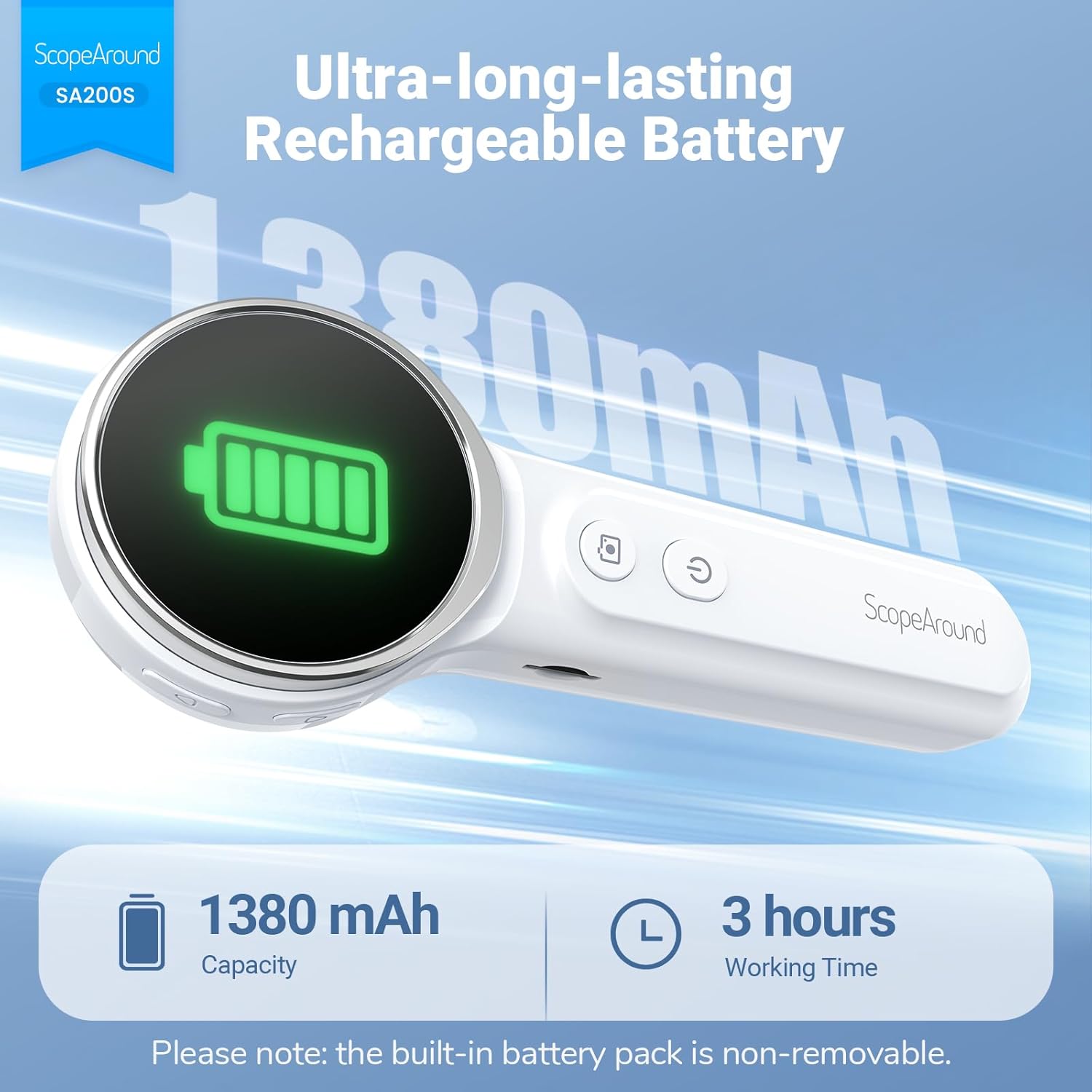
Before first use, fully charge the otoscope. Connect the provided USB Type-C cable to the device's Type-C port and a compatible USB power adapter (not included). The charging indicator will show the charging status. A full charge provides approximately 3 hours of working time.
Joonis 5.1: Laadimine ja aku tööiga
5.2 Tarvikute kinnitamine
Select an appropriate speculum and ear pick. Gently attach the chosen speculum to the tip of the otoscope camera. If using an ear pick, ensure it is securely fitted over the camera tip, inside the speculum, before insertion into the ear.
5.3 Sisse-/väljalülitamine
- Sisselülitamiseks: vajutage pikalt Toitenupp (5) until the screen illuminates.
- Väljalülitamiseks: vajutage pikalt Toitenupp (5) again until the screen turns off.
5.4 Connecting to the App (Optional)
For additional features and a larger viewing experience, you can connect the otoscope to your smartphone or tablet via Wi-Fi.
- Laadige rakendus alla: Scan the QR code provided in the manual or on the device packaging, or search for "Smart Otoscope" in the Apple App Store or Google Play Store. You can also visit gto.so/smart-otoscope.
- Power On Otoscope: Long press the power button on the otoscope to turn it on.
- Ühendage Wi-Fi: On your smartphone or tablet, go to Wi-Fi settings and connect to the network named "Smart Otoscope_XXX". The default password is 55556666.
- Käivitage rakendus: Open the "Smart Otoscope" app. The live view from the otoscope camera should appear.

Figure 5.2: Wi-Fi Connection Steps
Note: Once connected to the app, you can operate the device and view the feed on your phone.
6. Kasutusjuhised
6.1 Basic Ear Examination
- Ensure a clean speculum is attached to the otoscope camera.
- Gently pull the outer ear up and back to straighten the ear canal.
- Carefully insert the speculum tip into the ear canal while observing the integrated 1.85-inch IPS screen. Do not force the device.
- Selge heli saamiseks reguleerige nurka ja sügavust aeglaselt. view of the ear canal and eardrum.

Figure 6.1: Self-Examination with Integrated Screen
6.2 Adjusting LED Lights and Brightness
The otoscope features 6 adjustable LED lights with 3 brightness settings for optimal visibility.
- Vajutage lühidalt nuppu Toitenupp (5) to cycle through the 3 brightness levels.

Figure 6.2: Camera Specifications and Brightness Settings
6.3 Magnification Levels
The device supports 3 levels of magnification (1.0x, 1.3x, 1.5x) for detailed viewing. Use the Navigation Buttons UP/DOWN (1, 2) to adjust magnification.

Figure 6.3: Adjustable Magnification and Image Rotation
6.4 Fotode ja videote jäädvustamine
The otoscope allows you to capture images and record videos directly to the included 8GB memory card.
- To take a photo: Press the Foto/video nupp (4) üks kord.
- To record a video: Long press the Foto/video nupp (4) to start recording. Long press again to stop recording.
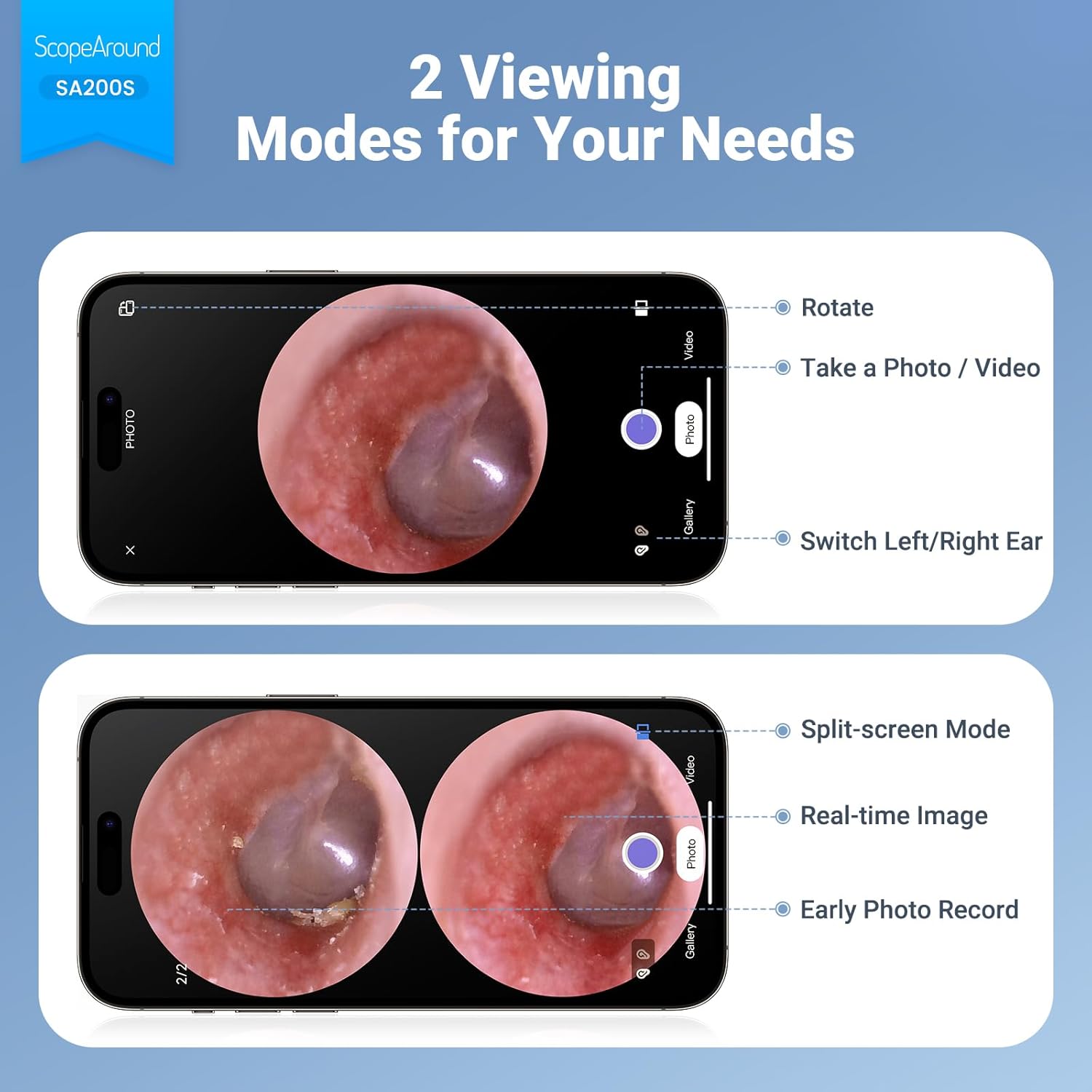
Figure 6.4: Photo and Video Capture Interface (App View)
6.5 Ülekandmine Files
To transfer captured photos and videos to a computer:
- Connect the otoscope to your computer using the provided USB Type-C cable.
- The device should appear as a removable storage device. You can then access the files on the 8GB memory card.
- Alternatively, remove the 8GB memory card from the slot (3) and insert it into a compatible card reader connected to your computer.

Joonis 6.5: File Transfer for Sharing Insights
7. Hooldus ja puhastamine
Proper maintenance ensures the longevity and hygiene of your otoscope.
- Objektiivi puhastamine: Use the provided Q-tips and alcohol pads to gently clean the camera lens before and after each use. Ensure no residue remains.
- Puhastustarvikud: Wash the reusable ear picks and specula with soap and water, then sterilize them with alcohol pads. Allow them to dry completely before storage or reuse.
- Seadme korpus: Wipe the main body of the otoscope with a soft, dry cloth. Do not immerse the device in water.
- Hoiustamine: Hoidke seadet jahedas, kuivas ja otsese päikesevalguse ning äärmuslike temperatuuride eest kaitstud kohas.

Figure 7.1: Cleaning the Otoscope Lens
8. Veaotsing
| Probleem | Võimalik põhjus | Lahendus |
|---|---|---|
| Seade ei lülitu sisse. | Aku tühi. | Laadige seade kaasasoleva USB-kaabli abil täielikult täis. |
| Ekraanil pole pilti. | Device not powered on; Camera lens obstructed. | Ensure device is powered on. Check and clean the camera lens. |
| Pilt on udune või ebaselge. | Dirty lens; Incorrect focal distance; Magnification setting. | Clean the camera lens. Adjust the distance from the ear canal. Adjust magnification using navigation buttons. |
| Wi-Fi-ga ei saa ühendust. | Incorrect Wi-Fi password; Device not in pairing mode; App issue. | Ensure the otoscope is powered on. Verify the Wi-Fi password (55556666). Restart the otoscope and your phone/tablet. Reinstall the app if necessary. |
| Fotosid/videoid ei saa salvestada. | Memory card full or faulty; Memory card not inserted. | Check if the 8GB memory card is correctly inserted. Ensure there is sufficient space. Try formatting the card (if data is backed up) or using a different card. |
9. Tehnilised andmed
| Funktsioon | Detail |
|---|---|
| Mudeli nimi | SA200S |
| Ekraani suurus | 1.85-tolline IPS LCD |
| Kaamera eraldusvõime | 720p HD |
| Objektiivi läbimõõt | 3.9mm Ultra-thin Lens |
| Valgusallikas | 6 LED Lights (3 brightness settings) |
| Fookuskaugus | 0.39–1.18 tolli |
| Tegelik nurk View | 78 kraadi |
| Suurendus | Up to 1.5x (1.0x, 1.3x, 1.5x) |
| Aku mahutavus | 1380 mAh liitiumpolümeer |
| Tööaeg | Umbes 3 tundi |
| Ühenduvus | WiFi (rakenduse ühenduse loomiseks) |
| Säilitamine | 8GB Memory Card (included) |
| Laadimisport | Tüüp-C |
| Ühilduvad seadmed | Android/iPhone smartphones and tablets (Not compatible with Macbook & Windows PC) |
| Kauba kaal | 12 untsi |
| Mõõtmed | 7.52 x 4.61 x 2.68 tolli (pakend) |
| Materjal | Plastikust |
| Värv | Valge |
10. Garantii ja tugi
ScopeAround is committed to providing high-quality products and customer satisfaction. For any questions, technical support, or warranty inquiries, please contact our US-based after-sales support team.
Contact information can typically be found on the product packaging, the official ScopeAround websaidi või oma ostuplatvormi kaudu.


