Sissejuhatus
Thank you for choosing the Ourlife Mini Drone. This drone is equipped with dual 4K cameras, offering high-quality photo and video capture, and can be controlled via a smartphone app for real-time viewing. Designed for ease of use, it features one-button takeoff/landing, altitude hold, headless mode, and gesture control, making it suitable for beginners and enthusiasts alike. Its compact, foldable design ensures portability for all your adventures. Please read this manual carefully before operation to ensure safe and optimal performance.
Ohutusjuhised
Always prioritize safety when operating your drone. Failure to follow these guidelines may result in injury, damage to property, or legal issues.
- Lugege juhendit: Fully understand all instructions and warnings before first flight.
- Avatud ruum: Always fly in open, unobstructed areas, away from people, animals, buildings, and power lines. Avoid flying in strong winds.
- Vaateväli: Säilita drooniga kogu aeg visuaalne vaateväli.
- Aku ohutus: Use only original batteries and charging cables. Do not overcharge or short-circuit batteries. Discontinue use if batteries are damaged or swollen.
- Propelleri ohutus: Hoidke sõrmed, juuksed ja lahtised riided pöörlevatest propelleritest eemal. Enne propellerite käsitsemist lülitage droon alati välja.
- Vanusepiirang: Seda toodet soovitatakse 14-aastastele ja vanematele kasutajatele.
- Õiguslik vastavus: Be aware of and comply with local laws and regulations regarding drone operation.
Pakendi sisu
Veenduge, et pakis on kõik esemed olemas:

Image: Contents of the Ourlife Mini Drone package, showing the drone, remote control, two rechargeable batteries, a screwdriver, four protective frames, four main propellers, a USB charging cable, and an instruction manual.
- Ourlife Mini Drone x 1
- Kaugjuhtimispult x 1
- Rechargeable Drone Battery x 2
- Kruvikeeraja x 1
- Protective Frame x 4
- Main Propeller x 4 (spare)
- USB-laadimiskaabel x 1
- Kasutusjuhend x 1
Note: The remote control requires 3 AAA batteries, which are not included.
Toode läbiview
Familiarize yourself with the drone and remote control components.

Image: The Ourlife Mini Drone in its unfolded state, alongside its remote control, two drone batteries, and the drone in its folded, compact form.
Drooni komponendid
- Kokkupandavad käed: Kompaktseks hoiustamiseks ja kaasaskantavuse tagamiseks.
- Propellerid: Four main propellers for flight.
- Kaks kaamerat: Front 4K camera (120° adjustable) and bottom optical flow lens for stable flight and diverse shooting angles.
- Akupesa: Located at the rear of the drone.
- LED tuled: Näitab drooni olekut ja suunda.

Pilt: Lähivõte view of the Ourlife Mini Drone's dual camera system, highlighting the adjustable front camera and the lower lens for stable flight. The front camera can be adjusted by 120 degrees.
Kaugjuhtimispuldi paigutus
- Vasak juhtkang: Juhib kõrgust (üles/alla) ja pöörlemist (vasakule/paremale).
- Parem juhtkang: Juhib edasi/tagasi ja vasakule/paremale liikumist.
- Ühe nupuga õhkutõusmis-/maandumisnupp: Käivitab automaatse õhkutõusmise või maandumise.
- Peata režiimi nupp: Activates/deactivates headless mode.
- Kiiruse lüliti nupp: Toggles between different flight speeds (low, medium, high).
- 360° pööramisnupp: Executes a 360-degree flip.
- Telefoni hoidja: Nutitelefoni kinnitamiseks view FPV feed.
Seadistamine
1. Drooni aku laadimine
- Ühenda USB laadimiskaabel drooni akuga.
- Plug the USB end into a 5V/1A USB adapter (not included) or a computer USB port.
- The indicator light on the cable will show charging status. It will turn off or change color when fully charged.
2. Drooni aku paigaldamine
- Veenduge, et droon oleks välja lülitatud.
- Insert the charged battery into the battery compartment at the rear of the drone until it clicks into place.
3. Kaugjuhtimispuldi patareide paigaldamine
- Avage kaugjuhtimispuldi tagaküljel olev patareipesa.
- Sisestage 3 AAA patareid (ei kuulu komplekti) vastavalt polaarsuse märgistusele.
- Sulgege akupesa kaas kindlalt.
4. Propellerikaitsete kinnitamine
- Carefully attach the four protective frames to each motor arm of the drone.
- Ensure they are securely fastened to prevent detachment during flight.
5. App Installation (KY UFO)
- Scan the QR code provided in the manual or search for "KY UFO" in your smartphone's app store (App Store for iOS, Google Play for Android).
- Laadige alla ja installige rakendus.
- Turn on the drone, then go to your phone's Wi-Fi settings and connect to the drone's Wi-Fi network (usually named "KY-UFO-XXXXXX").
- Open the KY UFO app to access the real-time FPV feed and advanced controls.
Kasutusjuhised
1. Drooni ja puldi sidumine
- Asetage droon tasasele ja tasasele pinnale.
- Lülitage drooni toitelüliti sisse. Drooni indikaatortuled vilguvad.
- Lülitage kaugjuhtimispult sisse.
- Push the left joystick all the way up, then pull it all the way down. The drone's lights will stop flashing and remain solid, indicating successful pairing.
2. Lennu põhijuhtimisseadmed
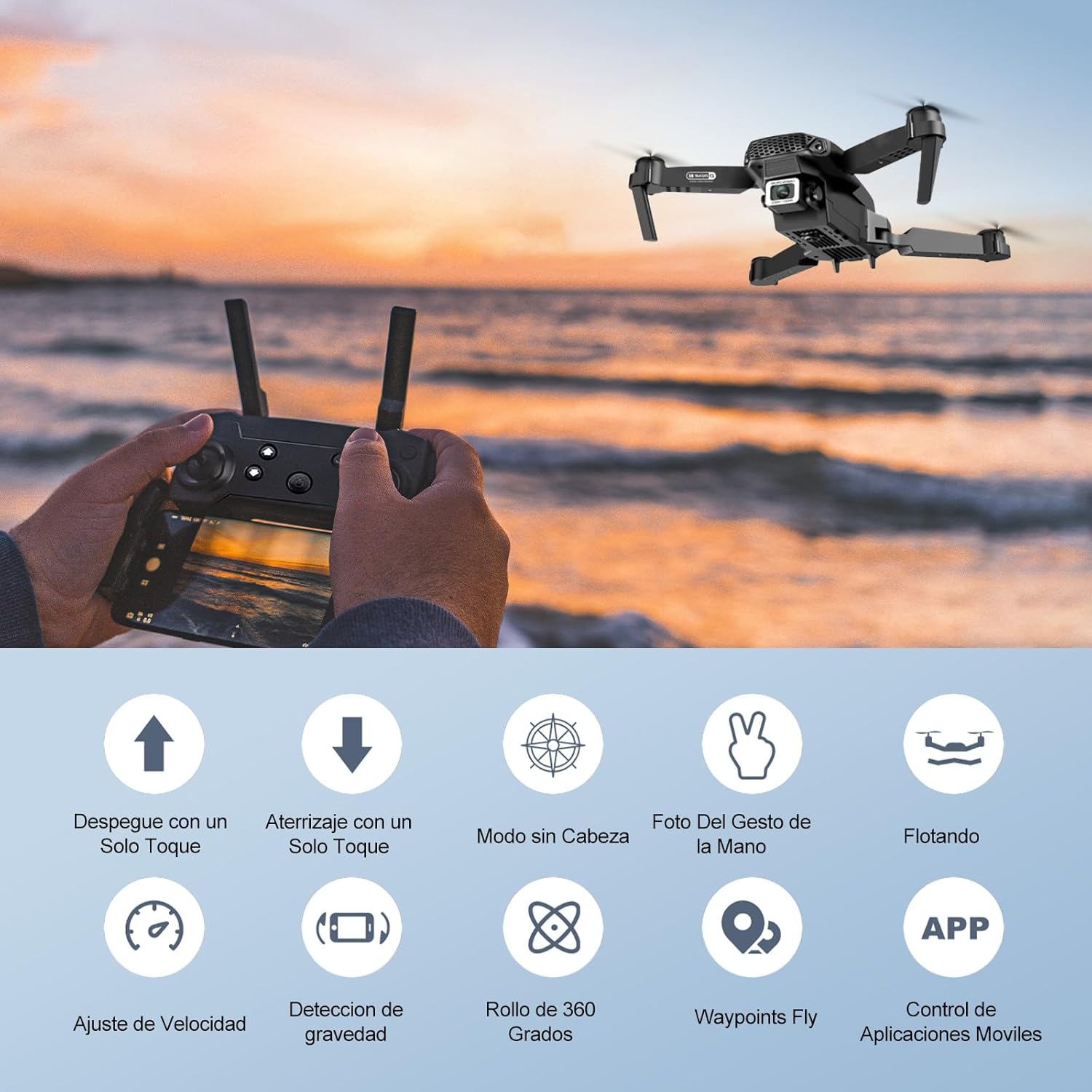
Image: Icons representing various flight features: One-touch takeoff, One-touch landing, Headless Mode, Hand Gesture Photo, Floating (Altitude Hold), Speed Adjustment, Gravity Detection, 360 Degree Roll, Waypoints Fly, and APP Control.
- Ühe klahviga õhkutõus: Vajutage nuppu Ühe nupuga õhkutõus/maandumine button. The drone will automatically ascend and hover at a certain altitude.
- Ühe klahviga maandumine: Vajutage nuppu Ühe nupuga õhkutõus/maandumine button again. The drone will automatically descend and land.
- Kõrguse hoidmine: The drone maintains its current altitude automatically, allowing for stable hovering.
- Vasak juhtkang (gaasi/pöördenurk):
- Push up/down: Increase/decrease altitude.
- Push left/right: Rotate drone left/right.
- Right Joystick (Forward/Backward/Sideways):
- Push up/down: Fly forward/backward.
- Push left/right: Fly left/right (strafe).

Image: The Ourlife Mini Drone taking off or landing with a single button press, illustrating the ease of use for beginners.
3. Täiustatud lennufunktsioonid
- Peata režiim: Vajutage nuppu Peata režiim button. In this mode, the drone's orientation is relative to the pilot, regardless of the drone's actual front. This simplifies control, especially for beginners.
- 360° ümberpööramine: Fly the drone to a height of at least 2 meters. Press the 360° ümberpööramine button, then push the right joystick in any direction to perform a flip in that direction.
- Gesture Control (Photos/Videos): With the KY UFO app open, make specific hand gestures in front of the drone's camera to trigger photo or video recording.
- "V" Gesture: Triggers photo capture.
- Peopesa liigutus: Triggers video recording.
- Teekonnapunkti lend: In the KY UFO app, draw a desired flight path on your smartphone screen. The drone will automatically follow this path.
- Kiiruse reguleerimine: Vajutage nuppu Kiiruse lüliti button to cycle through low, medium, and high-speed modes. Adjust according to your skill level and environmental conditions.
- FPV Real-Time Transmission: Connect your smartphone to the drone's Wi-Fi. Open the KY UFO app to view live video feed from the drone's camera on your phone screen.
- Gravitatsiooni induktsioon: In the KY UFO app, activate gravity induction mode. You can then control the drone's movement by tilting your smartphone.

Image: The Ourlife Mini Drone performing a 360-degree flip in the air and demonstrating the Waypoints Fly feature, where the drone follows a pre-drawn path.

Image: Demonstrates 1080P FPV Real-Time Transmission, showing a live view from the drone. Also illustrates gesture control for taking photos (V-sign) and recording videos (palm gesture), and the 120-degree adjustable camera angle.
Hooldus
- Puhastamine: Drooni ja kaugjuhtimispuldi puhastamiseks kasutage pehmet ja kuiva lappi. Ärge kasutage tugevatoimelisi kemikaale ega lahusteid.
- Propelleri vahetus: If propellers are damaged, replace them with spare ones provided. Ensure correct propeller (A or B) is installed on the corresponding motor.
- Aku hooldus: Hoidke akusid jahedas ja kuivas kohas. Ärge hoidke täielikult laetud või täiesti tühje akusid pikka aega. Pikaajaliseks hoiustamiseks laadige need umbes 50%-ni.
- Hoiustamine: When not in use, store the drone and its accessories in a safe, dry place, away from direct sunlight and extreme temperatures.
Veaotsing
| Probleem | Võimalik põhjus | Lahendus |
|---|---|---|
| Droon ei reageeri puldile. | Not paired; low battery (drone/remote); interference. | Re-pair drone and remote. Charge batteries. Move to an area with less interference. |
| Droon triivib lennu ajal. | Kalibreerimata; ebatasane pind õhkutõusmisel; tuul. | Calibrate the gyroscope (refer to app instructions). Take off from a flat surface. Avoid flying in windy conditions. |
| Camera feed is not showing in app. | Drooni WiFi-ga pole ühendust; rakenduse probleem. | Ensure phone is connected to the drone's Wi-Fi network. Restart the app and drone. |
| Lühike lennuaeg. | Aku pole täielikult laetud; vana aku. | Enne lendu veenduge, et aku on täielikult laetud. Kaaluge vanade akude väljavahetamist. |
| Droon kukub kergesti alla. | Lack of experience; strong wind; damaged propellers. | Practice in open areas. Avoid strong winds. Replace damaged propellers. |
Tehnilised andmed

Image: Diagram showing the dimensions of the Ourlife Mini Drone (unfolded and folded) and its remote control in inches.
| Funktsioon | Detail |
|---|---|
| Kaubamärk | Ourlkui |
| Mudeli number | AF-E88-BK |
| Toote kaal | 430 g (umbes 0.95 naela) |
| Toote mõõtmed (laiendatud) | 28 x 22 x 5 cm (umbes 11 x 8.7 x 2 tolli) |
| Toote mõõtmed (volditud) | 12.5 x 8.1 x 5.3 cm (umbes 4.9 x 3.2 x 2.1 tolli) |
| Aku tüüp | Liitiumioonaku (2 kaasas) |
| Video jäädvustamise eraldusvõime | 4K (Dual Cameras) |
| Ühenduvustehnoloogia | Wi-Fi |
| Kontrollimeetod | Kaugjuhtimispult, nutitelefoni rakendus |
| Värv | Must |
Garantii ja tugi
Ourlife provides post-sale warranty support for this product. If you encounter any issues with the drone, remote control, or the KY UFO application during flight or operation, please do not hesitate to contact the seller directly for assistance.
For optimal performance and to minimize potential issues, it is recommended to conduct initial flight tests in an open space, especially when using the propeller protectors. Please note that wind interference may occur when operating outdoors.


