Sissejuhatus
Thank you for choosing TTQ Hearing Aids. This device is designed to provide clear and natural sound, enhancing your hearing experience in various environments. It combines advanced hearing aid technology with the convenience of wireless Bluetooth headphones, offering a versatile solution for individuals with moderate hearing loss. Please read this manual carefully to ensure proper use and maintenance of your device.

Toode läbiview
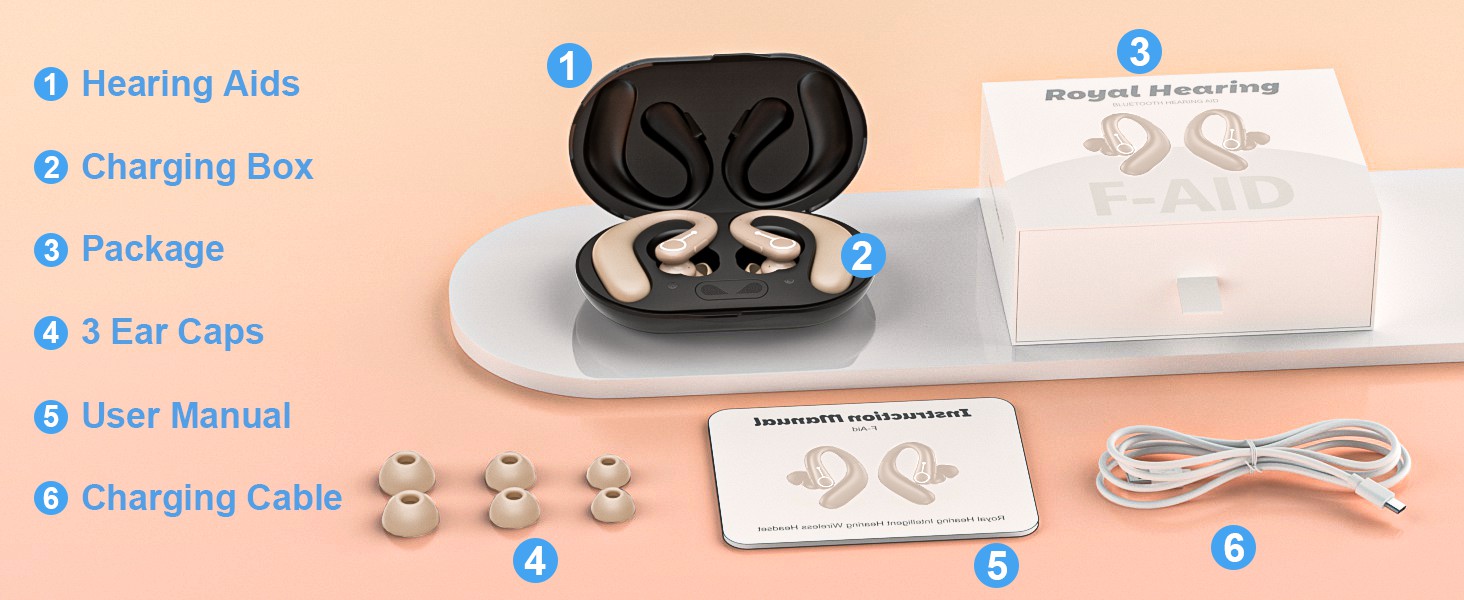
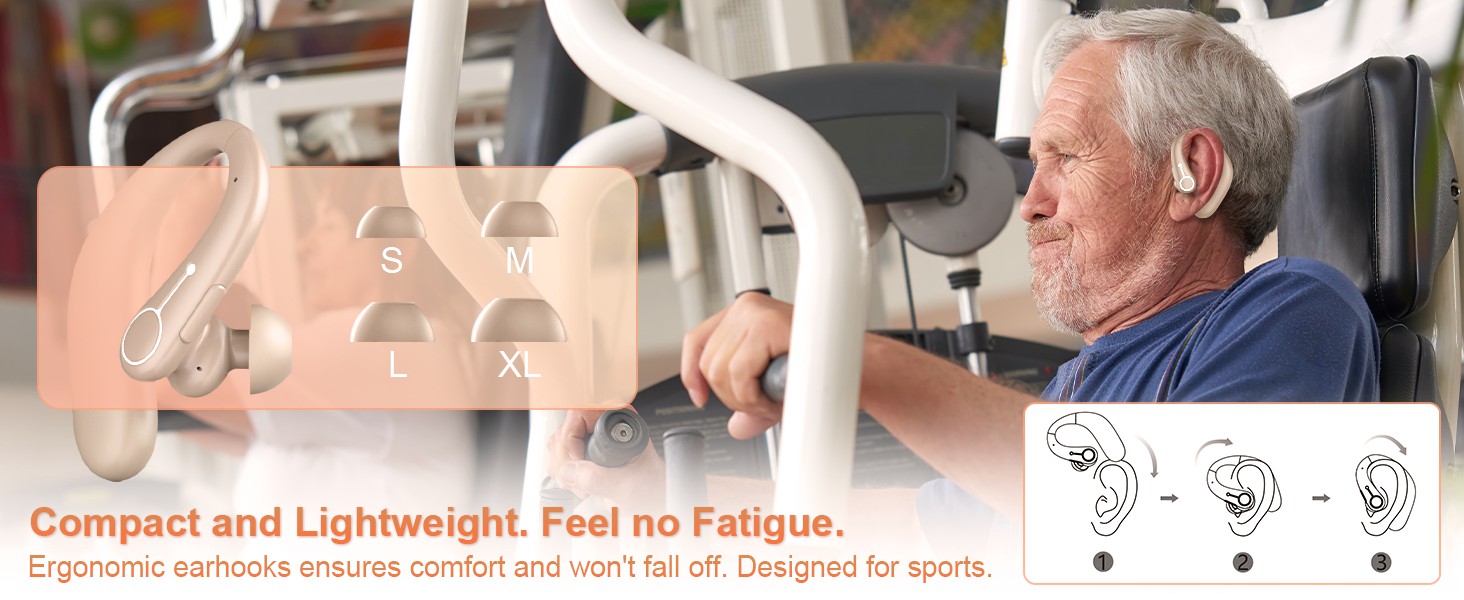
The TTQ Hearing Aids are compact, lightweight, and designed for comfortable long-term wear. They feature an ergonomic earhook design and come with multiple ear dome sizes to ensure a secure and comfortable fit.
Komponendid ja funktsioonid
- Kuulmisaparaadid: Main units with integrated DSP chip for sound processing.
- Laadimiskast: Portable case for charging and dehumidification.
- Kõrvakuplid: Six different sizes (S, M, L, XL) for optimal fit.
- Funktsiooninupp: Single button for volume control, mode switching, and call management.
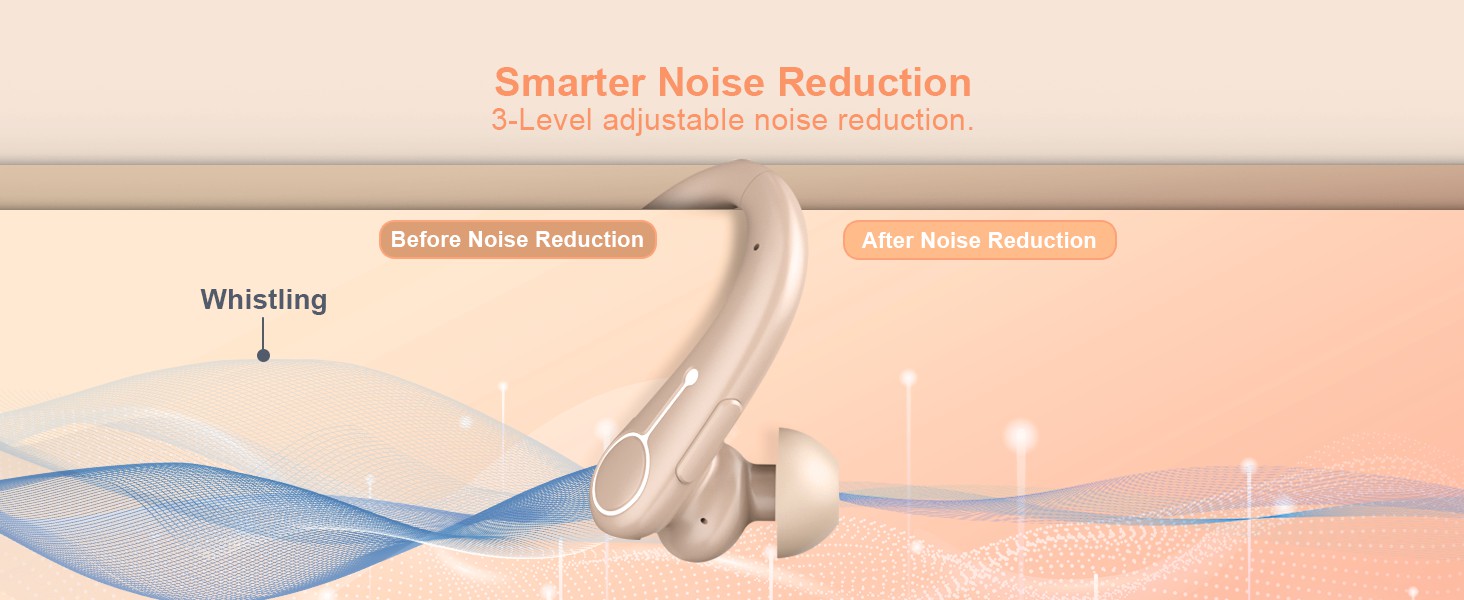
- Advanced Microphone: For clear sound capture and noise cancellation.
- Märgutuli: Annab olekuteavet.

Seadistamine
1. Seadme laadimine
Before first use, fully charge the hearing aids and the charging box. The charging box features an LED display to show the remaining power and includes overcharge protection circuitry.
- Place the hearing aids into the charging slots in the charging box.
- Ühendage laadimiskast kaasasoleva USB-kaabli abil toiteallikaga.
- A full charge takes approximately 2 hours. The hearing aids provide up to 18 hours of hearing aid use or 13 hours of Bluetooth headphone use on a single charge.

2. Selecting and Fitting Ear Domes
Choose the ear domes that provide the most comfortable and secure fit in your ear canal. An improper fit can lead to whistling or reduced sound quality.
- Experiment with the different sizes (S, M, L, XL) provided.
- Gently insert the hearing aid into your ear, ensuring the earhook rests comfortably over your ear.
3. Bluetoothi sidumine
Your hearing aids can also function as wireless Bluetooth headphones, allowing you to connect to your smartphone or other Bluetooth-enabled devices.
- Ensure the hearing aids are powered on.
- Avage oma seadmes Bluetoothi seaded ja otsige saadaolevaid seadmeid.
- Select "F-Aid" from the list to pair. Once connected, you can stream audio or make calls.

Kasutusjuhised
Toide sisse/välja
The hearing aids automatically power on when removed from the charging case and power off when placed back in the case.
Helitugevuse juhtimine
Adjust the volume using the single function button on the hearing aid.
- Lühike vajutus: Increases volume level. There are 5 adjustable levels (20%, 30%, 50%, 80%, 100%).
Mürasummutusrežiimid
Switch between different noise reduction modes to suit your environment.
- Pikk vajutus: Cycles through 3 noise reduction modes: Universal, Noise Reduction, and Strong Noise Reduction.
Bluetooth Functionality (Calls & Music)
When connected via Bluetooth, the function button also manages calls and media playback.
- Short Press (during call): Kõnele vastamine/lõpetamine.
- Long Press (during call): Keeldu kõnest.
- Short Press (music playback): Esita/Paus.

Hooldus
Puhastamine
- Regularly clean the ear domes and the body of the hearing aids with a soft, dry cloth.
- Do not use water or cleaning solutions directly on the hearing aids.
- Ensure no earwax or debris accumulates in the sound outlet or microphone ports.
Kuivatamine
The charging box supports a dehumidification function to vaporize sweat and moisture, extending the life of your hearing aids.
- Place the hearing aids in the charging box after each use, especially if exposed to moisture or sweat.
- The dehumidification process occurs automatically when the hearing aids are in the charging box.
Veaotsing
| Probleem | Võimalik põhjus | Lahendus |
|---|---|---|
| Heli puudub või nõrk heli | Low battery; Ear dome clogged; Incorrect volume level; Improper fit. | Charge the device; Clean ear dome; Adjust volume; Re-fit the hearing aid or try a different ear dome size. |
| Vile või tagasiside | Improper fit; Ear dome too small; Earwax buildup. | Ensure a snug fit; Try a larger ear dome; Clean ear canal and hearing aid. |
| Bluetooth-ühenduse probleemid | Seade ei ole sidumisrežiimis; Leviulatusest väljas; Häired. | Ensure hearing aids are on and in pairing mode; Move closer to the connected device; Restart both devices. |
| Laadimine ei tööta | Cable or adapter issue; Poor contact in charging case. | Check cable and adapter; Ensure hearing aids are correctly seated in the charging case. |
Tehnilised andmed
| Funktsioon | Detail |
|---|---|
| Mudeli nimi | FAID |
| Kaubamärk | TTQ |
| Värv | Beež |
| Materjal | Plastikust |
| Toiteallikas | Akutoitel |
| Hearing Aid Battery Life | Kuni 18 tundi |
| Bluetooth Headphone Battery Life | Kuni 13 tundi |
| Laadimisaeg | u. 2 tundi |
| Helitugevuse tasemed | 5 taset (20%, 30%, 50%, 80%, 100%) |
| Müra vähendamise režiimid | 3 modes (Universal, Noise Reduction, Strong Noise Reduction) |
| Pakendi mõõtmed | 5.31 x 4.17 x 2.13 tolli |
| Kauba kaal | 8.78 untsi |
Oluline ohutusteave
Toidulisandite kohta käivaid väiteid ei ole FDA hinnanud ja need ei ole mõeldud ühegi haiguse või terviseseisundi diagnoosimiseks, raviks, ravimiseks ega ennetamiseks.
Always consult with a healthcare professional before using any hearing device, especially if you have pre-existing medical conditions or experience sudden hearing loss.
Garantii ja tugi
Specific warranty details and customer support contact information are not provided in this manual. Please refer to the product packaging or the manufacturer's official webgarantii registreerimise ja tugipäringute sait.


