1. Sissejuhatus
This manual provides detailed instructions for the installation, operation, and maintenance of your Leadfan 9-inch car radio stereo. This unit is designed to enhance your driving experience with advanced features such as wireless CarPlay, Android Auto, GPS navigation, Bluetooth connectivity, and a high-definition touchscreen. Please read this manual thoroughly before installation and use to ensure proper functionality and safety.
2. Ühilduvus
This car radio stereo is specifically designed for Mazda 3 models manufactured between 2009 and 2013. It includes a CANBUS system for seamless integration with your vehicle's electronics.
Oluline märkus:
- Before installation, verify your car's model, year, and the shape of the center console to ensure compatibility.
- This car radio is not compatible with vehicles equipped with premium sound systems such as J.B.L, SO.NY Amplifier, or B.ose Speakers.

Confirm your car's version. The image displays compatible and incompatible Mazda 3 center console designs for installation.
3. Pakendi sisu
The following items are included in your Leadfan car radio stereo package:
- 9-inch Touchscreen Head Unit
- GPS Module/Antenna
- WiFi Connection Module
- Bluetooth 5.1 moodul
- FM raadio antenn
- AHD varukaamera
- Steering Wheel Control Interface (CANBUS)
- 2 x USB-porti
- RCA Input/Output Cables
- External Microphone Jack in RCA Cable
- Toitekaabel
- Kasutusjuhend

Üksikasjalik view of the head unit dimensions, rear connections, and all included accessories.
4. Seadistamine ja installimine
The Leadfan car radio stereo is designed for a plug-and-play installation for compatible Mazda 3 models. However, professional installation is recommended to ensure correct wiring and functionality, especially for the CANBUS and backup camera connections.
4.1 Paigalduseelsed kontrollid
- Enne paigaldamise alustamist veenduge, et sõiduki süüde on välja lülitatud ja aku lahti ühendatud.
- Confirm all included components are present as per the package contents list.
- Review your vehicle's existing wiring and dashboard layout.
4.2 Paigaldusjuhised (üldjuhend)
- Carefully remove the original car radio and dashboard trim. Refer to your vehicle's service manual for specific instructions.
- Connect the main power harness, RCA cables, USB cables, GPS antenna, and FM radio antenna to the new Leadfan head unit.
- Connect the CANBUS decoder to the vehicle's wiring harness. This enables steering wheel control functionality.
- Install the AHD backup camera (if applicable) and route its video cable to the head unit's reverse input.
- Mount the new 9-inch head unit into the dashboard opening.
- Reconnect the vehicle's battery and test all functions before fully reassembling the dashboard trim.

The Leadfan car radio seamlessly integrated into a compatible Mazda 3 dashboard.
5. Kasutusjuhised
5.1 Toite sisse-/väljalülitamine ja põhinavigatsioon
- Seadme sisse- või väljalülitamiseks vajutage toitenuppu.
- Navigate through menus and applications using the 9-inch capacitive touchscreen.
5.2 Juhtmevaba CarPlay ja Android Auto
The unit supports wireless Apple CarPlay and Android Auto for seamless smartphone integration.
- Veenduge, et teie telefoni Bluetooth ja Wi-Fi oleksid lubatud.
- Ava autostereos CarPlay või Android Auto rakendus.
- Follow the on-screen prompts to pair your smartphone via Bluetooth. Once paired, the system will automatically establish a Wi-Fi connection for CarPlay/Android Auto.
- Use voice control (Siri for CarPlay, Google Assistant for Android Auto) for hands-free operation of navigation, music, calls, and messages.
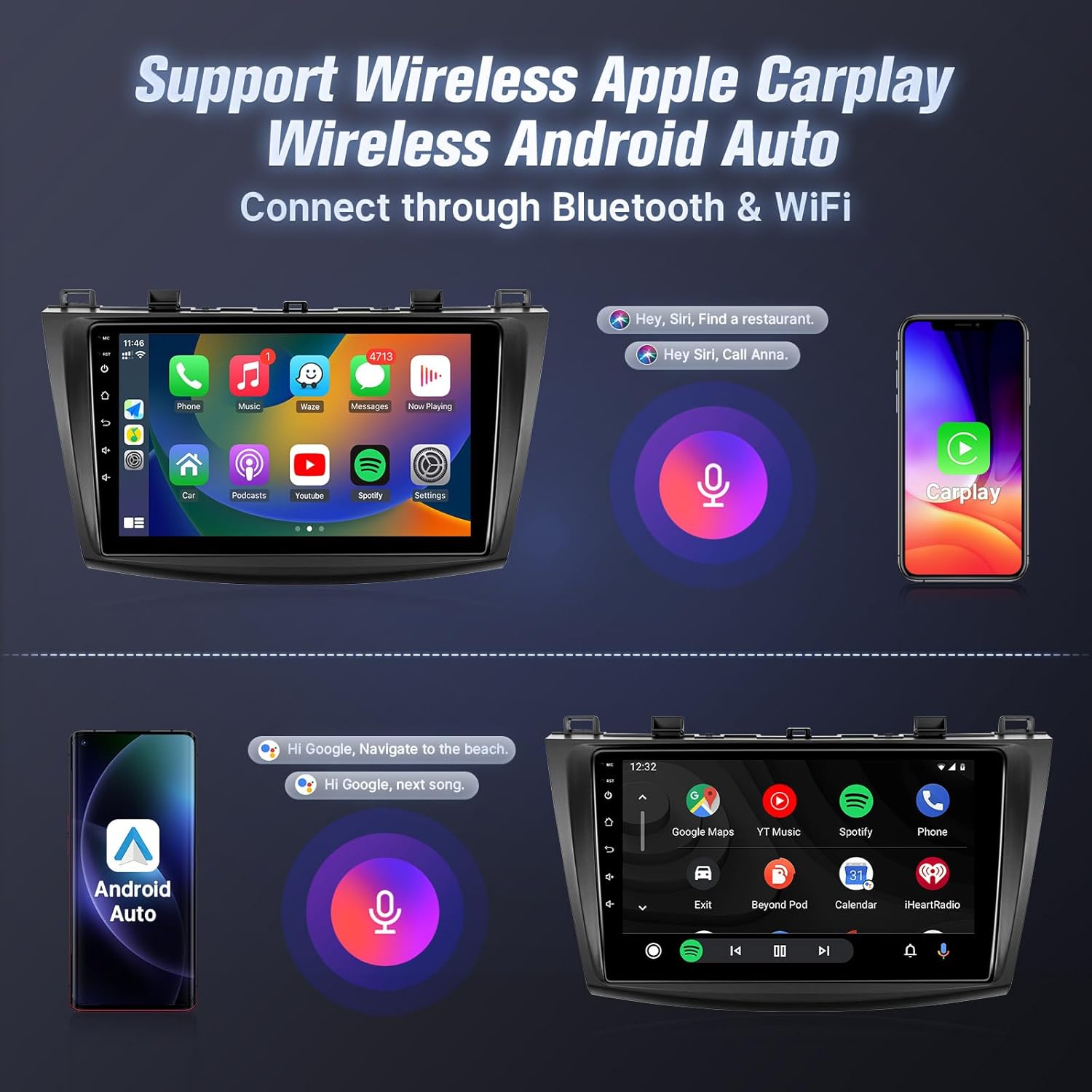
Wireless Apple CarPlay and Android Auto interfaces with voice control.
5.3 Peegellink
Mirror Link allows you to display your smartphone's screen on the car stereo.
- iOS-i seadmete jaoks: Supports one-way wireless connection via Wi-Fi.
- Android-seadmete jaoks: Supports two-way wired (USB cable) or wireless (Wi-Fi) connection.
- Follow the instructions within the Mirror Link application on the head unit to connect your device.
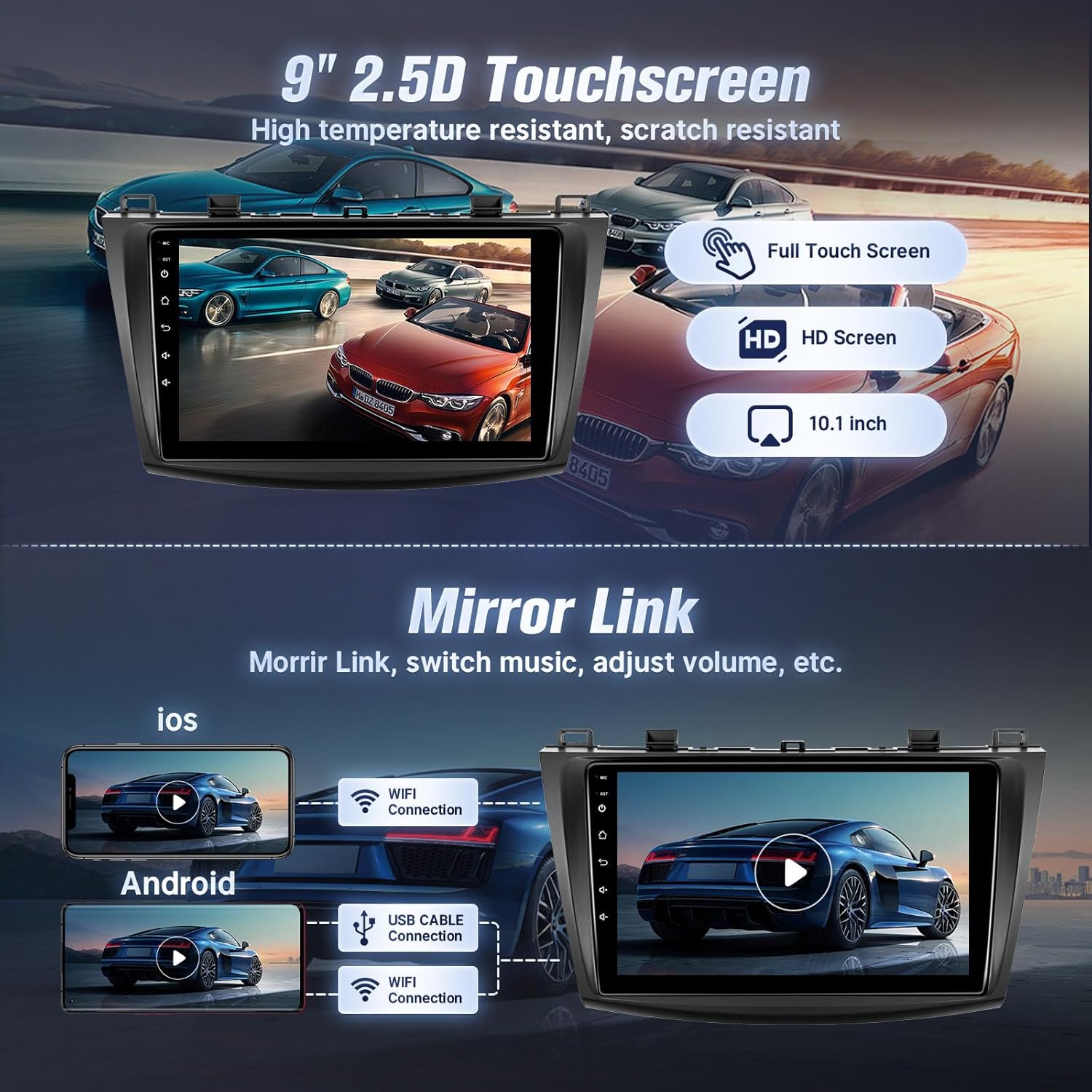
Mirror Link functionality for both iOS and Android devices.
5.4 Bluetooth-ühenduvus
Ühenda oma telefon Bluetoothi kaudu käed-vabad helistamiseks ja muusika voogedastuseks.
- Mine autostereo Bluetoothi seadetesse.
- Lubage oma nutitelefonis Bluetooth ja otsige saadaolevaid seadmeid.
- Select the car stereo from your phone's Bluetooth list and confirm pairing.
- Once connected, you can make/receive calls and play music directly from your phone.

Bluetooth interface for calls and music streaming.
5.5 GPS Navigation and Wi-Fi
The unit features built-in GPS for navigation and Wi-Fi for internet access.
- GPS: The stereo comes with a GPS antenna and supports both online and offline map files. You can use pre-installed navigation apps or download others from the app store.
- WiFi: Connect to the internet via your mobile hotspot or a Wi-Fi device to browse online, download apps, and use online navigation services.
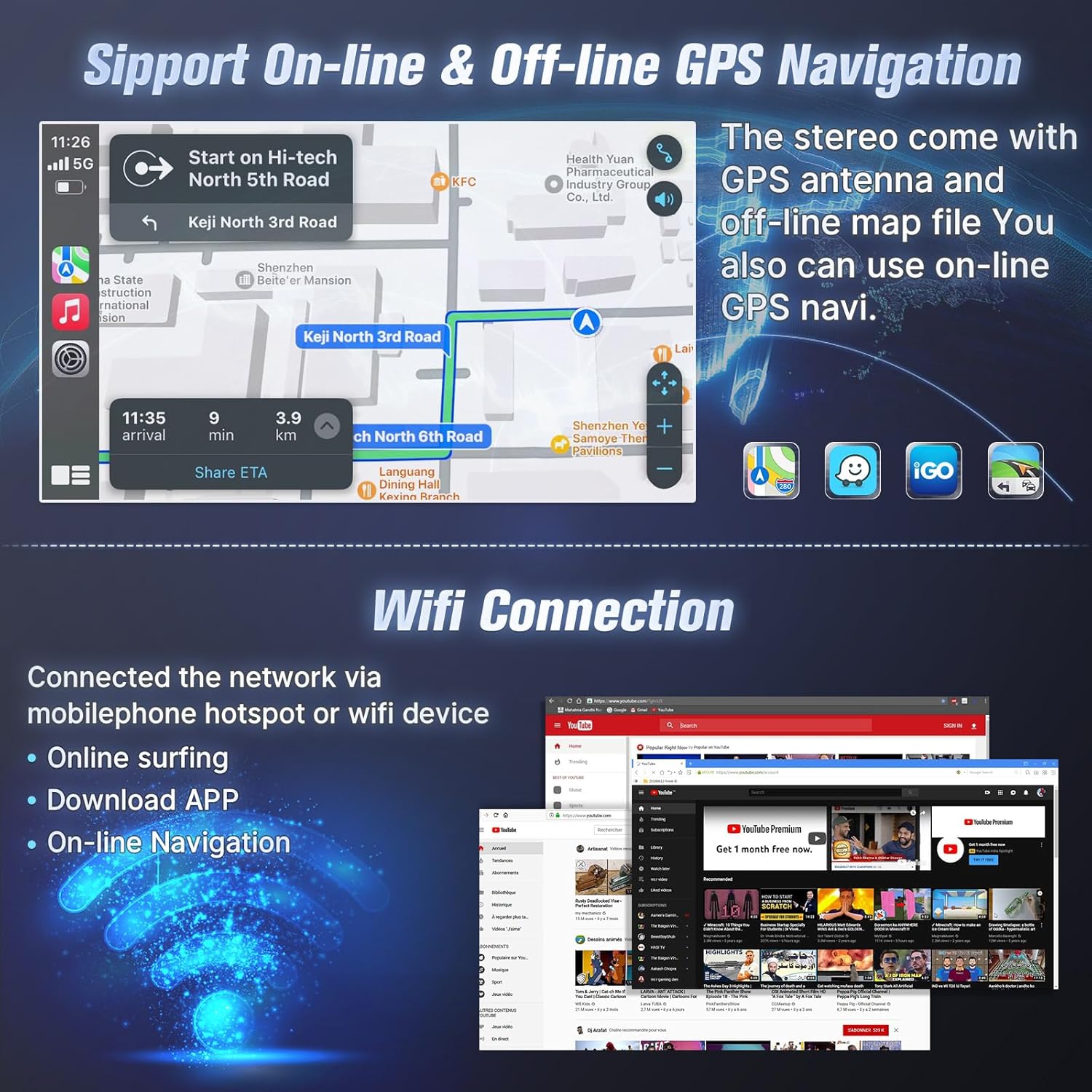
GPS navigation with online/offline map support and Wi-Fi connection for internet access.
5.6 FM -raadio
Sisseehitatud FM-tuuneri abil pääsete ligi kohalikele raadiojaamadele.
- Open the FM Radio application.
- Scan for stations automatically or manually tune to your desired frequency.
- Kiireks juurdepääsuks salvestage oma lemmikjaamad eelseadetena.

FM Radio interface with tuning and preset options.
5.7 Rooliratta juhtimine (SWC)
After correct CANBUS setup, you can control the car stereo using your vehicle's steering wheel buttons.
- Access the SWC settings in the unit's system menu.
- Follow the on-screen instructions to map your steering wheel buttons to specific functions (e.g., volume up/down, track skip, mode change).

Steering wheel control setup interface.
5.8 EQ Audio Adjustment and UI Themes
- EQ Audio: The unit offers 10-band EQ audio adjustment to customize sound output to your preference. Access this feature in the audio settings.
- Kasutajaliidese teemad: Choose from 38 different user interface themes to personalize the display's appearance.
5.9 AHD Backup Camera
The included AHD backup camera provides a clear view tagurdamisel.
- When the vehicle is shifted into reverse gear, the screen will automatically display the camera feed.
- The camera features night vision for improved visibility in low-light conditions.

Varukaamera view and physical camera unit.
5.10 Jagatud ekraani režiim
Jagatud ekraani funktsioon võimaldab teil ekraanil samaaegselt kahte rakendust käivitada.
- While an application is open, long-press the recent apps button or drag an app to one side of the screen (depending on the Android version) to activate split-screen mode.
- Valige teine rakendus, mis töötab esimese kõrval.

Voice control and split-screen mode in operation.
6. Hooldus
To ensure the longevity and optimal performance of your Leadfan car radio stereo, follow these maintenance guidelines:
- Puhastamine: Use a soft, dry cloth to clean the touchscreen and exterior. Avoid abrasive cleaners or solvents that could damage the screen or finish.
- Tarkvaravärskendused: Periodically check for available software updates to ensure the system runs efficiently and has the latest features. Updates can typically be found through the system settings or the manufacturer's websaidile.
- Temperatuur: Vältige seadme jätmist äärmuslike temperatuuride kätte. Pikaajaline otsese päikesevalguse või väga külma ilma käes viibimine võib mõjutada selle jõudlust ja eluiga.
- Ühendused: Ensure all cables and connections remain secure. Loose connections can lead to intermittent issues.
7. Veaotsing
If you encounter issues with your car radio stereo, refer to the following troubleshooting tips:
| Probleem | Võimalik põhjus | Lahendus |
|---|---|---|
| Seade ei lülitu sisse | Loose power connection, blown fuse, incompatible wiring. | Check power cables and fuse. Ensure correct wiring. Consult a professional installer if needed. |
| Heliväljund puudub | Volume too low, incorrect audio source, loose speaker wires, incompatible premium sound system. | Increase volume. Select correct audio source. Check speaker connections. Confirm car does not have a premium sound system. |
| CarPlay/Android Auto ei ühendu | Bluetooth/Wi-Fi telefonis välja lülitatud, vale sidumine, telefoni tarkvara probleem. | Ensure phone's Bluetooth/Wi-Fi is on. Re-pair the device. Restart phone and head unit. |
| GPS-signaal on kadunud või ebatäpne | GPS antenna obstruction, loose antenna connection, outdated maps. | Veenduge, et GPS-antennil oleks vaba ühendus. view of the sky. Check antenna connection. Update map data if necessary. |
| Tagurduskaamera ei kuva | Loose video cable, incorrect wiring to reverse trigger, faulty camera. | Check camera video cable connection. Verify reverse trigger wire is correctly connected. Test camera functionality. |
| Bluetooth/Internet connection unstable | Interference, weak signal, device compatibility. | Move away from sources of interference. Ensure strong Wi-Fi/hotspot signal. Re-pair Bluetooth device. |
Kui probleem püsib ka pärast nende lahenduste proovimist, võtke edasise abi saamiseks ühendust Leadfani klienditoega.
8. Tehnilised andmed
- Ekraani suurus: 9 tolli
- Resolutsioon: 1080*600 (IPS Touchscreen)
- Operatsioonisüsteem: Android 12
- RAM: 2 GB
- ROM: 32 GB
- Protsessor: 4-tuumaline protsessor
- Ühenduvus: Bluetooth 5.1, Wi-Fi
- GPS: Built-in, supports online and offline maps (North America map type)
- Eriomadused: Wireless CarPlay, Android Auto, Mirror Link, FM Radio, AHD Backup Camera (waterproof, night vision), Steering Wheel Control, Split Screen, 10-band EQ Audio Adjustment, Multiple UI Themes, Dual USB ports, RCA Input/Output, External Microphone Jack.
- Kauba kaal: 3.1 naela
- Toote mõõtmed: 10.9 x 3.8 x 13.5 tolli
- Paigaldustüüp: Armatuurlaua kinnitus

Internal specifications including processor, RAM, and ROM.
9. Garantii ja tugi
Leadfan provides comprehensive support for your car radio stereo:
- Garantii: 12 months after-sales support and replacement available within 12 months.
- Raha tagasi garantii: 30-päevane raha tagasi garantii.
- Tehniline tugi: 24-hour after-sales technical support to assist with installation and operation problems.
Kuidas toega ühendust võtta:
For installation or technical assistance, please follow these steps:
- Mine Amazoni tootelehele.
- Click on the 'Leadfan' store link.
- Click the 'Ask a question' button.
- Provide details of your installation or operation questions, including pictures or videos if helpful.
The Leadfan support team aims to respond within 24 hours.

Steps to contact Leadfan customer support for assistance.


