1. Sissejuhatus
This manual provides detailed instructions for the installation, operation, and maintenance of your Luowice Solar Security Camera. This wireless outdoor camera features a 3W solar panel for continuous power, 360° pan and tilt functionality, 3MP color night vision, and is designed to be weatherproof for reliable outdoor use. Please read this manual thoroughly before use to ensure proper setup and functionality.

Image 1.1: Luowice Solar Security Camera with integrated solar panel.
2. Toote lõppview
2.1 Põhifunktsioonid
- 100% Wire-Free Setup: Operates on WiFi and powered by a 3W solar panel, eliminating the need for frequent battery charging and complex wiring.
- Lainurk katvus: Offers 355° horizontal and 90° vertical rotation for comprehensive area monitoring via the O-KAM PRO app.
- 3MP Color Night Vision: Provides clear, high-resolution video day and night, including full-color night vision with floodlights.
- Motion-Triggered Floodlights & Auto Tracking: Automatically activates floodlights and tracks human-shaped objects upon detection, enhancing security.
- Kahesuunaline heli: Allows real-time communication with visitors or deterrence of intruders.
- Kohalik ja pilvesalvestus: Supports micro SD card (up to 128GB, not included) for 24/7 loop recording and optional cloud storage services.
- Ilmastikukindel disain: IP66 rated, ensuring reliable performance in various severe weather conditions.
- Multi-User Sharing & Data Encryption: Securely share camera access with family members with advanced encryption.
2.2 Komponendid
Tavaliselt sisaldab pakett:
- Luowice Solar Security Camera
- 3W Solar Panel (integrated or separate with mounting bracket)
- Kinnitusklamber ja kruvid
- USB laadimiskaabel
- Kasutusjuhend
3. Seadistusjuhised
3.1 Aku laadimine
Before initial use, fully charge the camera's internal battery using the provided USB cable. Connect the cable to the camera's charging port and a standard 5V USB power adapter (not included). The indicator light will show charging status.
3.2 Rakenduse installimine ja konto loomine
- Laadige alla O-KAM PRO rakendus oma nutitelefoni rakenduste poest (iOS või Android).
- Avage rakendus ja järgige ekraanil kuvatavaid juhiseid uue konto loomiseks või sisselogimiseks, kui teil see juba on.
3.3 Kaamera ühendamine WiFi-ga
- In the O-KAM PRO app, tap the "+" icon to add a new device.
- Valige oma kaamera mudel või skannige kaameral olev QR-kood, kui seda küsitakse.
- Follow the app's instructions to connect the camera to your 2.4 GHz Wi-Fi network. Ensure your phone is connected to the same 2.4 GHz network during setup.
- Pärast ühenduse loomist muutub kaamera märgutuli ja saate rakenduses kinnituse.

Image 3.1: The camera supports 2.4 GHz Wi-Fi for stable data transmission.
3.4 Kaamera paigaldamine
Valige päikesepaneelile optimaalne päikesevalguse käes viibimise koht ja selge view of the area you wish to monitor. Ensure the camera is within range of your Wi-Fi network.
- Märkige puurimiskohad, kasutades kinnitusklambrit mallina.
- Vajadusel puurige augud ja sisestage seinaankrud.
- Kinnitage kinnitusklamber kruvidega seina külge.
- Attach the camera to the mounting bracket. Adjust the angle of the solar panel to maximize sunlight exposure.

Image 3.2: Camera mounted outdoors, demonstrating continuous solar power.
4. Kasutusjuhised
4.1 Otseülekanne View ja pan/kallutamise kontroll
Open the O-KAM PRO app and select your camera to access the live view. Use the on-screen controls to pan (355° horizontal) and tilt (90° vertical) the camera to adjust its viewnurk.

Image 4.1: Remote pan and tilt control via the O-KAM PRO app.
4.2 Kahesuunaline heli
Otseülekandest view, tap the microphone icon to speak through the camera's speaker. Tap the speaker icon to listen to audio from the camera's vicinity.

Image 4.2: Demonstrating two-way audio communication.
4.3 Liikumistuvastus ja märguanded
The camera features advanced motion detection with human shape recognition. When motion is detected, the camera can automatically turn on floodlights, track the object, and send instant alerts to your phone.
- Setting Detection Sensitivity: In the app settings, adjust the detection sensitivity to minimize false alarms.
- Defining Detection Zones: Create specific detection zones to focus monitoring on critical areas and ignore irrelevant movements.
- Märguanded: Receive instant app notifications and email alerts when motion is detected.

Image 4.3: Motion detection with intelligent recognition for humans, vehicles, and pets.

Image 4.4: Configuring custom motion detection zones.
4.4 Salvestamine ja salvestamine
Kaamera toetab kahte peamist salvestusmeetodit:
- Micro SD kaart: Insert a micro SD card (up to 128GB, not included) into the designated slot for continuous 24/7 loop recording, even without network access.
- Pilvesalvestus: Optional cloud storage services are available through the O-KAM PRO app for secure, remote access to your footage.

Pilt 4.5: Micro SD-kaardi pesa kohalikuks salvestamiseks.
5. Hooldus
5.1 Puhastamine
- Pühkige kaamera objektiivi ja päikesepaneeli regulaarselt pehme lapigaamp cloth to remove dust and debris. This ensures optimal image clarity and solar charging efficiency.
- Ärge kasutage tugevaid kemikaale ega abrasiivseid puhastusvahendeid.
5.2 Ilmastikukaitse
The camera is IP66 weatherproof, designed to withstand rain, snow, and dust. However, extreme weather conditions may temporarily affect performance. Ensure all ports are securely sealed.
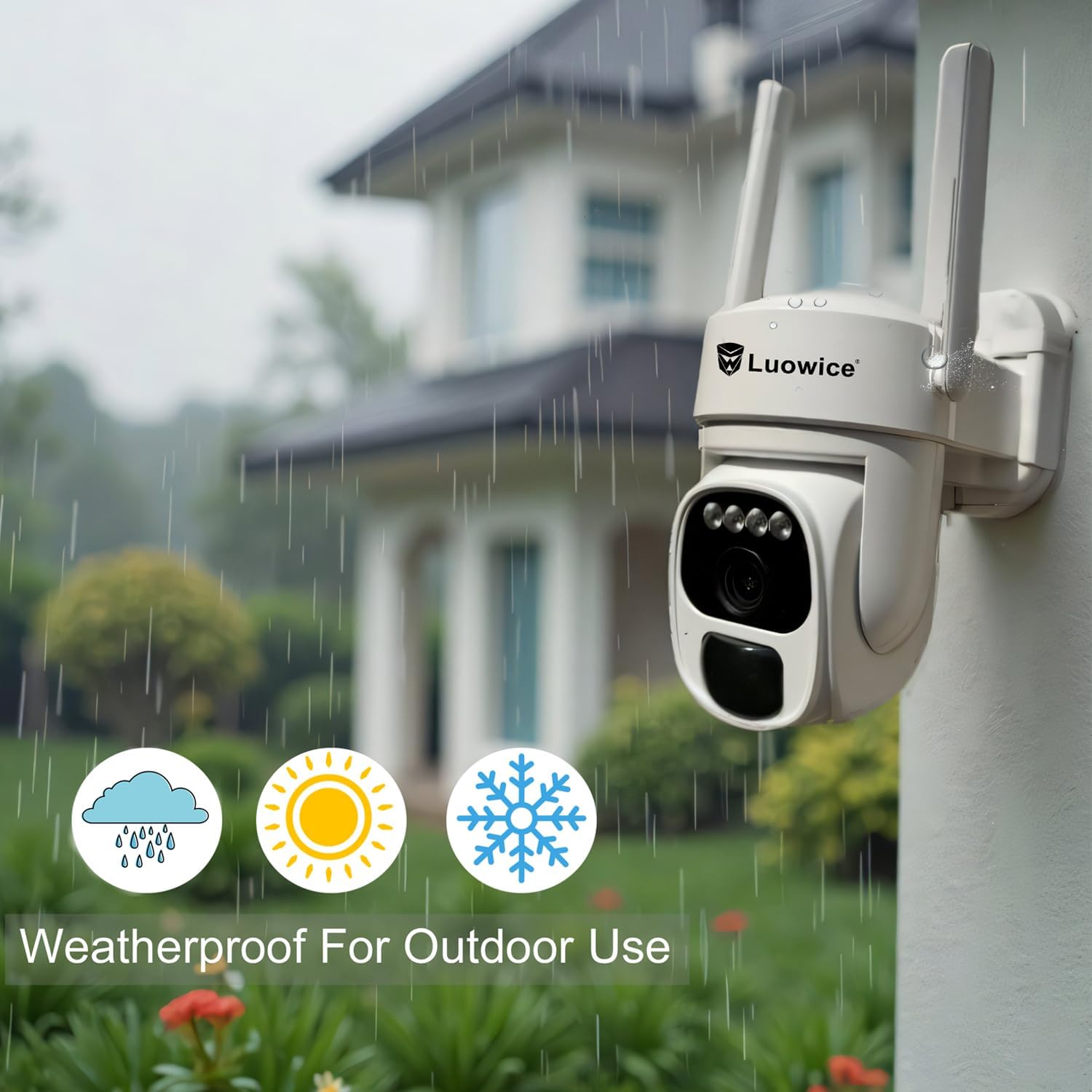
Image 5.1: The camera's weatherproof design for outdoor use.
6. Veaotsing
- Kaamera ei loo ühendust WiFi-ga: Ensure your Wi-Fi is 2.4 GHz. Check Wi-Fi signal strength at the camera's location. Restart your router and the camera.
- Aku ei lae: Verify the solar panel is clean and receiving direct sunlight. Check the USB charging cable connection. Ensure the ambient temperature is within the operating range for charging.
- Halb video kvaliteet: Clean the camera lens. Ensure adequate lighting. Check your internet connection speed.
- Valeliikumise märguanded: Liikumistuvastuse tundlikkuse reguleerimine rakenduses. Ebaoluliste alade välistamiseks määrake konkreetsed tuvastustsoonid.
- Pan/Tilt not responding: Check app connectivity. Ensure there are no physical obstructions. Restart the camera.
7. Tehnilised andmed
| Funktsioon | Spetsifikatsioon |
|---|---|
| Video jäädvustamise eraldusvõime | 3 MP |
| Toiteallikas | Päikeseenergial töötav (3W päikesepaneel) |
| Ühenduvusprotokoll | WiFi (2.4 GHz) |
| Panoraami/kallutamise vahemik | 355° horisontaalselt, 90° vertikaalselt |
| Öine nägemine | Color Night Vision with Floodlights |
| Salvestusvalikud | Micro SD-kaart (kuni 128 GB), pilvesalvestus |
| Ilmastikukindel hinnang | IP66 |
| Nõutavad patareid | 1 liitium-ioon aku (kaasas) |
| Kauba kaal | 1.85 naela |
| Mõõtmed | 7.87 x 6.18 x 5.55 tolli (pakend) |
| Ühilduvad seadmed | Nutitelefonid, tahvelarvutid, arvutid |
8. Garantii ja tugi
8.1 Garantii teave
Luowice products typically come with a manufacturer's warranty. Please refer to the product packaging or the official Luowice website for specific warranty terms and conditions. Optional extended protection plans may be available for purchase.
8.2 Klienditugi
For technical assistance, troubleshooting, or warranty claims, please contact Luowice customer support through their official website or the contact information provided with your product. When contacting support, please have your product model (B0DF4TVZ7Z) and purchase details ready.