1. Sissejuhatus
Thank you for choosing the Codnida 4MP Outdoor Surveillance Camera System. This manual provides detailed instructions to help you install, operate, and maintain your security system effectively. Please read this manual thoroughly before use and retain it for future reference.
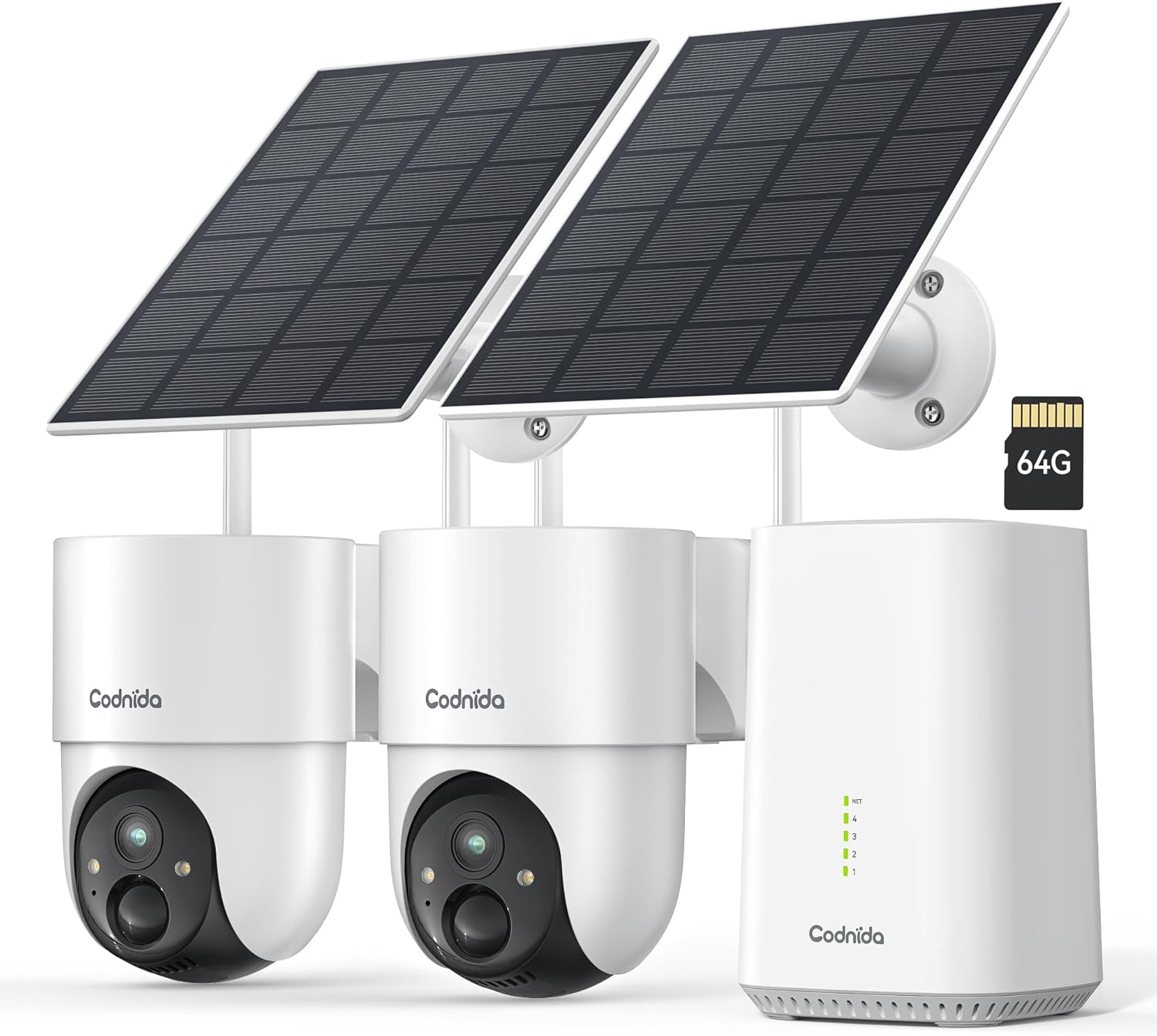
Image 1.1: Codnida 4MP Outdoor Surveillance Camera System components.
2. Pakendi sisu
Veenduge, et kõik allpool loetletud esemed on teie pakendis. Kui mõni ese on puudu või kahjustatud, võtke ühendust klienditoega.
- 2 x Codnida 4MP Outdoor Cameras
- 2 x päikesepaneelid
- 1 x tugijaam
- 1 x HDMI kaabel
- 1 x toiteadapter koos kaabliga
- 1 x 64GB TF Memory Card (pre-installed or separate)
- 1 x võrgukaabel
- 4 x kinnituskruvid
- 2 x Warning Stickers
- 1 x Kasutusjuhend (käesolev dokument)
3. Seadistusjuhend
3.1 Base Station Connection
- Connect the Base Station to a power outlet using the provided power adapter.
- Connect the Base Station to your router using the provided network cable.
- Optionally, connect the Base Station to a TV or monitor using the HDMI cable for a larger display.
3.2 Kaamera paigaldamine
The cameras are designed for outdoor use and are solar-powered, minimizing the need for frequent battery charging.
- Valige paigalduskoht, mis tagab päikesepaneelile optimaalse päikesevalguse ja selge view piirkonnast, mida soovite jälgida.
- Mount the camera and solar panel securely using the provided screws. Ensure the solar panel is angled to receive maximum direct sunlight.
- Ühendage päikesepaneeli kaabel kaameraga.
- Ensure the camera is within range of the Base Station's Wi-Fi signal (2.4 GHz or 5 GHz).
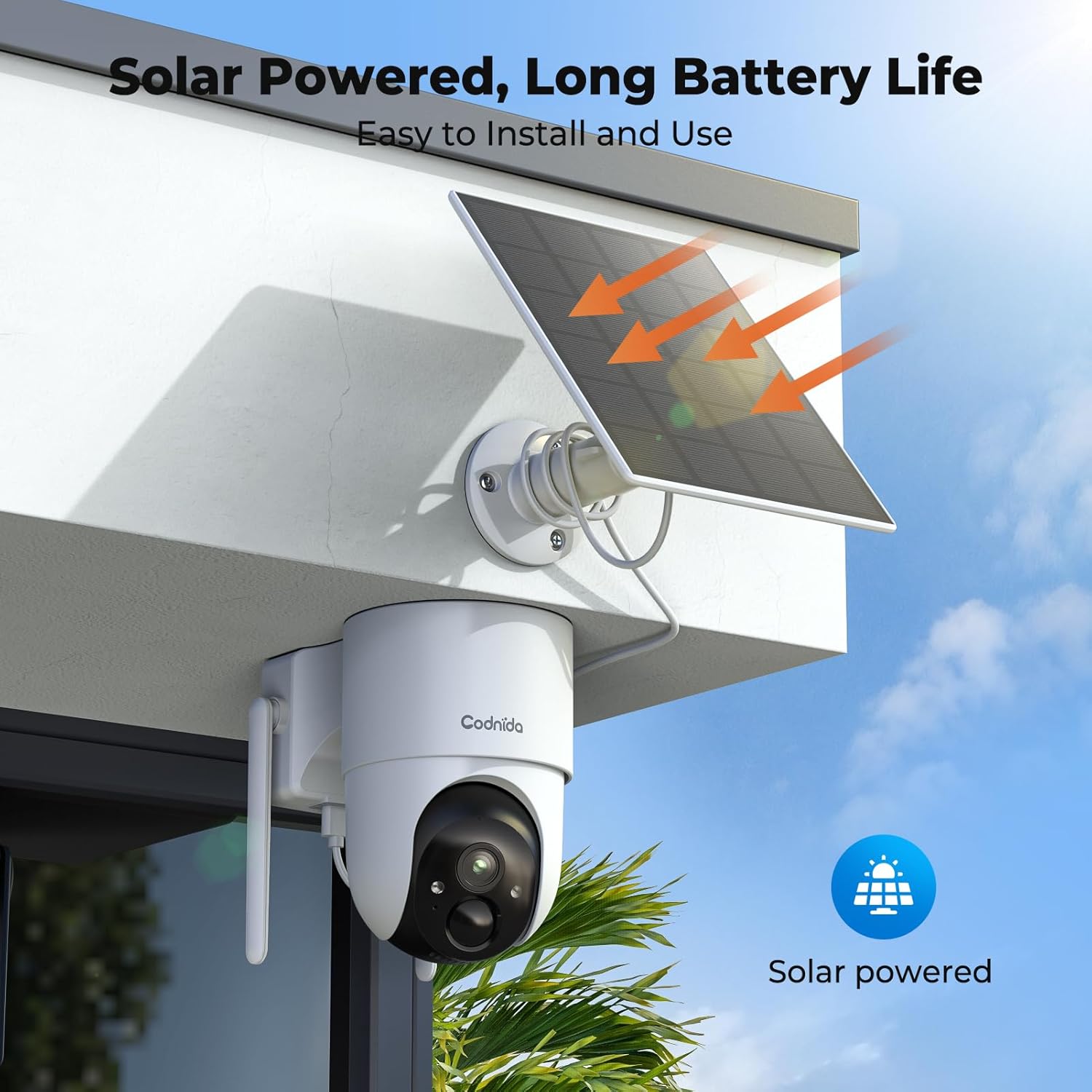
Pilt 3.2.1: Näideample of solar-powered camera installation.
3.3 App Setup (EseeCloud)
- Download the "EseeCloud" app from your smartphone's app store.
- Registreeru konto saamiseks või logi sisse, kui sul on see juba olemas.
- Follow the in-app instructions to add your Base Station and cameras. This typically involves scanning a QR code or manually entering device IDs.
- Kui olete ühendatud, saate seda teha view live feeds, access recordings, and configure settings.
4. Kasutusjuhised
4.1 Otseülekanne View ja Salvestamine
Access the EseeCloud app or a connected monitor to view ela lolltage from your cameras. The system supports 24/7 recording to the included 64GB TF card, providing up to 120 days of video storage.

Image 4.1.1: Live view display on a monitor.
4.2 Pan-Tilt-Zoom (PTZ) juhtimine
The cameras offer 355° pan and 90° tilt capabilities, providing a 360° view of your surroundings. Control these movements directly from the EseeCloud app.

Image 4.2.1: Pan-Tilt control via EseeCloud app.
4.3 Liikumistuvastus ja märguanded
The system features PIR motion detection, capable of identifying persons, vehicles, and animals. You will receive real-time notifications on your smartphone when motion is detected in designated areas.

Image 4.3.1: PIR motion detection identifying objects.
4.4 Öine nägemine
The cameras provide crystal clear 4MP video quality, including two night vision modes: infrared and color night vision, effective up to 15 meters (65 feet).
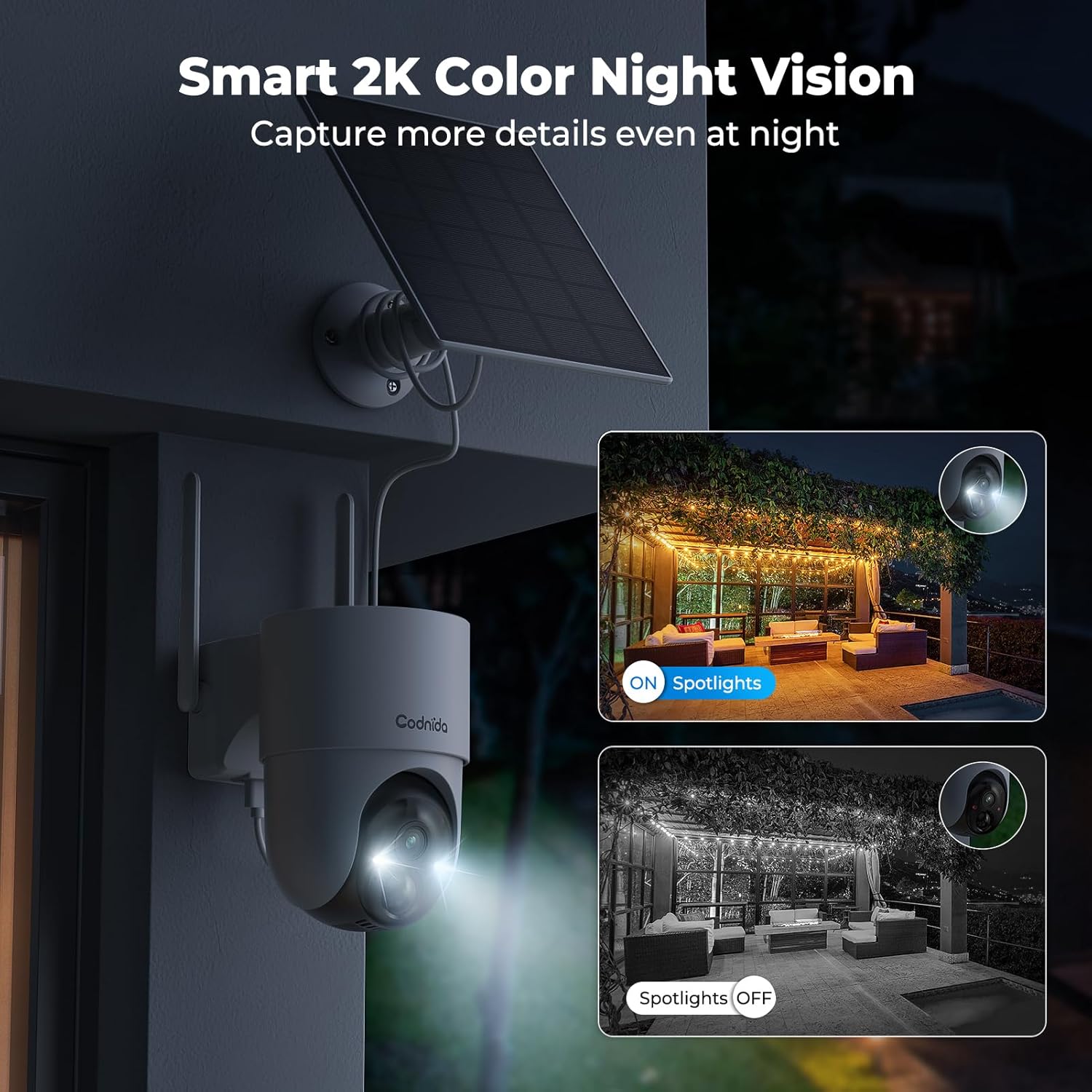
Image 4.4.1: Smart 2K color night vision with spotlights.
4.5 Kahesuunaline heli
Utilize the built-in microphone and speaker for two-way communication through the EseeCloud app. This allows you to speak to visitors or deter intruders remotely.

Image 4.5.1: Two-way audio functionality via smartphone.
5. Hooldus
5.1 Päikesepaneelide hooldus
Regularly clean the surface of the solar panels to ensure optimal charging efficiency. Dust, dirt, and debris can reduce sunlight absorption. Use a soft, damp puhastuslapp.
5.2 Kaamera puhastamine
Wipe the camera lens and body with a soft, lint-free cloth to remove any smudges or dirt. Avoid using harsh chemicals that could damage the camera's finish or lens coating. The cameras are IP65 water-resistant, designed to withstand rain and snow.

Image 5.2.1: IP65 water resistance for all-weather protection.
5.3 Püsivara värskendused
Periodically check the EseeCloud app for available firmware updates. Keeping your device's firmware updated ensures optimal performance, security, and access to new features.
6. Veaotsing
| Probleem | Võimalik põhjus | Lahendus |
|---|---|---|
| Camera not connecting to Base Station | Out of range; Wi-Fi interference; incorrect pairing. | Move camera closer to Base Station; reduce interference; re-pair camera via EseeCloud app. |
| Videovoogu pole | Camera offline; network issue; power issue. | Check camera power and network connection; restart Base Station and router. |
| Kehv pildikvaliteet | Dirty lens; low network bandwidth; app setting. | Clean camera lens; ensure stable Wi-Fi; select HD quality in EseeCloud app. |
| Päikesepaneel ei lae | Ebapiisav päikesevalgus; määrdunud paneel; vigane ühendus. | Relocate panel for more sun; clean panel surface; check cable connection. |
| Liikumismärguanded ei tööta | Motion detection disabled; incorrect sensitivity; app notification settings. | Enable motion detection in app; adjust sensitivity; check phone notification settings for EseeCloud. |
7. Tehnilised andmed
| Funktsioon | Detail |
|---|---|
| Mudel | COD-214 (D214) |
| Video eraldusvõime | 4MP (1440p recording) |
| Viewing | 360 kraadi (355° panoraamimine, 90° kallutus) |
| Öise nägemise ulatus | 15 meetrit (65 jalga) |
| Säilitamine | 64 GB TF-kaart (kaasas) |
| Ühenduvus | Wireless (Wi-Fi 2.4GHz/5GHz), HDMI |
| Toiteallikas | Solar Powered (Lithium-ion battery) |
| Veekindlus | IP65 (veekindel) |
| Eriomadused | Two-way audio, Motion detection, HD Resolution, PTZ Technology, Night vision |
| Ühilduvad seadmed | Smartphone (EseeCloud app) |
| Materjal | Plastikust |
| Energiatarve | 5 vatti |
| Installi tüüp | Screw-in (Wall, Ceiling, Tree, Door mounting) |
8. Garantii ja tugi
8.1 Tootja garantii
The Codnida 4MP Outdoor Surveillance Camera System comes with a manufacturer's warranty of 1.5 years from the date of purchase. Please retain your proof of purchase for warranty claims.
8.2 Klienditugi
For technical assistance, troubleshooting, or warranty inquiries, please contact Codnida customer support. Refer to the contact information provided on the product packaging or the official Codnida websaidile.


