1. Sissejuhatus
The Optex ORT8915-UHD is a state-of-the-art 4K DVB-T2 terrestrial digital television receiver. This device allows you to receive terrestrial digital television programs in stunning 4K quality, providing a high-quality visual and audio experience. It supports HEVC encoding for efficient broadcasting and offers various features to enhance your viewkogemusi.
2. Pakendi sisu
Enne paigaldamise jätkamist veenduge, et pakendis on kõik vajalikud esemed olemas:
- Optex ORT8915-UHD 4K DVB-T2 Receiver x1
- Toiteadapter x1
- 1.5V Batteries x2
- Kasutusjuhend x1
- Kaugjuhtimispult x1
- HDMI-kaabel x1

Image 2.1: The Optex ORT8915-UHD receiver along with its included accessories: power adapter, batteries, user manual, remote control, and HDMI cable.
3. Toote lõppview
3.1 Esipaneel
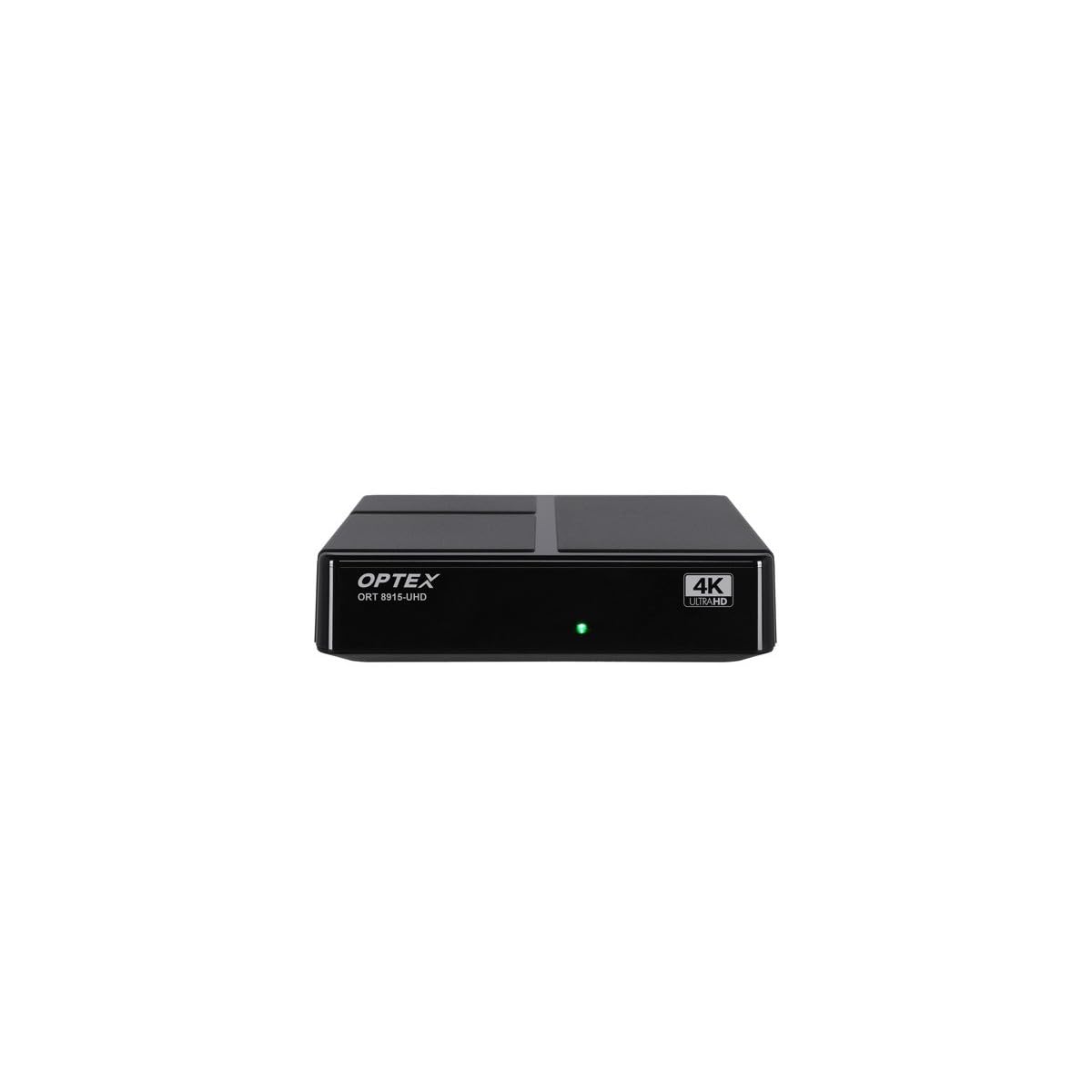
Pilt 3.1: esikülg view of the Optex ORT8915-UHD receiver, showing the USB port and control buttons.
The front panel features a USB port for connecting external storage devices, along with basic control buttons for power, menu navigation, channel selection (CH+/CH-), and volume adjustment (V+/V-).
3.2 Tagapaneel

Pilt 3.2: tagumine view of the Optex ORT8915-UHD receiver, displaying various input/output ports.
Tagapaneelil on järgmised ühendused:
- ANT IN: For connecting your terrestrial antenna.
- OPTIC: Optiline digitaalne heliväljund.
- OF: Analog video/audio output.
- HDMI: High-Definition Multimedia Interface output for connecting to a TV.
- Alalisvool: Adapteri toitesisend.
3.3 kaugjuhtimispult

Image 3.3: The remote control for the Optex ORT8915-UHD receiver, featuring various function buttons.
The remote control provides full functionality for navigating menus, changing channels, adjusting volume, accessing program guides, and utilizing special features like Timeshift and USB recording.
4. Seadistamine
- Ühendage antenn: Connect your terrestrial antenna cable to the "ANT IN" port on the rear panel of the receiver.
- Ühenda teleriga:
- For High-Definition (HD) connection: Use the provided HDMI cable to connect the "HDMI" port on the receiver to an HDMI input on your television.
- For Standard-Definition (SD) connection: Use an AV cable (not included) to connect the "AV" ports on the receiver to the corresponding AV inputs on your television.
- Ühendage toide: Plug the power adapter into the "DC IN" port on the receiver, then plug the adapter into a power outlet.
- Patareide sisestamine kaugjuhtimispulti: Open the battery compartment on the back of the remote control and insert the two 1.5V batteries, ensuring correct polarity.
- Toide sisse: Press the power button on the receiver or the remote control to turn on the device.
- Valige teleri sisend: On your television, select the correct HDMI or AV input source that corresponds to the connection you made in step 2.
5. Kasutusjuhised
5.1 Initial Channel Scan
Upon first use or after a factory reset, the receiver will guide you through an initial setup process, including a channel scan. Follow the on-screen prompts to automatically search for available DVB-T2 channels in your region. Ensure your antenna is properly connected for optimal results.
5.2 Põhifunktsioonid
- Kanalil navigeerimine: Kasutage CH+ ja CH- buttons on the remote or front panel to change channels.
- Helitugevuse juhtimine: Kasutage V+ ja V- nuppe helitugevuse reguleerimiseks.
- Menüü juurdepääs: Vajutage nuppu MENÜÜ nuppu, et avada peamenüü seadete ja funktsioonide jaoks.
- Programmijuhend (EPG): Vajutage nuppu EPG nuppu view the Electronic Program Guide, which displays broadcast schedules.
- Teletekst: Access teletext services by pressing the TTX nuppu.
5.3 Täpsemad funktsioonid
- Timeshift (Live Control): Connect a USB storage device to the receiver. Press the Ajanihe button (often a pause/play icon) to pause live TV, allowing you to resume viewhiljem.
- USB-salvestus (PVR): With a USB storage device connected, you can record live TV programs. Use the REC salvestamise alustamiseks puldil nuppu .
- Multimeedia taasesitus: The USB port also supports playback of various multimedia files (audio, video, images) from a connected USB storage device. Navigate to the multimedia section in the main menu to access this feature.
- Vanemlik kontroll: Set up parental control features through the menu to restrict access to certain channels or programs based on age ratings.
- Lemmikute nimekirjad: Create customized lists of your favorite channels for quick access.
6. Hooldus
- Puhastamine: Vastuvõtja välispinna puhastamiseks kasutage pehmet ja kuiva lappi. Ärge kasutage vedelaid puhastusvahendeid ega abrasiivseid materjale.
- Ventilatsioon: Ensure the receiver is placed in a well-ventilated area to prevent overheating. Do not block the ventilation holes.
- Tarkvaravärskendused: Periodically check for software updates via USB to ensure optimal performance and access to new features. Refer to the main menu settings for update options.
7. Veaotsing
| Probleem | Võimalik põhjus | Lahendus |
|---|---|---|
| Pole pilti ega heli | Incorrect TV input selected, loose cable connections, power issue. |
|
| Kanaleid ei leitud | Antenna not connected or positioned correctly, no channel scan performed. |
|
| Kaugjuhtimispult ei tööta | Dead batteries, obstructed signal, remote not paired (if applicable). |
|
| Halb pildikvaliteet | Weak antenna signal, incorrect resolution settings. |
|
8. Tehnilised andmed
| Funktsioon | Detail |
|---|---|
| Mudel | ORT8915-UHD |
| Kaubamärk | Optex |
| Toote tüüp | 4K DVB-T2 Terrestrial Receiver |
| Video kodeerimine | HEVC |
| Ühilduvad seadmed | Television, Game Console, Tablet, Personal Computer, Amplifier, Speaker, Smartphone |
| Ühenduvustehnoloogia | USB |
| Heliväljundi režiim | Stereo |
| Heliväljundi tüüp | HDMI, optiline |
| Ruumilise heli kanali konfiguratsioon | 5.1, 7.1, 9.2 |
| Erifunktsioon | Liikumisandur |
| HDMI-pordid kokku | 1 |
| Energiatarve (ooterežiim) | <0.5 W |
| Mõõtmed (pikkus x laius) | 126.0 mm x 125.0 mm |
| Toote kaal | 470 g |
9. Garantii ja tugi
For warranty information and technical support, please refer to the official Optex website or contact your local retailer. Keep your purchase receipt as proof of purchase for any warranty claims.
Software updates are guaranteed until an unknown date, as per product information. For the latest information, please visit the manufacturer's support page.


