Sissejuhatus
This manual provides essential information for the setup, operation, and maintenance of your STRONG SRT32HG6733C 32-inch HD Android Smart TV. Please read these instructions carefully before using the product to ensure proper functionality and safety.
Mis on karbis
Pärast lahtipakkimist kontrollige, kas kõik allpool loetletud esemed on olemas ja heas seisukorras:
- STRONG SRT32HG6733C TV Unit
- Remote control with voice recognition
- 2 x AAA patareid
- Kasutusjuhend (see dokument)

Image: The STRONG SRT32HG6733C TV unit with its central stand, remote control, and included accessories.
Seadistamine
1. Aluse kinnitamine
Carefully place the TV screen-down on a soft, clean surface to prevent scratches. Align the central stand with the mounting holes on the bottom of the TV. Secure the stand using the provided screws. Ensure the stand is firmly attached before proceeding.

Pilt: Tagumine view of the TV showing the central stand attachment points and various input ports.
2. Toite ühendamine
Plug the power cord into the TV's power input, then into a wall outlet. The TV will enter standby mode.
3. Esialgne seadistamine ja võrguühendus
Upon first power-on, the TV will guide you through the initial setup process. This includes language selection, country, and network connection. For optimal Smart TV functionality, connect to your Wi-Fi network. You can also connect via an Ethernet cable for a stable wired connection.

Image: The TV screen displaying connectivity options, highlighting Wi-Fi and Bluetooth symbols.
Kasutusjuhised
Põhifunktsioonid
- Toide sisse/välja: Vajutage kaugjuhtimispuldil või teleril olevat toitenuppu.
- Kanali valik: Use the CH+/- buttons or the number pad on the remote.
- Helitugevuse juhtimine: Kasutage nuppe VOL+/-.
- Sisendallikas: Press the SOURCE button to select between HDMI, AV, DVB-T/T2, DVB-C, DVB-S/S2 inputs.
Nutiteleri funktsioonid (Google TV)
Your TV runs on Google TV, providing access to a wide range of applications and services.
- Avakuva: Access your favorite apps, movies, and shows directly from the customizable home screen.
- Voogesitusrakendused: Pre-installed apps include Netflix, Prime Video, YouTube, and Disney+. Additional apps can be downloaded from the Google Play Store.
- Google'i assistent: Use the voice recognition remote to control your TV, search for content, and get information by pressing the Google Assistant button and speaking your command.
- Google Cast: Stream content from your compatible smartphone or tablet directly to the TV.

Image: The TV screen showing the Google TV interface with icons for Netflix, YouTube, Prime Video, Disney+, and other streaming services.

Image: A user holding the voice-controlled remote, with a visual representation of Google Assistant responding to a voice command on the TV screen.
Ühenduvus
Teleril on väliste seadmete ühendamiseks mitmesuguseid porte:
- HDMI-pordid (x2): Ühendage Blu-ray-mängijad, mängukonsoolid või muud HDMI-toega seadmed.
- USB-port (x1): Meedia esitamine filefailid (fotod, videod, muusika) USB-mäluseadmest.
- Etherneti (RJ45) port: Juhtmega internetiühenduse jaoks.
- Antenna (ANT in) / Satellite (SAT in) Inputs: Connect your terrestrial or satellite antenna for live TV.
- CI pesa: Tingimusjuurdepääsu moodulite (CAM) jaoks krüptitud kanalite dekrüpteerimiseks.
- SPDIF väljund: Digitaalse heli väljundiks heliribale või kodukinosüsteemile.
- AV-sisend: Vanemate seadmete ühendamiseks komposiitvideo ja stereoheli abil.
- Kõrvaklappide väljund: Kõrvaklappide ühendamiseks.

Pilt: Detailne tagaosa view of the TV highlighting all available input and output ports, including AV in, HDMI, USB, Ethernet, S/PDIF, ANT in, SAT in, CI slot, and Headphone output.
Video: lühike sissejuhatusview demonstrating the TV's use in a mobile setting, such as a camper van, showing its compact size and clear display for entertainment on the go.
Hooldus
Teleri puhastamine
Ekraani puhastamiseks pühkige seda õrnalt pehme ja ebemevaba lapiga. Kangekaelsete plekkide korral pühkige seda kergeltampen the cloth with water or a screen-cleaning solution. Avoid using harsh chemicals or abrasive materials. Clean the TV casing with a dry, soft cloth.
Tarkvaravärskendused
Your Android TV may receive software updates periodically. Ensure your TV is connected to the internet to receive these updates. Updates can improve performance, add new features, and enhance security. You can check for updates manually in the TV's settings menu.
Veaotsing
| Probleem | Võimalik lahendus |
|---|---|
| Pole jõudu | Kontrollige, kas toitejuhe on kindlalt teleri ja seinakontakti ühendatud. Veenduge, et pistikupesa töötab. |
| Pilti pole, aga heli on olemas | Veenduge, et valitud on õige sisendallikas. Kontrollige kaabliühendusi välisseadmetega. |
| Heli pole, aga pilt on olemas | Check the volume level and mute status. Ensure audio cables are correctly connected if using external speakers. |
| Kaugjuhtimispult ei tööta | Vahetage patareid välja. Veenduge, et puldi ja teleri infrapunasensori vahel ei oleks takistusi. |
| Wi-Fi-ga ei saa ühendust | Ensure your router is on and working. Re-enter the Wi-Fi password. Try restarting both the TV and the router. |
| Nutiteleri rakendused on aeglased või ei reageeri | Check your internet connection speed. Close unused applications. Restart the TV. |
Tehnilised andmed
| Funktsioon | Detail |
|---|---|
| Mudeli number | SRT32HG6733C |
| Ekraani suurus | 32 tolli (81 cm) |
| Kuvamistehnoloogia | LED |
| Resolutsioon | HD-valmidus (1366 x 768p) |
| Operatsioonisüsteem | Google TV |
| Ühenduvus | Wi-Fi, Bluetooth, 2x HDMI, 1x USB, Ethernet (RJ45), AV In, SPDIF, ANT in, SAT in, CI Slot |
| Tunerid | DVB-T/T2, DVB-C, DVB-S/S2 (HEVC 265 codec) |
| Eriomadused | Google Assistant, Google Cast, Dolby Audio |
| Mõõdud (L x S x K) | 71.8 x 22.3 x 45.2 cm (alust koos) |
| Kaasatud komponendid | TV, Voice Remote, 2x AAA Batteries, Manual |
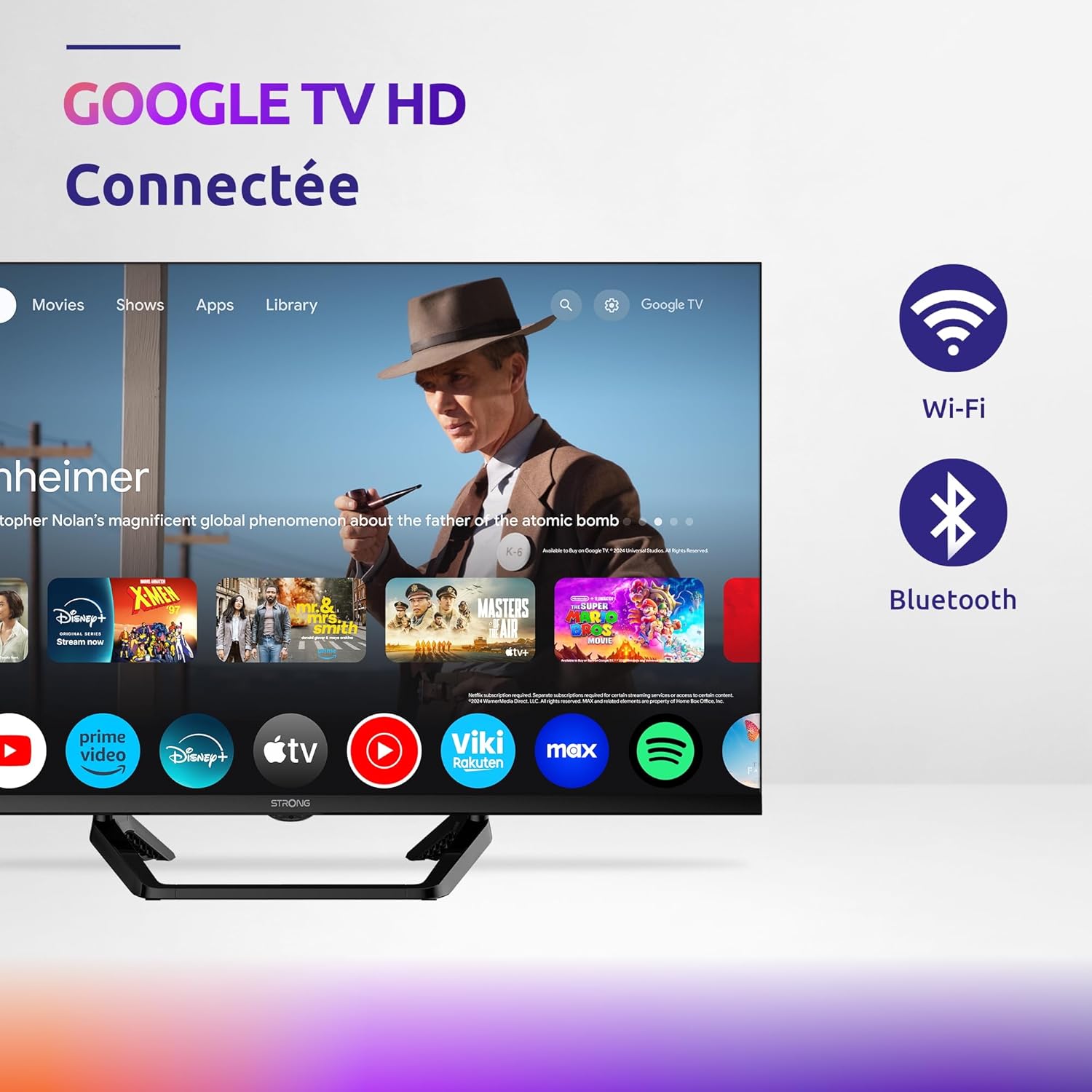
Image: Diagram showing the dimensions of the STRONG SRT32HG6733C TV, including width, height, and depth with the central stand.
Garantii ja tugi
This product comes with a manufacturer's warranty of 24 months. For warranty claims or technical support, please refer to the contact information provided on the official STRONG websaidil või ostudokumentides.
For frequently asked questions and additional resources, visit the STRONG Brand Store.


Images: Icons representing warranty information and frequently asked questions.