1. Sissejuhatus
Thank you for choosing the Peakeep MHP6020 Small Digital Alarm Clock. This compact and versatile alarm clock is designed for convenience and reliability, featuring a large, clear display, adjustable brightness, multiple alarm volumes, and a battery backup function. This manual provides detailed instructions for setup, operation, and maintenance to ensure optimal performance.
2. Mis on karbis
- Peakeep MHP6020 Digital Alarm Clock
- Type-C Power Adapter (USB cable and wall adapter)
- Kasutusjuhend
3. Toote lõppview
The Peakeep MHP6020 features a minimalist design with intuitive controls located on the back and a large snooze/light button on top. The display shows time in clear blue digits.

Pilt: Tagumine view of the Peakeep MHP6020 Digital Alarm Clock, highlighting the 'TIME SET', '12/24HR', 'VOLUME', 'ALARM SET ON/OFF', and 'DIMMER' buttons, along with the Type-C power input.
Juhtnupud:
- SNOOZE/LIGHT Button (Top): Press to activate snooze during an alarm or to temporarily illuminate the display during a power outage.
- TIME SET Button (Back): Used to enter time setting mode.
- 12/24HR Button (Back): Toggles between 12-hour and 24-hour time formats. Also functions as '+' for adjusting values.
- VOLUME Button (Back): Adjusts alarm volume. Also functions as '-' for adjusting values.
- ALARM SET ON/OFF Button (Back): Used to set the alarm time and to turn the alarm on or off.
- DIMMER Button (Back): Adjusts the display brightness.
4. Seadistamine
4.1 Kella sisselülitamine
The Peakeep MHP6020 is primarily powered by the included Type-C adapter. It also supports battery backup for retaining settings during power outages.
- Install Battery Backup (Optional but Recommended): Open the battery compartment on the back of the clock. Insert 4 AAA batteries (not included). These batteries will save your time and alarm settings in case of a power interruption, and allow the display to light up for 20 seconds when the top button is pressed during an outage.
- Ühendage toiteadapter: Plug the Type-C cable into the 'power in' port on the back of the clock and connect the adapter to a standard electrical outlet. The display will illuminate.
Video: A demonstration of the Peakeep compact digital alarm clock, showing its features and ease of use, including setup and basic functions.
Video: This video illustrates the battery backup function of the Peakeep Small Digital Alarm Clock, demonstrating how settings are retained during a power outage.
4.2 Kellaaja seadistamine
- Vajutage ja hoidke all nuppu AJA MÄÄRAMINE button on the back for 2 seconds until the hour digits flash.
- Kasutage 12/24HR (+) or VOLUME (-) nupud kellaaja reguleerimiseks.
- Vajutage AJA MÄÄRAMINE uuesti, et kinnitada tunnid ja liikuda minutite seadistamisele. Minutid hakkavad vilkuma.
- Kasutage 12/24HR (+) or VOLUME (-) nuppe minutite reguleerimiseks.
- Vajutage AJA MÄÄRAMINE veel üks kord kinnitamiseks ja aja seadistamise režiimist väljumiseks.
4.3 Alarmi seadistamine
- Vajutage ja hoidke all nuppu ALARM SET ON/OFF button on the back for 2 seconds until the alarm hour digits flash.
- Kasutage 12/24HR (+) or VOLUME (-) nupud äratuse kellaaja reguleerimiseks.
- Vajutage ALARM SET ON/OFF again to confirm the alarm hour and move to minute adjustment. The alarm minute digits will flash.
- Kasutage 12/24HR (+) or VOLUME (-) nupud äratuse minutite reguleerimiseks.
- Vajutage ALARM SET ON/OFF one more time to confirm and exit alarm setting mode. The alarm icon will appear on the display, indicating the alarm is active.
5. Kasutusjuhised
5.1 Adjusting Display Brightness (Dimmer)
The clock features 5 adjustable brightness levels and an OFF setting to suit your preference.
- Vajutage nuppu HIMMEM button on the back repeatedly to cycle through the 5 brightness levels (L5 being brightest, L1 being dimmest) and the OFF setting.
- Valige soovitud heledustase.

Image: The Peakeep MHP6020 Digital Alarm Clock display at various brightness levels (L5 to OFF), demonstrating the dimmer function.
5.2 Alarmi helitugevuse reguleerimine
The alarm offers 5 adjustable volume levels (U01 to U05) ranging from 55-90 dB.
- Tavapärases aja kuvamise režiimis vajutage nuppu VOLUME (-) button on the back to cycle through the 5 alarm volume levels.
- The current volume level (U01-U05) will be displayed temporarily.

Image: The Peakeep MHP6020 Digital Alarm Clock illustrating the range of 5 alarm volumes, from 55dB for light sleepers to 90dB for heavy sleepers.
5.3 Edasilükkamise funktsioon
Kui äratuskell kõlab, vajutage suurt nuppu SNOOZE / VALGUS button on top to activate the 9-minute snooze function. The alarm will sound again after 9 minutes. To turn off the alarm completely, press any button on the back of the clock.
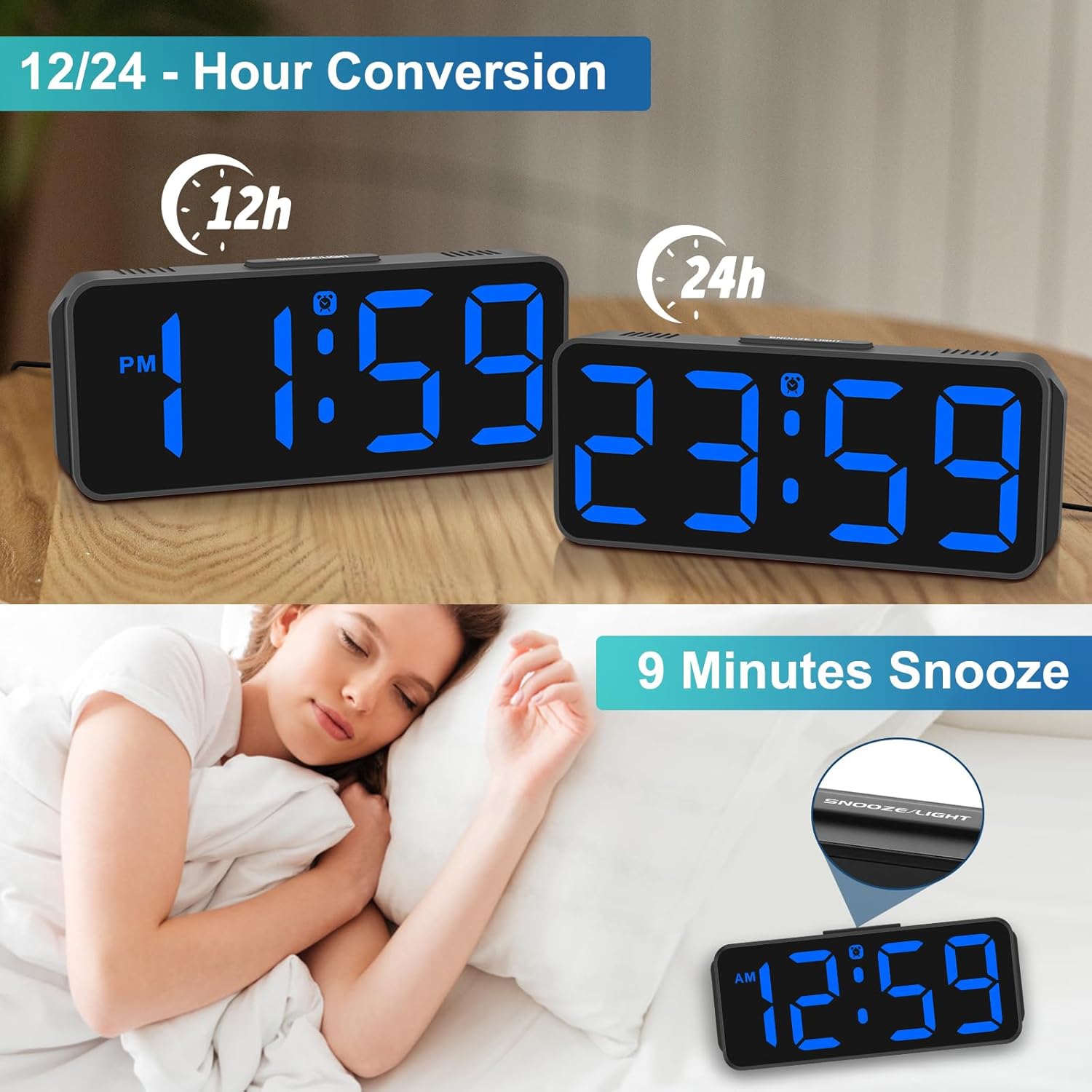
Image: The Peakeep MHP6020 Digital Alarm Clock demonstrating the 12/24 hour format conversion and the 9-minute snooze function activated by the top button.
5.4 12/24 tunni formaat
Tavalises kellaaja kuvamise režiimis vajutage nuppu 12/24 HR button on the back to switch between 12-hour and 24-hour time formats.
6. Hooldus
- Puhastage kella pehme ja kuiva lapiga. Ärge kasutage abrasiivseid puhastusvahendeid ega lahusteid.
- Vältige kella jätmist äärmuslike temperatuuride, otsese päikesevalguse või kõrge õhuniiskuse kätte.
- Ensure the clock is placed on a stable surface to prevent accidental falls.
7. Veaotsing
| Probleem | Lahendus |
|---|---|
| Ekraan on tühi. | Ensure the power adapter is securely plugged into both the clock and the electrical outlet. If using battery backup, check if batteries are correctly installed and not depleted. |
| Äratus ei helise. | Verify that the alarm is set and the alarm icon is visible on the display. Check the alarm volume setting. |
| Pärast voolukatkestust on kellaaeg valetage. | Ensure 4 AAA batteries are installed for memory backup. If not, reset the time manually. |
| Ekraan on liiga hele/tuhm. | Vajutage nuppu HIMMEM button on the back to adjust the brightness level. |
8. Tehnilised andmed
| Funktsioon | Detail |
|---|---|
| Mudeli number | MHP6020 |
| Kaubamärk | Peakeep |
| Kuva tüüp | Digitaalne LED |
| Ekraani värv | Sinine |
| Mõõtmed | 5.3 cm lai ja 2.1 cm kõrge |
| Toiteallikas | Corded Electric (Type-C adapter included) |
| Aku varundus | 4 AAA batteries required (not included) for memory backup only. |
| Heleduse tasemed | 5 levels + OFF |
| Häire helitugevus | 5 adjustable levels (55-90 dB) |
| Edasilükkamise kestus | 9 minuti |
| Materjal | Plastikust |
| Kauba kaal | 4.64 untsi |
9. Garantii ja tugi
This product comes with a limited warranty. For detailed warranty information or technical support, please refer to the contact information provided below or visit the official Peakeep websaidile.
Peakeep teenus: sales@us-myhome.com


